
Seata
Seata(Simple Extensible Autonomous Transaction Architecture)是一款开源的分布式事务解决方案,旨在解决微服务架构下的数据一致性问题。它提供了AT、TCC、SAGA和XA等多种事务模式,支持自动回滚和补偿机制。Seata通过事务协调器(TC)管理全局事务,确保各服务间的事务一致性。它易于集成,广泛兼容Spring Cloud、Dubbo等框架,是微服务环境中可靠的分布式事务解决方案。
下载SQL
将下载的SQL导入对应的数据库
- MySQL
URL: jdbc:mysql://192.168.1.10:35725/kongyu
curl -O https://raw.githubusercontent.com/apache/incubator-seata/refs/tags/v2.3.0/script/server/db/mysql.sql- PostgreSQL
URL: jdbc:postgresql://192.168.1.10:32297/kongyu?currentSchema=public&stringtype=unspecified
curl -O https://raw.githubusercontent.com/apache/incubator-seata/refs/tags/v2.3.0/script/server/db/postgresql.sql自定义配置
修改deploy.yaml配置文件
配置文件:ConfigMap,seata.config和seata.registry的Nacos信息;seata.store存储的数据库信息;Web控制台的账号密码console.user
rpc端口:SEATA_IP和SEATA_PORT环境变量设置最终注册在Nacos的IP和端口,同时监听SEATA_PORT端口
堆内存:JVM_XMX和JVM_XMS环境变量,同步修改resources的limits和requests
其他:其他配置按照具体环境修改
创建标签,运行在标签节点上
kubectl label nodes server03.lingo.local kubernetes.service/seata-server="true"创建服务
- MySQL
kubectl apply -n kongyu -f deploy-mysql.yaml- PostgreSQL
kubectl apply -n kongyu -f deploy-postgresql.yaml查看服务
kubectl get -n kongyu pod,svc -l app=seata-server查看日志
kubectl logs -n kongyu -f deploy/seata-server访问服务
Web控制台
URL: http://192.168.1.10:37091/
RPC: 192.168.1.10:38091
Username: admin
Password: Admin@123Nacos查看服务
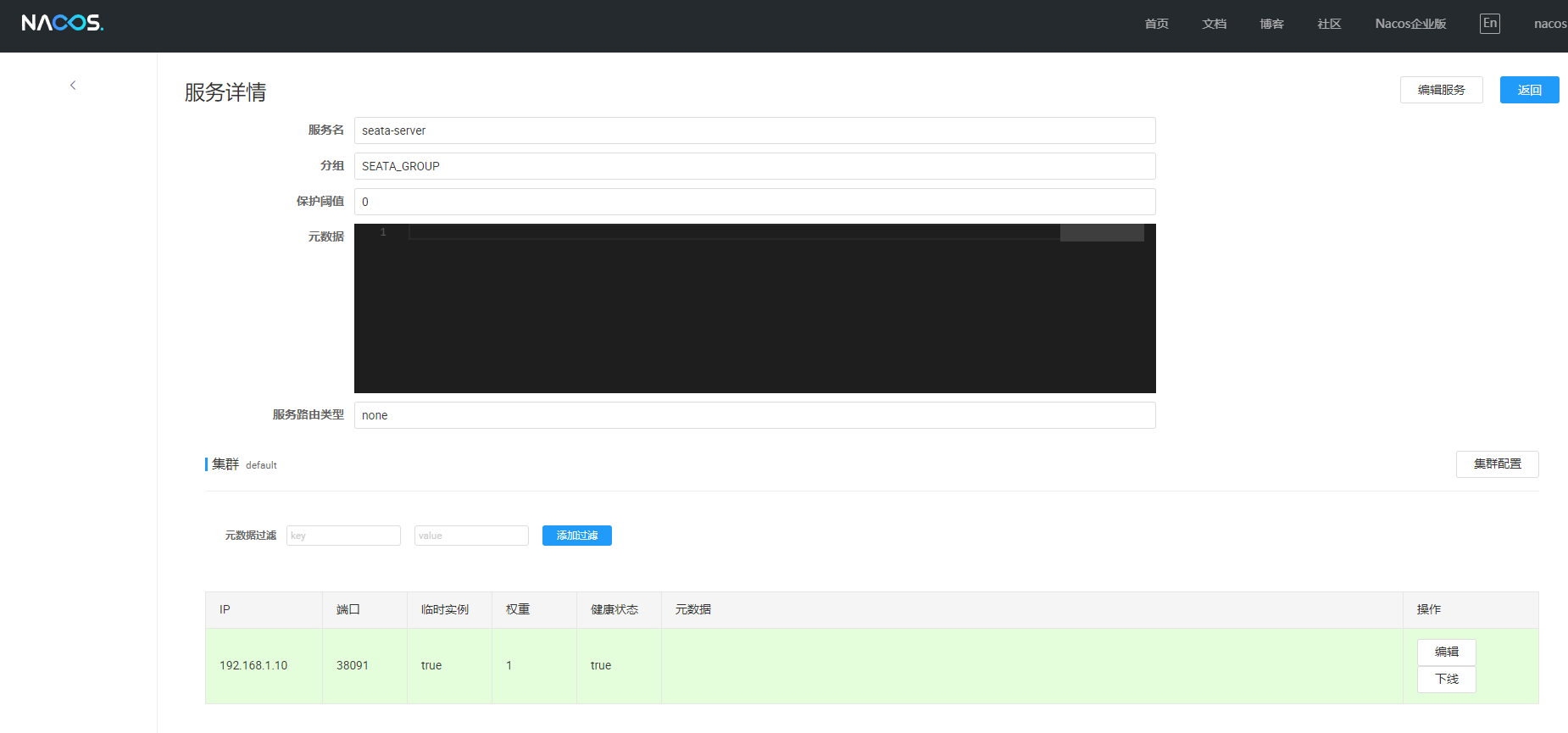
Nacos创建配置文件
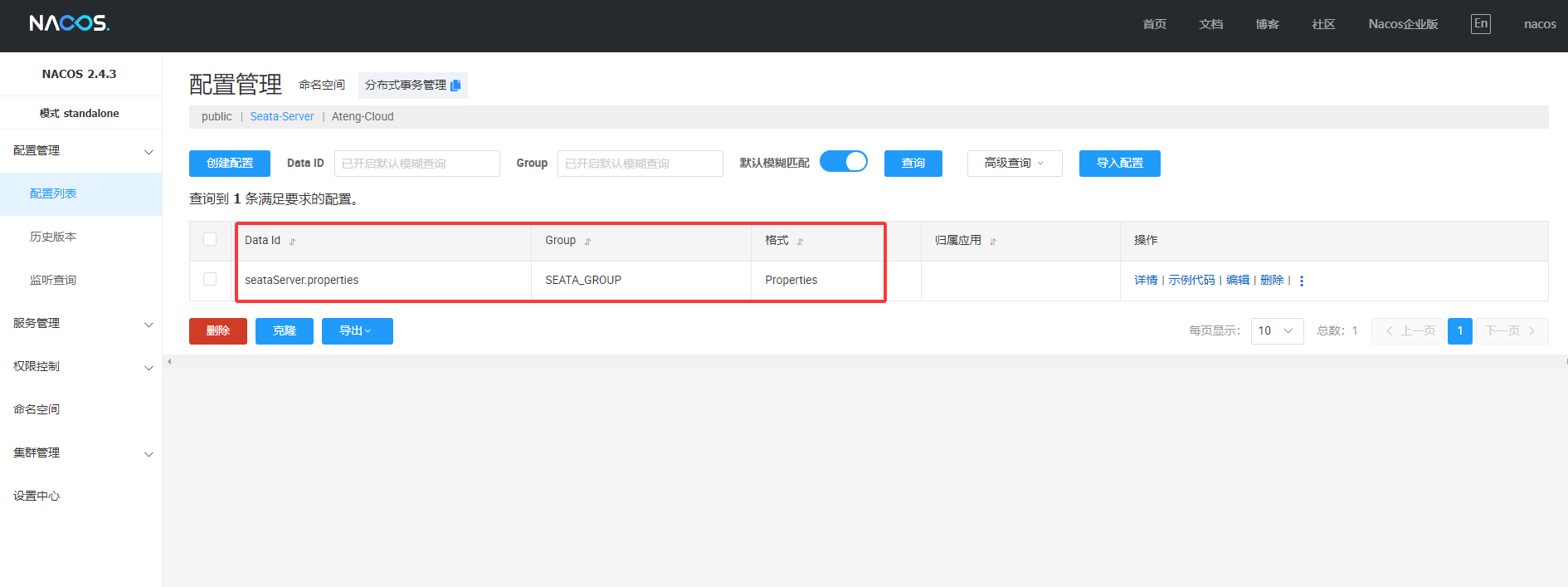
删除服务
kubectl delete -n kongyu -f deploy-mysql.yaml