
AutoTable
自动表格,根据 Java 实体,自动映射成数据库的表结构。
使用步骤
- 集成数据库框架
- 集成AutoTable框架
- 创建实体类并启动服务自动创建表
- 使用代码生成器生成Mapper、Service、Controller等代码
- 继续开发...
集成数据库框架
参考以下文档的 基础配置 部分,集成数据库框架。
Mybatis Plus
Mybatis Flex
集成AutoTable
添加依赖
xml
<!-- AutoTable 依赖 -->
<dependency>
    <groupId>org.dromara.autotable</groupId>
    <artifactId>auto-table-spring-boot-starter</artifactId>
    <version>2.1.4</version>
</dependency>启动服务
java
package local.ateng.java.mybatis;

import org.dromara.autotable.springboot.EnableAutoTable;
import org.springframework.boot.SpringApplication;
import org.springframework.boot.autoconfigure.SpringBootApplication;

@EnableAutoTable // 声明使用AutoTable框架
@SpringBootApplication
public class DBAutoTableApplication {

    public static void main(String[] args) {
        SpringApplication.run(DBAutoTableApplication.class, args);
    }

}配置实体类
详情参考以下链接:
java
package local.ateng.java.mybatis.entity;

import lombok.Data;
import org.dromara.autotable.annotation.*;

import java.io.Serial;
import java.io.Serializable;
import java.math.BigDecimal;
import java.time.LocalDate;
import java.time.LocalDateTime;

@AutoTable(value = "my_user", comment = "用户表")
@Data
public class MyUser implements Serializable {

    @Serial
    private static final long serialVersionUID = 1L;

    /**
     * 主键id
     */
    @ColumnComment("主键id")
    @PrimaryKey(autoIncrement = true)
    @ColumnNotNull
    private Long id;

    /**
     * 名称
     */
    @ColumnComment("名称")
    @Index
    @ColumnNotNull
    private String name;

    /**
     * 年龄
     */
    @ColumnComment("年龄")
    private Integer age;

    /**
     * 手机号码
     */
    @ColumnComment("手机号码")
    @ColumnType(length = 20)
    private String phoneNumber;

    /**
     * 邮箱
     */
    @ColumnComment("邮箱")
    private String email;

    /**
     * 分数
     */
    @ColumnComment("分数")
    private BigDecimal score;

    /**
     * 比例
     */
    @ColumnComment("比例")
    private Double ratio;

    /**
     * 生日
     */
    @ColumnComment("生日")
    private LocalDate birthday;

    /**
     * 所在省份
     */
    @ColumnComment("所在省份")
    private String province;

    /**
     * 所在城市
     */
    @ColumnComment("所在城市")
    private String city;

    /**
     * 创建时间
     */
    @ColumnComment("创建时间")
    private LocalDateTime createTime;

}启动服务
Application
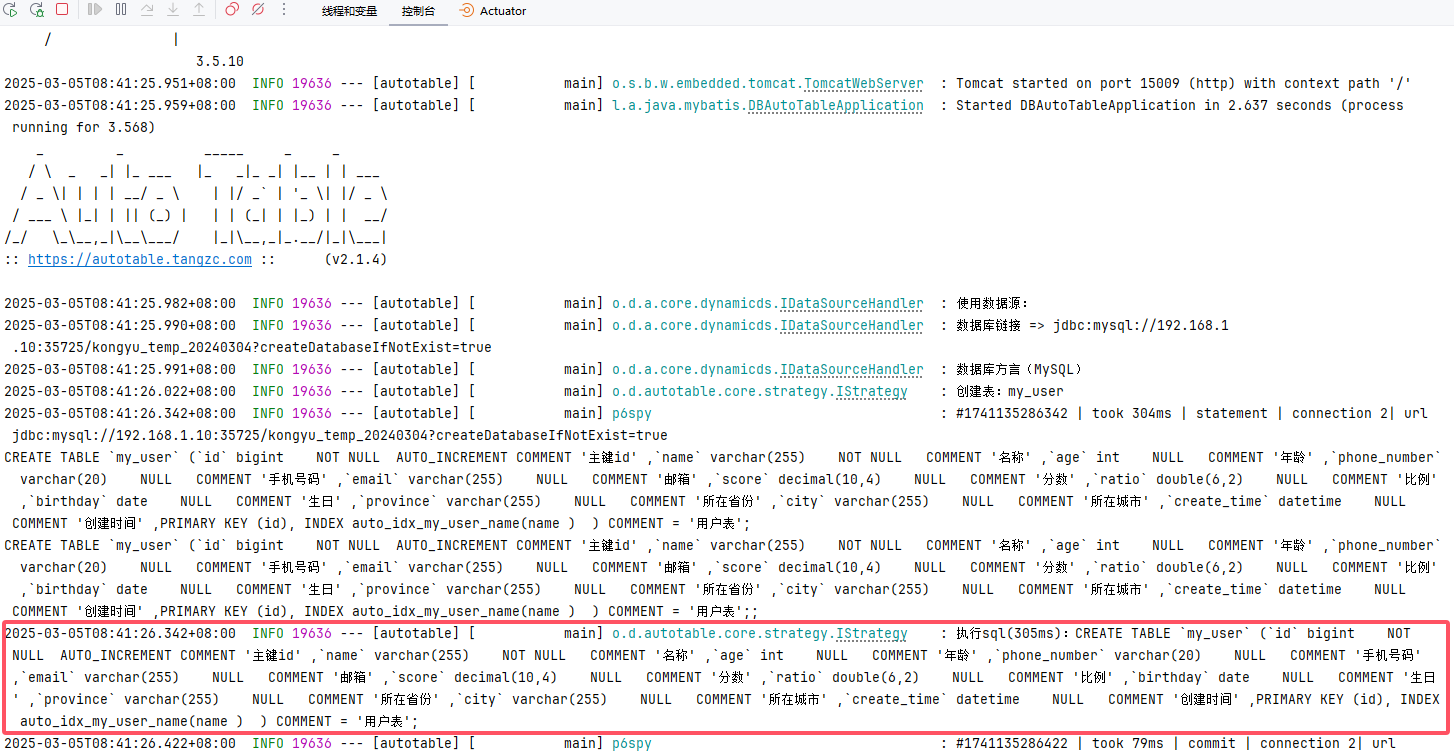
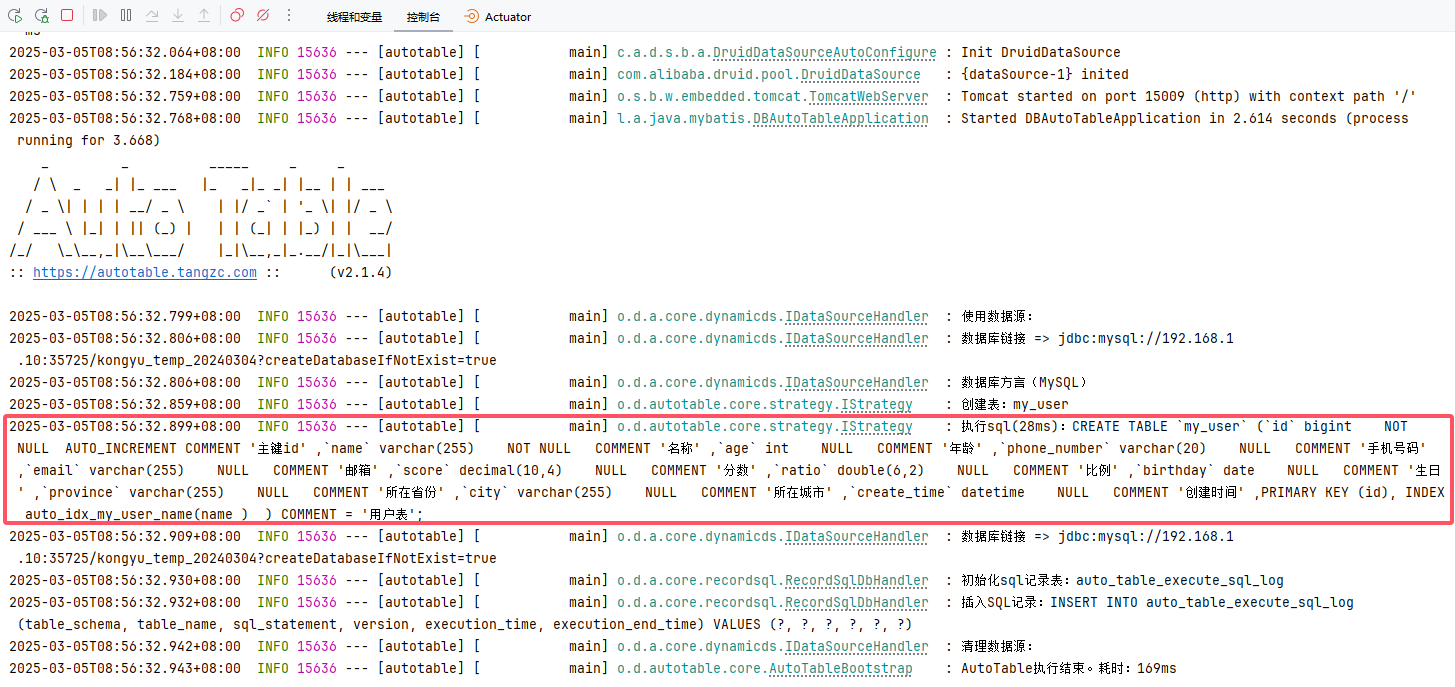
启动 Application 会自动创建表
Mybatis Plus
Mybatis Flex
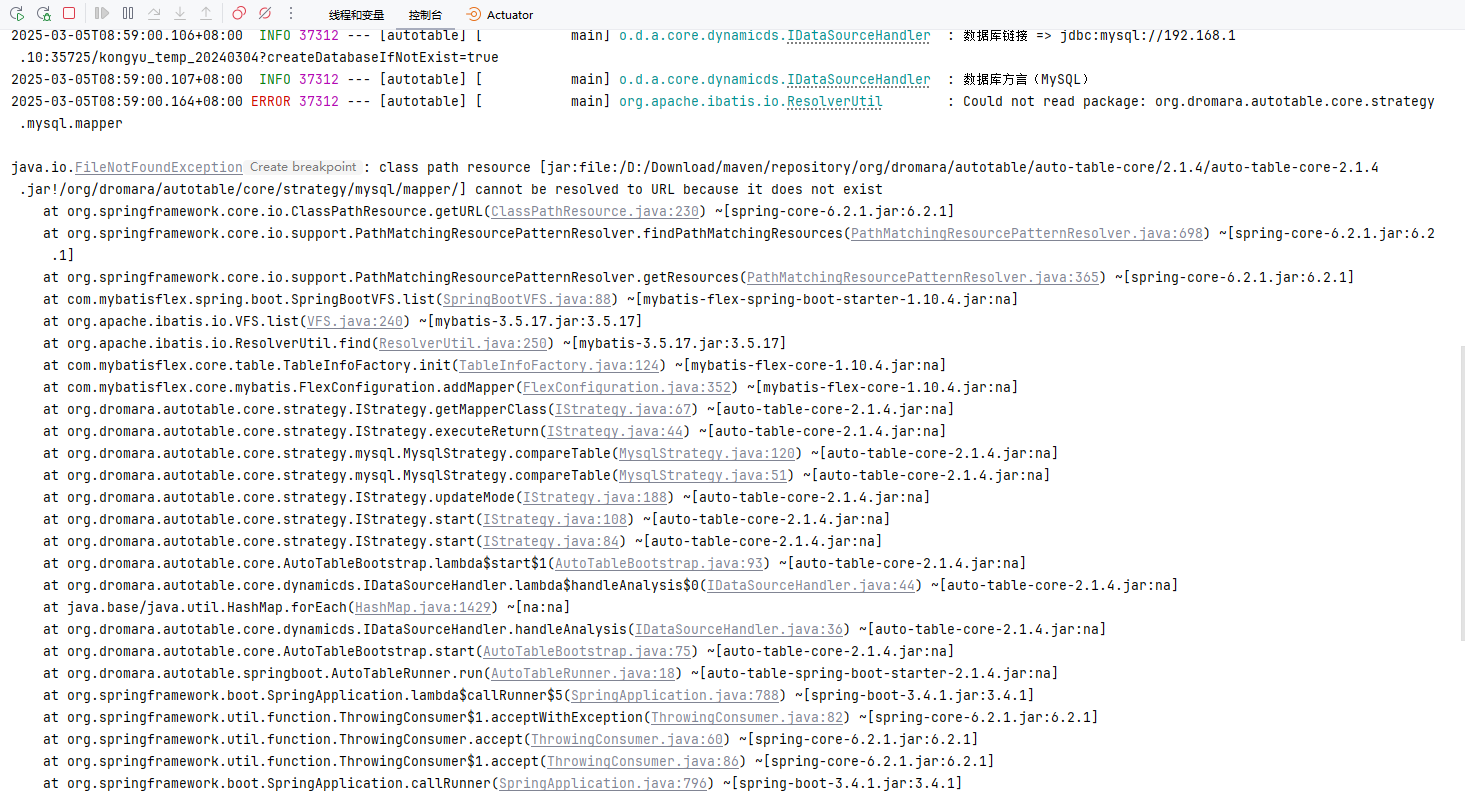
在Mybatis Flex中,当表已经存在且无变更的情况下会有一个报错,这是AutoTable的BUG:
ApplicationTest
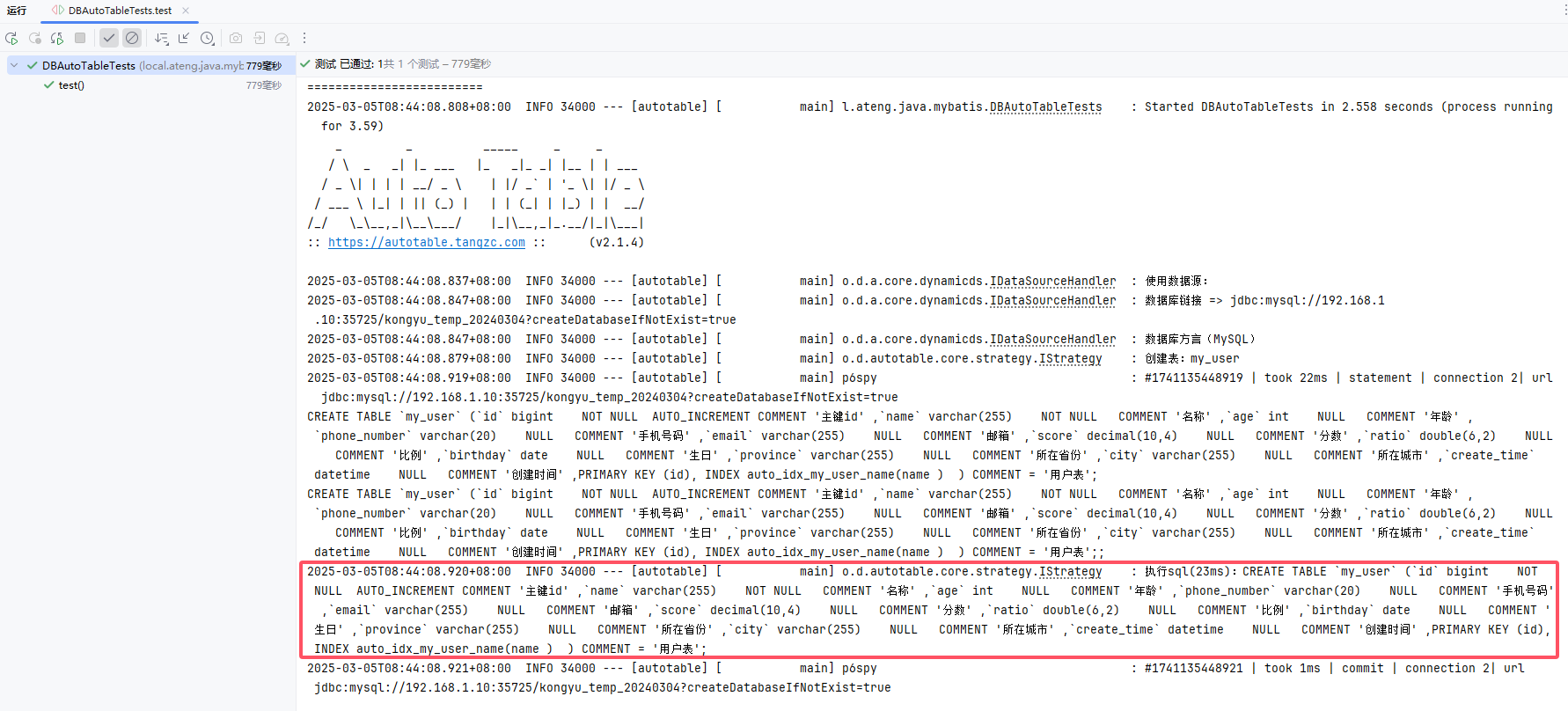
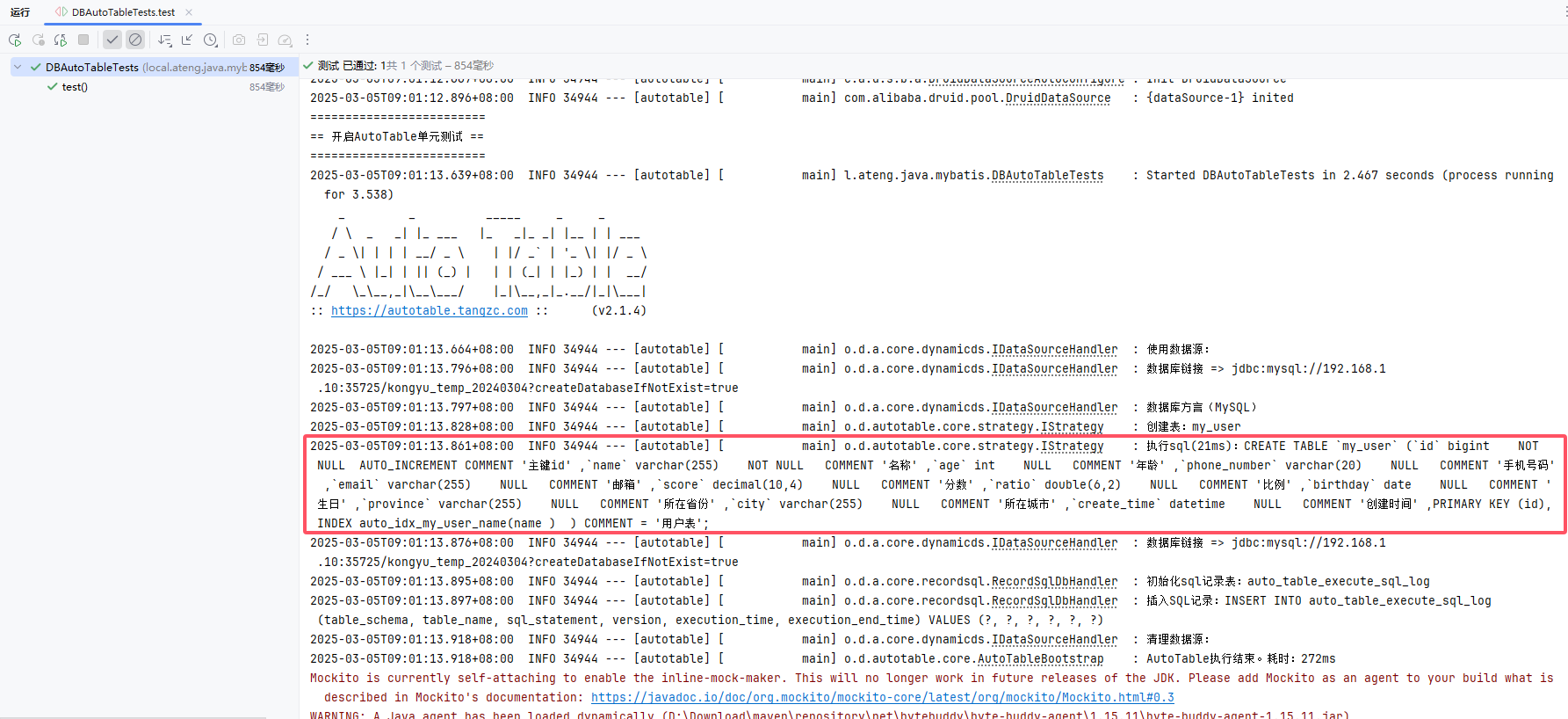
如果需要在spring boot单元测试环境下,希望AutoTable仍然自动建表,那么就需要使用到@EnableAutoTableTest了
java
package local.ateng.java.mybatis;

import org.dromara.autotable.springboot.EnableAutoTableTest;
import org.junit.jupiter.api.Test;
import org.springframework.boot.test.context.SpringBootTest;

@SpringBootTest
@EnableAutoTableTest
public class DBAutoTableTests {
    @Test
    public void test() {
        // 测试逻辑...
    }
}Mybatis Plus
Mybatis Flex
代码生成
根据数据库框架的代码生成器生成Mapper、Service、Controller等代码
生产环境
在生产环境中建议以下流程:
- 设置auto-table.enable=false
- 从开发环境的数据库中生成SQL