Docker
Docker 是一个开源的容器化平台,通过容器技术实现应用的打包、分发和运行。它使开发者能够以一致的环境快速部署和扩展应用,无需关心底层系统差异。Docker 提供了轻量级、高性能的虚拟化方式,支持镜像管理和容器编排,是 DevOps 和微服务架构的核心工具之一。
通过 IntelliJ IDEA 将源码打包后制作容器镜像,最终部署在服务器上。
安装Docker Desktop
进入官网,下载Windows的Docker Desktop并安装
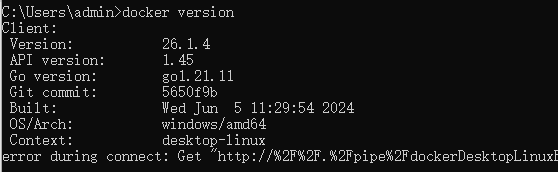
安装完后查看版本
IDEA添加Docker服务端
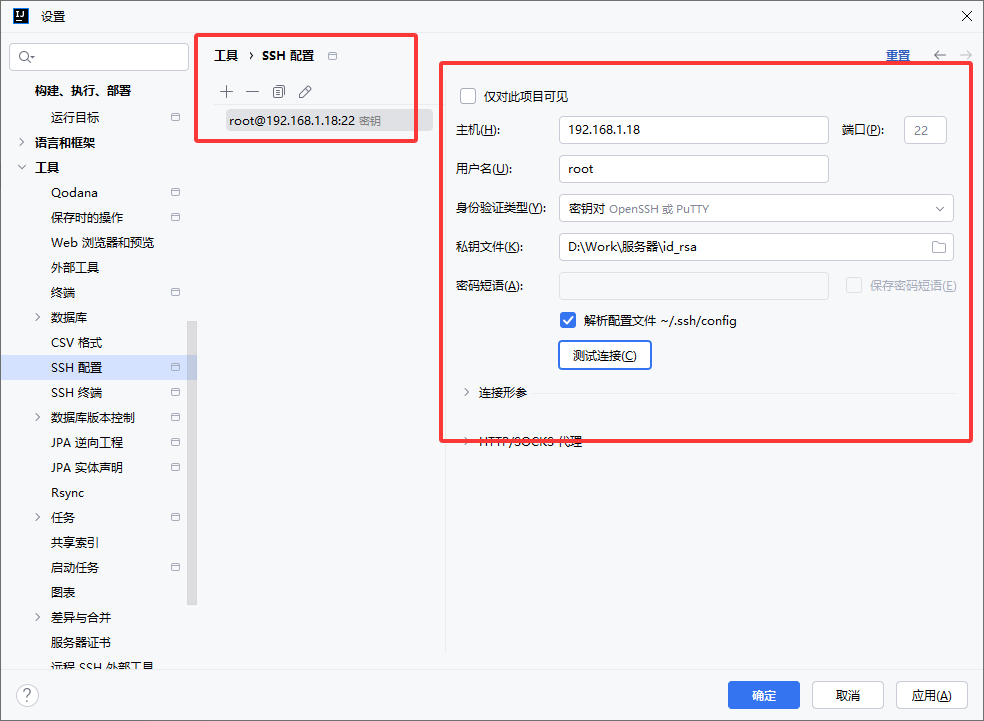
添加服务器
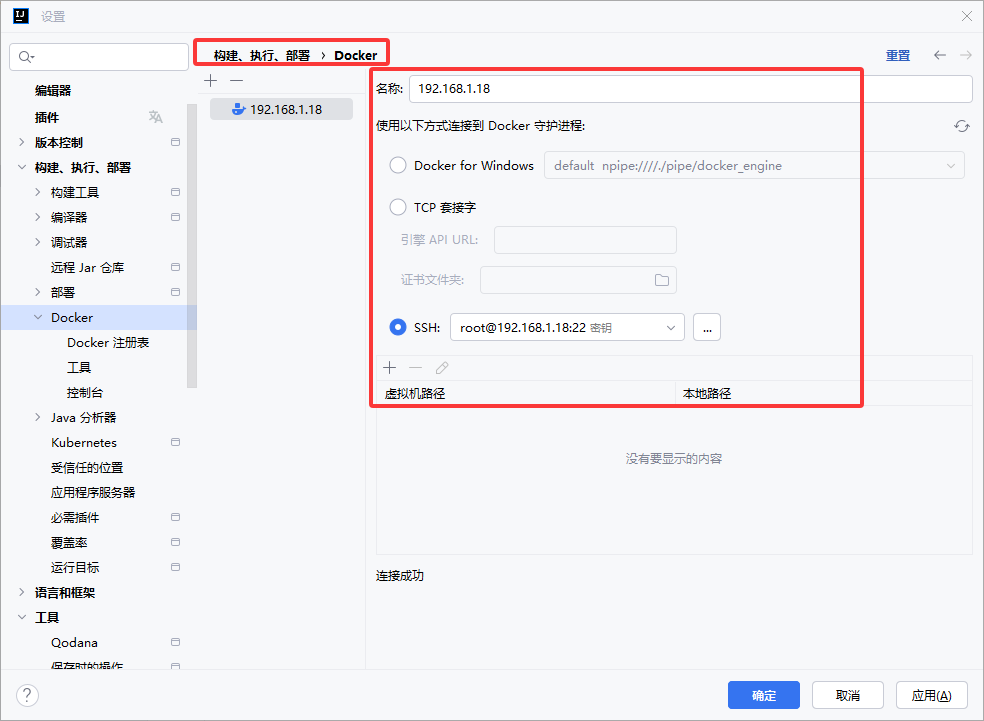
添加Docker服务端
添加镜像仓库
以我这里的Harbor仓库为例:
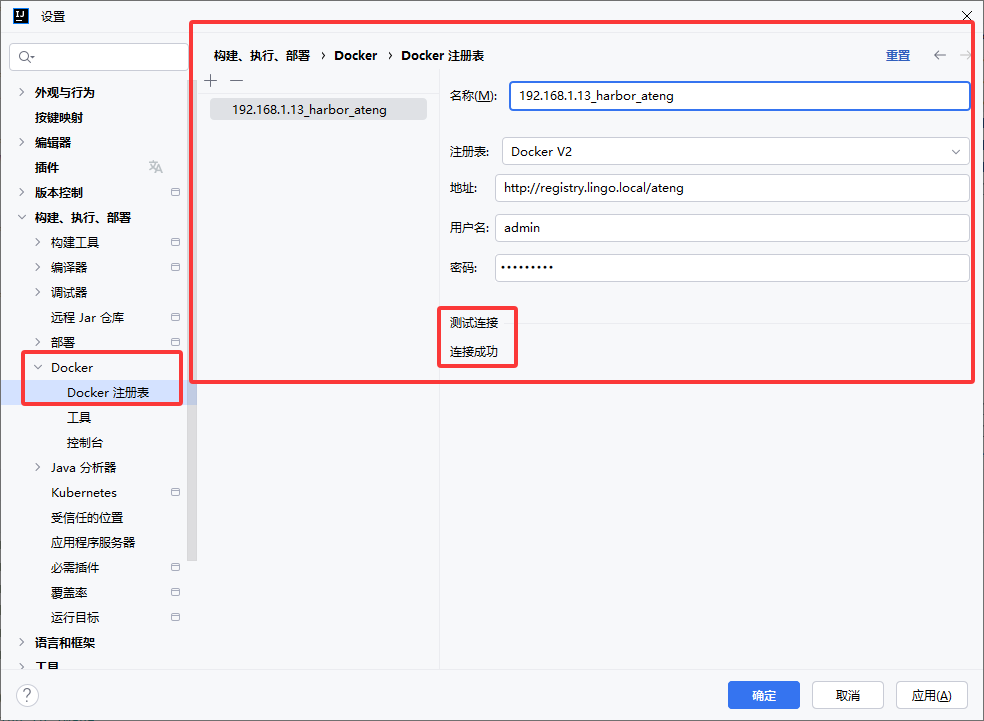
运行Dockerfile
创建Maven的运行配置
该步骤只是为了打Jar包,如果是单体项目就可以跳过该步骤,如果是多模块项目可以参考该步骤对单个模块打包。
添加配置
点击编辑配置
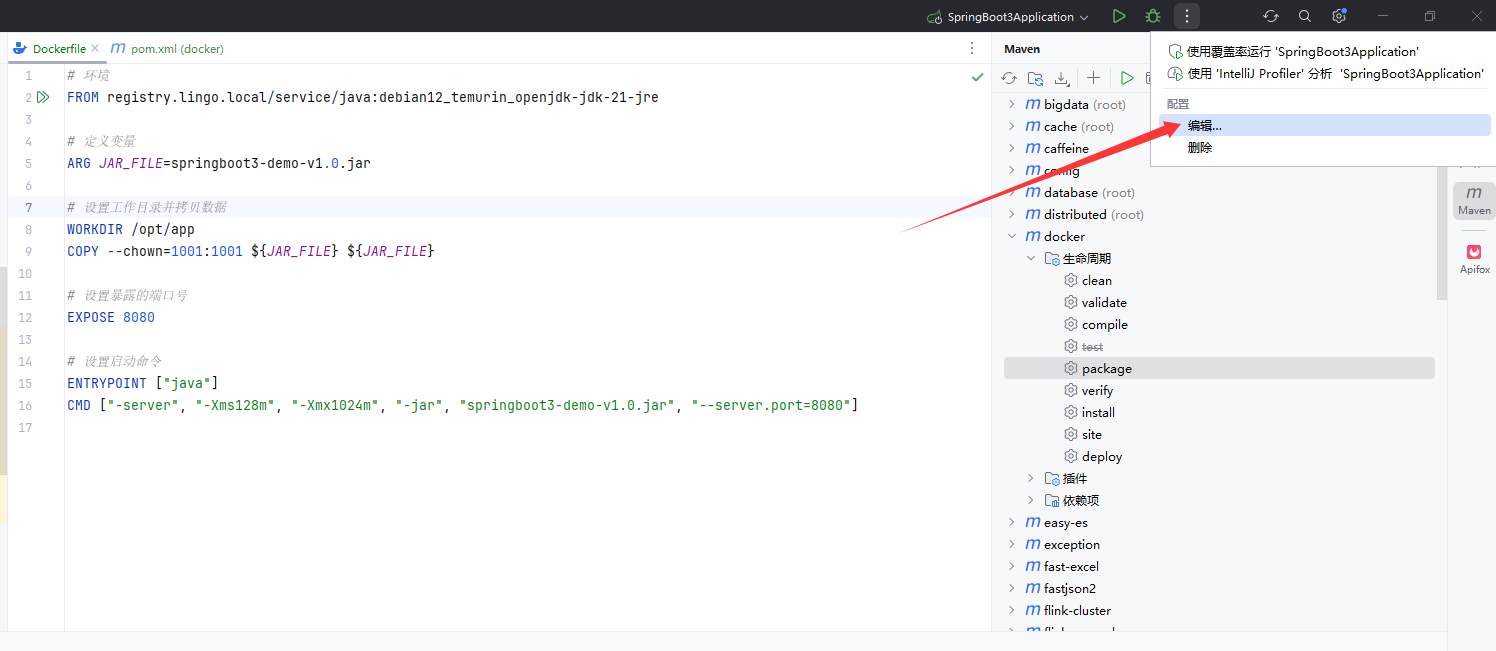
添加Maven配置
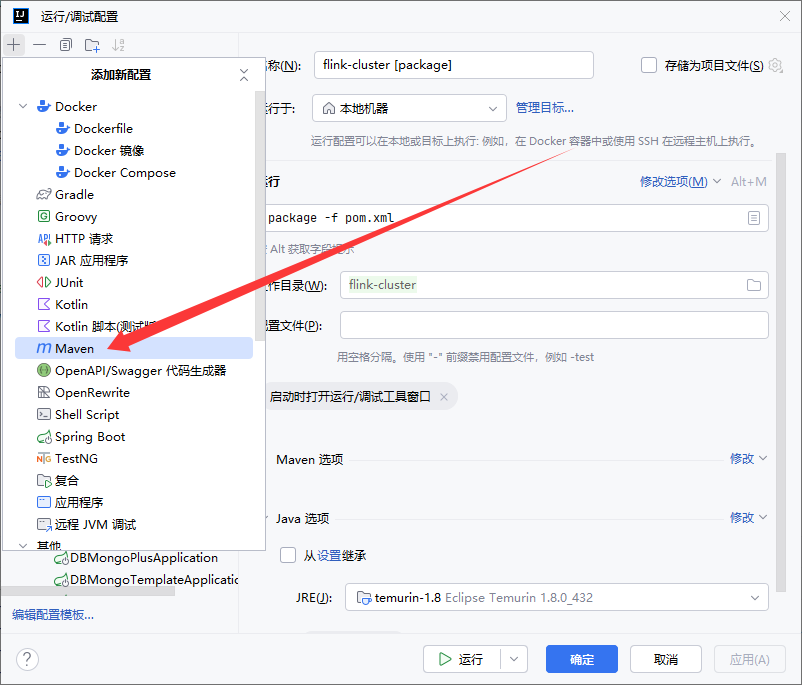
创建clean
多模块项目请使用以下命令
clean -DskipTests -pl ateng-gateway -f pom.xml子模块的子模块下使用以下命令
clean -DskipTests -pl ateng-modules/ateng-modules-system -f pom.xml-pl ateng-modules/ateng-modules-system: 指定构建的模块为ateng-modules/ateng-modules-system。
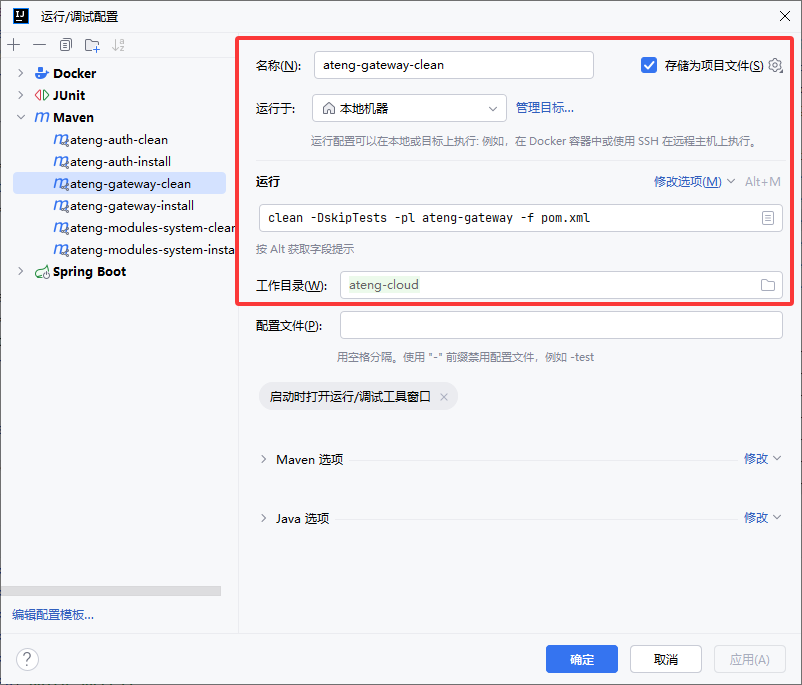
创建install
多模块项目请使用以下命令
clean install -Ptest -DskipTests -pl ateng-gateway -am -f pom.xml子模块的子模块下使用以下命令
clean install -Ptest -DskipTests -pl ateng-modules/ateng-modules-system -am -f pom.xml-Ptest: 激活testMaven profile。-pl ModulesName: 指定构建的模块为ateng-modules/ateng-modules-system。-am: 同时构建ateng-modules/ateng-modules-system模块的所有依赖模块。
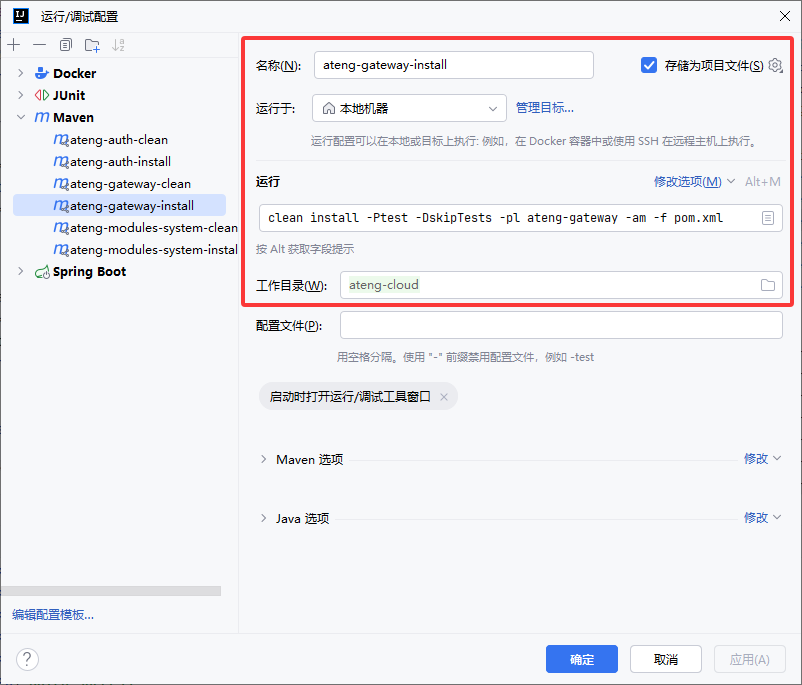
打包Jar
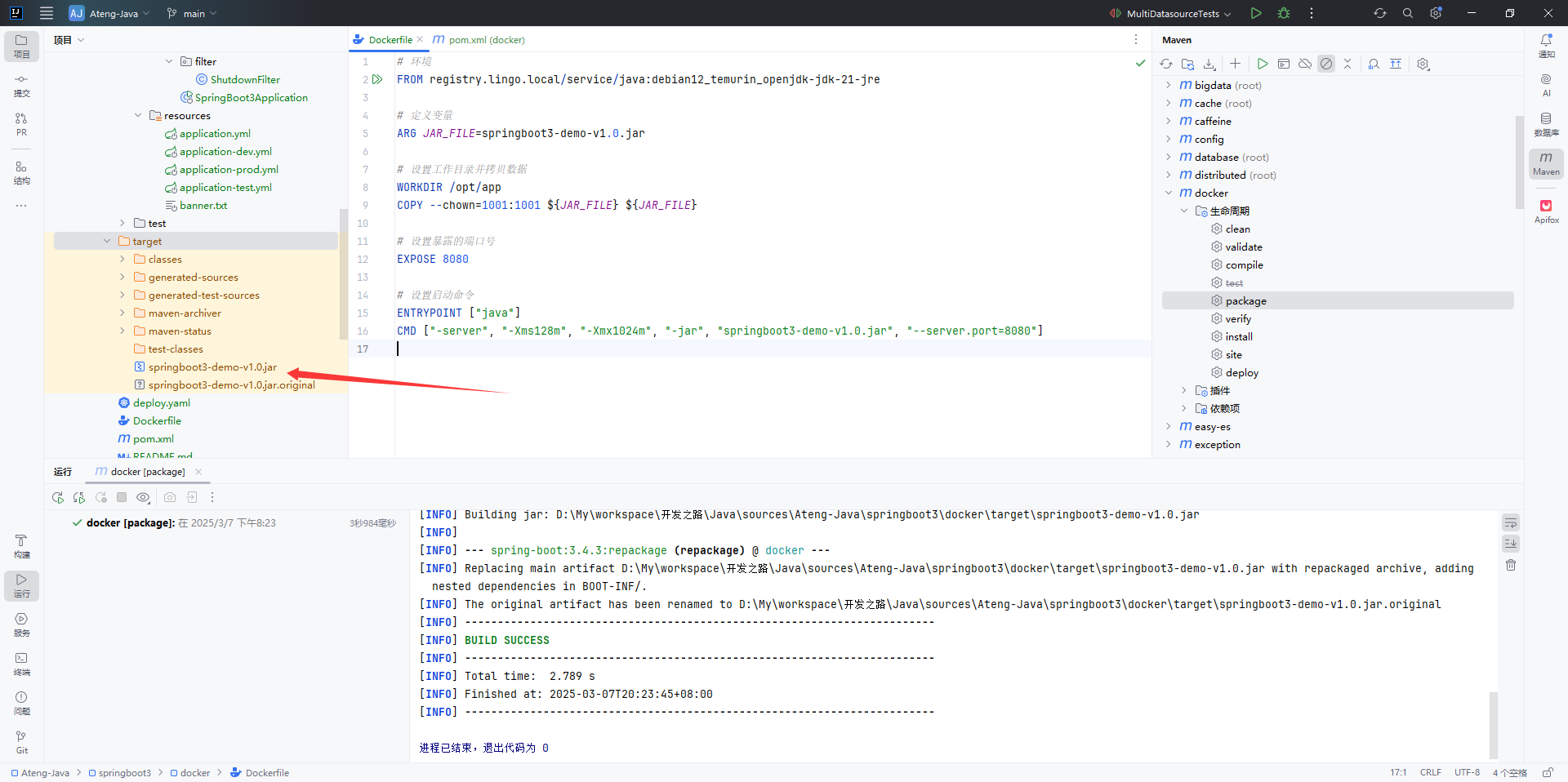
创建Dockerfile的运行配置
添加配置
打开 Dockerfile 后右键点击 修改运行配置...
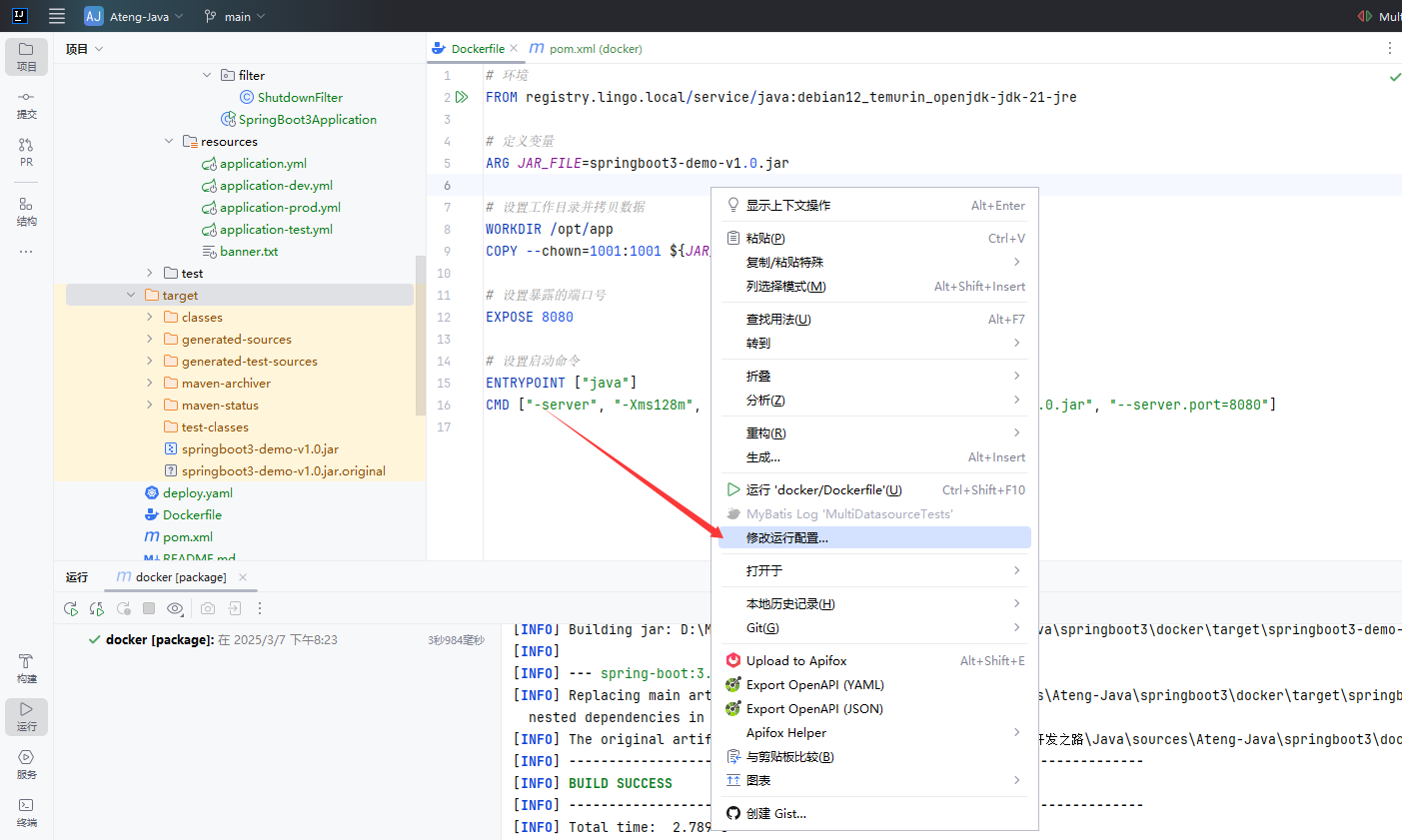
设置镜像参数
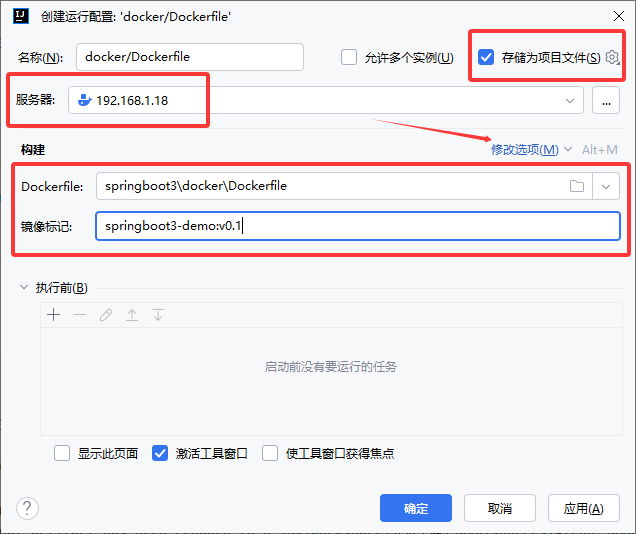
运行Dockerfile
编辑Dockerfile文件
在项目的根目录创建Dockerfile文件
dockerfile
# 环境
FROM registry.lingo.local/service/java:debian12_temurin_openjdk-jdk-21-jre

# 定义变量
ARG JAR_FILE=springboot3-demo-v1.0.jar

# 设置工作目录并拷贝数据
WORKDIR /opt/app
COPY --chown=1001:1001 ${JAR_FILE} ${JAR_FILE}

# 设置暴露的端口号
EXPOSE 8080

# 设置启动命令
ENTRYPOINT ["java"]
CMD ["-server", "-Xms128m", "-Xmx1024m", "-jar", "springboot3-demo-v1.0.jar", "--server.port=8080"]运行
注意服务器端需要提前拉取该基础镜像
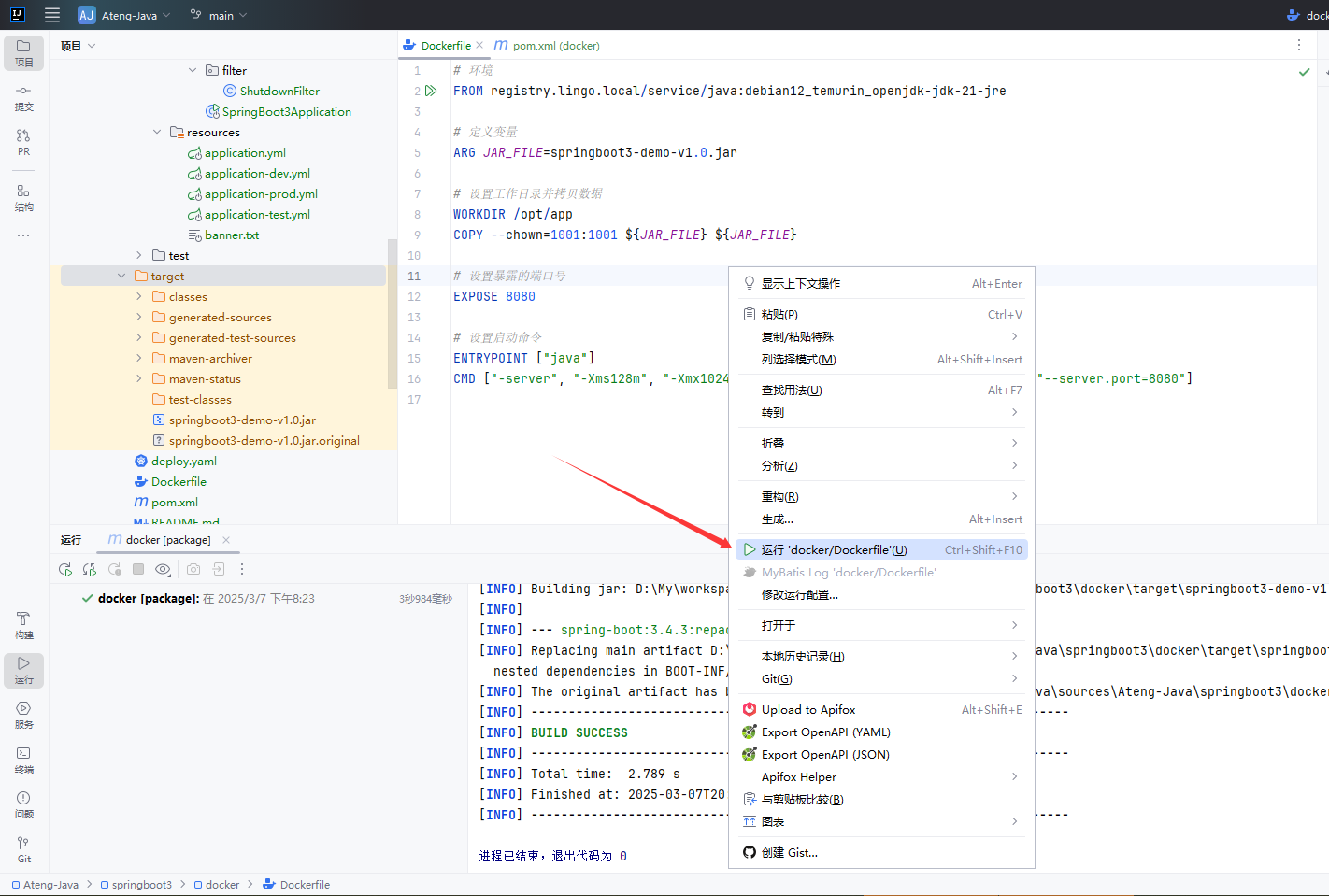
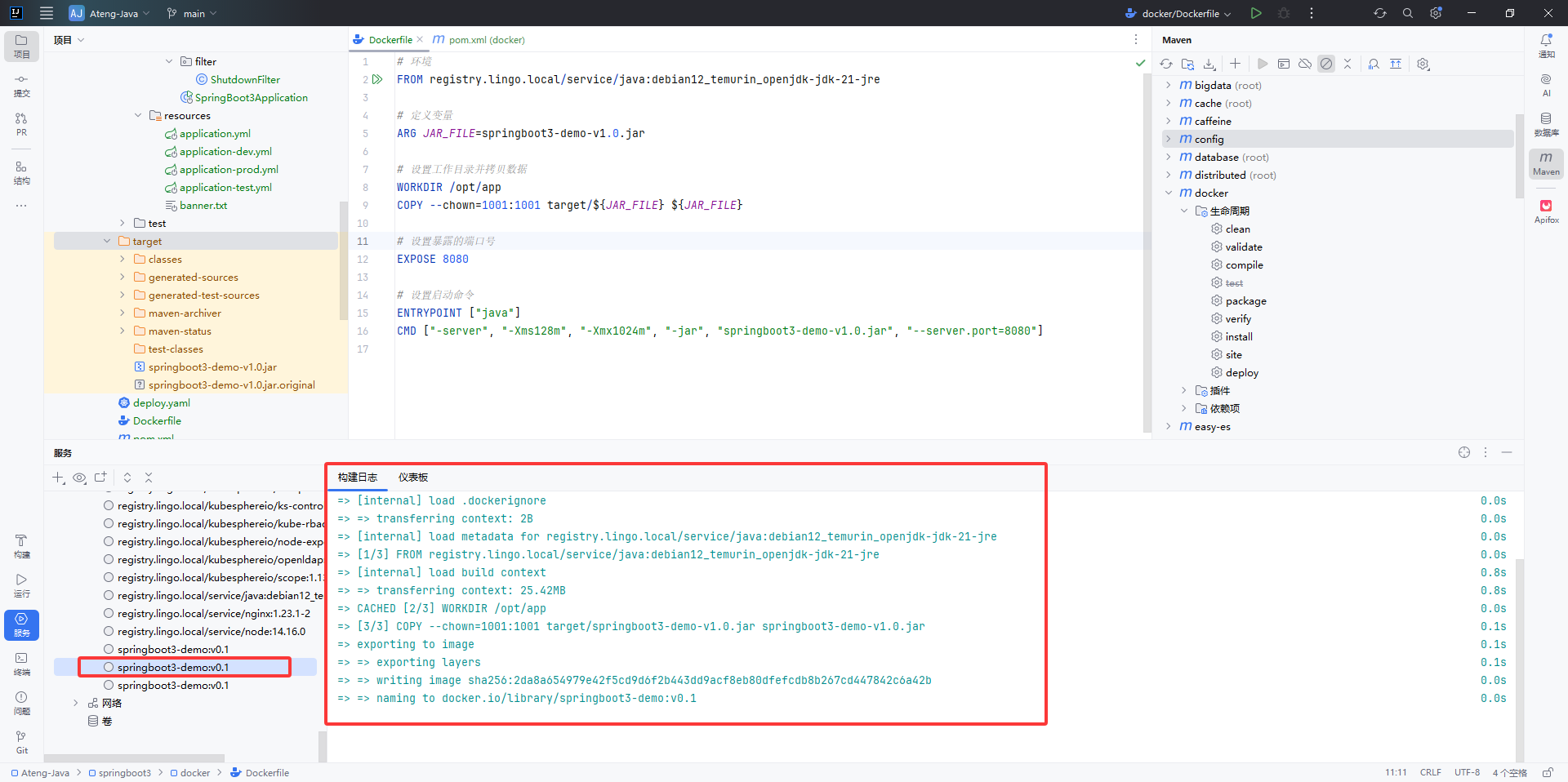
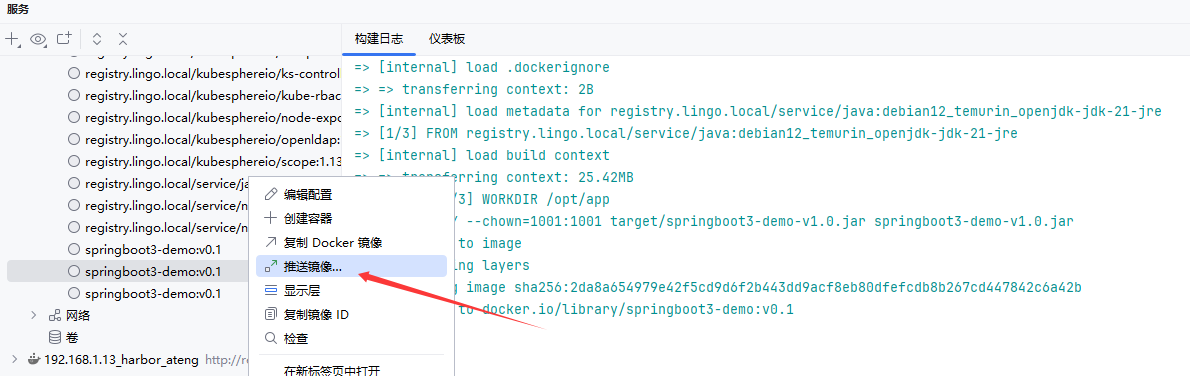
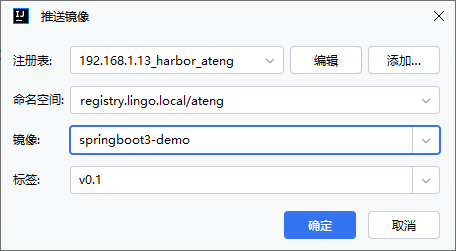
推送到镜像仓库
右键点击 推送镜像...
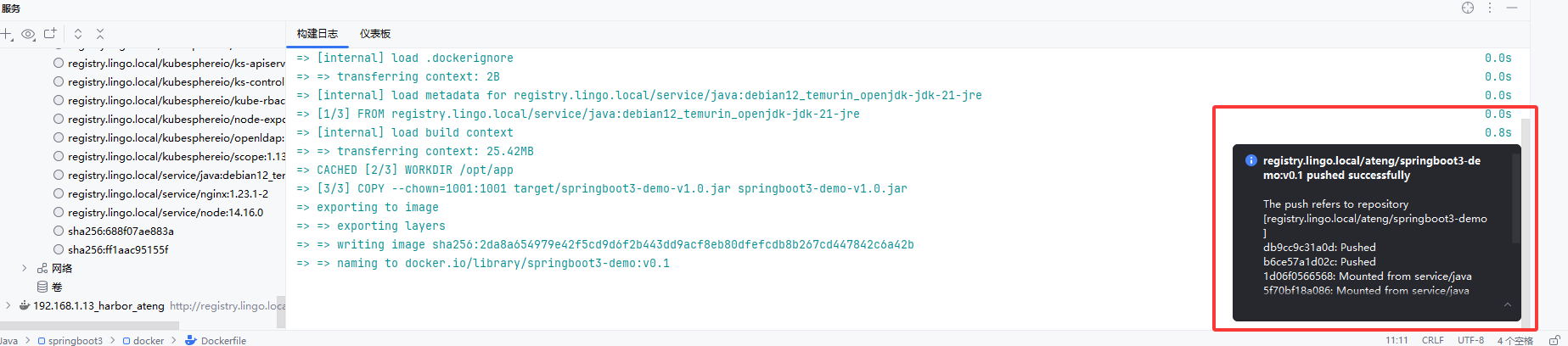
部署到Kubernetes
准备软件包
参考以下链接下载软件包:
kubectl
helm
kubeconfig
- 将Kubernetes节点上的
~/.kube/config配置文件拷贝出来,注意修改配置文件的服务地址(kube-apiserver) - 自定义用户的kubeconfig参考链接,如果导入了多个集群的配置最好是自定义用户,因为全部导入默认的kubeconfig名称都是一样的,就会导致IDEA名称重复,在自定义时保证各个集群的名字是唯一的即可
- 将Kubernetes节点上的
IDEA配置Kubernetes
基础配置
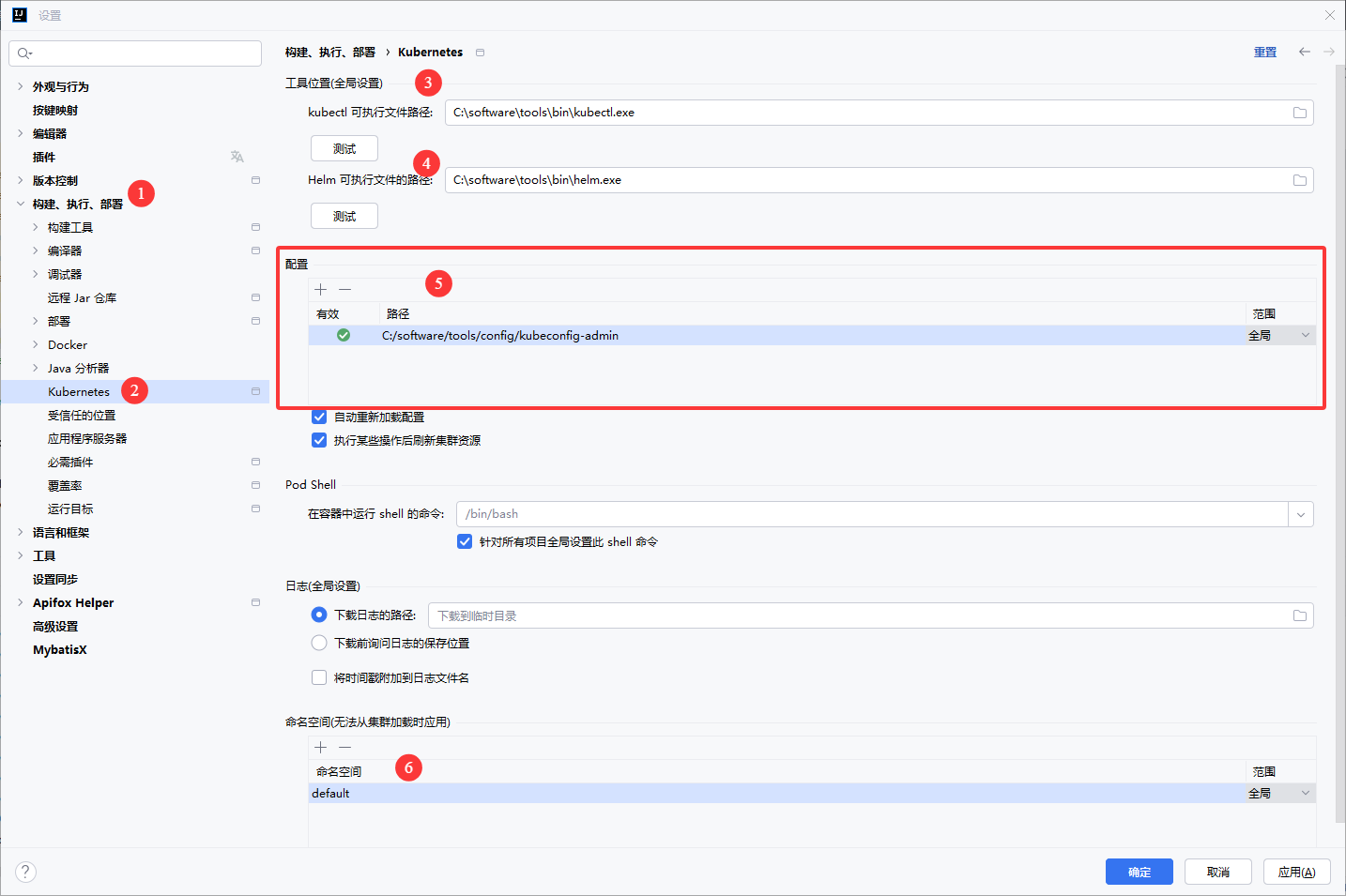
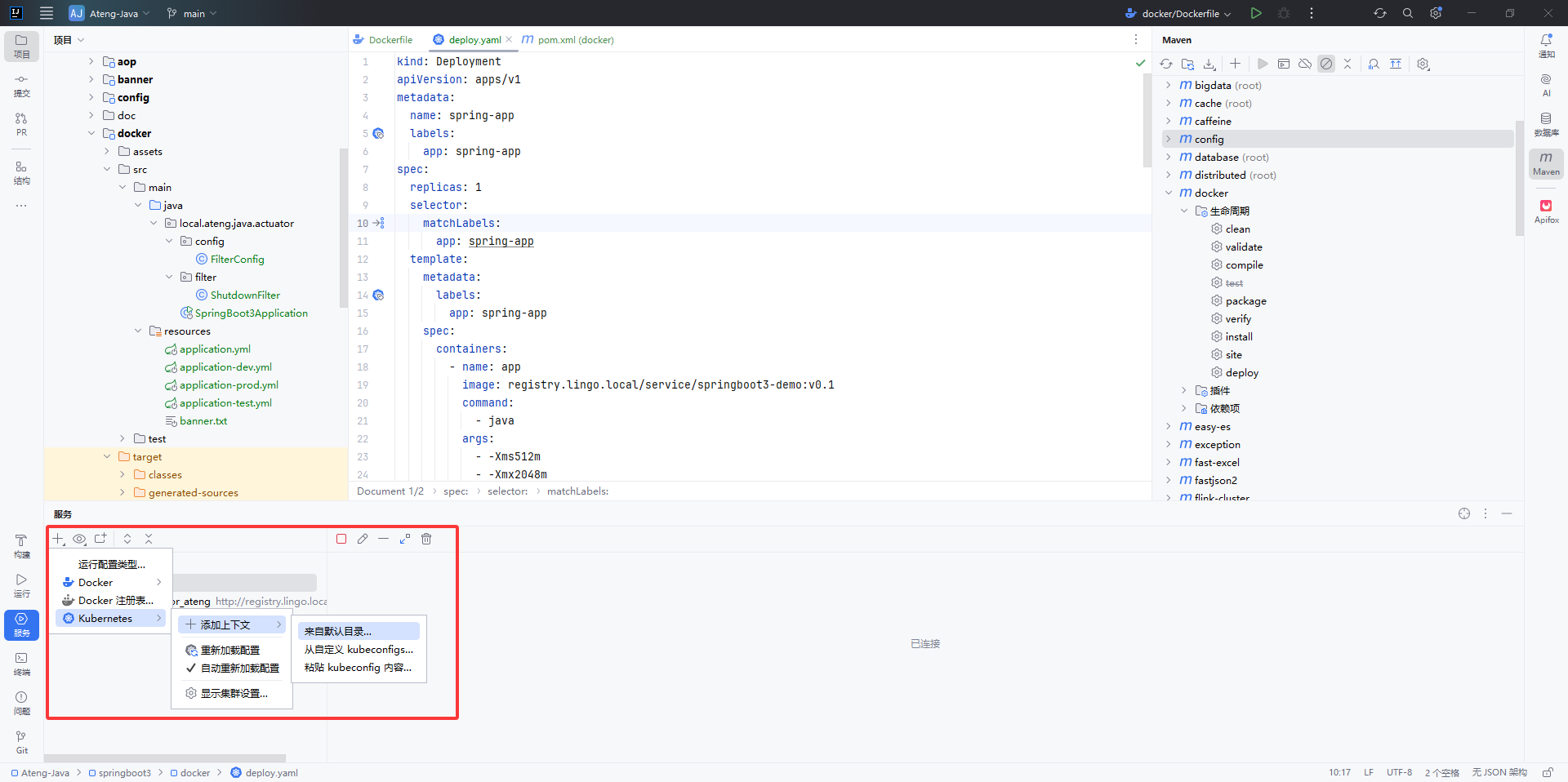
服务添加Kubernetes
创建deploy.yaml
yaml
kind: Deployment
apiVersion: apps/v1
metadata:
  name: spring-app
  labels:
    app: spring-app
spec:
  replicas: 1
  selector:
    matchLabels:
      app: spring-app
  template:
    metadata:
      labels:
        app: spring-app
    spec:
      containers:
        - name: app
          image: registry.lingo.local/service/springboot3-demo:v0.1
          command:
            - java
          args:
            - -Xms512m
            - -Xmx2048m
            - -jar
            - /opt/app/springboot3-demo-v1.0.jar
            - --server.port=8080
            - --spring.profiles.active=prod
          ports:
            - name: web
              containerPort: 8080
              protocol: TCP
          resources:
            limits:
              cpu: '2'
              memory: 2Gi
            requests:
              cpu: 500m
              memory: 512Mi
          livenessProbe:
            httpGet:
              path: /actuator/health
              port: 8080
              scheme: HTTP
            initialDelaySeconds: 30
            timeoutSeconds: 1
            periodSeconds: 10
            successThreshold: 1
            failureThreshold: 3
          readinessProbe:
            httpGet:
              path: /actuator/health
              port: 8080
              scheme: HTTP
            initialDelaySeconds: 10
            timeoutSeconds: 1
            periodSeconds: 10
            successThreshold: 1
            failureThreshold: 3
          imagePullPolicy: IfNotPresent
      terminationGracePeriodSeconds: 60
      affinity:
        podAntiAffinity:
          preferredDuringSchedulingIgnoredDuringExecution:
            - podAffinityTerm:
                labelSelector:
                  matchLabels:
                    app: spring-app
                topologyKey: kubernetes.io/hostname
              weight: 1
        nodeAffinity:
          preferredDuringSchedulingIgnoredDuringExecution:
            - preference:
                matchExpressions:
                  - key: kubernetes.service/spring-app
                    operator: In
                    values:
                      - "true"
              weight: 1
---
apiVersion: v1
kind: Service
metadata:
  name: spring-app-service
  labels:
    app: spring-app
spec:
  type: NodePort
  selector:
    app: spring-app
  ports:
  - name: web
    protocol: TCP
    port: 8080
    targetPort: 8080
nodePort: 30808应用配置
打开deploy.yaml配置,右键应用,然后设置上下文配置文件就创建应用到k8s集群中了。
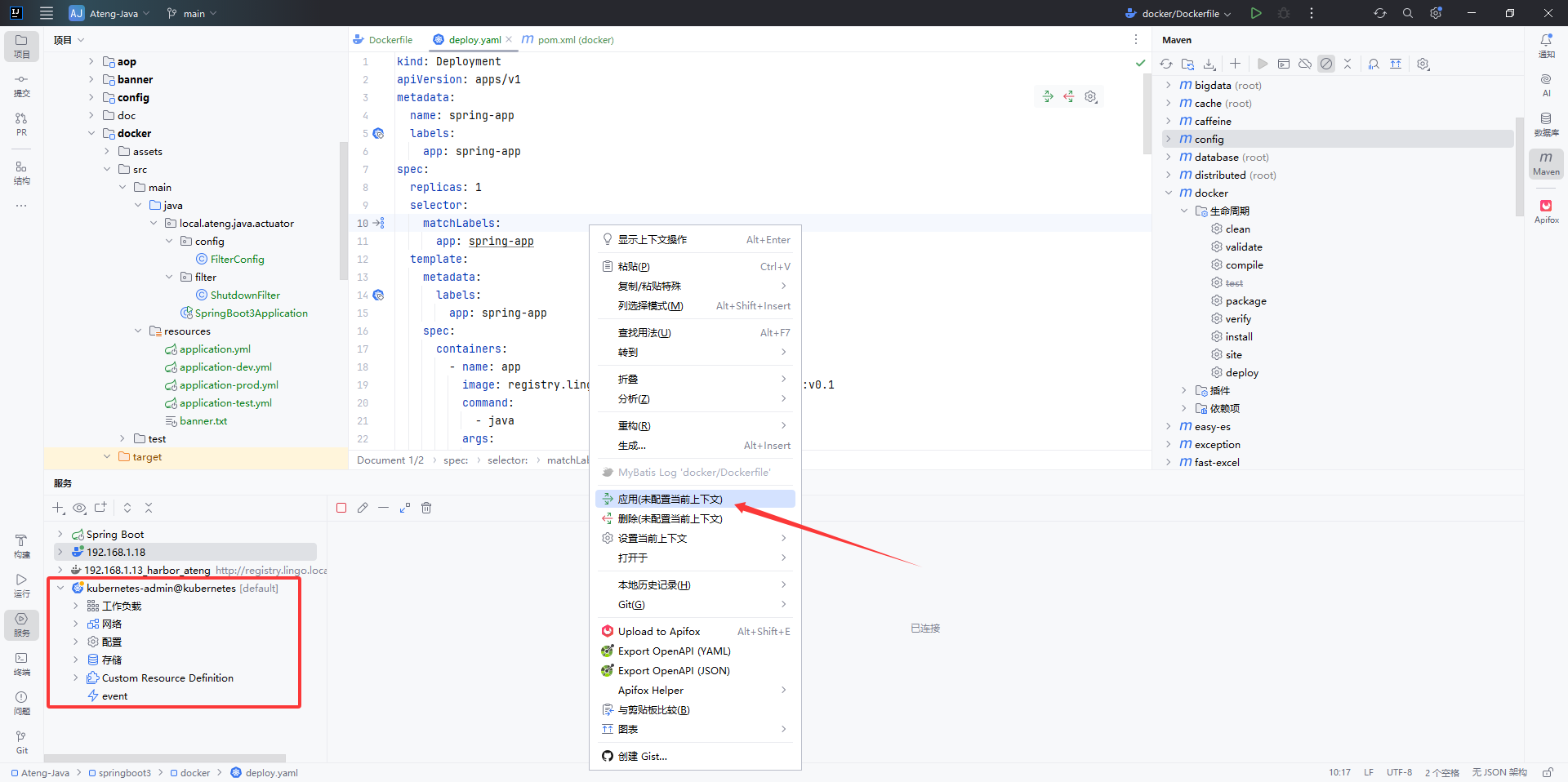
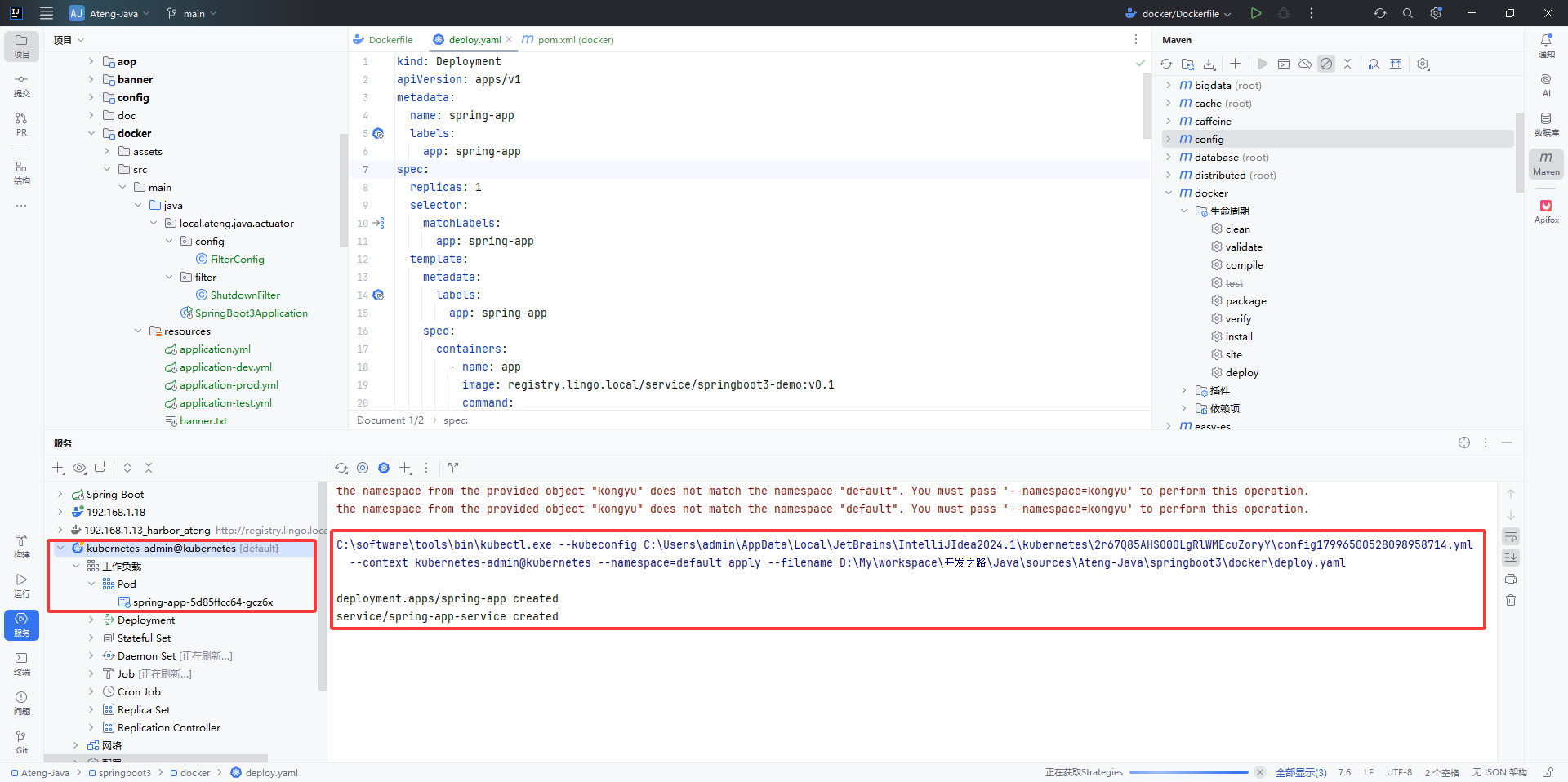
查看日志
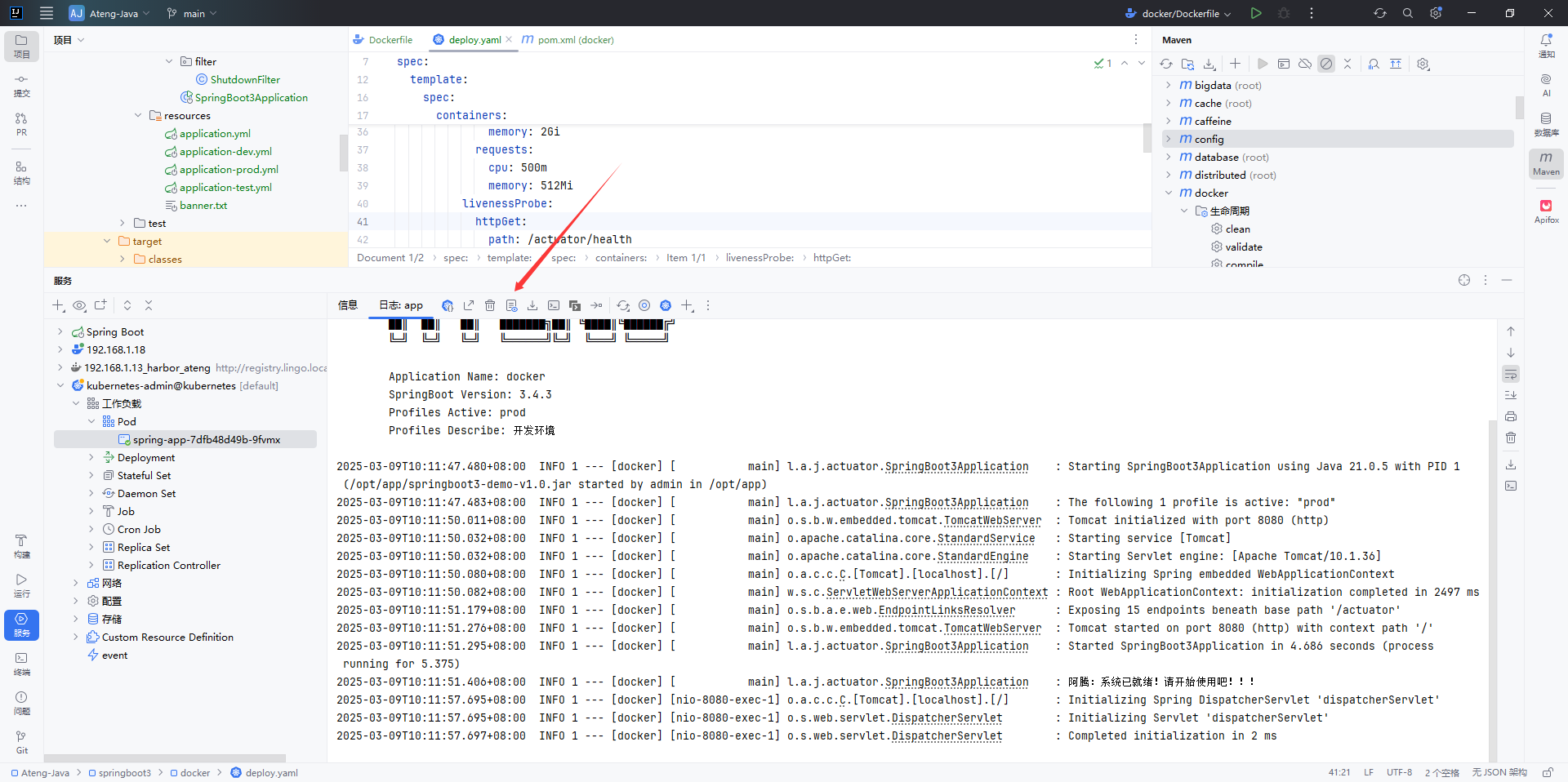
使用服务
访问service暴露的NodePort端口:30808
访问actuator
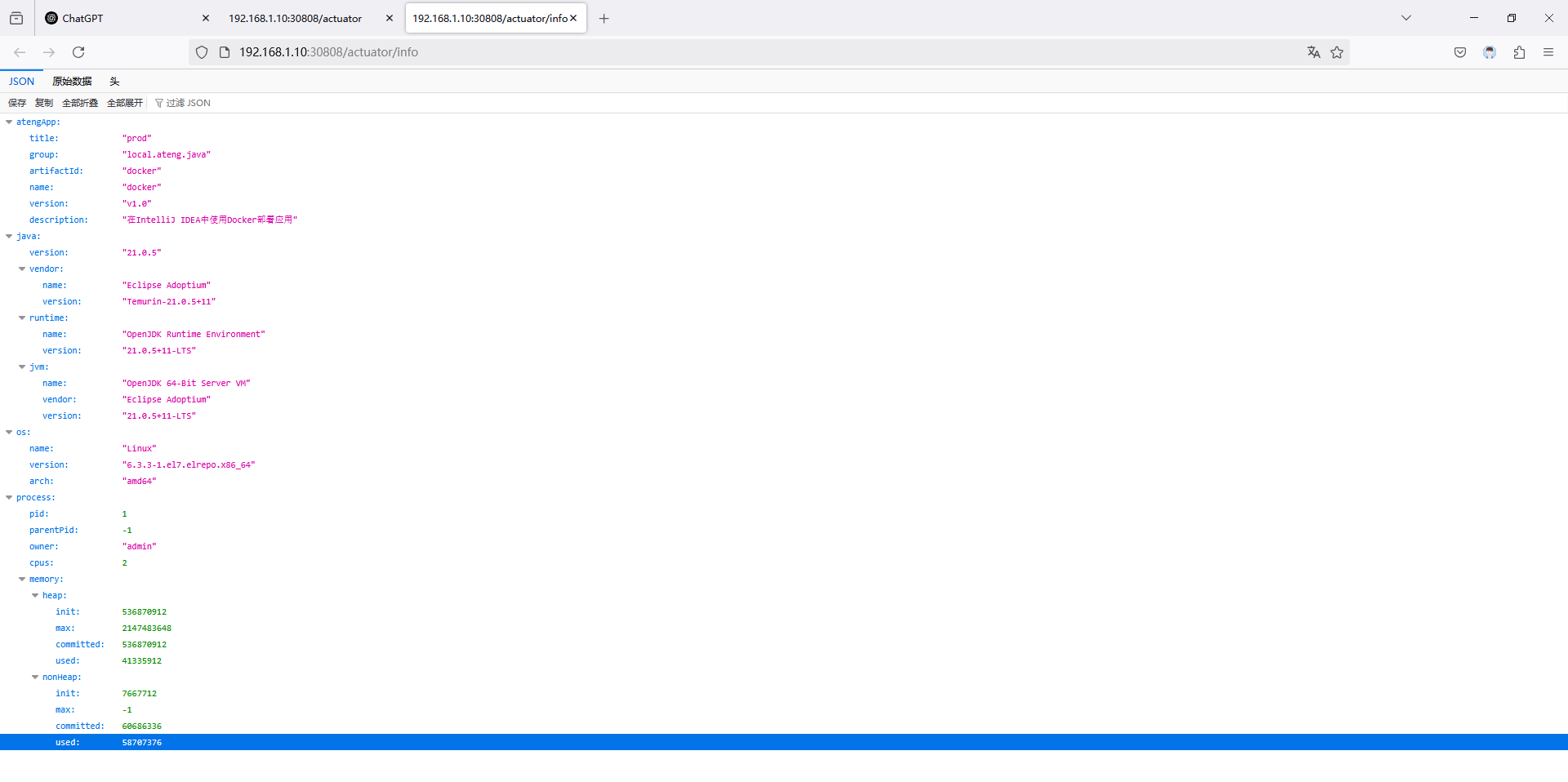
http://192.168.1.10:30808/actuator/info