
Flink开发文档
Flink 是一个开源的分布式流处理框架,专注于大规模数据流的实时处理。它提供了高吞吐量、低延迟的处理能力,支持有状态和无状态的数据流操作。Flink 可以处理事件时间、窗口化、流与批处理混合等复杂场景,广泛应用于实时数据分析、实时监控、机器学习等领域。其强大的容错机制和高可扩展性,使其成为大数据领域中的重要技术之一。
基础配置
创建项目
创建Maven项目,IDEA配置该项目SDK为JDK8、Maven的JRE也配置文JDK8、应用程序配置需要设置 provided 作用域
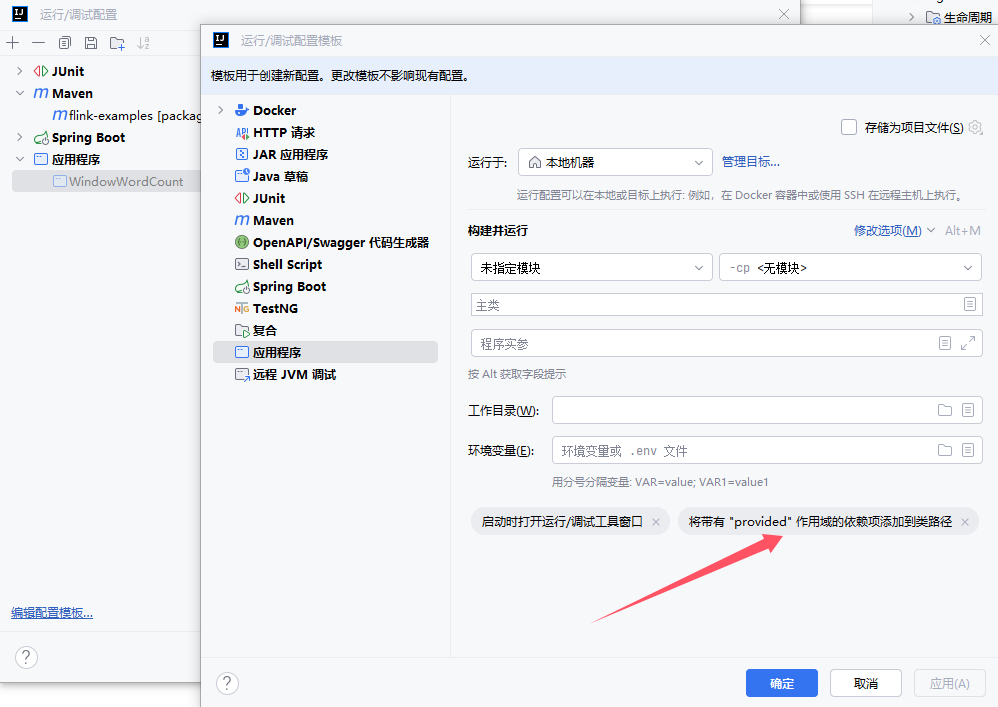
配置pom.xml
<?xml version="1.0" encoding="UTF-8"?>
<project xmlns="http://maven.apache.org/POM/4.0.0"
         xmlns:xsi="http://www.w3.org/2001/XMLSchema-instance"
         xsi:schemaLocation="http://maven.apache.org/POM/4.0.0 http://maven.apache.org/xsd/maven-4.0.0.xsd">
    <!-- 项目模型版本 -->
    <modelVersion>4.0.0</modelVersion>

    <!-- 项目坐标 -->
    <groupId>local.ateng.java</groupId>
    <artifactId>flink-examples</artifactId>
    <version>v1.0</version>
    <name>flink-examples</name>
    <description>
        Maven项目使用Java8对的Flink使用
    </description>

    <!-- 项目属性 -->
    <properties>
        <!-- 默认主程序 -->
        <start-class>local.ateng.java.WindowWordCount</start-class>
        <java.version>8</java.version>
        <project.build.sourceEncoding>UTF-8</project.build.sourceEncoding>
        <project.reporting.outputEncoding>UTF-8</project.reporting.outputEncoding>
        <maven-compiler.version>3.12.1</maven-compiler.version>
        <maven-shade.version>3.5.1</maven-shade.version>
        <lombok.version>1.18.36</lombok.version>
        <fastjson2.version>2.0.53</fastjson2.version>
        <hutool.version>5.8.35</hutool.version>
        <hadoop.version>3.3.6</hadoop.version>
        <flink.version>1.19.1</flink.version>
    </properties>

    <!-- 项目依赖 -->
    <dependencies>

        <!-- Hutool: Java工具库,提供了许多实用的工具方法 -->
        <dependency>
            <groupId>cn.hutool</groupId>
            <artifactId>hutool-all</artifactId>
            <version>${hutool.version}</version>
        </dependency>

        <!-- Lombok: 简化Java代码编写的依赖项 -->
        <!-- https://mvnrepository.com/artifact/org.projectlombok/lombok -->
        <dependency>
            <groupId>org.projectlombok</groupId>
            <artifactId>lombok</artifactId>
            <version>${lombok.version}</version>
            <scope>provided</scope>
        </dependency>

        <!-- 高性能的JSON库 -->
        <!-- https://github.com/alibaba/fastjson2/wiki/fastjson2_intro_cn#0-fastjson-20%E4%BB%8B%E7%BB%8D -->
        <dependency>
            <groupId>com.alibaba.fastjson2</groupId>
            <artifactId>fastjson2</artifactId>
            <version>${fastjson2.version}</version>
        </dependency>

        <!-- JavaFaker: 用于生成虚假数据的Java库 -->
        <dependency>
            <groupId>com.github.javafaker</groupId>
            <artifactId>javafaker</artifactId>
            <version>1.0.2</version>
        </dependency>

        <!-- SLF4J API -->
        <dependency>
            <groupId>org.slf4j</groupId>
            <artifactId>slf4j-api</artifactId>
            <version>1.7.36</version>
            <scope>provided</scope>
        </dependency>
        <!-- Log4j 2.x API -->
        <dependency>
            <groupId>org.apache.logging.log4j</groupId>
            <artifactId>log4j-api</artifactId>
            <version>2.19.0</version>
            <scope>provided</scope>
        </dependency>
        <!-- Log4j 2.x 实现 -->
        <dependency>
            <groupId>org.apache.logging.log4j</groupId>
            <artifactId>log4j-core</artifactId>
            <version>2.19.0</version>
            <scope>provided</scope>
        </dependency>
        <!-- SLF4J 和 Log4j 2.x 绑定 -->
        <dependency>
            <groupId>org.apache.logging.log4j</groupId>
            <artifactId>log4j-slf4j-impl</artifactId>
            <version>2.19.0</version>
            <scope>provided</scope>
        </dependency>

        <!-- Apache Flink 客户端库 -->
        <dependency>
            <groupId>org.apache.flink</groupId>
            <artifactId>flink-clients</artifactId>
            <version>${flink.version}</version>
            <scope>provided</scope>
        </dependency>

    </dependencies>

    <!-- 插件仓库配置 -->
    <repositories>
        <!-- Central Repository -->
        <repository>
            <id>central</id>
            <name>阿里云中央仓库</name>
            <url>https://maven.aliyun.com/repository/central</url>
            <!--<name>Maven官方中央仓库</name>
            <url>https://repo.maven.apache.org/maven2/</url>-->
        </repository>
    </repositories>

    <!-- 构建配置 -->
    <build>
        <finalName>${project.name}-${project.version}</finalName>
        <plugins>
            <!-- Maven 编译插件 -->
            <plugin>
                <groupId>org.apache.maven.plugins</groupId>
                <artifactId>maven-compiler-plugin</artifactId>
                <version>${maven-compiler.version}</version>
                <configuration>
                    <source>${java.version}</source>
                    <target>${java.version}</target>
                    <encoding>${project.build.sourceEncoding}</encoding>
                </configuration>
            </plugin>
            <!-- Maven Shade 打包插件 -->
            <!-- https://maven.apache.org/plugins/maven-shade-plugin/shade-mojo.html -->
            <plugin>
                <groupId>org.apache.maven.plugins</groupId>
                <artifactId>maven-shade-plugin</artifactId>
                <version>${maven-shade.version}</version>
                <executions>
                    <execution>
                        <phase>package</phase>
                        <goals>
                            <goal>shade</goal>
                        </goals>
                        <configuration>
                            <!-- 禁用生成 dependency-reduced-pom.xml 文件 -->
                            <createDependencyReducedPom>false</createDependencyReducedPom>
                            <!-- 附加shaded工件时使用的分类器的名称 -->
                            <shadedClassifierName>shaded</shadedClassifierName>
                            <transformers>
                                <transformer
                                        implementation="org.apache.maven.plugins.shade.resource.ManifestResourceTransformer">
                                    <!-- 指定默认主程序 -->
                                    <mainClass>${start-class}</mainClass>
                                </transformer>
                                <transformer implementation="org.apache.maven.plugins.shade.resource.ServicesResourceTransformer"/>
                            </transformers>
                            <artifactSet>
                                <!-- 排除依赖项 -->
                                <excludes>
                                    <exclude>org.apache.logging.log4j:*</exclude>
                                    <exclude>org.slf4j:*</exclude>
                                    <exclude>com.google.code.findbugs:jsr305</exclude>
                                </excludes>
                            </artifactSet>
                            <filters>
                                <!-- 不复制 META-INF 下的签名文件 -->
                                <filter>
                                    <artifact>*:*</artifact>
                                    <excludes>
                                        <exclude>module-info.class</exclude>
                                        <exclude>META-INF/*.SF</exclude>
                                        <exclude>META-INF/*.MF</exclude>
                                        <exclude>META-INF/*.DSA</exclude>
                                        <exclude>META-INF/*.RSA</exclude>
                                        <exclude>META-INF/*.txt</exclude>
                                        <exclude>META-INF/NOTICE</exclude>
                                        <exclude>META-INF/LICENSE</exclude>
                                        <exclude>META-INF/services/java.sql.Driver</exclude>
                                        <!-- 排除resources下的xml配置文件 -->
                                        <exclude>*.xml</exclude>
                                    </excludes>
                                </filter>
                            </filters>
                        </configuration>
                    </execution>
                </executions>
            </plugin>
        </plugins>
    </build>
</project>配置log4j2.properties
在resources目录下创建log4j2的日志配置文件
# 配置日志格式
appender.console.name = ConsoleAppender
appender.console.type = CONSOLE
appender.console.layout.type = PatternLayout
appender.console.layout.pattern = %d{ISO8601} [%t] %-5level %logger{36} - %msg%n

# 定义根日志级别
rootLogger.level = INFO
rootLogger.appenderRefs = console
rootLogger.appenderRef.console.ref = ConsoleAppender

# Kafka
logger.kafka.name = org.apache.kafka
logger.kafka.level = ERROR
logger.kafka.appenderRefs = console
logger.kafka.appenderRef.console.ref = ConsoleAppender

# Flink
logger.flink.name = org.apache.flink
logger.flink.level = WARN
logger.flink.appenderRefs = console
logger.flink.appenderRef.console.ref = ConsoleAppender使用WordCount
创建第一个Flink程序WordCount
socketTextStream的地址需要自行修改,在Linux服务器需要安装安装nc(sudo yum -y install nc),然后使用 nc -lk 9999 启动Socket。
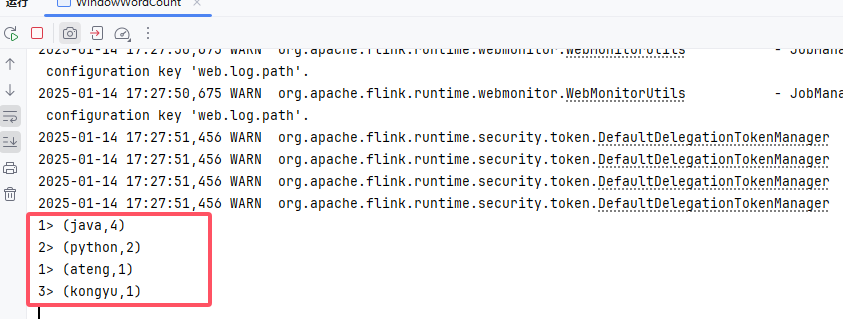
启动程序后,在nc上输入字符就开始统计数据了
package local.ateng.java;

import org.apache.flink.api.common.functions.FlatMapFunction;
import org.apache.flink.api.java.tuple.Tuple2;
import org.apache.flink.streaming.api.datastream.DataStream;
import org.apache.flink.streaming.api.environment.StreamExecutionEnvironment;
import java.time.Duration;

import org.apache.flink.streaming.api.windowing.assigners.TumblingProcessingTimeWindows;
import org.apache.flink.util.Collector;

public class WindowWordCount {

    public static void main(String[] args) throws Exception {

        StreamExecutionEnvironment env = StreamExecutionEnvironment.getExecutionEnvironment();

        DataStream<Tuple2<String, Integer>> dataStream = env
                .socketTextStream("192.168.1.12", 9999)
                .flatMap(new Splitter())
                .keyBy(value -> value.f0)
                .window(TumblingProcessingTimeWindows.of(Duration.ofSeconds(5)))
                .sum(1);

        dataStream.print();

        env.execute("Window WordCount");
    }

    public static class Splitter implements FlatMapFunction<String, Tuple2<String, Integer>> {
        @Override
        public void flatMap(String sentence, Collector<Tuple2<String, Integer>> out) throws Exception {
            for (String word: sentence.split(" ")) {
                out.collect(new Tuple2<String, Integer>(word, 1));
            }
        }
    }

}在nc终端输入以下内容:
java python
python java
ateng java
java kongyuFlink程序就输入以下内容:
打包运行
通过Maven将代码打包成Jar,如下图所示
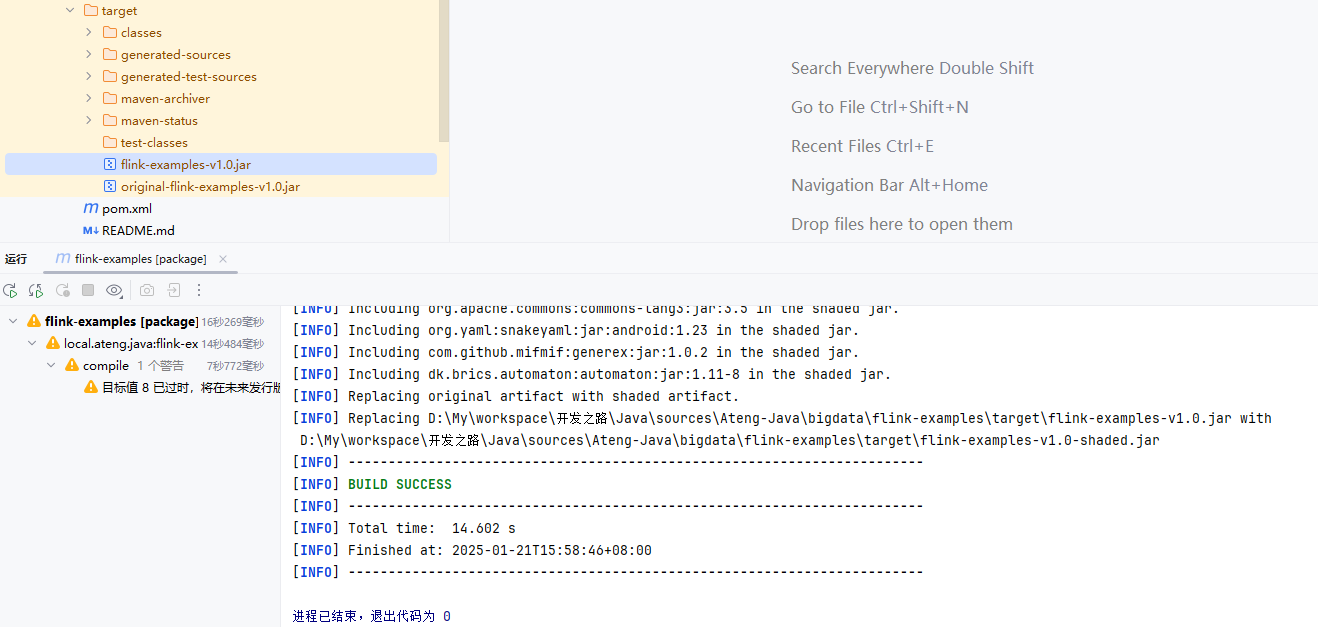
注意以下问题
- pom.xml中的依赖作用域都是设置的scope,用到相关服务时,要保证集群以添加相关依赖。
Flink Standalone
部署集群参考:安装Flink集群
将Jar包运行在Flink Standalone集群上,这里以运行Sink数据到Kafka为示例。
提交任务到集群
不填写其他参数默认就是使用 $FLINK_HOME/conf/config.yaml 配置文件中的参数。
flink run -d \
    -c local.ateng.java.DataStream.sink.DataGeneratorKafka \
flink-examples-v1.0.jar自定义参数
如果代码内部设置了parallelism,以代码内部的为准。
flink run -d \
    -m bigdata01:8082 \
    -p 3 \
    -c local.ateng.java.DataStream.sink.DataGeneratorKafka \
    flink-examples-v1.0.jar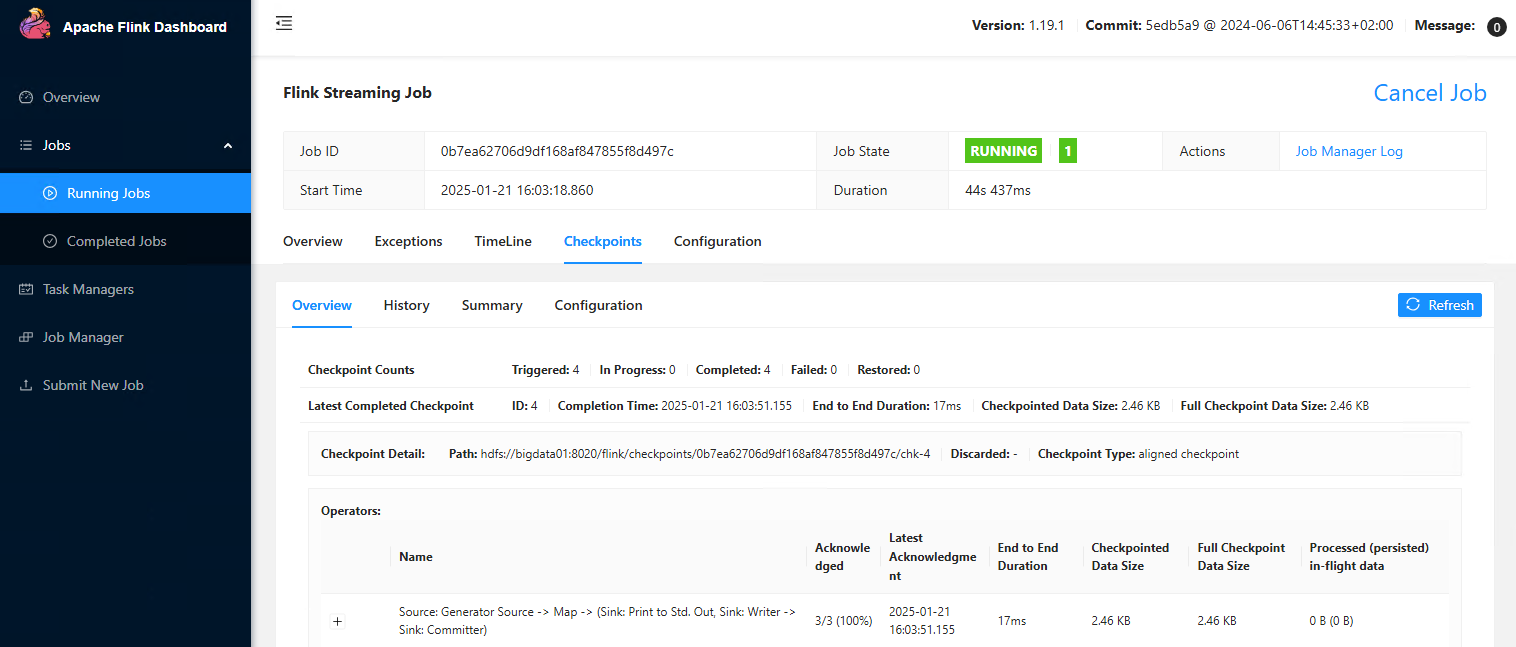
参数配置
-m <jobmanager>:指定 JobManager 的地址,通常以host:port形式给出。例如:-m localhost:8081。-p <parallelism>:设置全局并行度。例如:-p 4表示每个操作符并行度为 4。-s <savepointPath>:从某个 savepoint 恢复程序的状态。用于恢复上次程序执行时的状态。-d:后台运行 Flink 作业。-c: 指定主类。
YARN
部署集群参考:安装配置Flink On YARN
将Jar包运行在YARN集群上,这里以运行Sink数据到Kafka为示例。
提交任务到集群
不填写其他参数默认就是使用 $FLINK_HOME/conf/config.yaml 配置文件中的参数。
flink run-application -t yarn-application \
    -c local.ateng.java.DataStream.sink.DataGeneratorKafka \
flink-examples-v1.0.jar自定义参数
如果代码内部设置了parallelism,以代码内部的为准。
flink run-application -t yarn-application \
    -Dparallelism.default=3 \
    -Dtaskmanager.numberOfTaskSlots=3 \
    -Djobmanager.memory.process.size=1GB \
    -Dtaskmanager.memory.process.size=2GB \
    -Dyarn.application.name="制造模拟数据输出到Kafka中" \
    -c local.ateng.java.DataStream.sink.DataGeneratorKafka \
    flink-examples-v1.0.jar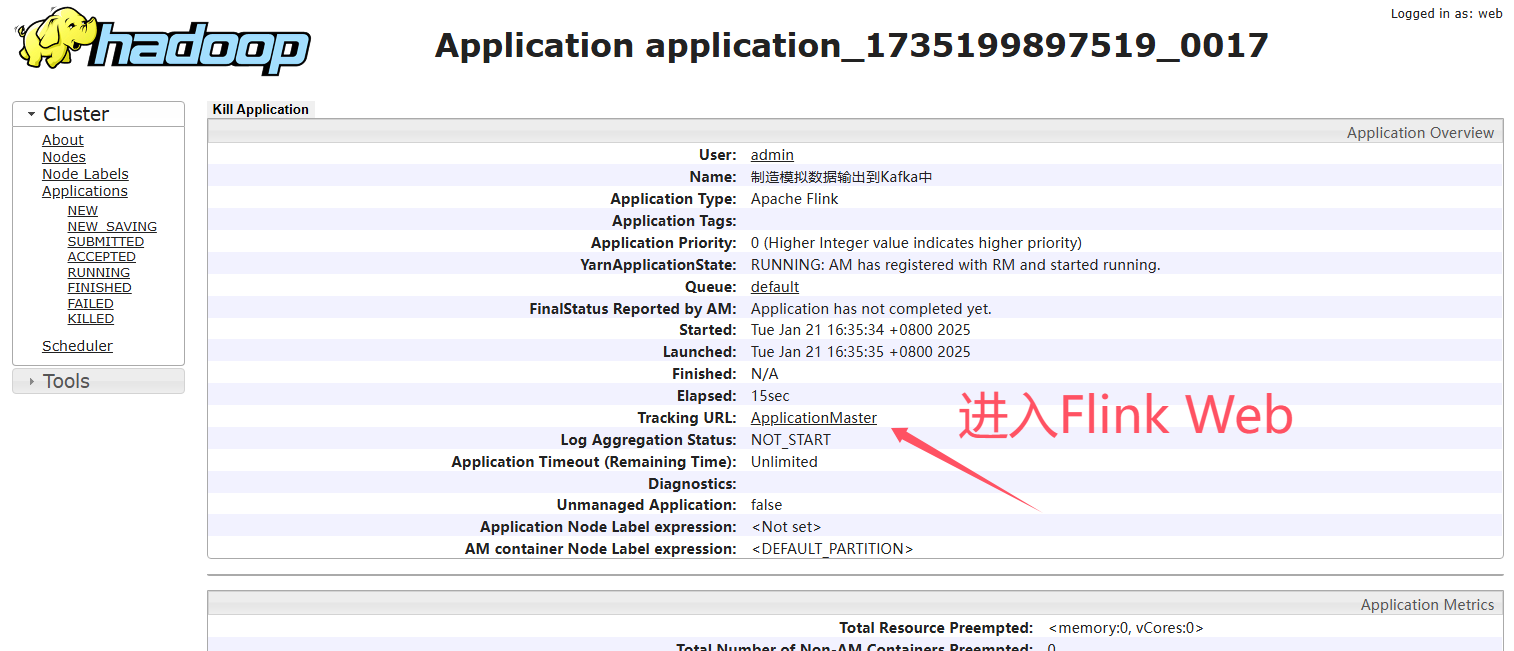
参数配置
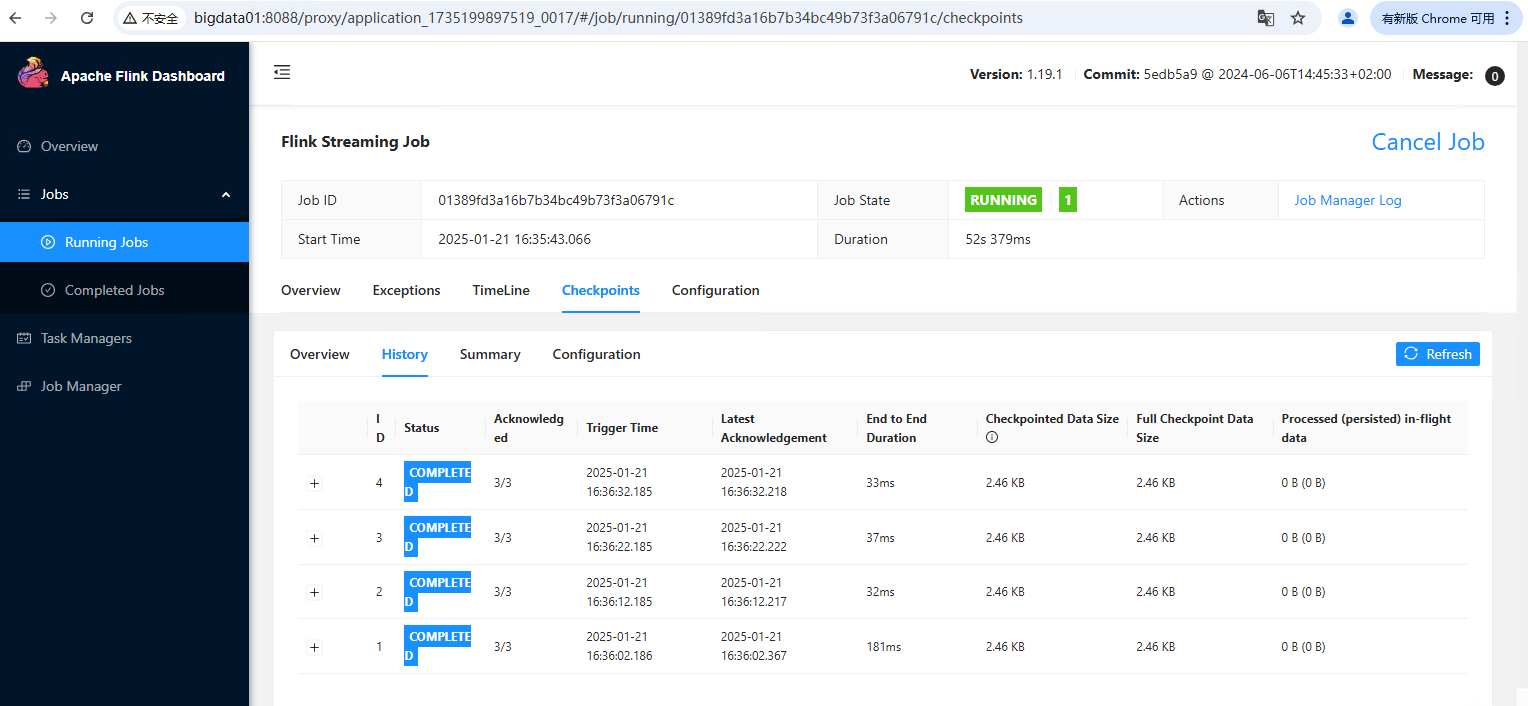
-t yarn-application:指定 Flink 作业运行在 YARN Application 模式下-Dparallelism.default:设置作业的默认并行度-Dtaskmanager.numberOfTaskSlots:设置每个 TaskManager 的 slot 数量-Djobmanager.memory.process.size:为 JobManager 设置内存大小-Dtaskmanager.memory.process.size:为 TaskManager 设置内存大小-Dyarn.application.name:设置 Flink 作业在 YARN 上的应用程序名称-c:指定作业的主类
Kubernetes
使用 flink-kubernetes-operator 运行任务,详情参考:Flink Operator
注意依赖问题,要么把相关服务的依赖,例如 flink-connector-kafka 的作用域设置为compile(默认)。
DataStream
Flink 中的 DataStream 程序是对数据流(例如过滤、更新状态、定义窗口、聚合)进行转换的常规程序。数据流的起始是从各种源(例如消息队列、套接字流、文件)创建的。结果通过 sink 返回,例如可以将数据写入文件或标准输出(例如命令行终端)。Flink 程序可以在各种上下文中运行,可以独立运行,也可以嵌入到其它程序中。任务执行可以运行在本地 JVM 中,也可以运行在多台机器的集群上。
DataStream API 得名于特殊的 DataStream 类,该类用于表示 Flink 程序中的数据集合。你可以认为 它们是可以包含重复项的不可变数据集合。这些数据可以是有界(有限)的,也可以是无界(无限)的,但用于处理它们的API是相同的。
DataStream 在用法上类似于常规的 Java 集合,但在某些关键方面却大不相同。它们是不可变的,这意味着一旦它们被创建,你就不能添加或删除元素。你也不能简单地察看内部元素,而只能使用 DataStream API 操作来处理它们,DataStream API 操作也叫作转换(transformation)。
你可以通过在 Flink 程序中添加 source 创建一个初始的 DataStream。然后,你可以基于 DataStream 派生新的流,并使用 map、filter 等 API 方法把 DataStream 和派生的流连接在一起。
检查点模式
精准一次
EXACTLY_ONCE:在此模式下,Flink 确保每条数据被 精确处理一次,即使在任务失败并恢复时,数据也不会重复处理或丢失。通过二阶段提交(两阶段提交协议)保证了事务一致性,状态保存和提交都必须成功。这种模式适用于对数据一致性和可靠性要求极高的场景,如金融交易、支付系统等。虽然提供了强一致性保障,但代价较高,性能相对较低。
env.enableCheckpointing(5 * 1000, CheckpointingMode.EXACTLY_ONCE);至少一次
AT_LEAST_ONCE:此模式保证每条数据 至少被处理一次,即使在任务失败恢复时,也可能会发生数据重复处理。Flink 只要成功保存状态并提交检查点就认为成功,不要求完全一致性。因此,它适合吞吐量较高的应用,允许有少量的重复数据。典型应用包括日志处理、数据流分析等,性能较 EXACTLY_ONCE 好,但不保证强一致性。
env.enableCheckpointing(5 * 1000, CheckpointingMode.AT_LEAST_ONCE);数据生成
创建实体类
package local.ateng.java.entity;

import lombok.AllArgsConstructor;
import lombok.Builder;
import lombok.Data;
import lombok.NoArgsConstructor;

import java.io.Serializable;
import java.time.LocalDateTime;
import java.util.Date;

/**
 * 用户信息实体类
 * 用于表示系统中的用户信息。
 *
 * @author 孔余
 * @since 2024-01-10 15:51
 */
@Data
@NoArgsConstructor
@AllArgsConstructor
@Builder
public class UserInfoEntity implements Serializable {
    private static final long serialVersionUID = 1L;

    /**
     * 用户ID
     */
    private Long id;

    /**
     * 用户姓名
     */
    private String name;

    /**
     * 用户年龄
     * 注意:这里使用Integer类型,表示年龄是一个整数值。
     */
    private Integer age;

    /**
     * 分数
     */
    private Double score;

    /**
     * 用户生日
     * 注意:这里使用Date类型,表示用户的生日。
     */
    private Date birthday;

    /**
     * 用户所在省份
     */
    private String province;

    /**
     * 用户所在城市
     */
    private String city;

    /**
     * 创建时间
     */
    private LocalDateTime createTime;
}创建生成器函数
package local.ateng.java.function;

import com.github.javafaker.Faker;
import local.ateng.java.entity.UserInfoEntity;
import org.apache.flink.api.connector.source.SourceReaderContext;
import org.apache.flink.connector.datagen.source.GeneratorFunction;

import java.time.LocalDateTime;
import java.util.Locale;

/**
 * 生成器函数
 *
 * @author 孔余
 * @since 2024-02-29 17:07
 */
public class MyGeneratorFunction implements GeneratorFunction {
    // 创建一个Java Faker实例,指定Locale为中文
    private Faker faker;

    // 初始化随机数数据生成器
    @Override
    public void open(SourceReaderContext readerContext) throws Exception {
        faker = new Faker(new Locale("zh-CN"));
    }

    @Override
    public UserInfoEntity map(Object value) throws Exception {
        // 使用 随机数数据生成器 来创建实例
        UserInfoEntity user = UserInfoEntity.builder()
                .id(System.currentTimeMillis())
                .name(faker.name().fullName())
                .birthday(faker.date().birthday())
                .age(faker.number().numberBetween(0, 100))
                .province(faker.address().state())
                .city(faker.address().cityName())
                .score(faker.number().randomDouble(3, 1, 100))
                .createTime(LocalDateTime.now())
                .build();
        return user;
    }

}创建数据生成器
参考:官方文档
package local.ateng.java.DataStream.sink;

import local.ateng.java.function.MyGeneratorFunction;
import local.ateng.java.entity.UserInfoEntity;
import org.apache.flink.api.common.eventtime.WatermarkStrategy;
import org.apache.flink.api.common.typeinfo.TypeInformation;
import org.apache.flink.api.connector.source.util.ratelimit.RateLimiterStrategy;
import org.apache.flink.connector.datagen.source.DataGeneratorSource;
import org.apache.flink.streaming.api.datastream.DataStreamSource;
import org.apache.flink.streaming.api.environment.StreamExecutionEnvironment;

/**
 * 数据生成连接器,用于生成模拟数据并将其输出到 Flink 流中。
 *
 * @author 孔余
 * @since 2024-02-29 16:55
 */
public class DataGenerator {
    public static void main(String[] args) throws Exception {
        // 获取执行环境
        StreamExecutionEnvironment env = StreamExecutionEnvironment.getExecutionEnvironment();
        // 设置并行度为 1,仅用于简化示例
        env.setParallelism(1);

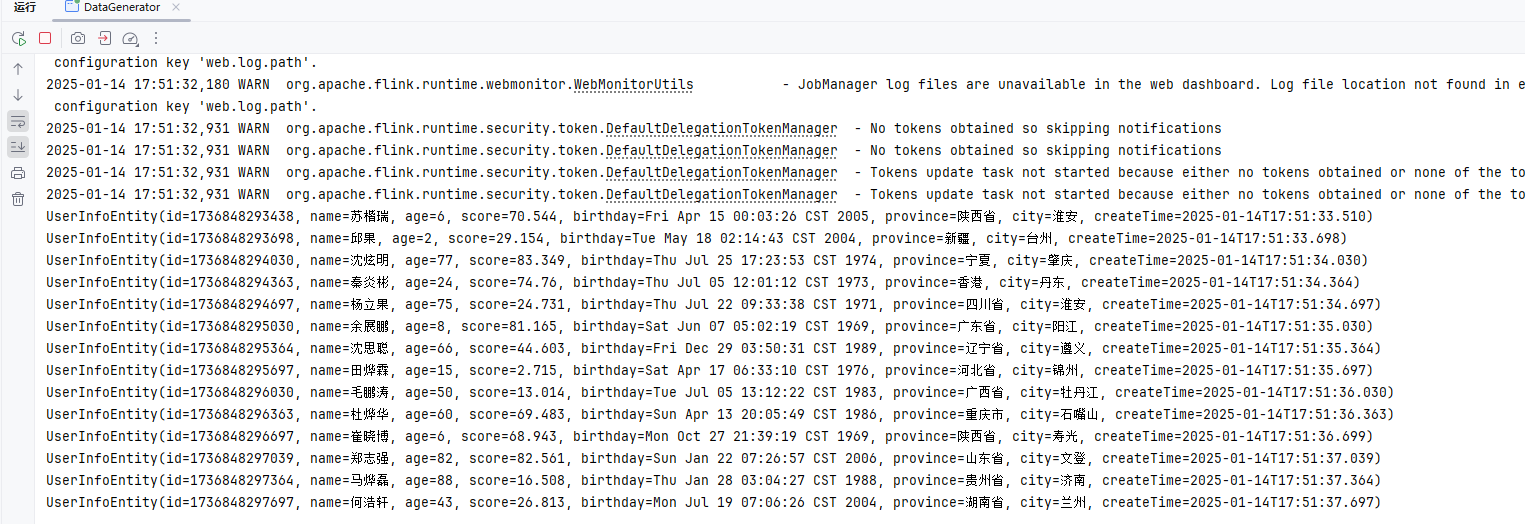
        // 创建数据生成器源,生成器函数为 MyGeneratorFunction,生成 Long.MAX_VALUE 条数据,速率限制为 3 条/秒
        DataGeneratorSource<UserInfoEntity> source = new DataGeneratorSource<>(
                new MyGeneratorFunction(),
                Long.MAX_VALUE,
                RateLimiterStrategy.perSecond(3),
                TypeInformation.of(UserInfoEntity.class)
        );

        // 将数据生成器源添加到流中
        DataStreamSource<UserInfoEntity> stream =
                env.fromSource(source,
                        WatermarkStrategy.noWatermarks(), // 不生成水印,仅用于演示
                        "Generator Source");

        // 打印流中的数据
        stream.print();

        // 执行 Flink 作业
        env.execute();
    }
}
创建数据生成器(Kafka)
参考:官方文档
添加依赖
    <properties>
        <flink-kafka.version>3.3.0-1.19</flink-kafka.version>
    </properties>

    <dependencies>
        <!-- Apache Flink 连接器基础库库 -->
        <dependency>
            <groupId>org.apache.flink</groupId>
            <artifactId>flink-connector-base</artifactId>
            <version>${flink.version}</version>
            <scope>provided</scope>
        </dependency>
        <!-- Apache Flink Kafka 连接器库 -->
        <dependency>
            <groupId>org.apache.flink</groupId>
            <artifactId>flink-connector-kafka</artifactId>
            <version>${flink-kafka.version}</version>
            <scope>provided</scope>
        </dependency>
</dependencies>创建生成器
package local.ateng.java.DataStream.sink;

import com.alibaba.fastjson2.JSONObject;
import local.ateng.java.function.MyGeneratorFunction;
import local.ateng.java.entity.UserInfoEntity;
import org.apache.flink.api.common.eventtime.WatermarkStrategy;
import org.apache.flink.api.common.serialization.SimpleStringSchema;
import org.apache.flink.api.common.typeinfo.TypeInformation;
import org.apache.flink.api.connector.source.util.ratelimit.RateLimiterStrategy;
import org.apache.flink.connector.base.DeliveryGuarantee;
import org.apache.flink.connector.datagen.source.DataGeneratorSource;
import org.apache.flink.connector.kafka.sink.KafkaRecordSerializationSchema;
import org.apache.flink.connector.kafka.sink.KafkaSink;
import org.apache.flink.streaming.api.datastream.SingleOutputStreamOperator;
import org.apache.flink.streaming.api.environment.StreamExecutionEnvironment;

/**
 * 示例说明:
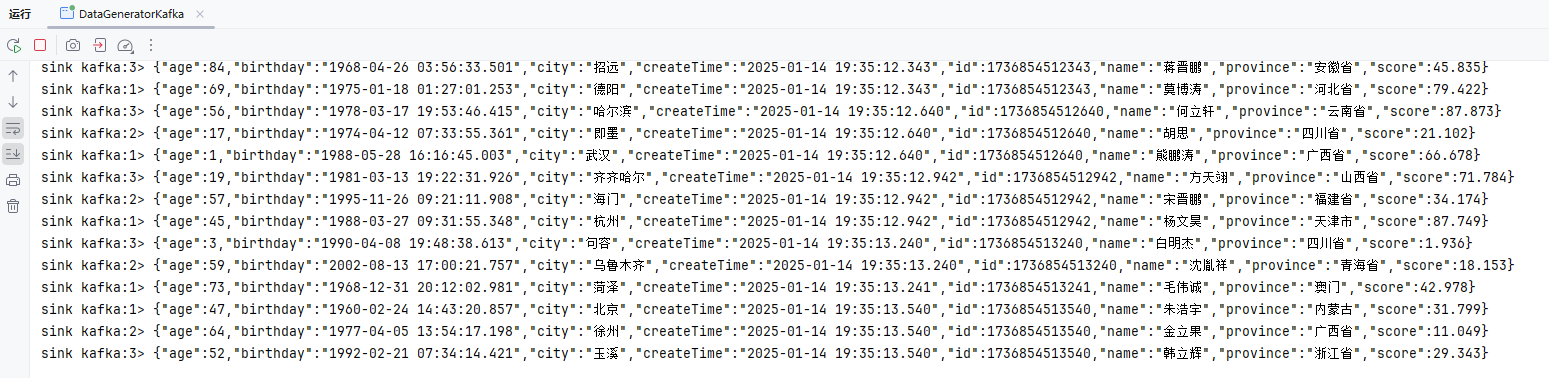
 * 此类演示了如何使用 Flink 的 DataGenConnector 和 KafkaSink 将生成的模拟数据发送到 Kafka 中。
 * 1. 创建 DataGeneratorSource 生成模拟数据;
 * 2. 使用 map 函数将 UserInfoEntity 转换为 JSON 字符串;
 * 3. 配置 KafkaSink 将数据发送到 Kafka 中。
 *
 * @author 孔余
 * @since 2024-02-29 16:55
 */
public class DataGeneratorKafka {
    public static void main(String[] args) throws Exception {
        // 获取执行环境
        StreamExecutionEnvironment env = StreamExecutionEnvironment.getExecutionEnvironment();
        // Kafka的Topic有多少个分区就设置多少并行度(可以设置为分区的倍数),例如:Topic有3个分区就设置并行度为3
        env.setParallelism(3);

        // 创建 DataGeneratorSource 生成模拟数据
        DataGeneratorSource<UserInfoEntity> source = new DataGeneratorSource<>(
                new MyGeneratorFunction(), // 自定义的生成器函数
                Long.MAX_VALUE, // 生成数据的数量
                RateLimiterStrategy.perSecond(10), // 生成数据的速率限制
                TypeInformation.of(UserInfoEntity.class) // 数据类型信息
        );

        // 将生成的 UserInfoEntity 对象转换为 JSON 字符串
        SingleOutputStreamOperator<String> stream = env
                .fromSource(source, WatermarkStrategy.noWatermarks(), "Generator Source")
                .map(user -> JSONObject.toJSONString(user));

        // 配置 KafkaSink 将数据发送到 Kafka 中
        KafkaSink<String> sink = KafkaSink.<String>builder()
                .setBootstrapServers("192.168.1.10:9094") // Kafka 服务器地址和端口
                .setRecordSerializer(KafkaRecordSerializationSchema.builder()
                        .setTopic("ateng_flink_json") // Kafka 主题
                        .setValueSerializationSchema(new SimpleStringSchema()) // 数据序列化方式
                        .build()
                )
                .setDeliveryGuarantee(DeliveryGuarantee.AT_LEAST_ONCE) // 传输保障级别
                .build();

        // 将数据打印到控制台
        stream.print("sink kafka");
        // 将数据发送到 Kafka
        stream.sinkTo(sink);

        // 执行程序
        env.execute();
    }
}
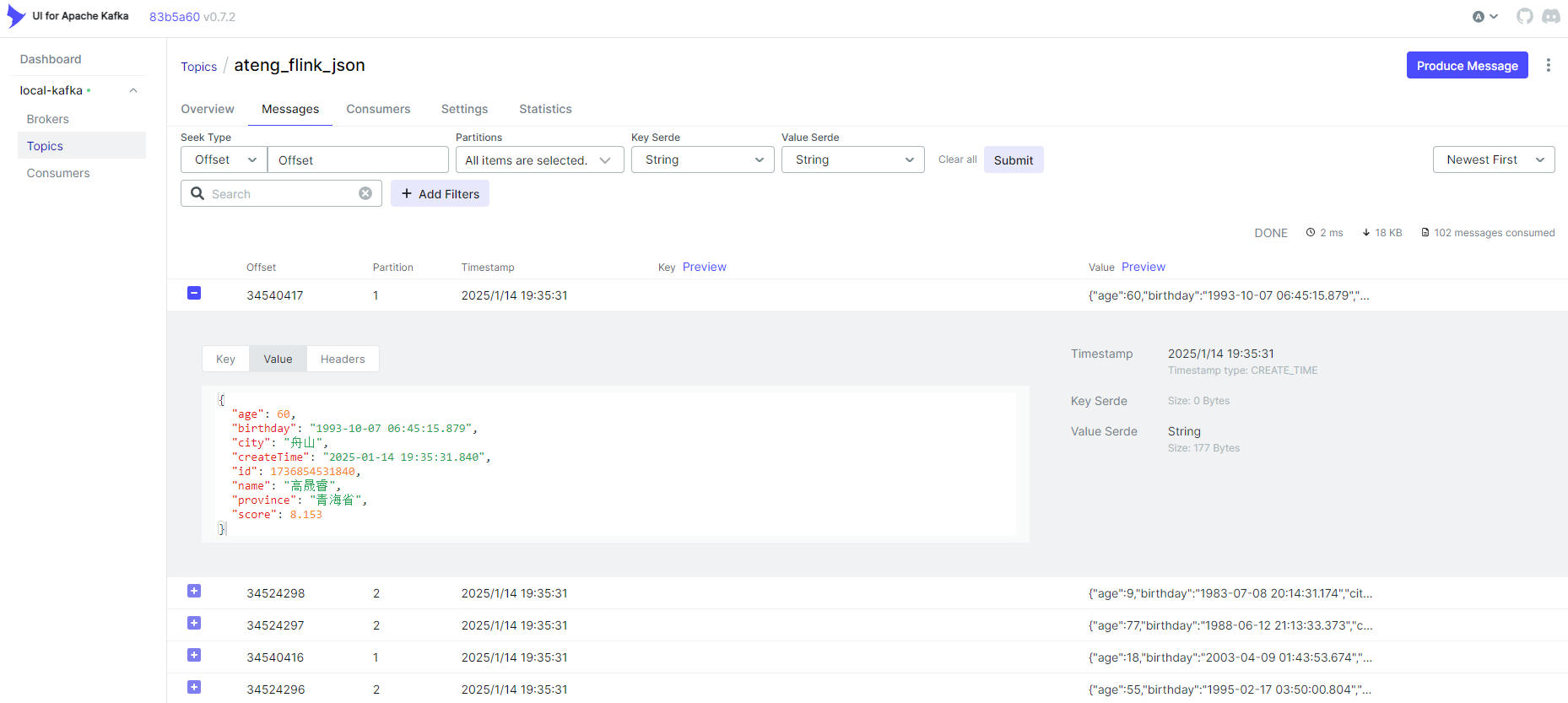
创建数据生成器(Doris)
参考:官方文档
添加依赖
    <dependencies>
        <!-- Apache Flink Doris 连接器库 -->
        <dependency>
            <groupId>org.apache.doris</groupId>
            <artifactId>flink-doris-connector-1.19</artifactId>
            <version>24.1.0</version>
            <scope>provided</scope>
        </dependency>
</dependencies>创建生成器
注意重复执行需要修改 LabelPrefix ,详情参考官方文档
package local.ateng.java.DataStream.sink;

import cn.hutool.core.bean.BeanUtil;
import com.alibaba.fastjson2.JSONObject;
import local.ateng.java.entity.UserInfoEntity;
import local.ateng.java.function.MyGeneratorFunction;
import org.apache.doris.flink.cfg.DorisExecutionOptions;
import org.apache.doris.flink.cfg.DorisOptions;
import org.apache.doris.flink.cfg.DorisReadOptions;
import org.apache.doris.flink.sink.DorisSink;
import org.apache.doris.flink.sink.writer.serializer.SimpleStringSerializer;
import org.apache.flink.api.common.eventtime.WatermarkStrategy;
import org.apache.flink.api.common.typeinfo.TypeInformation;
import org.apache.flink.api.connector.source.util.ratelimit.RateLimiterStrategy;
import org.apache.flink.connector.datagen.source.DataGeneratorSource;
import org.apache.flink.streaming.api.CheckpointingMode;
import org.apache.flink.streaming.api.datastream.SingleOutputStreamOperator;
import org.apache.flink.streaming.api.environment.StreamExecutionEnvironment;

import java.time.LocalDateTime;
import java.util.Properties;


/**
 * 数据生成连接器,用于生成模拟数据并将其输出到Doris中
 *
 * @author 孔余
 * @email 2385569970@qq.com
 * @since 2025-01-15
 */
public class DataGeneratorDoris {
    public static void main(String[] args) throws Exception {
        // 获取执行环境
        StreamExecutionEnvironment env = StreamExecutionEnvironment.getExecutionEnvironment();
        // 设置并行度为 1,仅用于简化示例
        env.setParallelism(1);
        // 启用检查点,设置检查点间隔为 10 秒,检查点模式为 精准一次
        env.enableCheckpointing(10 * 1000, CheckpointingMode.EXACTLY_ONCE);

        // 创建数据生成器源,生成器函数为 MyGeneratorFunction,每秒生成 1000 条数据,速率限制为 3 条/秒
        DataGeneratorSource<UserInfoEntity> source = new DataGeneratorSource<>(
                new MyGeneratorFunction(),
                1000,
                RateLimiterStrategy.perSecond(3),
                TypeInformation.of(UserInfoEntity.class)
        );

        // 将数据生成器源添加到流中
        SingleOutputStreamOperator<String> stream = env
                .fromSource(source, WatermarkStrategy.noWatermarks(), "Generator Source")
                .map(user -> {
                    // 转换成和 Doris 表字段一致
                    LocalDateTime createTime = user.getCreateTime();
                    user.setCreateTime(null);
                    JSONObject jsonObject = BeanUtil.toBean(user, JSONObject.class);
                    jsonObject.put("create_time", createTime);
                    return JSONObject.toJSONString(jsonObject);
                });

        // Sink
        DorisSink.Builder<String> builder = DorisSink.builder();
        DorisOptions.Builder dorisBuilder = DorisOptions.builder();
        // doris 相关信息
        dorisBuilder.setFenodes("192.168.1.12:9040")
                .setTableIdentifier("kongyu_flink.my_user") // db.table
                .setUsername("admin")
                .setPassword("Admin@123");
        Properties properties = new Properties();
        // JSON 格式需要设置的参数
        properties.setProperty("format", "json");
        properties.setProperty("read_json_by_line", "true");
        DorisExecutionOptions.Builder executionBuilder = DorisExecutionOptions.builder();
        // Stream load 导入使用的 label 前缀。2pc 场景下要求全局唯一,用来保证 Flink 的 EOS 语义。
        executionBuilder.setLabelPrefix("label-doris2")
                .setDeletable(false)
                .setStreamLoadProp(properties);
        builder.setDorisReadOptions(DorisReadOptions.builder().build())
                .setDorisExecutionOptions(executionBuilder.build())
                .setSerializer(new SimpleStringSerializer())
                .setDorisOptions(dorisBuilder.build());
        DorisSink<String> sink = builder.build();

        // 将数据打印到控制台
        stream.print("sink doris");
        // 打印流中的数据
        stream.sinkTo(sink);

        // 执行 Flink 作业
        env.execute();
    }
}创建表
创建表
DROP TABLE IF EXISTS my_user;
CREATE TABLE IF NOT EXISTS my_user (
    id BIGINT NOT NULL,
    create_time DATETIME,
    name STRING,
    age INT,
    score DOUBLE,
    birthday DATETIME,
    province STRING,
    city STRING
)
DUPLICATE KEY (id, create_time)
DISTRIBUTED BY HASH(id) BUCKETS 10
PROPERTIES (
    "replication_allocation" = "tag.location.default: 1"
);查看表
SHOW CREATE TABLE my_user\G;查看数据
select * from my_user;创建数据生成器(MySQL)
参考:官方文档
添加依赖
    <properties>
        <flink-jdbc.version>3.2.0-1.19</flink-jdbc.version>
    </properties>

    <dependencies>
		<!-- Apache Flink JDBC 连接器库 -->
        <dependency>
            <groupId>org.apache.flink</groupId>
            <artifactId>flink-connector-jdbc</artifactId>
            <version>${flink-jdbc.version}</version>
            <scope>provided</scope>
        </dependency>
        <!-- MySQL驱动 -->
        <dependency>
            <groupId>com.mysql</groupId>
            <artifactId>mysql-connector-j</artifactId>
            <version>8.0.33</version>
            <scope>provided</scope>
        </dependency>
</dependencies>创建生成器
package local.ateng.java.DataStream.sink;

import local.ateng.java.function.MyGeneratorFunction;
import local.ateng.java.entity.UserInfoEntity;
import org.apache.flink.api.common.eventtime.WatermarkStrategy;
import org.apache.flink.api.common.typeinfo.TypeInformation;
import org.apache.flink.api.connector.source.util.ratelimit.RateLimiterStrategy;
import org.apache.flink.connector.datagen.source.DataGeneratorSource;
import org.apache.flink.connector.jdbc.JdbcConnectionOptions;
import org.apache.flink.connector.jdbc.JdbcExecutionOptions;
import org.apache.flink.connector.jdbc.JdbcSink;
import org.apache.flink.streaming.api.datastream.DataStreamSource;
import org.apache.flink.streaming.api.environment.StreamExecutionEnvironment;
import org.apache.flink.streaming.api.functions.sink.SinkFunction;

import java.sql.Timestamp;

/**
 * 数据生成连接器,用于生成模拟数据并将其输出到Mysql中。
 *
 * @author 孔余
 * @since 2024-03-06 16:11
 */
public class DataGeneratorMySQL {
    public static void main(String[] args) throws Exception {
        // 获取执行环境
        StreamExecutionEnvironment env = StreamExecutionEnvironment.getExecutionEnvironment();
        // 设置并行度为 1,仅用于简化示例
        env.setParallelism(1);

        // 创建数据生成器源,生成器函数为 MyGeneratorFunction,每秒生成 1000 条数据,速率限制为 3 条/秒
        DataGeneratorSource<UserInfoEntity> source = new DataGeneratorSource<>(
                new MyGeneratorFunction(),
                1000,
                RateLimiterStrategy.perSecond(3),
                TypeInformation.of(UserInfoEntity.class)
        );

        // 将数据生成器源添加到流中
        DataStreamSource<UserInfoEntity> stream =
                env.fromSource(source,
                        WatermarkStrategy.noWatermarks(), // 不生成水印,仅用于演示
                        "Generator Source");

        /**
         * 写入mysql
         * JDBCSink的4个参数:
         *    第一个参数: 执行的sql,一般就是 insert into
         *    第二个参数: 预编译sql, 对占位符填充值
         *    第三个参数: 执行选项 ---》 攒批、重试
         *    第四个参数: 连接选项 ---》 url、用户名、密码
         */
        SinkFunction<UserInfoEntity> jdbcSink = JdbcSink.sink(
                "insert into my_user(name,age,score,birthday,province,city) values(?,?,?,?,?,?)",
                (preparedStatement, user) -> {
                    //每收到一条UserInfoEntity,如何去填充占位符
                    preparedStatement.setString(1, user.getName());
                    preparedStatement.setInt(2, user.getAge());
                    preparedStatement.setDouble(3, user.getScore());
                    preparedStatement.setTimestamp(4, new Timestamp(user.getBirthday().getTime()));
                    preparedStatement.setString(5, user.getProvince());
                    preparedStatement.setString(6, user.getCity());
                },
                JdbcExecutionOptions.builder()
                        .withMaxRetries(3) // 重试次数
                        .withBatchSize(1000) // 批次的大小:条数
                        .withBatchIntervalMs(3000) // 批次的时间
                        .build(),
                new JdbcConnectionOptions.JdbcConnectionOptionsBuilder()
                        .withUrl("jdbc:mysql://192.168.1.10:35725/kongyu_flink")
                        .withUsername("root")
                        .withPassword("Admin@123")
                        .withDriverName("com.mysql.cj.jdbc.Driver")
                        .withConnectionCheckTimeoutSeconds(60) // 重试的超时时间
                        .build()
        );

        // 将数据打印到控制台
        stream.print("sink mysql");
        // 打印流中的数据
        stream.addSink(jdbcSink);

        // 执行 Flink 作业
        env.execute();
    }
}创建表
DROP TABLE IF EXISTS my_user;
CREATE TABLE IF NOT EXISTS my_user (
    id          BIGINT AUTO_INCREMENT PRIMARY KEY,          -- 用户唯一标识,主键自动递增
    name        VARCHAR(50) DEFAULT NULL,                   -- 增加name字段长度,并设置默认值为NULL
    age         INT DEFAULT NULL,                           -- 年龄,默认为NULL
    score       DOUBLE DEFAULT 0.0,                         -- 成绩,默认为0.0
    birthday    DATE DEFAULT NULL,                          -- 生日,默认为NULL
    province    VARCHAR(50) DEFAULT NULL,                   -- 省份,增加字段长度
    city        VARCHAR(50) DEFAULT NULL,                   -- 城市,增加字段长度
    create_time TIMESTAMP(3) DEFAULT CURRENT_TIMESTAMP(3),  -- 创建时间,默认当前时间
    INDEX idx_name (name),                                  -- 如果name经常用于查询,可以考虑为其加索引
    INDEX idx_province_city (province, city)                -- 如果经常根据省市进行查询,创建联合索引
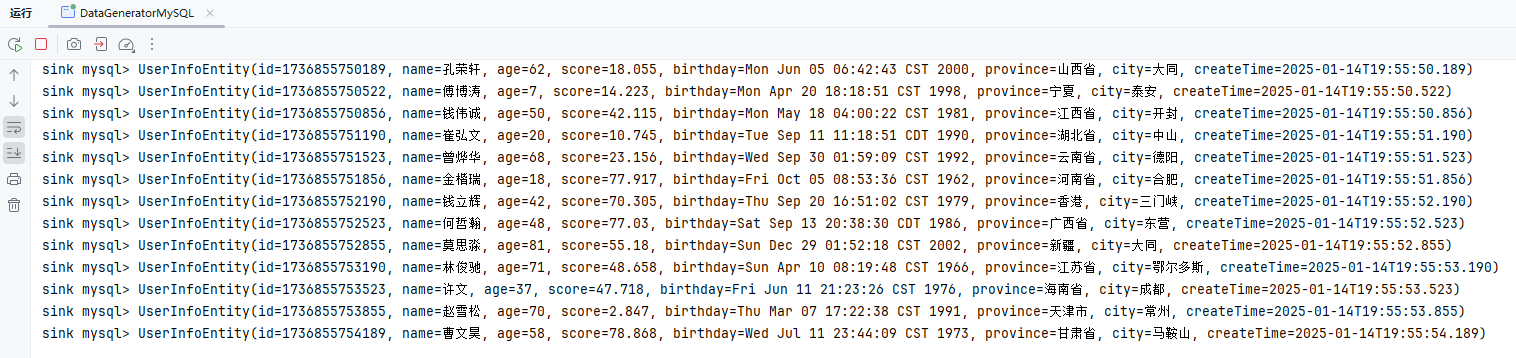
);
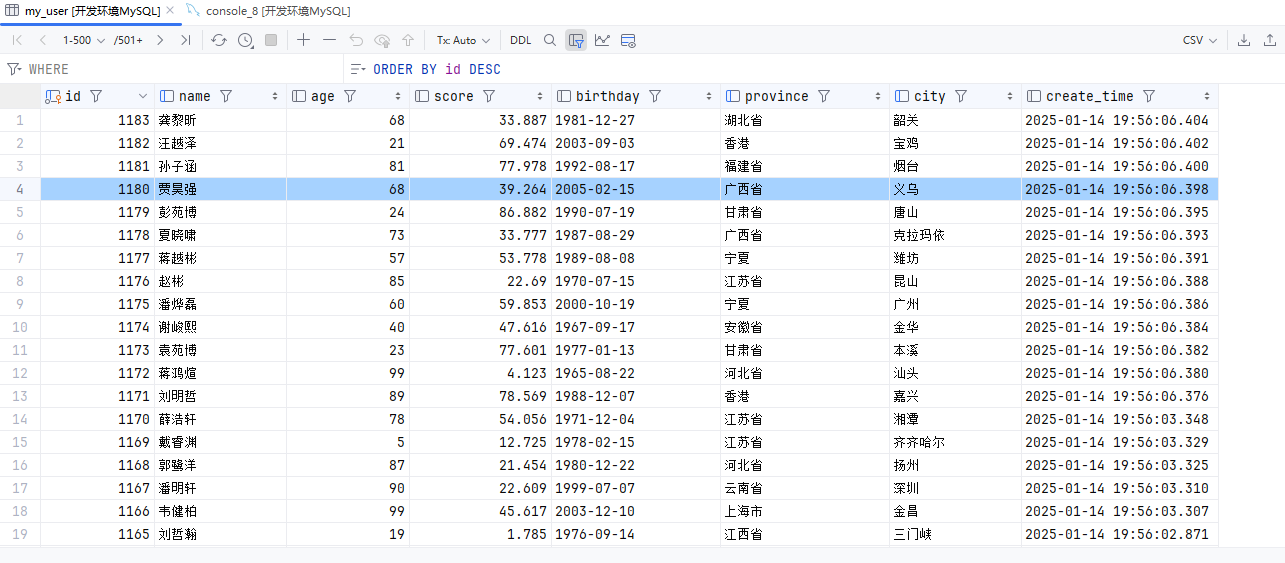
创建数据生成器(PostgreSQL)
参考:官方文档
添加依赖
    <properties>
        <flink-jdbc.version>3.2.0-1.19</flink-jdbc.version>
    </properties>

    <dependencies>
		<!-- Apache Flink JDBC 连接器库 -->
        <dependency>
            <groupId>org.apache.flink</groupId>
            <artifactId>flink-connector-jdbc</artifactId>
            <version>${flink-jdbc.version}</version>
            <scope>provided</scope>
        </dependency>
        <!-- PostgreSQL驱动 -->
        <dependency>
            <groupId>org.postgresql</groupId>
            <artifactId>postgresql</artifactId>
            <version>42.7.1</version>
            <scope>provided</scope>
        </dependency>
</dependencies>创建生成器
package local.ateng.java.DataStream.sink;

import local.ateng.java.function.MyGeneratorFunction;
import local.ateng.java.entity.UserInfoEntity;
import org.apache.flink.api.common.eventtime.WatermarkStrategy;
import org.apache.flink.api.common.typeinfo.TypeInformation;
import org.apache.flink.api.connector.source.util.ratelimit.RateLimiterStrategy;
import org.apache.flink.connector.datagen.source.DataGeneratorSource;
import org.apache.flink.connector.jdbc.JdbcConnectionOptions;
import org.apache.flink.connector.jdbc.JdbcExecutionOptions;
import org.apache.flink.connector.jdbc.JdbcSink;
import org.apache.flink.streaming.api.datastream.DataStreamSource;
import org.apache.flink.streaming.api.environment.StreamExecutionEnvironment;
import org.apache.flink.streaming.api.functions.sink.SinkFunction;

import java.sql.Timestamp;

/**
 * 数据生成连接器,用于生成模拟数据并将其输出到PostgreSQL中
 *
 * @author 孔余
 * @email 2385569970@qq.com
 * @since 2025-01-14
 */
public class DataGeneratorPostgreSQL {
    public static void main(String[] args) throws Exception {
        // 获取执行环境
        StreamExecutionEnvironment env = StreamExecutionEnvironment.getExecutionEnvironment();
        // 设置并行度为 1,仅用于简化示例
        env.setParallelism(1);

        // 创建数据生成器源,生成器函数为 MyGeneratorFunction,每秒生成 1000 条数据,速率限制为 3 条/秒
        DataGeneratorSource<UserInfoEntity> source = new DataGeneratorSource<>(
                new MyGeneratorFunction(),
                1000,
                RateLimiterStrategy.perSecond(3),
                TypeInformation.of(UserInfoEntity.class)
        );

        // 将数据生成器源添加到流中
        DataStreamSource<UserInfoEntity> stream =
                env.fromSource(source,
                        WatermarkStrategy.noWatermarks(), // 不生成水印,仅用于演示
                        "Generator Source");

        /**
         * 写入mysql
         * JDBCSink的4个参数:
         *    第一个参数: 执行的sql,一般就是 insert into
         *    第二个参数: 预编译sql, 对占位符填充值
         *    第三个参数: 执行选项 ---》 攒批、重试
         *    第四个参数: 连接选项 ---》 url、用户名、密码
         */
        SinkFunction<UserInfoEntity> jdbcSink = JdbcSink.sink(
                "insert into my_user(name,age,score,birthday,province,city) values(?,?,?,?,?,?)",
                (preparedStatement, user) -> {
                    //每收到一条UserInfoEntity,如何去填充占位符
                    preparedStatement.setString(1, user.getName());
                    preparedStatement.setInt(2, user.getAge());
                    preparedStatement.setDouble(3, user.getScore());
                    preparedStatement.setTimestamp(4, new Timestamp(user.getBirthday().getTime()));
                    preparedStatement.setString(5, user.getProvince());
                    preparedStatement.setString(6, user.getCity());
                },
                JdbcExecutionOptions.builder()
                        .withMaxRetries(3) // 重试次数
                        .withBatchSize(1000) // 批次的大小:条数
                        .withBatchIntervalMs(3000) // 批次的时间
                        .build(),
                new JdbcConnectionOptions.JdbcConnectionOptionsBuilder()
                        .withUrl("jdbc:postgresql://192.168.1.10:32297/kongyu_flink?currentSchema=public")
                        .withUsername("postgres")
                        .withPassword("Lingo@local_postgresql_5432")
                        .withDriverName("org.postgresql.Driver")
                        .withConnectionCheckTimeoutSeconds(60) // 重试的超时时间
                        .build()
        );

        // 将数据打印到控制台
        stream.print("sink postgres");
        // 打印流中的数据
        stream.addSink(jdbcSink);

        // 执行 Flink 作业
        env.execute();
    }
}创建表
DROP TABLE IF EXISTS my_user;
CREATE TABLE IF NOT EXISTS my_user (
    id          BIGSERIAL PRIMARY KEY,                         -- BIGSERIAL 自动递增主键
    name        VARCHAR(50) DEFAULT NULL,                      -- 增加 name 字段长度,默认 NULL
    age         INTEGER DEFAULT NULL,                          -- 使用 INTEGER 替代 INT
    score       DOUBLE PRECISION DEFAULT 0.0,                  -- 使用 DOUBLE PRECISION
    birthday    DATE DEFAULT NULL,                             -- 生日字段,默认 NULL
    province    VARCHAR(50) DEFAULT NULL,                      -- 省份字段,增加长度
    city        VARCHAR(50) DEFAULT NULL,                      -- 城市字段,增加长度
    create_time TIMESTAMP(3) DEFAULT CURRENT_TIMESTAMP(3)      -- 创建时间字段,默认当前时间
);
-- 创建普通索引
CREATE INDEX idx_name ON my_user(name);                       -- 为 name 字段创建普通索引
CREATE INDEX idx_province_city ON my_user(province, city);     -- 为 province 和 city 字段创建联合索引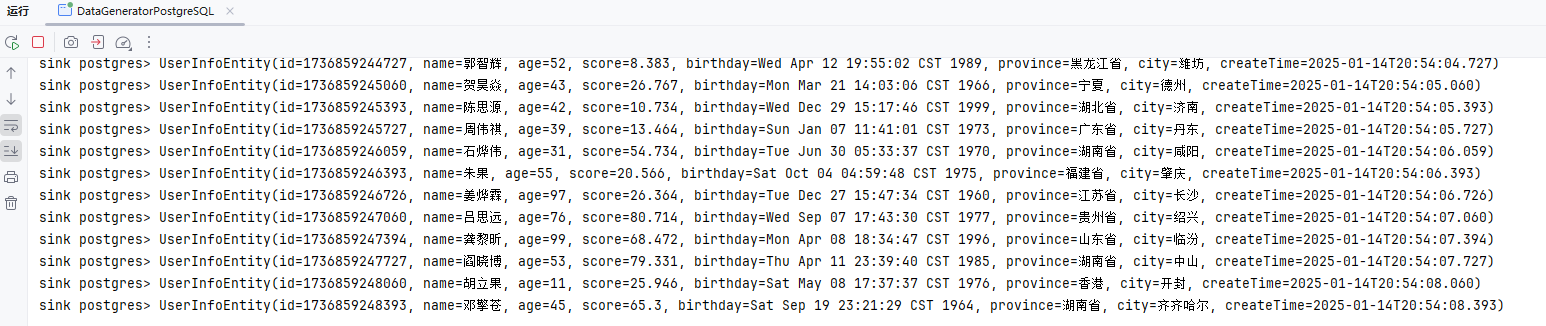
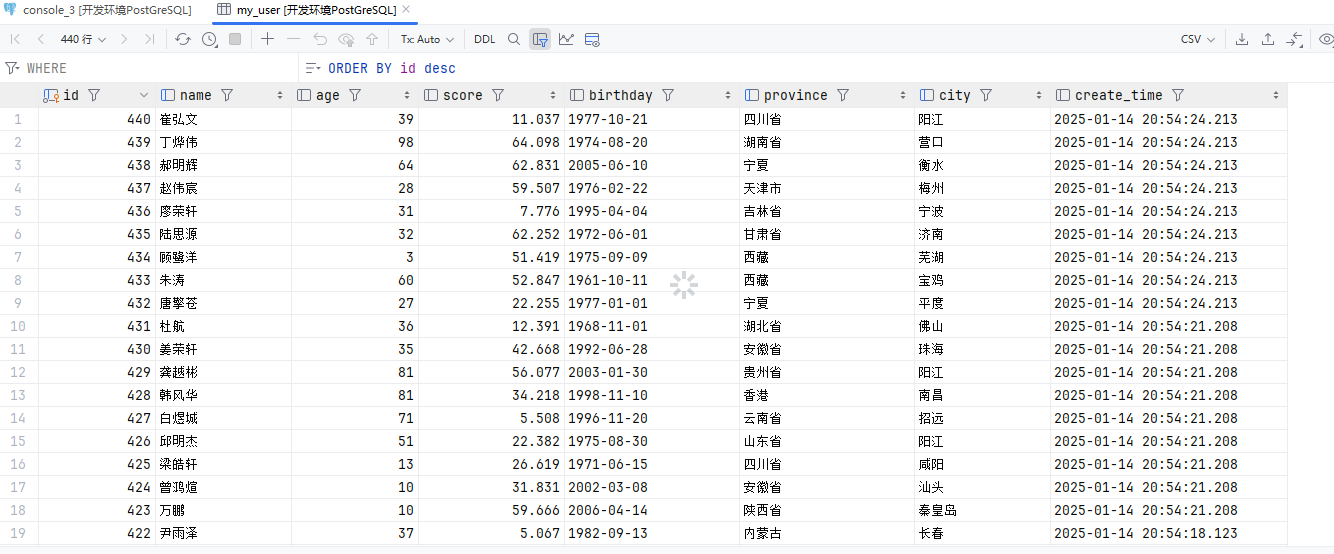
创建数据生成器(MongoDB)
参考:官方文档
添加依赖
    <properties>
        <flink-mongodb.version>1.2.0-1.19</flink-mongodb.version>
    </properties>

    <dependencies>
		<!-- Apache Flink MongoDB 连接器库 -->
        <dependency>
            <groupId>org.apache.flink</groupId>
            <artifactId>flink-connector-mongodb</artifactId>
            <version>${flink-mongodb.version}</version>
            <scope>provided</scope>
        </dependency>
</dependencies>创建生成器
package local.ateng.java.DataStream.sink;

import com.alibaba.fastjson2.JSONObject;
import com.mongodb.client.model.InsertOneModel;
import local.ateng.java.function.MyGeneratorFunction;
import local.ateng.java.entity.UserInfoEntity;
import org.apache.flink.api.common.eventtime.WatermarkStrategy;
import org.apache.flink.api.common.typeinfo.TypeInformation;
import org.apache.flink.api.connector.source.util.ratelimit.RateLimiterStrategy;
import org.apache.flink.connector.base.DeliveryGuarantee;
import org.apache.flink.connector.datagen.source.DataGeneratorSource;
import org.apache.flink.connector.mongodb.sink.MongoSink;
import org.apache.flink.streaming.api.datastream.DataStreamSource;
import org.apache.flink.streaming.api.environment.StreamExecutionEnvironment;
import org.bson.BsonDocument;

/**
 * 数据生成连接器,用于生成模拟数据并将其输出到MongoDB中
 *
 * @author 孔余
 * @email 2385569970@qq.com
 * @since 2025-01-14
 */
public class DataGeneratorMongoDB {
    public static void main(String[] args) throws Exception {
        // 获取执行环境
        StreamExecutionEnvironment env = StreamExecutionEnvironment.getExecutionEnvironment();
        // 设置并行度为 1,仅用于简化示例
        env.setParallelism(1);

        // 创建数据生成器源,生成器函数为 MyGeneratorFunction,每秒生成 1000 条数据,速率限制为 3 条/秒
        DataGeneratorSource<UserInfoEntity> source = new DataGeneratorSource<>(
                new MyGeneratorFunction(),
                1000,
                RateLimiterStrategy.perSecond(3),
                TypeInformation.of(UserInfoEntity.class)
        );

        // 将数据生成器源添加到流中
        DataStreamSource<UserInfoEntity> stream =
                env.fromSource(source,
                        WatermarkStrategy.noWatermarks(), // 不生成水印,仅用于演示
                        "Generator Source");

        // MongoDB Sink
        MongoSink<UserInfoEntity> sink = MongoSink.<UserInfoEntity>builder()
                .setUri("mongodb://root:Admin%40123@192.168.1.10:33627")
                .setDatabase("kongyu_flink")
                .setCollection("my_user")
                .setBatchSize(1000)
                .setBatchIntervalMs(3000)
                .setMaxRetries(3)
                .setDeliveryGuarantee(DeliveryGuarantee.AT_LEAST_ONCE)
                .setSerializationSchema(
                        (input, context) -> new InsertOneModel<>(BsonDocument.parse(JSONObject.toJSONString(input))))
                .build();

        // 将数据打印到控制台
        stream.print("sink mongodb");
        // 写入数据
        stream.sinkTo(sink);

        // 执行 Flink 作业
        env.execute();
    }
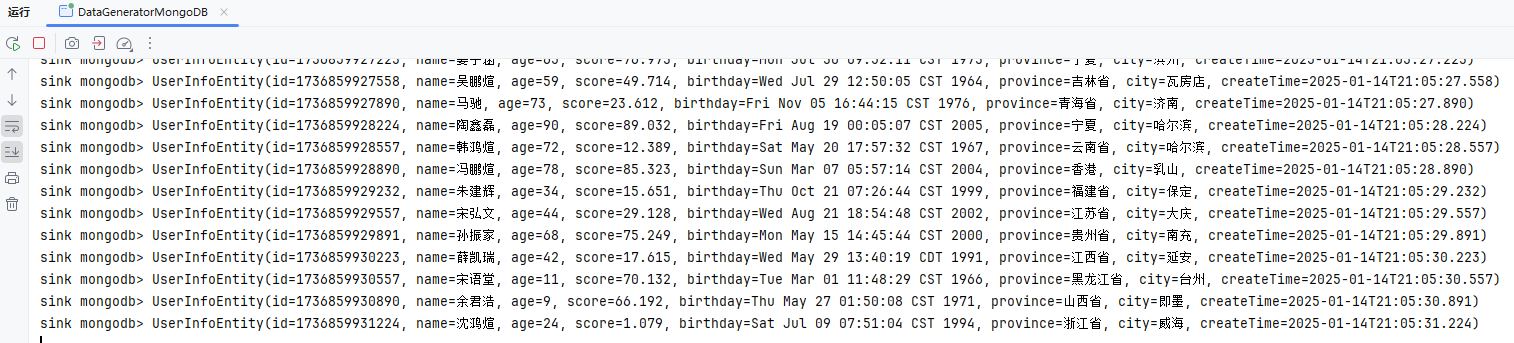
}
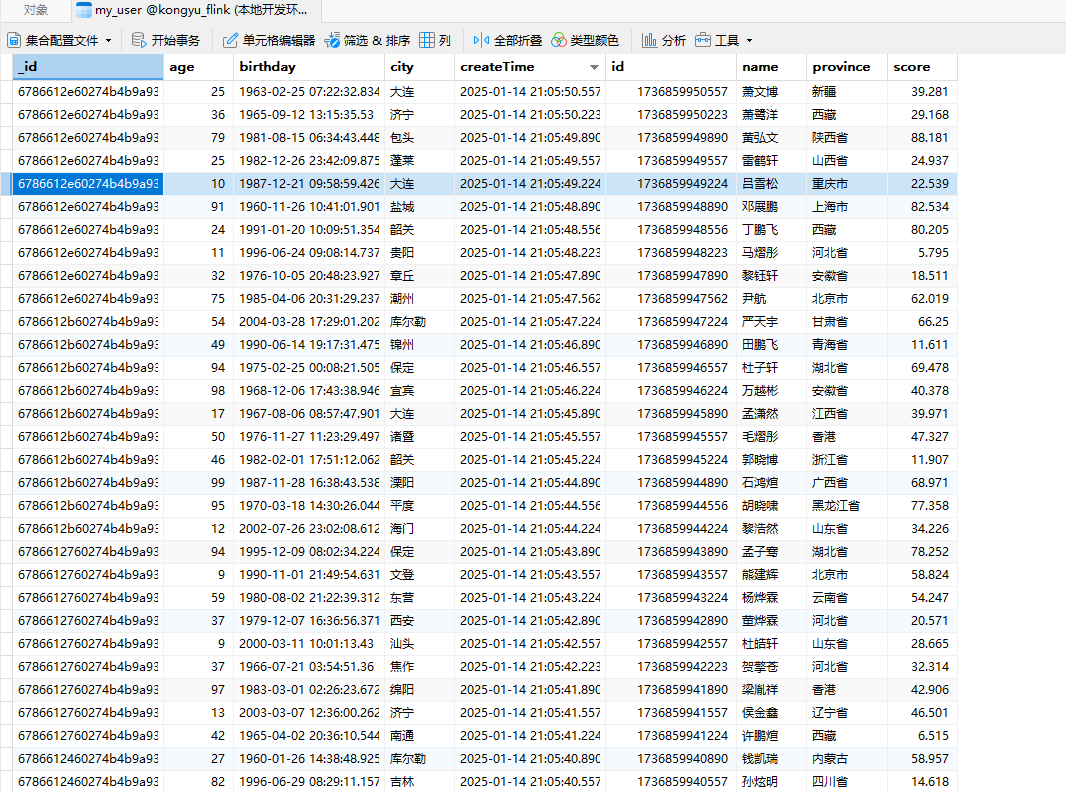
创建数据生成器(OpenSearch)
注意以下事项:
支持 OpenSearch1.x ,1.3.19 版本验证通过
支持 ElasticSearch7.x ,7.17.26 版本验证通过
不支持 OpenSearch2.x
不支持 ElasticSearch8.x
参考:官方文档
添加依赖
    <properties>
        <flink-opensearch.version>1.2.0-1.19</flink-opensearch.version>
    </properties>

    <dependencies>
		<!-- Apache Flink OpenSearch 连接器库 -->
        <dependency>
            <groupId>org.apache.flink</groupId>
            <artifactId>flink-connector-opensearch</artifactId>
            <version>${flink-opensearch.version}</version>
            <scope>provided</scope>
        </dependency>
</dependencies>创建生成器
package local.ateng.java.DataStream.sink;

import cn.hutool.core.bean.BeanUtil;
import local.ateng.java.function.MyGeneratorFunction;
import local.ateng.java.entity.UserInfoEntity;
import org.apache.flink.api.common.eventtime.WatermarkStrategy;
import org.apache.flink.api.common.typeinfo.TypeInformation;
import org.apache.flink.api.connector.source.util.ratelimit.RateLimiterStrategy;
import org.apache.flink.connector.datagen.source.DataGeneratorSource;
import org.apache.flink.connector.opensearch.sink.FlushBackoffType;
import org.apache.flink.connector.opensearch.sink.OpensearchSink;
import org.apache.flink.connector.opensearch.sink.OpensearchSinkBuilder;
import org.apache.flink.streaming.api.datastream.DataStreamSource;
import org.apache.flink.streaming.api.environment.StreamExecutionEnvironment;
import org.apache.http.HttpHost;
import org.opensearch.action.index.IndexRequest;
import org.opensearch.client.Requests;

import java.util.Map;

/**
 * 数据生成连接器,用于生成模拟数据并将其输出到OpenSearch中
 *
 * @author 孔余
 * @email 2385569970@qq.com
 * @since 2025-01-14
 */
public class DataGeneratorOpenSearch {
    public static void main(String[] args) throws Exception {
        // 获取执行环境
        StreamExecutionEnvironment env = StreamExecutionEnvironment.getExecutionEnvironment();
        // 设置并行度为 1,仅用于简化示例
        env.setParallelism(1);

        // 创建数据生成器源,生成器函数为 MyGeneratorFunction,每秒生成 1000 条数据,速率限制为 3 条/秒
        DataGeneratorSource<UserInfoEntity> source = new DataGeneratorSource<>(
                new MyGeneratorFunction(),
                Long.MAX_VALUE,
                RateLimiterStrategy.perSecond(10),
                TypeInformation.of(UserInfoEntity.class)
        );

        // 将数据生成器源添加到流中
        DataStreamSource<UserInfoEntity> stream =
                env.fromSource(source,
                        WatermarkStrategy.noWatermarks(), // 不生成水印,仅用于演示
                        "Generator Source");

        // Sink
        OpensearchSink<UserInfoEntity> sink = new OpensearchSinkBuilder<UserInfoEntity>()
                .setHosts(new HttpHost("192.168.1.10", 31723, "http"))
                .setEmitter(
                        (element, context, indexer) ->
                                indexer.add(createIndexRequest(element)))
                .setBulkFlushMaxActions(1000)
                .setBulkFlushInterval(3000)
                .setBulkFlushMaxSizeMb(10)
                .setBulkFlushBackoffStrategy(FlushBackoffType.EXPONENTIAL, 5, 1000)
                .build();

        // 将数据打印到控制台
        stream.print("sink opensearch");
        // 写入数据
        stream.sinkTo(sink);

        // 执行 Flink 作业
        env.execute();
    }

    private static IndexRequest createIndexRequest(UserInfoEntity element) {
        Map map = BeanUtil.toBean(element, Map.class);
        return Requests.indexRequest()
                //.id(String.valueOf(element.getId()))
                .index("my_user")
                .source(map);
    }
}查看索引
创建索引,可以选择手动创建索引,Flink自动创建的索引可能其设置不满足相关需求
curl -X PUT "http://localhost:9200/my_user" -H 'Content-Type: application/json' -d '{
  "settings": {
    "mapping.total_fields.limit": "1000000",
    "max_result_window": "1000000",
    "number_of_shards": 1,
    "number_of_replicas": 0
  }
}'查看所有索引
curl http://localhost:9200/_cat/indices?v查看索引的统计信息
curl "http://localhost:9200/my_user/_stats/docs?pretty"查看索引映射(mappings)和设置
curl http://localhost:9200/my_user/_mapping?pretty
curl http://localhost:9200/my_user/_settings?pretty查看数据
curl -X GET "http://localhost:9200/my_user/_search?pretty" -H 'Content-Type: application/json' -d'
{
  "query": {
    "match_all": {}
  },
  "sort": [
    {
      "createTime": {
        "order": "desc"
      }
    }
  ],
  "size": 10
}'删除索引
curl -X DELETE "http://localhost:9200/my_user"创建数据生成器(HDFS)
参考:官方文档
添加依赖
    <dependencies>
        <!-- Hadoop HDFS客户端 -->
        <dependency>
            <groupId>org.apache.hadoop</groupId>
            <artifactId>hadoop-client</artifactId>
            <version>${hadoop.version}</version>
            <scope>provided</scope>
            <exclusions>
                <exclusion>
                    <groupId>org.slf4j</groupId>
                    <artifactId>slf4j-reload4j</artifactId>
                </exclusion>
                <exclusion>
                    <groupId>ch.qos.logback</groupId>
                    <artifactId>logback-classic</artifactId>
                </exclusion>
                <exclusion>
                    <artifactId>gson</artifactId>
                    <groupId>com.google.code.gson</groupId>
                </exclusion>
            </exclusions>
        </dependency>
        <!-- Apache Flink Files 连接器库 -->
        <dependency>
            <groupId>org.apache.flink</groupId>
            <artifactId>flink-connector-files</artifactId>
            <version>${flink.version}</version>
            <scope>provided</scope>
        </dependency>
</dependencies>创建生成器
package local.ateng.java.DataStream.sink;

import com.alibaba.fastjson2.JSONObject;
import local.ateng.java.function.MyGeneratorFunction;
import local.ateng.java.entity.UserInfoEntity;
import org.apache.flink.api.common.eventtime.WatermarkStrategy;
import org.apache.flink.api.common.serialization.SimpleStringEncoder;
import org.apache.flink.api.common.typeinfo.TypeInformation;
import org.apache.flink.api.connector.source.util.ratelimit.RateLimiterStrategy;
import org.apache.flink.connector.datagen.source.DataGeneratorSource;
import org.apache.flink.connector.file.sink.FileSink;
import org.apache.flink.core.fs.Path;
import org.apache.flink.formats.parquet.protobuf.ParquetProtoWriters;
import org.apache.flink.streaming.api.CheckpointingMode;
import org.apache.flink.streaming.api.datastream.SingleOutputStreamOperator;
import org.apache.flink.streaming.api.environment.StreamExecutionEnvironment;
import org.apache.flink.streaming.api.functions.sink.filesystem.rollingpolicies.OnCheckpointRollingPolicy;

/**
 * 数据生成连接器,用于生成模拟数据并将其输出到HDFS中
 *
 * @author 孔余
 * @email 2385569970@qq.com
 * @since 2025-01-15
 */
public class DataGeneratorHDFS {
    public static void main(String[] args) throws Exception {
        // 获取执行环境
        StreamExecutionEnvironment env = StreamExecutionEnvironment.getExecutionEnvironment();
        // 启用检查点,设置检查点间隔为 2 分钟,检查点模式为 精准一次
        env.enableCheckpointing(120 * 1000, CheckpointingMode.EXACTLY_ONCE);
        // 设置并行度为 1,仅用于简化示例
        env.setParallelism(1);

        // 创建 DataGeneratorSource 生成模拟数据
        DataGeneratorSource<UserInfoEntity> source = new DataGeneratorSource<>(
                new MyGeneratorFunction(), // 自定义的生成器函数
                Long.MAX_VALUE, // 生成数据的数量
                RateLimiterStrategy.perSecond(10), // 生成数据的速率限制
                TypeInformation.of(UserInfoEntity.class) // 数据类型信息
        );

        // 将生成的 UserInfoEntity 对象转换为 JSON 字符串
        SingleOutputStreamOperator<String> stream = env
                .fromSource(source, WatermarkStrategy.noWatermarks(), "Generator Source")
                .map(user -> JSONObject.toJSONString(user));

        // Sink
        FileSink<String> sink = FileSink
                .forRowFormat(new Path("hdfs://server01:8020/data/flink/sink"), new SimpleStringEncoder<String>("UTF-8"))
                // 基于 Checkpoint 的滚动策略
                .withRollingPolicy(OnCheckpointRollingPolicy.build())
                .build();

        // 将数据打印到控制台
        stream.print("sink hdfs");
        // 写入数据
        stream.sinkTo(sink);

        // 执行程序
        env.execute();
    }
}配置HDFS
Windows操作系统配置Hadoop
- 参考:地址
操作系统设置环境变量
HADOOP_GROUP_NAME=ateng
HADOOP_USER_NAME=admin创建目录并设置权限
hadoop fs -mkdir -p /data
hadoop fs -chown admin:ateng /data查看文件
hadoop fs -ls /data/flink/sink
创建数据生成器(MinIO)
参考:官方文档
添加依赖
    <dependencies>
        <!-- S3 连接器依赖 -->
        <dependency>
            <groupId>org.apache.flink</groupId>
            <artifactId>flink-s3-fs-hadoop</artifactId>
            <version>${flink.version}</version>
            <scope>provided</scope>
        </dependency>
        <dependency>
            <groupId>org.apache.hadoop</groupId>
            <artifactId>hadoop-aws</artifactId>
            <version>${hadoop.version}</version>
            <scope>provided</scope>
        </dependency>
        <!-- Apache Flink Files 连接器库 -->
        <dependency>
            <groupId>org.apache.flink</groupId>
            <artifactId>flink-connector-files</artifactId>
            <version>${flink.version}</version>
            <scope>provided</scope>
        </dependency>
</dependencies>创建生成器
package local.ateng.java.DataStream.sink;

import com.alibaba.fastjson2.JSONObject;
import local.ateng.java.function.MyGeneratorFunction;
import local.ateng.java.entity.UserInfoEntity;
import org.apache.flink.api.common.eventtime.WatermarkStrategy;
import org.apache.flink.api.common.serialization.SimpleStringEncoder;
import org.apache.flink.api.common.typeinfo.TypeInformation;
import org.apache.flink.api.connector.source.util.ratelimit.RateLimiterStrategy;
import org.apache.flink.configuration.Configuration;
import org.apache.flink.connector.datagen.source.DataGeneratorSource;
import org.apache.flink.connector.file.sink.FileSink;
import org.apache.flink.core.fs.FileSystem;
import org.apache.flink.core.fs.Path;
import org.apache.flink.core.plugin.PluginManager;
import org.apache.flink.core.plugin.PluginUtils;
import org.apache.flink.streaming.api.CheckpointingMode;
import org.apache.flink.streaming.api.datastream.SingleOutputStreamOperator;
import org.apache.flink.streaming.api.environment.StreamExecutionEnvironment;
import org.apache.flink.streaming.api.functions.sink.filesystem.rollingpolicies.OnCheckpointRollingPolicy;

/**
 * 数据生成连接器,用于生成模拟数据并将其输出到MinIO中
 *
 * @author 孔余
 * @email 2385569970@qq.com
 * @since 2025-01-15
 */
public class DataGeneratorMinIO {
    public static void main(String[] args) throws Exception {
        // 初始化 s3 插件
        Configuration pluginConfiguration = new Configuration();
        pluginConfiguration.setString("s3.endpoint", "http://192.168.1.13:9000");
        pluginConfiguration.setString("s3.access-key", "admin");
        pluginConfiguration.setString("s3.secret-key", "Lingo@local_minio_9000");
        pluginConfiguration.setString("s3.path.style.access", "true");
        PluginManager pluginManager = PluginUtils.createPluginManagerFromRootFolder(pluginConfiguration);
        FileSystem.initialize(pluginConfiguration, pluginManager);

        // 获取执行环境
        StreamExecutionEnvironment env = StreamExecutionEnvironment.getExecutionEnvironment();
        // 启用检查点,设置检查点间隔为 2 分钟,检查点模式为 精准一次
        env.enableCheckpointing(120 * 1000, CheckpointingMode.EXACTLY_ONCE);
        // 设置并行度为 1,仅用于简化示例
        env.setParallelism(1);

        // 创建 DataGeneratorSource 生成模拟数据
        DataGeneratorSource<UserInfoEntity> source = new DataGeneratorSource<>(
                new MyGeneratorFunction(), // 自定义的生成器函数
                Long.MAX_VALUE, // 生成数据的数量
                RateLimiterStrategy.perSecond(10), // 生成数据的速率限制
                TypeInformation.of(UserInfoEntity.class) // 数据类型信息
        );

        // 将生成的 UserInfoEntity 对象转换为 JSON 字符串
        SingleOutputStreamOperator<String> stream = env
                .fromSource(source, WatermarkStrategy.noWatermarks(), "Generator Source")
                .map(user -> JSONObject.toJSONString(user));

        // Sink
        FileSink<String> sink = FileSink
                .forRowFormat(new Path("s3a://test/flink/sink"), new SimpleStringEncoder<String>("UTF-8"))
                // 基于 Checkpoint 的滚动策略
                .withRollingPolicy(OnCheckpointRollingPolicy.build())
                .build();

        // 将数据打印到控制台
        stream.print("sink minio");
        // 写入数据
        stream.sinkTo(sink);

        // 执行程序
        env.execute();
    }
}查看文件
mcli ls minio-server/test/flink/sink/2025-01-15--10/
创建数据生成器(HBase)
创建表
创建表
首先通过
hbase shell进入客户端
create 'user_info_table', 'cf'查看表数据
count 'user_info_table'
scan 'user_info_table', {LIMIT => 1, REVERSED => true, FORMATTER => 'toString'}清空表
disable 'user_info_table'
truncate 'user_info_table'
enable 'user_info_table'添加依赖
        <!-- Apache Flink HBase 连接器库 -->
        <dependency>
            <groupId>org.apache.flink</groupId>
            <artifactId>flink-connector-hbase-2.2</artifactId>
            <version>4.0.0-1.19</version>
            <scope>provided</scope>
</dependency>创建生成器
package local.ateng.java.DataStream.sink;

import cn.hutool.core.date.DateUtil;
import local.ateng.java.entity.UserInfoEntity;
import local.ateng.java.function.MyGeneratorFunction;
import org.apache.flink.api.common.eventtime.WatermarkStrategy;
import org.apache.flink.api.common.typeinfo.TypeInformation;
import org.apache.flink.api.connector.source.util.ratelimit.RateLimiterStrategy;
import org.apache.flink.connector.datagen.source.DataGeneratorSource;
import org.apache.flink.connector.hbase.sink.HBaseMutationConverter;
import org.apache.flink.connector.hbase.sink.HBaseSinkFunction;
import org.apache.flink.streaming.api.datastream.SingleOutputStreamOperator;
import org.apache.flink.streaming.api.environment.StreamExecutionEnvironment;
import org.apache.hadoop.hbase.HBaseConfiguration;
import org.apache.hadoop.hbase.client.Mutation;
import org.apache.hadoop.hbase.client.Put;
import org.apache.hadoop.hbase.util.Bytes;

import java.nio.charset.StandardCharsets;

/**
 * 写入数据到HBase
 *
 * @author 孔余
 * @email 2385569970@qq.com
 * @since 2025-01-16
 */
public class DataGeneratorHBase {
    public static void main(String[] args) throws Exception {
        // 获取执行环境
        StreamExecutionEnvironment env = StreamExecutionEnvironment.getExecutionEnvironment();
        // 设置并行度为 1,仅用于简化示例
        env.setParallelism(1);

        // 创建 DataGeneratorSource 生成模拟数据
        DataGeneratorSource<UserInfoEntity> source = new DataGeneratorSource<>(
                new MyGeneratorFunction(), // 自定义的生成器函数
                Long.MAX_VALUE, // 生成数据的数量
                RateLimiterStrategy.perSecond(10), // 生成数据的速率限制
                TypeInformation.of(UserInfoEntity.class) // 数据类型信息
        );

        // 将生成的 UserInfoEntity 对象转换为 JSON 字符串
        SingleOutputStreamOperator<UserInfoEntity> stream = env
                .fromSource(source, WatermarkStrategy.noWatermarks(), "Generator Source");

        // 配置 HBase
        String tableName = "user_info_table";  // HBase 表名
        String zkQuorum = "server01,server02,server03";  // Zookeeper 地址
        String zkPort = "2181"; // Zookeeper 端口

        // 创建 HBase 配置对象
        org.apache.hadoop.conf.Configuration hbaseConfig = HBaseConfiguration.create();
        hbaseConfig.set("hbase.zookeeper.quorum", zkQuorum); // 设置 Zookeeper quorum 地址
        hbaseConfig.set("hbase.zookeeper.property.clientPort", zkPort); // 设置 Zookeeper 端口

        // 使用 HBaseSinkFunction 连接器
        HBaseSinkFunction<UserInfoEntity> hbaseSink = new HBaseSinkFunction<>(
                tableName,  // 设置 HBase 表名
                hbaseConfig, // 配置对象
                new HBaseMutationConverter<UserInfoEntity>() {
                    @Override
                    public void open() {

                    }

                    @Override
                    public Mutation convertToMutation(UserInfoEntity userInfoEntity) {
                        // 将 UserInfoEntity 转换为 HBase Put 操作
                        Put put = new Put(String.valueOf(userInfoEntity.getId()).getBytes(StandardCharsets.UTF_8)); // 使用 userId 作为行键(row key)

                        // 假设我们有一个列族 'cf',并且需要写入 'user_name' 和 'email' 列
                        put.addColumn(Bytes.toBytes("cf"), Bytes.toBytes("name"), Bytes.toBytes(userInfoEntity.getName()));
                        put.addColumn(Bytes.toBytes("cf"), Bytes.toBytes("age"), String.valueOf(userInfoEntity.getAge()).getBytes(StandardCharsets.UTF_8));
                        put.addColumn(Bytes.toBytes("cf"), Bytes.toBytes("score"), String.valueOf(userInfoEntity.getScore()).getBytes(StandardCharsets.UTF_8));
                        put.addColumn(Bytes.toBytes("cf"), Bytes.toBytes("province"), Bytes.toBytes(userInfoEntity.getProvince()));
                        put.addColumn(Bytes.toBytes("cf"), Bytes.toBytes("city"), Bytes.toBytes(userInfoEntity.getCity()));
                        put.addColumn(Bytes.toBytes("cf"), Bytes.toBytes("birthday"), DateUtil.format(userInfoEntity.getBirthday(), "yyyy-MM-dd HH:mm:ss.SSS").getBytes(StandardCharsets.UTF_8));
                        put.addColumn(Bytes.toBytes("cf"), Bytes.toBytes("create_time"), DateUtil.format(userInfoEntity.getCreateTime(), "yyyy-MM-dd HH:mm:ss.SSS").getBytes(StandardCharsets.UTF_8));

                        return put; // 返回 Mutation 对象,这里是 Put 操作
                    }
                }, 1000, 100, 100
        );

        // 将数据打印到控制台
        stream.print("sink hbase");
        // 将数据发送到 HBase
        stream.addSink(hbaseSink);

        // 执行程序
        env.execute();
    }
}数据源
Kafka
参考:官方文档
package local.ateng.java.DataStream.source;

import org.apache.flink.api.common.eventtime.WatermarkStrategy;
import org.apache.flink.api.common.serialization.SimpleStringSchema;
import org.apache.flink.connector.kafka.source.KafkaSource;
import org.apache.flink.connector.kafka.source.enumerator.initializer.OffsetsInitializer;
import org.apache.flink.streaming.api.CheckpointingMode;
import org.apache.flink.streaming.api.datastream.DataStreamSource;
import org.apache.flink.streaming.api.environment.StreamExecutionEnvironment;
import org.apache.kafka.clients.consumer.OffsetResetStrategy;

/**
 * Apache Kafka 连接器
 * https://nightlies.apache.org/flink/flink-docs-master/zh/docs/connectors/datastream/kafka/
 * Kafka 数据流处理,用于从 Kafka 主题接收 JSON 数据,并对用户年龄进行统计。
 *
 * @author 孔余
 * @since 2024-02-29 15:59
 */
public class DataSourceKafka {

    public static void main(String[] args) throws Exception {

        // 获取执行环境
        StreamExecutionEnvironment env = StreamExecutionEnvironment.getExecutionEnvironment();
        // 启用检查点,设置检查点间隔为 5 秒,检查点模式为 精准一次
        env.enableCheckpointing(5 * 1000, CheckpointingMode.EXACTLY_ONCE);
        // Kafka的Topic有多少个分区就设置多少并行度(可以设置为分区的倍数),例如:Topic有3个分区就设置并行度为3
        env.setParallelism(3);

        // 创建 Kafka 数据源,连接到指定的 Kafka 服务器和主题
        KafkaSource<String> source = KafkaSource.<String>builder()
                // 设置 Kafka 服务器地址
                .setBootstrapServers("192.168.1.10:9094")
                // 设置要订阅的主题
                .setTopics("ateng_flink_json")
                // 设置消费者组 ID
                .setGroupId("ateng")
                // 设置在检查点时提交偏移量(offsets)以确保精确一次语义
                .setProperty("commit.offsets.on.checkpoint", "true")
                // 启用自动提交偏移量
                .setProperty("enable.auto.commit", "true")
                // 自动提交偏移量的时间间隔
                .setProperty("auto.commit.interval.ms", "1000")
                // 设置分区发现的时间间隔
                .setProperty("partition.discovery.interval.ms", "10000")
                // 设置起始偏移量(如果没有提交的偏移量,则从最早的偏移量开始消费)
                .setStartingOffsets(OffsetsInitializer.committedOffsets(OffsetResetStrategy.EARLIEST))
                // 设置仅接收值的反序列化器
                .setValueOnlyDeserializer(new SimpleStringSchema())
                // 构建 Kafka 数据源
                .build();

        // 从 source 中读取数据
        DataStreamSource<String> dataStream = env.fromSource(source, WatermarkStrategy.noWatermarks(), "Kafka Source");

        // 打印计算结果
        dataStream.print("output");

        // 执行流处理作业
        env.execute("Kafka Source");
    }

}HDFS
参考:官方文档
package local.ateng.java.DataStream.source;

import org.apache.flink.api.common.eventtime.WatermarkStrategy;
import org.apache.flink.api.common.serialization.SimpleStringSchema;
import org.apache.flink.connector.file.src.FileSource;
import org.apache.flink.connector.file.src.reader.StreamFormat;
import org.apache.flink.connector.file.src.reader.TextLineInputFormat;
import org.apache.flink.core.fs.Path;
import org.apache.flink.streaming.api.CheckpointingMode;
import org.apache.flink.streaming.api.datastream.DataStream;
import org.apache.flink.streaming.api.environment.StreamExecutionEnvironment;

import java.time.Duration;

/**
 * 读取HDFS文件
 *
 * @author 孔余
 * @email 2385569970@qq.com
 * @since 2025-01-15
 */
public class DataSourceHDFS {

    public static void main(String[] args) throws Exception {
        // 获取执行环境
        StreamExecutionEnvironment env = StreamExecutionEnvironment.getExecutionEnvironment();
        // 启用检查点,设置检查点间隔为 120 秒,检查点模式为 精准一次
        env.enableCheckpointing(120 * 1000, CheckpointingMode.EXACTLY_ONCE);
        // 设置并行度为 1
        env.setParallelism(1);

        // 创建 FileSource 从 HDFS 中持续读取数据
        FileSource<String> fileSource = FileSource
                .forRecordStreamFormat(new TextLineInputFormat(), new Path("hdfs://server01:8020/data/flink/sink"))
                .monitorContinuously(Duration.ofMillis(5))
                .build();

        // 从 Source 中读取数据
        DataStream<String> stream = env.fromSource(fileSource, WatermarkStrategy.noWatermarks(), "HDFS Source");

        // 输出流数据
        stream.print("output");

        // 执行程序
        env.execute("HDFS Source");
    }

}MinIO
参考:官方文档
package local.ateng.java.DataStream.source;

import org.apache.flink.api.common.eventtime.WatermarkStrategy;
import org.apache.flink.configuration.Configuration;
import org.apache.flink.connector.file.src.FileSource;
import org.apache.flink.connector.file.src.reader.TextLineInputFormat;
import org.apache.flink.core.fs.FileSystem;
import org.apache.flink.core.fs.Path;
import org.apache.flink.core.plugin.PluginManager;
import org.apache.flink.core.plugin.PluginUtils;
import org.apache.flink.streaming.api.CheckpointingMode;
import org.apache.flink.streaming.api.datastream.DataStream;
import org.apache.flink.streaming.api.environment.StreamExecutionEnvironment;

import java.time.Duration;

/**
 * 读取MinIO文件
 *
 * @author 孔余
 * @email 2385569970@qq.com
 * @since 2025-01-15
 */
public class DataSourceMinIO {

    public static void main(String[] args) throws Exception {
        // 初始化 s3 插件
        Configuration pluginConfiguration = new Configuration();
        pluginConfiguration.setString("s3.endpoint", "http://192.168.1.13:9000");
        pluginConfiguration.setString("s3.access-key", "admin");
        pluginConfiguration.setString("s3.secret-key", "Lingo@local_minio_9000");
        pluginConfiguration.setString("s3.path.style.access", "true");
        PluginManager pluginManager = PluginUtils.createPluginManagerFromRootFolder(pluginConfiguration);
        FileSystem.initialize(pluginConfiguration, pluginManager);

        // 获取执行环境
        StreamExecutionEnvironment env = StreamExecutionEnvironment.getExecutionEnvironment();
        // 启用检查点,设置检查点间隔为 120 秒,检查点模式为 精准一次
        env.enableCheckpointing(120 * 1000, CheckpointingMode.EXACTLY_ONCE);
        // 设置并行度为 1
        env.setParallelism(1);

        // 创建 FileSource 从 MinIO 中持续读取数据
        FileSource<String> fileSource = FileSource
                .forRecordStreamFormat(new TextLineInputFormat(), new Path("s3a://test/flink/sink"))
                .monitorContinuously(Duration.ofMillis(5))
                .build();

        // 从 Source 中读取数据
        DataStream<String> stream = env.fromSource(fileSource, WatermarkStrategy.noWatermarks(), "MinIO Source");

        // 输出流数据
        stream.print("output");

        // 执行程序
        env.execute("MinIO Source");
    }

}Doris
参考:官方文档
package local.ateng.java.DataStream.source;

import org.apache.doris.flink.cfg.DorisOptions;
import org.apache.doris.flink.cfg.DorisReadOptions;
import org.apache.doris.flink.deserialization.SimpleListDeserializationSchema;
import org.apache.doris.flink.source.DorisSource;
import org.apache.flink.api.common.RuntimeExecutionMode;
import org.apache.flink.api.common.eventtime.WatermarkStrategy;
import org.apache.flink.connector.file.src.FileSource;
import org.apache.flink.connector.file.src.reader.TextLineInputFormat;
import org.apache.flink.core.fs.Path;
import org.apache.flink.streaming.api.CheckpointingMode;
import org.apache.flink.streaming.api.datastream.DataStream;
import org.apache.flink.streaming.api.datastream.DataStreamSource;
import org.apache.flink.streaming.api.environment.StreamExecutionEnvironment;

import java.time.Duration;
import java.util.List;

/**
 * 读取Doris
 *
 * @author 孔余
 * @email 2385569970@qq.com
 * @since 2025-01-15
 */
public class DataSourceDoris {

    public static void main(String[] args) throws Exception {
        // 获取执行环境
        StreamExecutionEnvironment env = StreamExecutionEnvironment.getExecutionEnvironment();
        // 设置运行模式为批处理模式
        env.setRuntimeMode(RuntimeExecutionMode.BATCH);
        // 设置并行度为 1
        env.setParallelism(1);

        // 创建 Doris 数据源
        DorisOptions.Builder builder = DorisOptions.builder()
                .setFenodes("192.168.1.12:9040")
                .setTableIdentifier("kongyu_flink.my_user") // db.table
                .setUsername("admin")
                .setPassword("Admin@123");

        DorisSource<List<?>> dorisSource = DorisSource.<List<?>>builder()
                .setDorisOptions(builder.build())
                .setDorisReadOptions(DorisReadOptions.builder().build())
                .setDeserializer(new SimpleListDeserializationSchema())
                .build();

        // 从 Source 中读取数据
        DataStreamSource<List<?>> stream = env.fromSource(dorisSource, WatermarkStrategy.noWatermarks(), "Doris Source");

        // 输出流数据
        stream.print("output");

        // 执行程序
        env.execute("Doris Source");
    }

}算子
参考:官方文档
Map
DataStream → DataStream 输入一个元素同时输出一个元素。
package local.ateng.java.DataStream.operator;

import com.alibaba.fastjson2.JSONObject;
import local.ateng.java.entity.UserInfoEntity;
import org.apache.flink.api.common.eventtime.WatermarkStrategy;
import org.apache.flink.api.common.functions.MapFunction;
import org.apache.flink.api.common.serialization.SimpleStringSchema;
import org.apache.flink.connector.kafka.source.KafkaSource;
import org.apache.flink.connector.kafka.source.enumerator.initializer.OffsetsInitializer;
import org.apache.flink.streaming.api.CheckpointingMode;
import org.apache.flink.streaming.api.datastream.DataStreamSource;
import org.apache.flink.streaming.api.datastream.SingleOutputStreamOperator;
import org.apache.flink.streaming.api.environment.StreamExecutionEnvironment;
import org.apache.kafka.clients.consumer.OffsetResetStrategy;

import java.time.Duration;

/**
 * 数据流转换 Map
 * https://nightlies.apache.org/flink/flink-docs-release-1.19/zh/docs/dev/datastream/operators/overview/
 * DataStream → DataStream
 * 输入一个元素同时输出一个元素
 *
 * @author 孔余
 * @email 2385569970@qq.com
 * @since 2025-01-15
 */
public class OperatorMap {

    public static void main(String[] args) throws Exception {
        // 环境准备
        StreamExecutionEnvironment env = StreamExecutionEnvironment.getExecutionEnvironment();
        env.enableCheckpointing(5 * 1000, CheckpointingMode.EXACTLY_ONCE);
        env.setParallelism(1);
        KafkaSource<String> source = KafkaSource.<String>builder()
                .setBootstrapServers("192.168.1.10:9094")
                .setTopics("ateng_flink_json")
                .setGroupId("ateng")
                .setProperty("commit.offsets.on.checkpoint", "true")
                .setProperty("enable.auto.commit", "true")
                .setProperty("auto.commit.interval.ms", "1000")
                .setProperty("partition.discovery.interval.ms", "10000")
                .setStartingOffsets(OffsetsInitializer.committedOffsets(OffsetResetStrategy.EARLIEST))
                .setValueOnlyDeserializer(new SimpleStringSchema())
                .build();

        // 从 Kafka 数据源读取数据,设置水印策略为 BoundedOutOfOrderness,最大乱序时间为 3 秒,命名为 "Kafka Source"
        DataStreamSource<String> streamSource = env.fromSource(source, WatermarkStrategy.forBoundedOutOfOrderness(Duration.ofSeconds(3)), "Kafka Source");

        // 算子
        SingleOutputStreamOperator<UserInfoEntity> operator = streamSource
                .map(new MapFunction<String, UserInfoEntity>() {
                    @Override
                    public UserInfoEntity map(String str) throws Exception {
                        UserInfoEntity userInfoEntity = JSONObject.parseObject(str, UserInfoEntity.class);
                        userInfoEntity.setName(userInfoEntity.getName() + ".local");
                        return userInfoEntity;
                    }
                });
        operator.print("sink");

        // 执行流处理作业
        env.execute("Kafka Stream");
    }

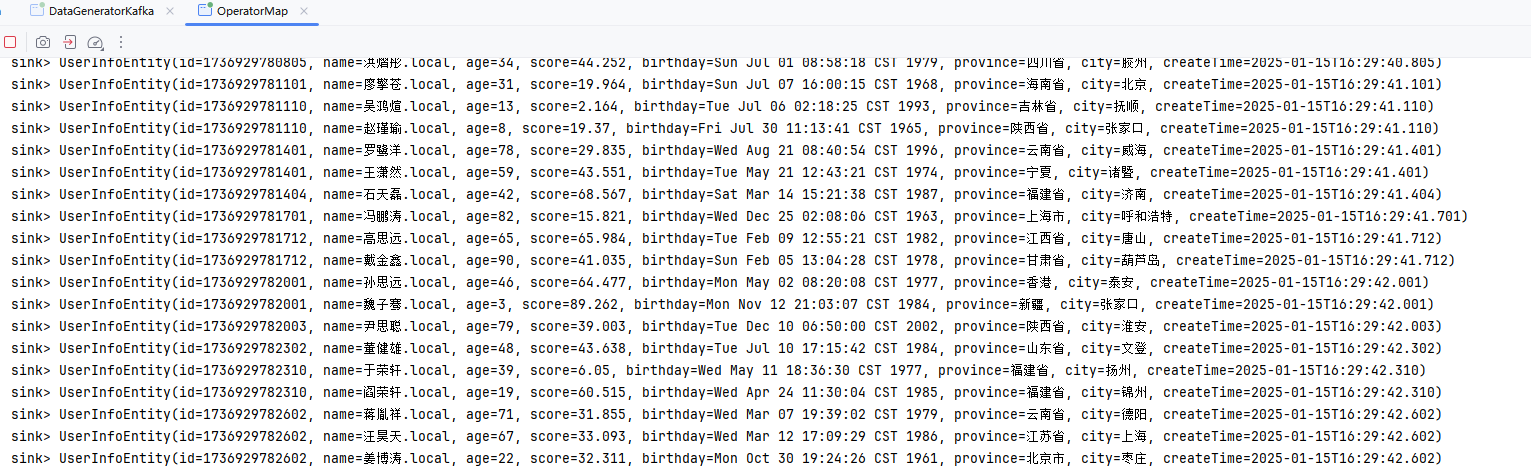
}
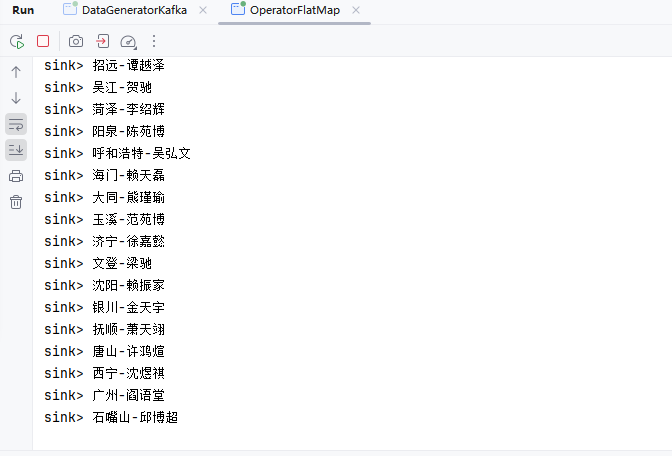
FlatMap
DataStream → DataStream 输入一个元素同时产生零个、一个或多个元素。
package local.ateng.java.DataStream.operator;

import cn.hutool.core.util.StrUtil;
import com.alibaba.fastjson2.JSONObject;
import local.ateng.java.entity.UserInfoEntity;
import org.apache.flink.api.common.eventtime.WatermarkStrategy;
import org.apache.flink.api.common.functions.FlatMapFunction;
import org.apache.flink.api.common.serialization.SimpleStringSchema;
import org.apache.flink.connector.kafka.source.KafkaSource;
import org.apache.flink.connector.kafka.source.enumerator.initializer.OffsetsInitializer;
import org.apache.flink.streaming.api.CheckpointingMode;
import org.apache.flink.streaming.api.datastream.DataStreamSource;
import org.apache.flink.streaming.api.datastream.SingleOutputStreamOperator;
import org.apache.flink.streaming.api.environment.StreamExecutionEnvironment;
import org.apache.flink.util.Collector;
import org.apache.kafka.clients.consumer.OffsetResetStrategy;

import java.time.Duration;

/**
 * 数据流转换 FlatMap
 * https://nightlies.apache.org/flink/flink-docs-release-1.19/zh/docs/dev/datastream/operators/overview/
 * DataStream → DataStream
 * 输入一个元素同时产生零个、一个或多个元素
 *
 * @author 孔余
 * @email 2385569970@qq.com
 * @since 2025-01-15
 */
public class OperatorFlatMap {

    public static void main(String[] args) throws Exception {
        // 环境准备
        StreamExecutionEnvironment env = StreamExecutionEnvironment.getExecutionEnvironment();
        env.enableCheckpointing(5 * 1000, CheckpointingMode.EXACTLY_ONCE);
        env.setParallelism(1);
        KafkaSource<String> source = KafkaSource.<String>builder()
                .setBootstrapServers("192.168.1.10:9094")
                .setTopics("ateng_flink_json")
                .setGroupId("ateng")
                .setProperty("commit.offsets.on.checkpoint", "true")
                .setProperty("enable.auto.commit", "true")
                .setProperty("auto.commit.interval.ms", "1000")
                .setProperty("partition.discovery.interval.ms", "10000")
                .setStartingOffsets(OffsetsInitializer.committedOffsets(OffsetResetStrategy.EARLIEST))
                .setValueOnlyDeserializer(new SimpleStringSchema())
                .build();

        // 从 Kafka 数据源读取数据,设置水印策略为 BoundedOutOfOrderness,最大乱序时间为 3 秒,命名为 "Kafka Source"
        DataStreamSource<String> streamSource = env.fromSource(source, WatermarkStrategy.forBoundedOutOfOrderness(Duration.ofSeconds(3)), "Kafka Source");

        // 算子
        SingleOutputStreamOperator<String> operator = streamSource
                .flatMap(new FlatMapFunction<String, String>() {
                    @Override
                    public void flatMap(String str, Collector<String> collector) throws Exception {
                        UserInfoEntity userInfoEntity = JSONObject.parseObject(str, UserInfoEntity.class);
                        String name = userInfoEntity.getName();
                        String city = userInfoEntity.getCity();
                        collector.collect(StrUtil.format("{}-{}", city, name));
                    }
                });
        operator.print("sink");

        // 执行流处理作业
        env.execute("Kafka Stream");
    }

}
Filter
DataStream → DataStream
为每个元素执行一个布尔 function,并保留那些 function 输出值为 true 的元素。
package local.ateng.java.DataStream.operator;

import com.alibaba.fastjson2.JSONObject;
import local.ateng.java.entity.UserInfoEntity;
import org.apache.flink.api.common.eventtime.WatermarkStrategy;
import org.apache.flink.api.common.functions.FilterFunction;
import org.apache.flink.api.common.serialization.SimpleStringSchema;
import org.apache.flink.connector.kafka.source.KafkaSource;
import org.apache.flink.connector.kafka.source.enumerator.initializer.OffsetsInitializer;
import org.apache.flink.streaming.api.CheckpointingMode;
import org.apache.flink.streaming.api.datastream.DataStreamSource;
import org.apache.flink.streaming.api.datastream.SingleOutputStreamOperator;
import org.apache.flink.streaming.api.environment.StreamExecutionEnvironment;
import org.apache.kafka.clients.consumer.OffsetResetStrategy;

import java.time.Duration;

/**
 * 数据流转换 Filter
 * https://nightlies.apache.org/flink/flink-docs-release-1.19/zh/docs/dev/datastream/operators/overview/
 * DataStream → DataStream
 * 为每个元素执行一个布尔 function,并保留那些 function 输出值为 true 的元素
 *
 * @author 孔余
 * @email 2385569970@qq.com
 * @since 2025-01-15
 */
public class OperatorFilter {

    public static void main(String[] args) throws Exception {
        // 环境准备
        StreamExecutionEnvironment env = StreamExecutionEnvironment.getExecutionEnvironment();
        env.enableCheckpointing(5 * 1000, CheckpointingMode.EXACTLY_ONCE);
        env.setParallelism(1);
        KafkaSource<String> source = KafkaSource.<String>builder()
                .setBootstrapServers("192.168.1.10:9094")
                .setTopics("ateng_flink_json")
                .setGroupId("ateng")
                .setProperty("commit.offsets.on.checkpoint", "true")
                .setProperty("enable.auto.commit", "true")
                .setProperty("auto.commit.interval.ms", "1000")
                .setProperty("partition.discovery.interval.ms", "10000")
                .setStartingOffsets(OffsetsInitializer.committedOffsets(OffsetResetStrategy.EARLIEST))
                .setValueOnlyDeserializer(new SimpleStringSchema())
                .build();

        // 从 Kafka 数据源读取数据,设置水印策略为 BoundedOutOfOrderness,最大乱序时间为 3 秒,命名为 "Kafka Source"
        DataStreamSource<String> streamSource = env.fromSource(source, WatermarkStrategy.forBoundedOutOfOrderness(Duration.ofSeconds(3)), "Kafka Source");

        // 算子
        SingleOutputStreamOperator<String> operator = streamSource
                .filter(new FilterFunction<String>() {
                    @Override
                    public boolean filter(String str) throws Exception {
                        UserInfoEntity userInfoEntity = JSONObject.parseObject(str).toJavaObject(UserInfoEntity.class);
                        Integer age = userInfoEntity.getAge();
                        if (age == 25) {
                            return true;
                        }
                        return false;
                    }
                });
        operator.print("sink");

        // 执行流处理作业
        env.execute("Kafka Stream");
    }

}KeyBy Reduce
DataStream → KeyedStream → DataStream
在逻辑上将流划分为不相交的分区。具有相同 key 的记录都分配到同一个分区。在内部, keyBy() 是通过哈希分区实现的。有多种指定 key 的方式。
在相同 key 的数据流上“滚动”执行 reduce。将当前元素与最后一次 reduce 得到的值组合然后输出新值。
package local.ateng.java.DataStream.operator;

import com.alibaba.fastjson2.JSONObject;
import local.ateng.java.entity.UserInfoEntity;
import org.apache.flink.api.common.eventtime.WatermarkStrategy;
import org.apache.flink.api.common.functions.MapFunction;
import org.apache.flink.api.common.functions.ReduceFunction;
import org.apache.flink.api.common.serialization.SimpleStringSchema;
import org.apache.flink.api.java.functions.KeySelector;
import org.apache.flink.connector.kafka.source.KafkaSource;
import org.apache.flink.connector.kafka.source.enumerator.initializer.OffsetsInitializer;
import org.apache.flink.streaming.api.CheckpointingMode;
import org.apache.flink.streaming.api.datastream.DataStreamSource;
import org.apache.flink.streaming.api.datastream.SingleOutputStreamOperator;
import org.apache.flink.streaming.api.environment.StreamExecutionEnvironment;
import org.apache.kafka.clients.consumer.OffsetResetStrategy;

import java.time.Duration;

/**
 * 数据流转换 KeyBy Reduce
 * https://nightlies.apache.org/flink/flink-docs-release-1.19/zh/docs/dev/datastream/operators/overview/
 * DataStream → KeyedStream → DataStream
 * 在逻辑上将流划分为不相交的分区。具有相同 key 的记录都分配到同一个分区。在内部, keyBy() 是通过哈希分区实现的。有多种指定 key 的方式。
 * 在相同 key 的数据流上“滚动”执行 reduce。将当前元素与最后一次 reduce 得到的值组合然后输出新值。
 *
 * @author 孔余
 * @email 2385569970@qq.com
 * @since 2025-01-15
 */
public class OperatorKeyByReduce {

    public static void main(String[] args) throws Exception {
        // 环境准备
        StreamExecutionEnvironment env = StreamExecutionEnvironment.getExecutionEnvironment();
        env.enableCheckpointing(5 * 1000, CheckpointingMode.EXACTLY_ONCE);
        env.setParallelism(1);
        KafkaSource<String> source = KafkaSource.<String>builder()
                .setBootstrapServers("192.168.1.10:9094")
                .setTopics("ateng_flink_json")
                .setGroupId("ateng")
                .setProperty("commit.offsets.on.checkpoint", "true")
                .setProperty("enable.auto.commit", "true")
                .setProperty("auto.commit.interval.ms", "1000")
                .setProperty("partition.discovery.interval.ms", "10000")
                .setStartingOffsets(OffsetsInitializer.committedOffsets(OffsetResetStrategy.EARLIEST))
                .setValueOnlyDeserializer(new SimpleStringSchema())
                .build();

        // 从 Kafka 数据源读取数据,设置水印策略为 BoundedOutOfOrderness,最大乱序时间为 3 秒,命名为 "Kafka Source"
        DataStreamSource<String> streamSource = env.fromSource(source, WatermarkStrategy.forBoundedOutOfOrderness(Duration.ofSeconds(3)), "Kafka Source");

        // 算子
        SingleOutputStreamOperator<JSONObject> operator = streamSource
                .map(new MapFunction<String, JSONObject>() {
                    @Override
                    public JSONObject map(String str) throws Exception {
                        UserInfoEntity userInfoEntity = JSONObject.parseObject(str, UserInfoEntity.class);
                        return JSONObject.of(
                                "province", userInfoEntity.getProvince(),
                                "score", userInfoEntity.getScore());
                    }
                })
                .keyBy(new KeySelector<JSONObject, String>() {
                    @Override
                    public String getKey(JSONObject jsonObject) throws Exception {
                        return jsonObject.getString("province");
                    }
                })
                .reduce(new ReduceFunction<JSONObject>() {
                    @Override
                    public JSONObject reduce(JSONObject json1, JSONObject json2) throws Exception {
                        return JSONObject.of(
                                "province", json1.getString("province"),
                                "score", json1.getDouble("score") + json2.getDouble("score"));
                    }
                });

        operator.print("sink");

        // 执行流处理作业
        env.execute("Kafka Stream");
    }

}Process
ProcessFunction 是 Apache Flink 中的一个非常强大且灵活的函数,它允许用户对流中的每个元素进行处理,并提供了处理元素时的丰富上下文信息。与 Flink 中的其他算子(如 map、flatMap)不同,ProcessFunction 提供了更多的控制和扩展功能,比如访问状态、定时器、以及处理复杂事件逻辑等。
参考:官方文档
package local.ateng.java.DataStream.operator;

import com.alibaba.fastjson2.JSONObject;
import local.ateng.java.entity.UserInfoEntity;
import org.apache.flink.api.common.eventtime.WatermarkStrategy;
import org.apache.flink.api.common.serialization.SimpleStringSchema;
import org.apache.flink.connector.kafka.source.KafkaSource;
import org.apache.flink.connector.kafka.source.enumerator.initializer.OffsetsInitializer;
import org.apache.flink.streaming.api.CheckpointingMode;
import org.apache.flink.streaming.api.datastream.DataStreamSource;
import org.apache.flink.streaming.api.datastream.SingleOutputStreamOperator;
import org.apache.flink.streaming.api.environment.StreamExecutionEnvironment;
import org.apache.flink.streaming.api.functions.ProcessFunction;
import org.apache.flink.util.Collector;
import org.apache.kafka.clients.consumer.OffsetResetStrategy;

/**
 * process函数的使用
 * https://nightlies.apache.org/flink/flink-docs-release-1.19/zh/docs/dev/datastream/operators/process_function/
 *
 * @author 孔余
 * @email 2385569970@qq.com
 * @since 2025-01-20
 */
public class OperatorProcess {

    public static void main(String[] args) throws Exception {
        // 环境准备
        StreamExecutionEnvironment env = StreamExecutionEnvironment.getExecutionEnvironment();
        env.enableCheckpointing(5 * 1000, CheckpointingMode.EXACTLY_ONCE);
        env.setParallelism(3);
        KafkaSource<String> source = KafkaSource.<String>builder()
                .setBootstrapServers("192.168.1.10:9094")
                .setTopics("ateng_flink_json")
                .setGroupId("ateng")
                .setProperty("commit.offsets.on.checkpoint", "true")
                .setProperty("enable.auto.commit", "true")
                .setProperty("auto.commit.interval.ms", "1000")
                .setProperty("partition.discovery.interval.ms", "10000")
                .setStartingOffsets(OffsetsInitializer.committedOffsets(OffsetResetStrategy.LATEST))
                .setValueOnlyDeserializer(new SimpleStringSchema())
                .build();

        // 从 Kafka 数据源读取数据,不设置水印策略(非窗口模式不生效)
        DataStreamSource<String> streamSource = env.fromSource(source, WatermarkStrategy.noWatermarks(), "Kafka Source");

        // 算子
        SingleOutputStreamOperator<UserInfoEntity> operator = streamSource
                .process(new ProcessFunction<String, UserInfoEntity>() {
                    @Override
                    public void processElement(String data, Context context, Collector<UserInfoEntity> collector) throws Exception {
                        UserInfoEntity userInfoEntity = JSONObject.parseObject(data).toJavaObject(UserInfoEntity.class);
                        collector.collect(userInfoEntity);
                    }
                });
        operator.print("output");

        // 执行流处理作业
        env.execute("process函数的使用");
    }

}旁路输出
除了由 DataStream 操作产生的主要流之外,你还可以产生任意数量的旁路输出结果流。结果流中的数据类型不必与主要流中的数据类型相匹配,并且不同旁路输出的类型也可以不同。当你需要拆分数据流时,通常必须复制该数据流,然后从每个流中过滤掉不需要的数据,这个操作十分有用。
参考:官方文档
package local.ateng.java.DataStream.operator;

import local.ateng.java.entity.UserInfoEntity;
import local.ateng.java.function.MyGeneratorFunction;
import org.apache.flink.api.common.eventtime.WatermarkStrategy;
import org.apache.flink.api.common.typeinfo.TypeInformation;
import org.apache.flink.api.connector.source.util.ratelimit.RateLimiterStrategy;
import org.apache.flink.api.java.tuple.Tuple2;
import org.apache.flink.connector.datagen.source.DataGeneratorSource;
import org.apache.flink.streaming.api.datastream.SideOutputDataStream;
import org.apache.flink.streaming.api.datastream.SingleOutputStreamOperator;
import org.apache.flink.streaming.api.environment.StreamExecutionEnvironment;
import org.apache.flink.streaming.api.functions.ProcessFunction;
import org.apache.flink.util.Collector;
import org.apache.flink.util.OutputTag;

/**
 * 旁路输出
 * 除了由 DataStream 操作产生的主要流之外,你还可以产生任意数量的旁路输出结果流。
 * 结果流中的数据类型不必与主要流中的数据类型相匹配,并且不同旁路输出的类型也可以不同。
 * 当你需要拆分数据流时,通常必须复制该数据流,然后从每个流中过滤掉不需要的数据,这个操作十分有用。
 *
 * @author 孔余
 * @since 2025-01-19
 */
public class OperatorSideOutput {
    public static void main(String[] args) throws Exception {
        // 获取执行环境
        StreamExecutionEnvironment env = StreamExecutionEnvironment.getExecutionEnvironment();
        // Kafka的Topic有多少个分区就设置多少并行度(可以设置为分区的倍数),例如:Topic有3个分区就设置并行度为3
        env.setParallelism(3);

        // 创建 DataGeneratorSource 生成模拟数据
        DataGeneratorSource<UserInfoEntity> source = new DataGeneratorSource<>(
                new MyGeneratorFunction(), // 自定义的生成器函数
                Long.MAX_VALUE, // 生成数据的数量
                RateLimiterStrategy.perSecond(10), // 生成数据的速率限制
                TypeInformation.of(UserInfoEntity.class) // 数据类型信息
        );

        // 定义用于标识旁路输出流的 OutputTag
        OutputTag<String> outputTag = new OutputTag<String>("side-output") {
        };

        // 将生成的 UserInfoEntity 对象转换为 JSON 字符串
        SingleOutputStreamOperator<Tuple2<String, Integer>> stream = env
                .fromSource(source, WatermarkStrategy.noWatermarks(), "Generator Source")
                .process(new ProcessFunction<UserInfoEntity, Tuple2<String, Integer>>() {
                    @Override
                    public void processElement(UserInfoEntity userInfoEntity, Context context, Collector<Tuple2<String, Integer>> collector) throws Exception {
                        // 正常流的输出
                        String province = userInfoEntity.getProvince();
                        Integer age = userInfoEntity.getAge();
                        Tuple2<String, Integer> tuple2 = new Tuple2<>(province, age);
                        if (age == 25) {
                            // 旁路输出流
                            context.output(outputTag, tuple2.toString());
                        } else {
                            // 正常流
                            collector.collect(tuple2);
                        }
                    }
                });

        // 打印正常流数据
        stream.print("output");

        // 获取旁路输出流
        SideOutputDataStream<String> sideStream = stream.getSideOutput(outputTag);
        // 打印旁路输出流数据
        sideStream.print("side-output");

        // 执行程序
        env.execute("SideOutput旁路输出的使用");
    }
}滚动窗口 (Tumbling Window)
滚动窗口是大小固定且不重叠的时间窗口。它将数据流划分为一系列连续的、大小相同的时间段,每个时间段的事件完全独立。在每个窗口内,所有事件的时间戳都在相同的时间区间内,窗口到期后就会触发计算。这种窗口模式通常用于定期的统计计算,如每分钟、每小时等。其优点是操作简单,适合周期性的聚合需求。
参考:官方文档
事件时间WindowAll
DataStream → AllWindowedStream → DataStream
对于 non-keyed stream,原始的 stream 不会被分割为多个逻辑上的 stream, 所以所有的窗口计算会被同一个 task 完成,也就是 parallelism 为 1。
这适用于非并行转换的大多数场景。所有记录都将收集到 windowAll 算子对应的一个任务中。
package local.ateng.java.DataStream.window.tumbling;

import cn.hutool.core.date.DateUtil;
import cn.hutool.core.date.LocalDateTimeUtil;
import com.alibaba.fastjson2.JSONArray;
import com.alibaba.fastjson2.JSONObject;
import local.ateng.java.entity.UserInfoEntity;
import org.apache.flink.api.common.eventtime.WatermarkStrategy;
import org.apache.flink.api.common.serialization.SimpleStringSchema;
import org.apache.flink.connector.kafka.source.KafkaSource;
import org.apache.flink.connector.kafka.source.enumerator.initializer.OffsetsInitializer;
import org.apache.flink.streaming.api.CheckpointingMode;
import org.apache.flink.streaming.api.datastream.DataStreamSource;
import org.apache.flink.streaming.api.datastream.SingleOutputStreamOperator;
import org.apache.flink.streaming.api.environment.StreamExecutionEnvironment;
import org.apache.flink.streaming.api.functions.windowing.AllWindowFunction;
import org.apache.flink.streaming.api.windowing.assigners.TumblingEventTimeWindows;
import org.apache.flink.streaming.api.windowing.windows.TimeWindow;
import org.apache.flink.util.Collector;
import org.apache.kafka.clients.consumer.OffsetResetStrategy;

import java.time.Duration;

/**
 * 可以在普通 DataStream 上定义 Window。 Window 根据某些特征(例如,最近 5 秒内到达的数据)对所有流事件进行分组。
 * DataStream → AllWindowedStream → DataStream
 * https://nightlies.apache.org/flink/flink-docs-release-1.19/zh/docs/dev/datastream/operators/overview/#windowall
 * <p>
 * 这个程序通过 Flink 从 Kafka 中读取消息。
 * 它使用事件时间滚动窗口(TumblingEventTimeWindows),每 1 分钟对数据进行一次窗口计算。
 * 对每个窗口中的数据,程序会创建一个 JSON 对象,包含窗口的开始和结束时间、窗口中的数据(第一个、最后一个元素)、数据量以及当前时间。
 * 最后,处理后的结果被输出到控制台。
 *
 * @author 孔余
 * @email 2385569970@qq.com
 * @since 2025-01-15
 */
public class EventTimeWindowsAll {

    public static void main(String[] args) throws Exception {
        // 环境准备
        StreamExecutionEnvironment env = StreamExecutionEnvironment.getExecutionEnvironment();
        env.enableCheckpointing(3 * 1000, CheckpointingMode.EXACTLY_ONCE);
        env.setParallelism(1);
        KafkaSource<String> source = KafkaSource.<String>builder()
                .setBootstrapServers("192.168.1.10:9094")
                .setTopics("ateng_flink_json")
                .setGroupId("ateng")
                .setProperty("commit.offsets.on.checkpoint", "true")
                .setProperty("enable.auto.commit", "true")
                .setProperty("auto.commit.interval.ms", "1000")
                .setProperty("partition.discovery.interval.ms", "10000")
                .setStartingOffsets(OffsetsInitializer.committedOffsets(OffsetResetStrategy.EARLIEST))
                .setValueOnlyDeserializer(new SimpleStringSchema())
                .build();

        // 定义水印策略:WatermarkStrategy 可以在 Flink 应用程序中的两处使用,第一种是直接在数据源上使用,第二种是直接在非数据源的操作之后使用。
        // 允许最多 5 秒的事件时间乱序,使用 createTime 字段为事件时间戳(毫秒)
        WatermarkStrategy<String> watermarkStrategy = WatermarkStrategy.<String>forBoundedOutOfOrderness(Duration.ofSeconds(5))
                .withTimestampAssigner(
                        (event, recordTimestamp) -> {
                            // 解析 JSON 格式的事件,并获取事件时间
                            UserInfoEntity user = JSONObject.parseObject(event).toJavaObject(UserInfoEntity.class);
                            long timestamp = LocalDateTimeUtil.toEpochMilli(user.getCreateTime());
                            return timestamp;
                        });

        // 从 Kafka 数据源读取数据,设置水印策略
        DataStreamSource<String> streamSource = env.fromSource(source, watermarkStrategy, "Kafka Source");

        // 窗口
        SingleOutputStreamOperator<JSONObject> operator = streamSource
                // 设置水印策略为事件时间
                //.assignTimestampsAndWatermarks(watermarkStrategy)
                // 1分钟滚动窗口
                .windowAll(TumblingEventTimeWindows.of(Duration.ofMinutes(1)))
                .apply(new AllWindowFunction<String, JSONObject, TimeWindow>() {
                    @Override
                    public void apply(TimeWindow timeWindow, Iterable<String> iterable, Collector<JSONObject> collector) throws Exception {
                        long start = timeWindow.getStart();
                        long end = timeWindow.getEnd();
                        JSONObject json = JSONObject.of("start", DateUtil.format(DateUtil.date(start), "yyyy-MM-dd HH:mm:ss.SSS"), "end", DateUtil.format(DateUtil.date(end), "yyyy-MM-dd HH:mm:ss.SSS"));
                        JSONArray jsonArray = JSONArray.of();
                        for (String string : iterable) {
                            jsonArray.add(JSONObject.parseObject(string));
                        }
                        int size = jsonArray.size();
                        json.put("data^", jsonArray.get(0));
                        json.put("data$", jsonArray.get(size - 1));
                        json.put("size", size);
                        json.put("dateTime", DateUtil.format(DateUtil.date(), "yyyy-MM-dd HH:mm:ss.SSS"));
                        collector.collect(json);
                    }
                });
        operator.print("sink");

        // 执行流处理作业
        env.execute("Kafka Stream");
    }

}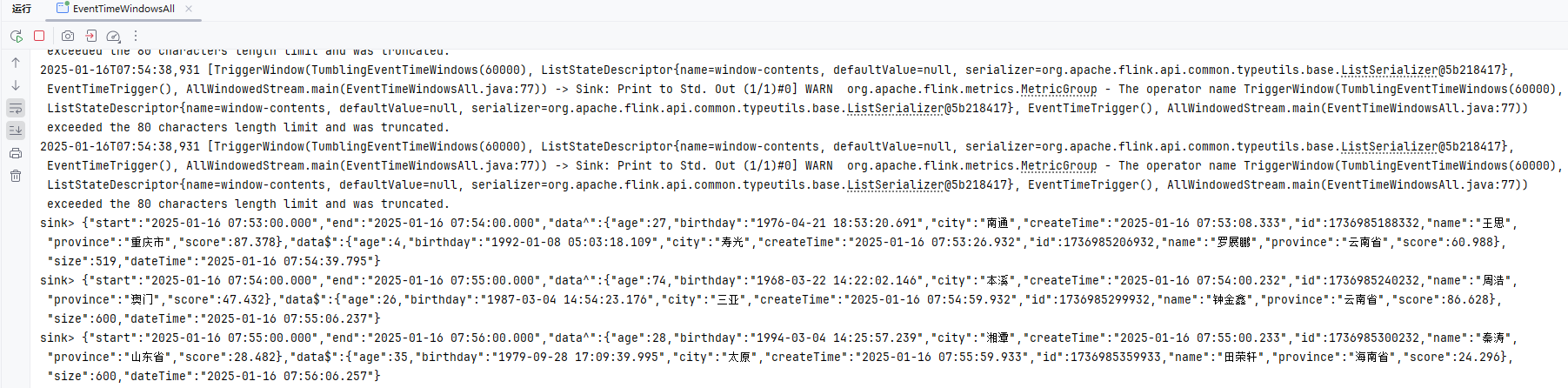
处理时间WindowAll
DataStream → AllWindowedStream → DataStream
对于 non-keyed stream,原始的 stream 不会被分割为多个逻辑上的 stream, 所以所有的窗口计算会被同一个 task 完成,也就是 parallelism 为 1。
这适用于非并行转换的大多数场景。所有记录都将收集到 windowAll 算子对应的一个任务中。
package local.ateng.java.DataStream.window.tumbling;

import cn.hutool.core.date.DateUtil;
import com.alibaba.fastjson2.JSONArray;
import com.alibaba.fastjson2.JSONObject;
import org.apache.flink.api.common.eventtime.WatermarkStrategy;
import org.apache.flink.api.common.serialization.SimpleStringSchema;
import org.apache.flink.connector.kafka.source.KafkaSource;
import org.apache.flink.connector.kafka.source.enumerator.initializer.OffsetsInitializer;
import org.apache.flink.streaming.api.CheckpointingMode;
import org.apache.flink.streaming.api.datastream.DataStreamSource;
import org.apache.flink.streaming.api.datastream.SingleOutputStreamOperator;
import org.apache.flink.streaming.api.environment.StreamExecutionEnvironment;
import org.apache.flink.streaming.api.functions.windowing.AllWindowFunction;
import org.apache.flink.streaming.api.windowing.assigners.TumblingProcessingTimeWindows;
import org.apache.flink.streaming.api.windowing.windows.TimeWindow;
import org.apache.flink.util.Collector;
import org.apache.kafka.clients.consumer.OffsetResetStrategy;

import java.time.Duration;

/**
 * 可以在普通 DataStream 上定义 Window。 Window 根据某些特征(例如,最近 5 秒内到达的数据)对所有流事件进行分组。
 * DataStream → AllWindowedStream → DataStream
 * https://nightlies.apache.org/flink/flink-docs-release-1.19/zh/docs/dev/datastream/operators/overview/#windowall
 * <p>
 * 这个程序通过 Flink 从 Kafka 中读取消息。
 * 它使用处理时间滚动窗口(TumblingProcessingTimeWindows),每 1 分钟对数据进行一次窗口计算。
 * 对每个窗口中的数据,程序会创建一个 JSON 对象,包含窗口的开始和结束时间、窗口中的数据(第一个、最后一个元素)、数据量以及当前时间。
 * 最后,处理后的结果被输出到控制台。
 *
 * @author 孔余
 * @email 2385569970@qq.com
 * @since 2025-01-15
 */
public class ProcessingTimeWindowsAll {

    public static void main(String[] args) throws Exception {
        // 环境准备
        StreamExecutionEnvironment env = StreamExecutionEnvironment.getExecutionEnvironment();
        env.enableCheckpointing(3 * 1000, CheckpointingMode.EXACTLY_ONCE);
        env.setParallelism(1);
        KafkaSource<String> source = KafkaSource.<String>builder()
                .setBootstrapServers("192.168.1.10:9094")
                .setTopics("ateng_flink_json")
                .setGroupId("ateng")
                .setProperty("commit.offsets.on.checkpoint", "true")
                .setProperty("enable.auto.commit", "true")
                .setProperty("auto.commit.interval.ms", "1000")
                .setProperty("partition.discovery.interval.ms", "10000")
                .setStartingOffsets(OffsetsInitializer.committedOffsets(OffsetResetStrategy.EARLIEST))
                .setValueOnlyDeserializer(new SimpleStringSchema())
                .build();

        // 从 Kafka 数据源读取数据,不设置水印策略(处理时间窗口不存在数据乱序问题)
        DataStreamSource<String> streamSource = env.fromSource(source, WatermarkStrategy.noWatermarks(), "Kafka Source");

        // 窗口
        SingleOutputStreamOperator<JSONObject> operator = streamSource
                // 1分钟滚动窗口
                .windowAll(TumblingProcessingTimeWindows.of(Duration.ofMinutes(1)))
                .apply(new AllWindowFunction<String, JSONObject, TimeWindow>() {
                    @Override
                    public void apply(TimeWindow timeWindow, Iterable<String> iterable, Collector<JSONObject> collector) throws Exception {
                        long start = timeWindow.getStart();
                        long end = timeWindow.getEnd();
                        JSONObject json = JSONObject.of("start", DateUtil.format(DateUtil.date(start), "yyyy-MM-dd HH:mm:ss.SSS"), "end", DateUtil.format(DateUtil.date(end), "yyyy-MM-dd HH:mm:ss.SSS"));
                        JSONArray jsonArray = JSONArray.of();
                        for (String string : iterable) {
                            jsonArray.add(JSONObject.parseObject(string));
                        }
                        int size = jsonArray.size();
                        json.put("data^", jsonArray.get(0));
                        json.put("data$", jsonArray.get(size - 1));
                        json.put("size", size);
                        json.put("dateTime", DateUtil.format(DateUtil.date(), "yyyy-MM-dd HH:mm:ss.SSS"));
                        collector.collect(json);
                    }
                });
        operator.print("sink");

        // 执行流处理作业
        env.execute("Kafka Stream");
    }

}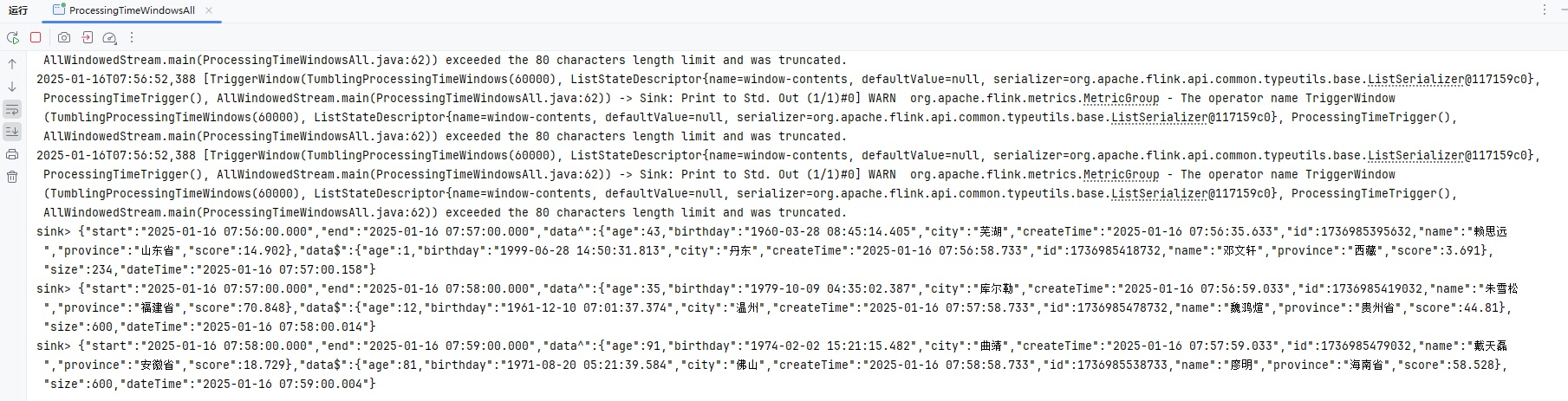
事件时间Window
KeyedStream → WindowedStream → DataStream
可以在已经分区的 KeyedStreams 上定义 Window。Window 根据某些特征(例如,最近 5 秒内到达的数据)对每个 key Stream 中的数据进行分组
package local.ateng.java.DataStream.window.tumbling;

import cn.hutool.core.date.DateUtil;
import cn.hutool.core.date.LocalDateTimeUtil;
import com.alibaba.fastjson2.JSONObject;
import local.ateng.java.entity.UserInfoEntity;
import org.apache.flink.api.common.eventtime.WatermarkStrategy;
import org.apache.flink.api.common.functions.MapFunction;
import org.apache.flink.api.common.serialization.SimpleStringSchema;
import org.apache.flink.api.java.functions.KeySelector;
import org.apache.flink.connector.kafka.source.KafkaSource;
import org.apache.flink.connector.kafka.source.enumerator.initializer.OffsetsInitializer;
import org.apache.flink.streaming.api.CheckpointingMode;
import org.apache.flink.streaming.api.datastream.DataStreamSource;
import org.apache.flink.streaming.api.datastream.SingleOutputStreamOperator;
import org.apache.flink.streaming.api.environment.StreamExecutionEnvironment;
import org.apache.flink.streaming.api.functions.windowing.WindowFunction;
import org.apache.flink.streaming.api.windowing.assigners.TumblingEventTimeWindows;
import org.apache.flink.streaming.api.windowing.assigners.TumblingProcessingTimeWindows;
import org.apache.flink.streaming.api.windowing.windows.TimeWindow;
import org.apache.flink.util.Collector;
import org.apache.kafka.clients.consumer.OffsetResetStrategy;

import java.time.Duration;

/**
 * 可以在已经分区的 KeyedStreams 上定义 Window。Window 根据某些特征(例如,最近 5 秒内到达的数据)对每个 key Stream 中的数据进行分组。
 * KeyedStream → WindowedStream → DataStream
 * https://nightlies.apache.org/flink/flink-docs-release-1.19/zh/docs/dev/datastream/operators/overview/#window
 *
 * 这个 Flink 程序的主要功能是:
 * 从 Kafka 读取 JSON 格式的用户数据,每条数据包含 province(省份)和 score(分数)信息。
 * 将数据按 province 字段进行分组,并基于处理时间(ProcessingTime)使用滚动窗口(每 1 分钟一个窗口)对每个省份的 score 进行聚合。
 * 每个窗口内,程序计算该省份的总分数,并输出窗口的开始时间、结束时间、总分数以及当前时间。
 *
 * @author 孔余
 * @email 2385569970@qq.com
 * @since 2025-01-15
 */
public class EventTimeWindowKeyBy {

    public static void main(String[] args) throws Exception {
        // 环境准备
        StreamExecutionEnvironment env = StreamExecutionEnvironment.getExecutionEnvironment();
        env.enableCheckpointing(5 * 1000, CheckpointingMode.EXACTLY_ONCE);
        env.setParallelism(3);
        KafkaSource<String> source = KafkaSource.<String>builder()
                .setBootstrapServers("192.168.1.10:9094")
                .setTopics("ateng_flink_json")
                .setGroupId("ateng")
                .setProperty("commit.offsets.on.checkpoint", "true")
                .setProperty("enable.auto.commit", "true")
                .setProperty("auto.commit.interval.ms", "1000")
                .setProperty("partition.discovery.interval.ms", "10000")
                .setStartingOffsets(OffsetsInitializer.committedOffsets(OffsetResetStrategy.EARLIEST))
                .setValueOnlyDeserializer(new SimpleStringSchema())
                .build();

        // 定义水印策略:WatermarkStrategy 可以在 Flink 应用程序中的两处使用,第一种是直接在数据源上使用,第二种是直接在非数据源的操作之后使用。
        // 允许最多 5 秒的事件时间乱序,使用 createTime 字段为事件时间戳(毫秒)
        WatermarkStrategy<String> watermarkStrategy = WatermarkStrategy.<String>forBoundedOutOfOrderness(Duration.ofSeconds(5))
                .withTimestampAssigner(
                        (event, recordTimestamp) -> {
                            // 解析 JSON 格式的事件,并获取事件时间
                            UserInfoEntity user = JSONObject.parseObject(event).toJavaObject(UserInfoEntity.class);
                            long timestamp = LocalDateTimeUtil.toEpochMilli(user.getCreateTime());
                            return timestamp;
                        });

        // 从 Kafka 数据源读取数据,设置水印策略
        DataStreamSource<String> streamSource = env.fromSource(source, watermarkStrategy, "Kafka Source");

        // 算子
        SingleOutputStreamOperator<JSONObject> operator = streamSource
                // 设置水印策略为事件时间
                //.assignTimestampsAndWatermarks(watermarkStrategy)
                .map(new MapFunction<String, JSONObject>() {
                    @Override
                    public JSONObject map(String str) throws Exception {
                        UserInfoEntity userInfoEntity = JSONObject.parseObject(str, UserInfoEntity.class);
                        return JSONObject.of(
                                "province", userInfoEntity.getProvince(),
                                "score", userInfoEntity.getScore());
                    }
                })
                .keyBy(new KeySelector<JSONObject, String>() {
                    @Override
                    public String getKey(JSONObject jsonObject) throws Exception {
                        return jsonObject.getString("province");
                    }
                })
                // 1分钟滚动窗口
                .window(TumblingEventTimeWindows.of(Duration.ofMinutes(1)))
                .apply(new WindowFunction<JSONObject, JSONObject, String, TimeWindow>() {
                    @Override
                    public void apply(String str, TimeWindow timeWindow, Iterable<JSONObject> iterable, Collector<JSONObject> collector) throws Exception {
                        long start = timeWindow.getStart();
                        long end = timeWindow.getEnd();
                        JSONObject json = JSONObject.of("start", DateUtil.format(DateUtil.date(start), "yyyy-MM-dd HH:mm:ss.SSS"), "end", DateUtil.format(DateUtil.date(end), "yyyy-MM-dd HH:mm:ss.SSS"));
                        Double score = 0.0;
                        Long count = 0L;
                        for (JSONObject jsonObject : iterable) {
                            score += jsonObject.getDouble("score");
                            count ++;
                        }
                        json.put("province", str);
                        json.put("score", score);
                        json.put("count", count);
                        json.put("dateTime", DateUtil.format(DateUtil.date(), "yyyy-MM-dd HH:mm:ss.SSS"));
                        collector.collect(json);
                    }
                });
        operator.print("sink");

        // 执行流处理作业
        env.execute("Kafka Stream");
    }

}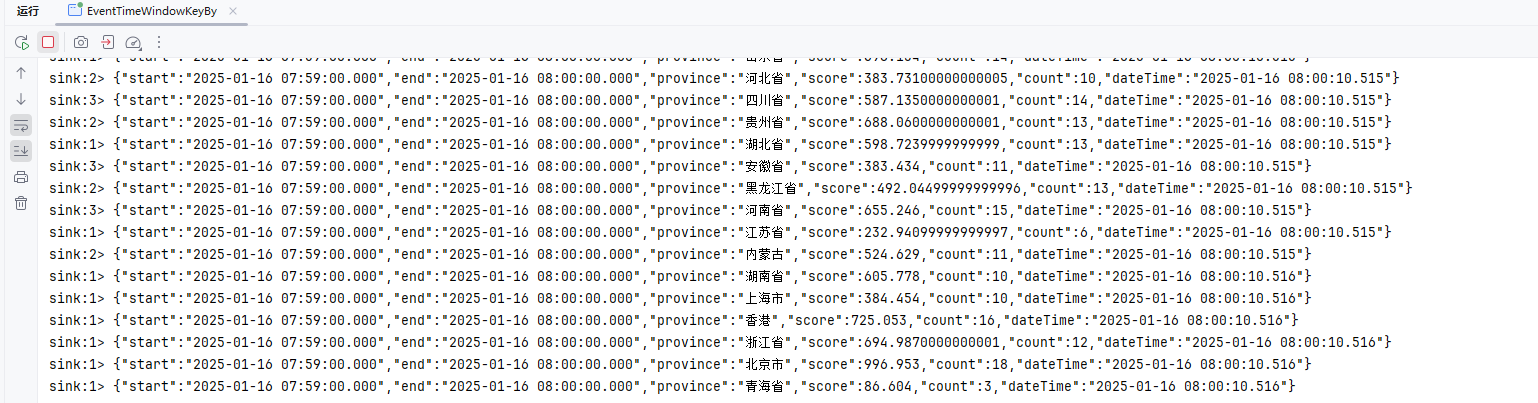
处理时间Window
KeyedStream → WindowedStream → DataStream
可以在已经分区的 KeyedStreams 上定义 Window。Window 根据某些特征(例如,最近 5 秒内到达的数据)对每个 key Stream 中的数据进行分组
package local.ateng.java.DataStream.window.tumbling;

import cn.hutool.core.date.DateUtil;
import com.alibaba.fastjson2.JSONObject;
import local.ateng.java.entity.UserInfoEntity;
import org.apache.flink.api.common.eventtime.WatermarkStrategy;
import org.apache.flink.api.common.functions.MapFunction;
import org.apache.flink.api.common.serialization.SimpleStringSchema;
import org.apache.flink.api.java.functions.KeySelector;
import org.apache.flink.connector.kafka.source.KafkaSource;
import org.apache.flink.connector.kafka.source.enumerator.initializer.OffsetsInitializer;
import org.apache.flink.streaming.api.CheckpointingMode;
import org.apache.flink.streaming.api.datastream.DataStreamSource;
import org.apache.flink.streaming.api.datastream.SingleOutputStreamOperator;
import org.apache.flink.streaming.api.environment.StreamExecutionEnvironment;
import org.apache.flink.streaming.api.functions.windowing.WindowFunction;
import org.apache.flink.streaming.api.windowing.assigners.TumblingProcessingTimeWindows;
import org.apache.flink.streaming.api.windowing.windows.TimeWindow;
import org.apache.flink.util.Collector;
import org.apache.kafka.clients.consumer.OffsetResetStrategy;

import java.time.Duration;

/**
 * 可以在已经分区的 KeyedStreams 上定义 Window。Window 根据某些特征(例如,最近 5 秒内到达的数据)对每个 key Stream 中的数据进行分组。
 * KeyedStream → WindowedStream → DataStream
 * https://nightlies.apache.org/flink/flink-docs-release-1.19/zh/docs/dev/datastream/operators/overview/#window
 *
 * 这个 Flink 程序的主要功能是:
 * 从 Kafka 读取 JSON 格式的用户数据,每条数据包含 province(省份)和 score(分数)信息。
 * 将数据按 province 字段进行分组,并基于处理时间(ProcessingTime)使用滚动窗口(每 1 分钟一个窗口)对每个省份的 score 进行聚合。
 * 每个窗口内,程序计算该省份的总分数,并输出窗口的开始时间、结束时间、总分数以及当前时间。
 *
 * @author 孔余
 * @email 2385569970@qq.com
 * @since 2025-01-15
 */
public class ProcessingTimeWindowKeyBy {

    public static void main(String[] args) throws Exception {
        // 环境准备
        StreamExecutionEnvironment env = StreamExecutionEnvironment.getExecutionEnvironment();
        env.enableCheckpointing(5 * 1000, CheckpointingMode.EXACTLY_ONCE);
        env.setParallelism(3);
        KafkaSource<String> source = KafkaSource.<String>builder()
                .setBootstrapServers("192.168.1.10:9094")
                .setTopics("ateng_flink_json")
                .setGroupId("ateng")
                .setProperty("commit.offsets.on.checkpoint", "true")
                .setProperty("enable.auto.commit", "true")
                .setProperty("auto.commit.interval.ms", "1000")
                .setProperty("partition.discovery.interval.ms", "10000")
                .setStartingOffsets(OffsetsInitializer.committedOffsets(OffsetResetStrategy.EARLIEST))
                .setValueOnlyDeserializer(new SimpleStringSchema())
                .build();

        // 从 Kafka 数据源读取数据,不设置水印策略(处理时间窗口不存在数据乱序问题)
        DataStreamSource<String> streamSource = env.fromSource(source, WatermarkStrategy.noWatermarks(), "Kafka Source");

        // 算子
        SingleOutputStreamOperator<JSONObject> operator = streamSource
                .map(new MapFunction<String, JSONObject>() {
                    @Override
                    public JSONObject map(String str) throws Exception {
                        UserInfoEntity userInfoEntity = JSONObject.parseObject(str, UserInfoEntity.class);
                        return JSONObject.of(
                                "province", userInfoEntity.getProvince(),
                                "score", userInfoEntity.getScore());
                    }
                })
                .keyBy(new KeySelector<JSONObject, String>() {
                    @Override
                    public String getKey(JSONObject jsonObject) throws Exception {
                        return jsonObject.getString("province");
                    }
                })
                .window(TumblingProcessingTimeWindows.of(Duration.ofMinutes(1)))
                .apply(new WindowFunction<JSONObject, JSONObject, String, TimeWindow>() {
                    @Override
                    public void apply(String str, TimeWindow timeWindow, Iterable<JSONObject> iterable, Collector<JSONObject> collector) throws Exception {
                        long start = timeWindow.getStart();
                        long end = timeWindow.getEnd();
                        JSONObject json = JSONObject.of("start", DateUtil.format(DateUtil.date(start), "yyyy-MM-dd HH:mm:ss.SSS"), "end", DateUtil.format(DateUtil.date(end), "yyyy-MM-dd HH:mm:ss.SSS"));
                        Double score = 0.0;
                        Long count = 0L;
                        for (JSONObject jsonObject : iterable) {
                            score += jsonObject.getDouble("score");
                            count ++;
                        }
                        json.put("province", str);
                        json.put("score", score);
                        json.put("count", count);
                        json.put("dateTime", DateUtil.format(DateUtil.date(), "yyyy-MM-dd HH:mm:ss.SSS"));
                        collector.collect(json);
                    }
                });
        operator.print("sink");

        // 执行流处理作业
        env.execute("Kafka Stream");
    }

}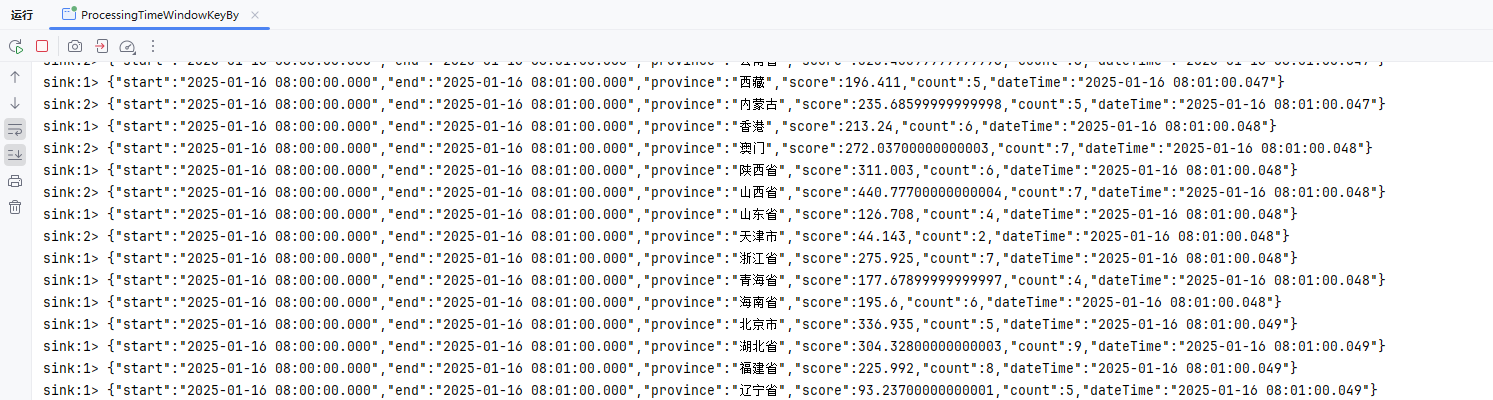
窗口偏移offset
参考:官方文档
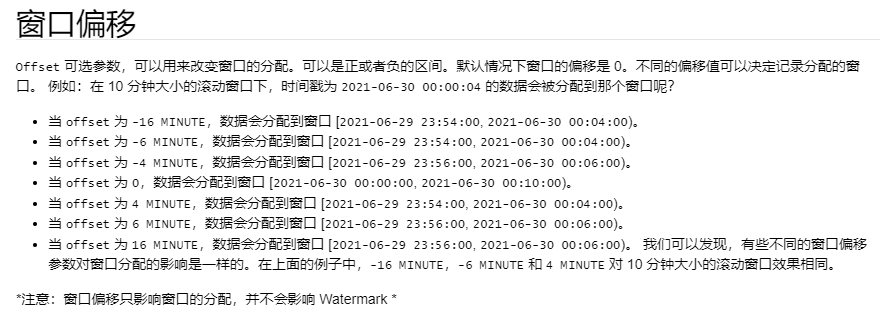
package local.ateng.java.DataStream.window.tumbling;

import cn.hutool.core.date.DateUtil;
import com.alibaba.fastjson2.JSONArray;
import com.alibaba.fastjson2.JSONObject;
import org.apache.flink.api.common.eventtime.WatermarkStrategy;
import org.apache.flink.api.common.serialization.SimpleStringSchema;
import org.apache.flink.connector.kafka.source.KafkaSource;
import org.apache.flink.connector.kafka.source.enumerator.initializer.OffsetsInitializer;
import org.apache.flink.streaming.api.CheckpointingMode;
import org.apache.flink.streaming.api.datastream.DataStreamSource;
import org.apache.flink.streaming.api.datastream.SingleOutputStreamOperator;
import org.apache.flink.streaming.api.environment.StreamExecutionEnvironment;
import org.apache.flink.streaming.api.functions.windowing.AllWindowFunction;
import org.apache.flink.streaming.api.windowing.assigners.TumblingProcessingTimeWindows;
import org.apache.flink.streaming.api.windowing.windows.TimeWindow;
import org.apache.flink.util.Collector;
import org.apache.kafka.clients.consumer.OffsetResetStrategy;

import java.time.Duration;

/**
 * 可以在普通 DataStream 上定义 Window。 Window 根据某些特征(例如,最近 5 秒内到达的数据)对所有流事件进行分组。
 * DataStream → AllWindowedStream → DataStream
 * https://nightlies.apache.org/flink/flink-docs-release-1.19/zh/docs/dev/datastream/operators/overview/#windowall
 * <p>
 * 这个程序通过 Flink 从 Kafka 中读取消息。
 * 它使用处理时间滚动窗口(TumblingProcessingTimeWindows),每 1 分钟对数据进行一次窗口计算。
 * 对每个窗口中的数据,程序会创建一个 JSON 对象,包含窗口的开始和结束时间、窗口中的数据(第一个、最后一个元素)、数据量以及当前时间。
 * 最后,处理后的结果被输出到控制台。
 *
 * @author 孔余
 * @email 2385569970@qq.com
 * @since 2025-01-15
 */
public class ProcessingTimeWindowsAllOffset {

    public static void main(String[] args) throws Exception {
        // 环境准备
        StreamExecutionEnvironment env = StreamExecutionEnvironment.getExecutionEnvironment();
        env.enableCheckpointing(3 * 1000, CheckpointingMode.EXACTLY_ONCE);
        env.setParallelism(1);
        KafkaSource<String> source = KafkaSource.<String>builder()
                .setBootstrapServers("192.168.1.10:9094")
                .setTopics("ateng_flink_json")
                .setGroupId("ateng")
                .setProperty("commit.offsets.on.checkpoint", "true")
                .setProperty("enable.auto.commit", "true")
                .setProperty("auto.commit.interval.ms", "1000")
                .setProperty("partition.discovery.interval.ms", "10000")
                .setStartingOffsets(OffsetsInitializer.committedOffsets(OffsetResetStrategy.EARLIEST))
                .setValueOnlyDeserializer(new SimpleStringSchema())
                .build();

        // 从 Kafka 数据源读取数据,不设置水印策略(处理时间窗口不存在数据乱序问题)
        DataStreamSource<String> streamSource = env.fromSource(source, WatermarkStrategy.noWatermarks(), "Kafka Source");

        // 窗口
        SingleOutputStreamOperator<JSONObject> operator = streamSource
                // 1分钟滚动窗口
                .windowAll(TumblingProcessingTimeWindows.of(Duration.ofMinutes(5), Duration.ofMinutes(1)))
                .apply(new AllWindowFunction<String, JSONObject, TimeWindow>() {
                    @Override
                    public void apply(TimeWindow timeWindow, Iterable<String> iterable, Collector<JSONObject> collector) throws Exception {
                        long start = timeWindow.getStart();
                        long end = timeWindow.getEnd();
                        JSONObject json = JSONObject.of("start", DateUtil.format(DateUtil.date(start), "yyyy-MM-dd HH:mm:ss.SSS"), "end", DateUtil.format(DateUtil.date(end), "yyyy-MM-dd HH:mm:ss.SSS"));
                        JSONArray jsonArray = JSONArray.of();
                        for (String string : iterable) {
                            jsonArray.add(JSONObject.parseObject(string));
                        }
                        int size = jsonArray.size();
                        json.put("data^", jsonArray.get(0));
                        json.put("data$", jsonArray.get(size - 1));
                        json.put("size", size);
                        json.put("dateTime", DateUtil.format(DateUtil.date(), "yyyy-MM-dd HH:mm:ss.SSS"));
                        collector.collect(json);
                    }
                });
        operator.print("sink");

        // 执行流处理作业
        env.execute("Kafka Stream");
    }

}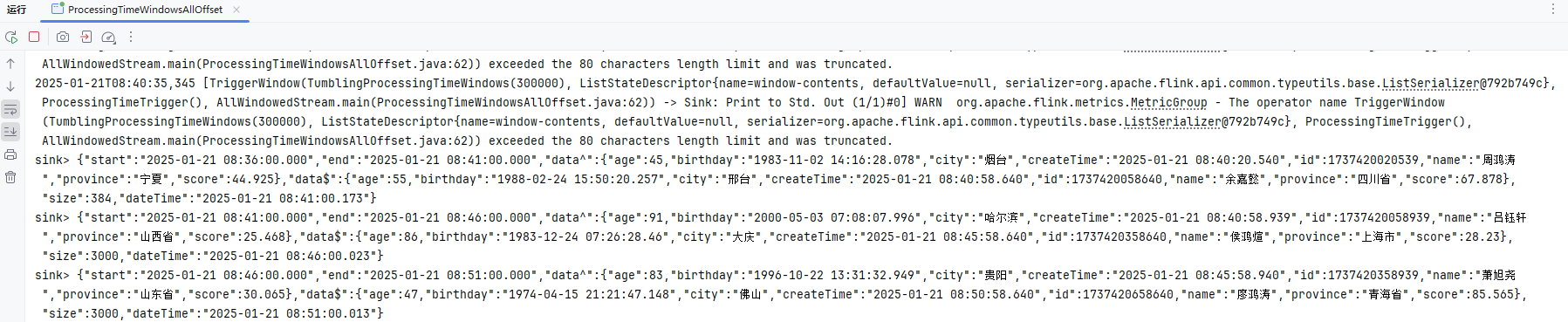
滑动窗口 (Sliding Window)
滑动窗口与滚动窗口类似,但窗口在时间上有重叠。它的大小固定,且每隔一个指定的时间步长滑动一次。在滑动窗口中,多个窗口可能共享相同的事件,因此可以实现更细粒度的计算。比如,一个5分钟大小、每2分钟滑动的窗口会包含不同的事件。滑动窗口适用于实时、连续计算的场景,如计算每分钟的移动平均值,能更灵活地处理流数据。
参考:官方文档
事件时间WindowAll
package local.ateng.java.DataStream.window.sliding;

import cn.hutool.core.date.DateUtil;
import cn.hutool.core.date.LocalDateTimeUtil;
import com.alibaba.fastjson2.JSONArray;
import com.alibaba.fastjson2.JSONObject;
import local.ateng.java.entity.UserInfoEntity;
import org.apache.flink.api.common.eventtime.WatermarkStrategy;
import org.apache.flink.api.common.serialization.SimpleStringSchema;
import org.apache.flink.connector.kafka.source.KafkaSource;
import org.apache.flink.connector.kafka.source.enumerator.initializer.OffsetsInitializer;
import org.apache.flink.streaming.api.CheckpointingMode;
import org.apache.flink.streaming.api.datastream.DataStreamSource;
import org.apache.flink.streaming.api.datastream.SingleOutputStreamOperator;
import org.apache.flink.streaming.api.environment.StreamExecutionEnvironment;
import org.apache.flink.streaming.api.functions.windowing.AllWindowFunction;
import org.apache.flink.streaming.api.windowing.assigners.SlidingEventTimeWindows;
import org.apache.flink.streaming.api.windowing.assigners.SlidingProcessingTimeWindows;
import org.apache.flink.streaming.api.windowing.windows.TimeWindow;
import org.apache.flink.util.Collector;
import org.apache.kafka.clients.consumer.OffsetResetStrategy;

import java.time.Duration;

/**
 * 可以在普通 DataStream 上定义 Window。 Window 根据某些特征(例如,最近 5 秒内到达的数据)对所有流事件进行分组。
 * DataStream → AllWindowedStream → DataStream
 * https://nightlies.apache.org/flink/flink-docs-release-1.19/zh/docs/dev/datastream/operators/windows/#%e6%bb%91%e5%8a%a8%e7%aa%97%e5%8f%a3sliding-windows
 *
 * 这段代码的主要功能是:
 * 从 Kafka 消息队列读取 JSON 格式的数据,数据包含时间戳(createTime)。
 * 使用事件时间来处理数据,并对乱序事件提供 5 秒的容忍度。
 * 使用 基于事件时间的滑动窗口(2 分钟大小,1 分钟滑动一次)对数据进行窗口聚合。
 * 每个窗口计算时,输出窗口的开始时间、结束时间、窗口内的数据量、首尾数据等信息。
 * 将计算结果输出到控制台。
 *
 * @author 孔余
 * @email 2385569970@qq.com
 * @since 2025-01-15
 */
public class EventTimeWindowsAll {

    public static void main(String[] args) throws Exception {
        // 环境准备
        StreamExecutionEnvironment env = StreamExecutionEnvironment.getExecutionEnvironment();
        env.enableCheckpointing(3 * 1000, CheckpointingMode.EXACTLY_ONCE);
        env.setParallelism(1);
        KafkaSource<String> source = KafkaSource.<String>builder()
                .setBootstrapServers("192.168.1.10:9094")
                .setTopics("ateng_flink_json")
                .setGroupId("ateng")
                .setProperty("commit.offsets.on.checkpoint", "true")
                .setProperty("enable.auto.commit", "true")
                .setProperty("auto.commit.interval.ms", "1000")
                .setProperty("partition.discovery.interval.ms", "10000")
                .setStartingOffsets(OffsetsInitializer.committedOffsets(OffsetResetStrategy.EARLIEST))
                .setValueOnlyDeserializer(new SimpleStringSchema())
                .build();

        // 定义水印策略:WatermarkStrategy 可以在 Flink 应用程序中的两处使用,第一种是直接在数据源上使用,第二种是直接在非数据源的操作之后使用。
        // 允许最多 5 秒的事件时间乱序,使用 createTime 字段为事件时间戳(毫秒)
        WatermarkStrategy<String> watermarkStrategy = WatermarkStrategy.<String>forBoundedOutOfOrderness(Duration.ofSeconds(5))
                .withTimestampAssigner(
                        (event, recordTimestamp) -> {
                            // 解析 JSON 格式的事件,并获取事件时间
                            UserInfoEntity user = JSONObject.parseObject(event).toJavaObject(UserInfoEntity.class);
                            long timestamp = LocalDateTimeUtil.toEpochMilli(user.getCreateTime());
                            return timestamp;
                        });

        // 从 Kafka 数据源读取数据,设置水印策略
        DataStreamSource<String> streamSource = env.fromSource(source, watermarkStrategy, "Kafka Source");

        // 窗口
        SingleOutputStreamOperator<JSONObject> operator = streamSource
                // 设置水印策略为事件时间
                //.assignTimestampsAndWatermarks(watermarkStrategy)
                // 滑动窗口:2分钟窗口数据,1分钟刷新一次数据(整个数据区间就是前2分钟)
                .windowAll(SlidingEventTimeWindows.of(Duration.ofMinutes(2), Duration.ofMinutes(1)))
                .apply(new AllWindowFunction<String, JSONObject, TimeWindow>() {
                    @Override
                    public void apply(TimeWindow timeWindow, Iterable<String> iterable, Collector<JSONObject> collector) throws Exception {
                        long start = timeWindow.getStart();
                        long end = timeWindow.getEnd();
                        JSONObject json = JSONObject.of("start", DateUtil.format(DateUtil.date(start), "yyyy-MM-dd HH:mm:ss.SSS"), "end", DateUtil.format(DateUtil.date(end), "yyyy-MM-dd HH:mm:ss.SSS"));
                        JSONArray jsonArray = JSONArray.of();
                        for (String string : iterable) {
                            jsonArray.add(JSONObject.parseObject(string));
                        }
                        int size = jsonArray.size();
                        json.put("data^", jsonArray.get(0));
                        json.put("data$", jsonArray.get(size - 1));
                        json.put("size", size);
                        json.put("dateTime", DateUtil.format(DateUtil.date(), "yyyy-MM-dd HH:mm:ss.SSS"));
                        collector.collect(json);
                    }
                });
        operator.print("sink");

        // 执行流处理作业
        env.execute("Kafka Stream");
    }

}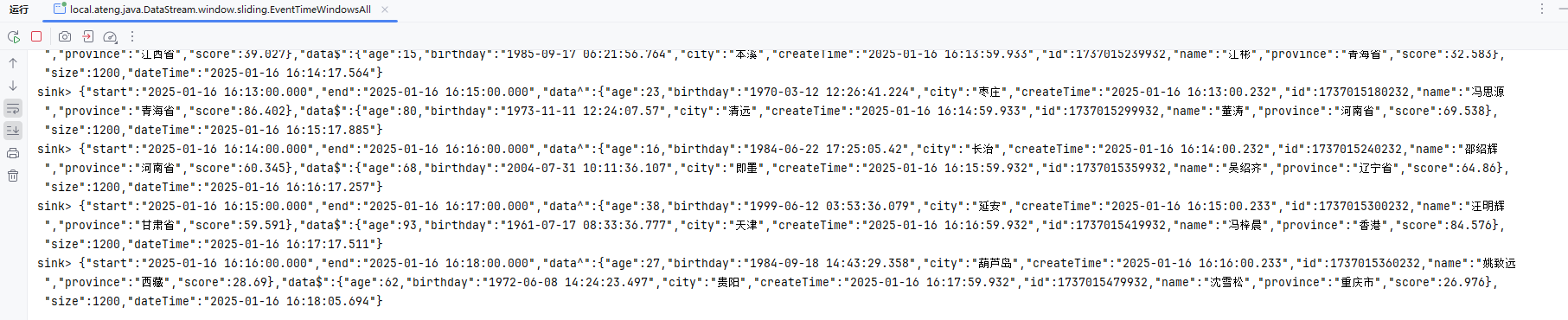
处理时间WindowAll
package local.ateng.java.DataStream.window.sliding;

import cn.hutool.core.date.DateUtil;
import com.alibaba.fastjson2.JSONArray;
import com.alibaba.fastjson2.JSONObject;
import org.apache.flink.api.common.eventtime.WatermarkStrategy;
import org.apache.flink.api.common.serialization.SimpleStringSchema;
import org.apache.flink.connector.kafka.source.KafkaSource;
import org.apache.flink.connector.kafka.source.enumerator.initializer.OffsetsInitializer;
import org.apache.flink.streaming.api.CheckpointingMode;
import org.apache.flink.streaming.api.datastream.DataStreamSource;
import org.apache.flink.streaming.api.datastream.SingleOutputStreamOperator;
import org.apache.flink.streaming.api.environment.StreamExecutionEnvironment;
import org.apache.flink.streaming.api.functions.windowing.AllWindowFunction;
import org.apache.flink.streaming.api.windowing.assigners.SlidingEventTimeWindows;
import org.apache.flink.streaming.api.windowing.assigners.SlidingProcessingTimeWindows;
import org.apache.flink.streaming.api.windowing.windows.TimeWindow;
import org.apache.flink.util.Collector;
import org.apache.kafka.clients.consumer.OffsetResetStrategy;

import java.time.Duration;

/**
 * 可以在普通 DataStream 上定义 Window。 Window 根据某些特征(例如,最近 5 秒内到达的数据)对所有流事件进行分组。
 * DataStream → AllWindowedStream → DataStream
 * https://nightlies.apache.org/flink/flink-docs-release-1.19/zh/docs/dev/datastream/operators/windows/#%e6%bb%91%e5%8a%a8%e7%aa%97%e5%8f%a3sliding-windows
 *
 * 这段代码的主要功能是:
 * 使用 基于处理时间的滑动窗口(2 分钟大小,1 分钟滑动一次)对数据进行窗口聚合。
 * 每个窗口计算时,输出窗口的开始时间、结束时间、窗口内的数据量、首尾数据等信息。
 * 将计算结果输出到控制台。
 *
 * @author 孔余
 * @email 2385569970@qq.com
 * @since 2025-01-15
 */
public class ProcessingTimeWindowsAll {

    public static void main(String[] args) throws Exception {
        // 环境准备
        StreamExecutionEnvironment env = StreamExecutionEnvironment.getExecutionEnvironment();
        env.enableCheckpointing(3 * 1000, CheckpointingMode.EXACTLY_ONCE);
        env.setParallelism(1);
        KafkaSource<String> source = KafkaSource.<String>builder()
                .setBootstrapServers("192.168.1.10:9094")
                .setTopics("ateng_flink_json")
                .setGroupId("ateng")
                .setProperty("commit.offsets.on.checkpoint", "true")
                .setProperty("enable.auto.commit", "true")
                .setProperty("auto.commit.interval.ms", "1000")
                .setProperty("partition.discovery.interval.ms", "10000")
                .setStartingOffsets(OffsetsInitializer.committedOffsets(OffsetResetStrategy.EARLIEST))
                .setValueOnlyDeserializer(new SimpleStringSchema())
                .build();

        // 从 Kafka 数据源读取数据,不设置水印策略(处理时间窗口不存在数据乱序问题)
        DataStreamSource<String> streamSource = env.fromSource(source, WatermarkStrategy.noWatermarks(), "Kafka Source");

        // 窗口
        SingleOutputStreamOperator<JSONObject> operator = streamSource
                // 滑动窗口:2分钟窗口数据,1分钟刷新一次数据(整个数据区间就是前2分钟)
                .windowAll(SlidingProcessingTimeWindows.of(Duration.ofMinutes(2), Duration.ofMinutes(1)))
                .apply(new AllWindowFunction<String, JSONObject, TimeWindow>() {
                    @Override
                    public void apply(TimeWindow timeWindow, Iterable<String> iterable, Collector<JSONObject> collector) throws Exception {
                        long start = timeWindow.getStart();
                        long end = timeWindow.getEnd();
                        JSONObject json = JSONObject.of("start", DateUtil.format(DateUtil.date(start), "yyyy-MM-dd HH:mm:ss.SSS"), "end", DateUtil.format(DateUtil.date(end), "yyyy-MM-dd HH:mm:ss.SSS"));
                        JSONArray jsonArray = JSONArray.of();
                        for (String string : iterable) {
                            jsonArray.add(JSONObject.parseObject(string));
                        }
                        int size = jsonArray.size();
                        json.put("data^", jsonArray.get(0));
                        json.put("data$", jsonArray.get(size - 1));
                        json.put("size", size);
                        json.put("dateTime", DateUtil.format(DateUtil.date(), "yyyy-MM-dd HH:mm:ss.SSS"));
                        collector.collect(json);
                    }
                });
        operator.print("sink");

        // 执行流处理作业
        env.execute("Kafka Stream");
    }

}
事件时间Window
package local.ateng.java.DataStream.window.sliding;

import cn.hutool.core.date.DateUtil;
import cn.hutool.core.date.LocalDateTimeUtil;
import com.alibaba.fastjson2.JSONObject;
import local.ateng.java.entity.UserInfoEntity;
import org.apache.flink.api.common.eventtime.WatermarkStrategy;
import org.apache.flink.api.common.functions.MapFunction;
import org.apache.flink.api.common.serialization.SimpleStringSchema;
import org.apache.flink.api.java.functions.KeySelector;
import org.apache.flink.connector.kafka.source.KafkaSource;
import org.apache.flink.connector.kafka.source.enumerator.initializer.OffsetsInitializer;
import org.apache.flink.streaming.api.CheckpointingMode;
import org.apache.flink.streaming.api.datastream.DataStreamSource;
import org.apache.flink.streaming.api.datastream.SingleOutputStreamOperator;
import org.apache.flink.streaming.api.environment.StreamExecutionEnvironment;
import org.apache.flink.streaming.api.functions.windowing.WindowFunction;
import org.apache.flink.streaming.api.windowing.assigners.SlidingEventTimeWindows;
import org.apache.flink.streaming.api.windowing.windows.TimeWindow;
import org.apache.flink.util.Collector;
import org.apache.kafka.clients.consumer.OffsetResetStrategy;

import java.time.Duration;

/**
 * 可以在已经分区的 KeyedStreams 上定义 Window。Window 根据某些特征(例如,最近 5 秒内到达的数据)对每个 key Stream 中的数据进行分组。
 * KeyedStream → WindowedStream → DataStream
 * https://nightlies.apache.org/flink/flink-docs-release-1.19/zh/docs/dev/datastream/operators/overview/#window
 * <p>
 * 这个 Flink 程序的主要功能是:
 * 从 Kafka 读取 JSON 格式的用户数据,每条数据包含 province(省份)和 score(分数)信息。
 * 将数据按 province 字段进行分组,并基于处理时间(ProcessingTime)使用滚动窗口(2 分钟大小,1 分钟滑动一次)对每个省份的 score 进行聚合。
 * 每个窗口内,程序计算该省份的总分数,并输出窗口的开始时间、结束时间、总分数以及当前时间。
 *
 * @author 孔余
 * @email 2385569970@qq.com
 * @since 2025-01-15
 */
public class EventTimeWindowKeyBy {

    public static void main(String[] args) throws Exception {
        // 环境准备
        StreamExecutionEnvironment env = StreamExecutionEnvironment.getExecutionEnvironment();
        env.enableCheckpointing(5 * 1000, CheckpointingMode.EXACTLY_ONCE);
        env.setParallelism(3);
        KafkaSource<String> source = KafkaSource.<String>builder()
                .setBootstrapServers("192.168.1.10:9094")
                .setTopics("ateng_flink_json")
                .setGroupId("ateng")
                .setProperty("commit.offsets.on.checkpoint", "true")
                .setProperty("enable.auto.commit", "true")
                .setProperty("auto.commit.interval.ms", "1000")
                .setProperty("partition.discovery.interval.ms", "10000")
                .setStartingOffsets(OffsetsInitializer.committedOffsets(OffsetResetStrategy.EARLIEST))
                .setValueOnlyDeserializer(new SimpleStringSchema())
                .build();

        // 定义水印策略:WatermarkStrategy 可以在 Flink 应用程序中的两处使用,第一种是直接在数据源上使用,第二种是直接在非数据源的操作之后使用。
        // 允许最多 5 秒的事件时间乱序,使用 createTime 字段为事件时间戳(毫秒)
        WatermarkStrategy<String> watermarkStrategy = WatermarkStrategy.<String>forBoundedOutOfOrderness(Duration.ofSeconds(5))
                .withTimestampAssigner(
                        (event, recordTimestamp) -> {
                            // 解析 JSON 格式的事件,并获取事件时间
                            UserInfoEntity user = JSONObject.parseObject(event).toJavaObject(UserInfoEntity.class);
                            long timestamp = LocalDateTimeUtil.toEpochMilli(user.getCreateTime());
                            return timestamp;
                        });

        // 从 Kafka 数据源读取数据,设置水印策略
        DataStreamSource<String> streamSource = env.fromSource(source, watermarkStrategy, "Kafka Source");

        // 算子
        SingleOutputStreamOperator<JSONObject> operator = streamSource
                // 设置水印策略为事件时间
                //.assignTimestampsAndWatermarks(watermarkStrategy)
                .map(new MapFunction<String, JSONObject>() {
                    @Override
                    public JSONObject map(String str) throws Exception {
                        UserInfoEntity userInfoEntity = JSONObject.parseObject(str, UserInfoEntity.class);
                        return JSONObject.of(
                                "province", userInfoEntity.getProvince(),
                                "score", userInfoEntity.getScore());
                    }
                })
                .keyBy(new KeySelector<JSONObject, String>() {
                    @Override
                    public String getKey(JSONObject jsonObject) throws Exception {
                        return jsonObject.getString("province");
                    }
                })
                // 滑动窗口:2分钟窗口数据,1分钟刷新一次数据(整个数据区间就是前2分钟)
                .window(SlidingEventTimeWindows.of(Duration.ofMinutes(2), Duration.ofMinutes(1)))
                .apply(new WindowFunction<JSONObject, JSONObject, String, TimeWindow>() {
                    @Override
                    public void apply(String str, TimeWindow timeWindow, Iterable<JSONObject> iterable, Collector<JSONObject> collector) throws Exception {
                        long start = timeWindow.getStart();
                        long end = timeWindow.getEnd();
                        JSONObject json = JSONObject.of("start", DateUtil.format(DateUtil.date(start), "yyyy-MM-dd HH:mm:ss.SSS"), "end", DateUtil.format(DateUtil.date(end), "yyyy-MM-dd HH:mm:ss.SSS"));
                        Double score = 0.0;
                        Long count = 0L;
                        for (JSONObject jsonObject : iterable) {
                            score += jsonObject.getDouble("score");
                            count++;
                        }
                        json.put("province", str);
                        json.put("score", score);
                        json.put("count", count);
                        json.put("dateTime", DateUtil.format(DateUtil.date(), "yyyy-MM-dd HH:mm:ss.SSS"));
                        collector.collect(json);
                    }
                });
        operator.print("sink");

        // 执行流处理作业
        env.execute("Kafka Stream");
    }

}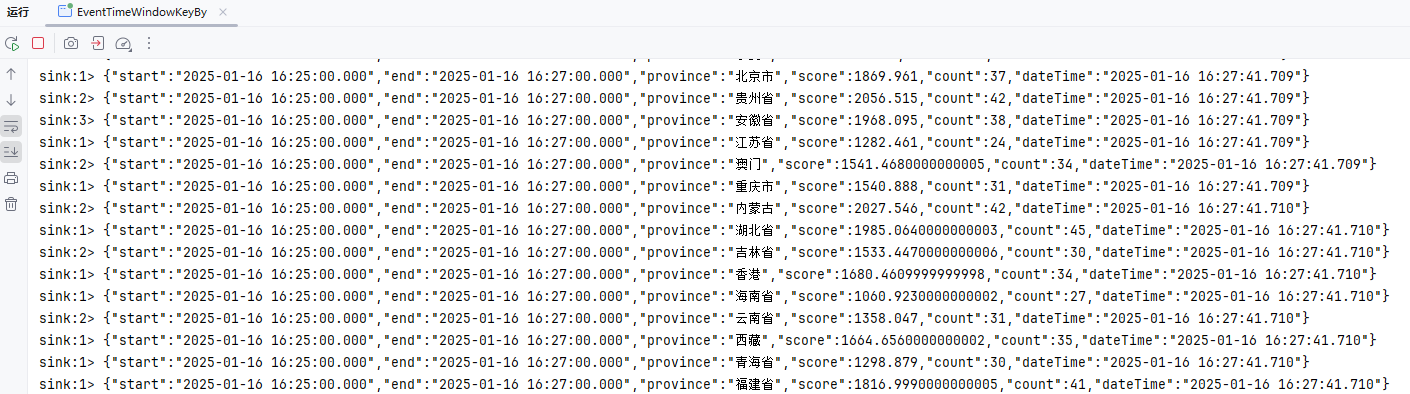
处理时间Window
package local.ateng.java.DataStream.window.sliding;

import cn.hutool.core.date.DateUtil;
import com.alibaba.fastjson2.JSONObject;
import local.ateng.java.entity.UserInfoEntity;
import org.apache.flink.api.common.eventtime.WatermarkStrategy;
import org.apache.flink.api.common.functions.MapFunction;
import org.apache.flink.api.common.serialization.SimpleStringSchema;
import org.apache.flink.api.java.functions.KeySelector;
import org.apache.flink.connector.kafka.source.KafkaSource;
import org.apache.flink.connector.kafka.source.enumerator.initializer.OffsetsInitializer;
import org.apache.flink.streaming.api.CheckpointingMode;
import org.apache.flink.streaming.api.datastream.DataStreamSource;
import org.apache.flink.streaming.api.datastream.SingleOutputStreamOperator;
import org.apache.flink.streaming.api.environment.StreamExecutionEnvironment;
import org.apache.flink.streaming.api.functions.windowing.WindowFunction;
import org.apache.flink.streaming.api.windowing.assigners.SlidingProcessingTimeWindows;
import org.apache.flink.streaming.api.windowing.windows.TimeWindow;
import org.apache.flink.util.Collector;
import org.apache.kafka.clients.consumer.OffsetResetStrategy;

import java.time.Duration;

/**
 * 可以在已经分区的 KeyedStreams 上定义 Window。Window 根据某些特征(例如,最近 5 秒内到达的数据)对每个 key Stream 中的数据进行分组。
 * KeyedStream → WindowedStream → DataStream
 * https://nightlies.apache.org/flink/flink-docs-release-1.19/zh/docs/dev/datastream/operators/overview/#window
 * <p>
 * 这个 Flink 程序的主要功能是:
 * 从 Kafka 读取 JSON 格式的用户数据,每条数据包含 province(省份)和 score(分数)信息。
 * 将数据按 province 字段进行分组,并基于处理时间(ProcessingTime)使用滑动窗口(2 分钟大小,1 分钟滑动一次)对每个省份的 score 进行聚合。
 * 每个窗口内,程序计算该省份的总分数,并输出窗口的开始时间、结束时间、总分数以及当前时间。
 *
 * @author 孔余
 * @email 2385569970@qq.com
 * @since 2025-01-15
 */
public class ProcessingTimeWindowKeyBy {

    public static void main(String[] args) throws Exception {
        // 环境准备
        StreamExecutionEnvironment env = StreamExecutionEnvironment.getExecutionEnvironment();
        env.enableCheckpointing(5 * 1000, CheckpointingMode.EXACTLY_ONCE);
        env.setParallelism(3);
        KafkaSource<String> source = KafkaSource.<String>builder()
                .setBootstrapServers("192.168.1.10:9094")
                .setTopics("ateng_flink_json")
                .setGroupId("ateng")
                .setProperty("commit.offsets.on.checkpoint", "true")
                .setProperty("enable.auto.commit", "true")
                .setProperty("auto.commit.interval.ms", "1000")
                .setProperty("partition.discovery.interval.ms", "10000")
                .setStartingOffsets(OffsetsInitializer.committedOffsets(OffsetResetStrategy.EARLIEST))
                .setValueOnlyDeserializer(new SimpleStringSchema())
                .build();

        // 从 Kafka 数据源读取数据,不设置水印策略(处理时间窗口不存在数据乱序问题)
        DataStreamSource<String> streamSource = env.fromSource(source, WatermarkStrategy.noWatermarks(), "Kafka Source");

        // 算子
        SingleOutputStreamOperator<JSONObject> operator = streamSource
                .map(new MapFunction<String, JSONObject>() {
                    @Override
                    public JSONObject map(String str) throws Exception {
                        UserInfoEntity userInfoEntity = JSONObject.parseObject(str, UserInfoEntity.class);
                        return JSONObject.of(
                                "province", userInfoEntity.getProvince(),
                                "score", userInfoEntity.getScore());
                    }
                })
                .keyBy(new KeySelector<JSONObject, String>() {
                    @Override
                    public String getKey(JSONObject jsonObject) throws Exception {
                        return jsonObject.getString("province");
                    }
                })
                // 滑动窗口:2分钟窗口数据,1分钟刷新一次数据(整个数据区间就是前2分钟)
                .window(SlidingProcessingTimeWindows.of(Duration.ofMinutes(2), Duration.ofMinutes(1)))
                .apply(new WindowFunction<JSONObject, JSONObject, String, TimeWindow>() {
                    @Override
                    public void apply(String str, TimeWindow timeWindow, Iterable<JSONObject> iterable, Collector<JSONObject> collector) throws Exception {
                        long start = timeWindow.getStart();
                        long end = timeWindow.getEnd();
                        JSONObject json = JSONObject.of("start", DateUtil.format(DateUtil.date(start), "yyyy-MM-dd HH:mm:ss.SSS"), "end", DateUtil.format(DateUtil.date(end), "yyyy-MM-dd HH:mm:ss.SSS"));
                        Double score = 0.0;
                        Long count = 0L;
                        for (JSONObject jsonObject : iterable) {
                            score += jsonObject.getDouble("score");
                            count++;
                        }
                        json.put("province", str);
                        json.put("score", score);
                        json.put("count", count);
                        json.put("dateTime", DateUtil.format(DateUtil.date(), "yyyy-MM-dd HH:mm:ss.SSS"));
                        collector.collect(json);
                    }
                });
        operator.print("sink");

        // 执行流处理作业
        env.execute("Kafka Stream");
    }

}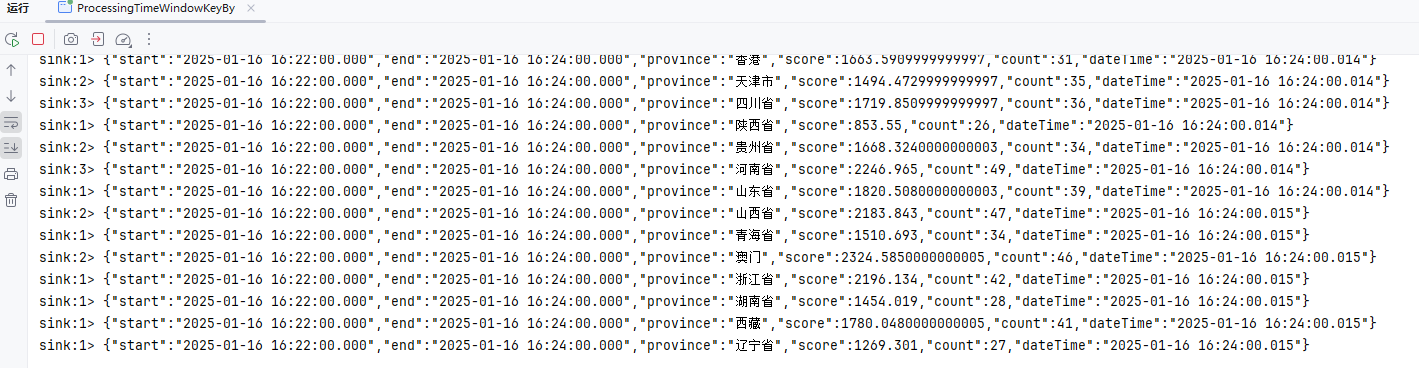
会话窗口 (Session Window)
会话窗口基于事件之间的间隔动态划分窗口。当两个事件的时间间隔超过预定的“会话间隔”阈值时,窗口关闭并触发计算。会话窗口适合处理用户行为、点击流等不规则的流数据,例如,一个用户的连续操作可能属于同一个会话,若没有新事件到达,则会话会结束。这种窗口模式非常适合分析活动聚集型的数据,如网站会话和社交媒体用户行为。
参考:官方文档
事件时间WindowAll
package local.ateng.java.DataStream.window.session;

import cn.hutool.core.date.DateUtil;
import cn.hutool.core.date.LocalDateTimeUtil;
import com.alibaba.fastjson2.JSONArray;
import com.alibaba.fastjson2.JSONObject;
import local.ateng.java.entity.UserInfoEntity;
import org.apache.flink.api.common.eventtime.WatermarkStrategy;
import org.apache.flink.api.common.serialization.SimpleStringSchema;
import org.apache.flink.connector.kafka.source.KafkaSource;
import org.apache.flink.connector.kafka.source.enumerator.initializer.OffsetsInitializer;
import org.apache.flink.streaming.api.CheckpointingMode;
import org.apache.flink.streaming.api.datastream.DataStreamSource;
import org.apache.flink.streaming.api.datastream.SingleOutputStreamOperator;
import org.apache.flink.streaming.api.environment.StreamExecutionEnvironment;
import org.apache.flink.streaming.api.functions.windowing.AllWindowFunction;
import org.apache.flink.streaming.api.windowing.assigners.EventTimeSessionWindows;
import org.apache.flink.streaming.api.windowing.assigners.ProcessingTimeSessionWindows;
import org.apache.flink.streaming.api.windowing.windows.TimeWindow;
import org.apache.flink.util.Collector;
import org.apache.kafka.clients.consumer.OffsetResetStrategy;

import java.time.Duration;

/**
 * 可以在普通 DataStream 上定义 Window。 Window 根据某些特征(例如,最近 5 秒内到达的数据)对所有流事件进行分组。
 * DataStream → AllWindowedStream → DataStream
 * https://nightlies.apache.org/flink/flink-docs-release-1.19/zh/docs/dev/datastream/operators/windows/#%e6%bb%91%e5%8a%a8%e7%aa%97%e5%8f%a3sliding-windows
 *
 * 这段代码的功能如下:
 * 从 Kafka 主题读取数据流,以字符串形式消费事件。
 * 使用 事件时间会话窗口,窗口间隔为 2 分钟:
 * 如果事件之间的时间间隔超过 2 分钟,则窗口关闭,新窗口开启。
 * 每个窗口触发时,提取窗口的时间范围、数据数量、首尾事件,并构建一个结果 JSON 输出。
 * 最终的窗口处理结果打印到控制台。
 * 这种会话窗口特别适合处理 非固定间隔的数据流,如用户会话数据分析或系统事件日志聚合。
 *
 * @author 孔余
 * @email 2385569970@qq.com
 * @since 2025-01-15
 */
public class EventTimeWindowsAll {

    public static void main(String[] args) throws Exception {
        // 环境准备
        StreamExecutionEnvironment env = StreamExecutionEnvironment.getExecutionEnvironment();
        env.enableCheckpointing(3 * 1000, CheckpointingMode.EXACTLY_ONCE);
        env.setParallelism(1);
        KafkaSource<String> source = KafkaSource.<String>builder()
                .setBootstrapServers("192.168.1.10:9094")
                .setTopics("ateng_flink_json")
                .setGroupId("ateng")
                .setProperty("commit.offsets.on.checkpoint", "true")
                .setProperty("enable.auto.commit", "true")
                .setProperty("auto.commit.interval.ms", "1000")
                .setProperty("partition.discovery.interval.ms", "10000")
                .setStartingOffsets(OffsetsInitializer.committedOffsets(OffsetResetStrategy.EARLIEST))
                .setValueOnlyDeserializer(new SimpleStringSchema())
                .build();

        // 定义水印策略:WatermarkStrategy 可以在 Flink 应用程序中的两处使用,第一种是直接在数据源上使用,第二种是直接在非数据源的操作之后使用。
        // 允许最多 5 秒的事件时间乱序,使用 createTime 字段为事件时间戳(毫秒)
        WatermarkStrategy<String> watermarkStrategy = WatermarkStrategy.<String>forBoundedOutOfOrderness(Duration.ofSeconds(5))
                .withTimestampAssigner(
                        (event, recordTimestamp) -> {
                            // 解析 JSON 格式的事件,并获取事件时间
                            UserInfoEntity user = JSONObject.parseObject(event).toJavaObject(UserInfoEntity.class);
                            long timestamp = LocalDateTimeUtil.toEpochMilli(user.getCreateTime());
                            return timestamp;
                        });

        // 从 Kafka 数据源读取数据,不设置水印策略(处理时间窗口不存在数据乱序问题)
        DataStreamSource<String> streamSource = env.fromSource(source, watermarkStrategy, "Kafka Source");

        // 窗口
        SingleOutputStreamOperator<JSONObject> operator = streamSource
                // 设置水印策略为事件时间
                //.assignTimestampsAndWatermarks(watermarkStrategy)
                // 会话窗口:2分钟窗口数据
                // 表示会话窗口的间隔为 2 分钟。也就是说,窗口会根据事件之间的时间间隔划分。如果两个事件之间的时间差超过了 2 分钟,那么当前的会话窗口就结束,接下来的事件会形成新的窗口。
                .windowAll(EventTimeSessionWindows.withGap(Duration.ofMinutes(2)))
                .apply(new AllWindowFunction<String, JSONObject, TimeWindow>() {
                    @Override
                    public void apply(TimeWindow timeWindow, Iterable<String> iterable, Collector<JSONObject> collector) throws Exception {
                        long start = timeWindow.getStart();
                        long end = timeWindow.getEnd();
                        JSONObject json = JSONObject.of("start", DateUtil.format(DateUtil.date(start), "yyyy-MM-dd HH:mm:ss.SSS"), "end", DateUtil.format(DateUtil.date(end), "yyyy-MM-dd HH:mm:ss.SSS"));
                        JSONArray jsonArray = JSONArray.of();
                        for (String string : iterable) {
                            jsonArray.add(JSONObject.parseObject(string));
                        }
                        int size = jsonArray.size();
                        json.put("data^", jsonArray.get(0));
                        json.put("data$", jsonArray.get(size - 1));
                        json.put("size", size);
                        json.put("dateTime", DateUtil.format(DateUtil.date(), "yyyy-MM-dd HH:mm:ss.SSS"));
                        collector.collect(json);
                    }
                });
        operator.print("sink");

        // 执行流处理作业
        env.execute("Kafka Stream");
    }

}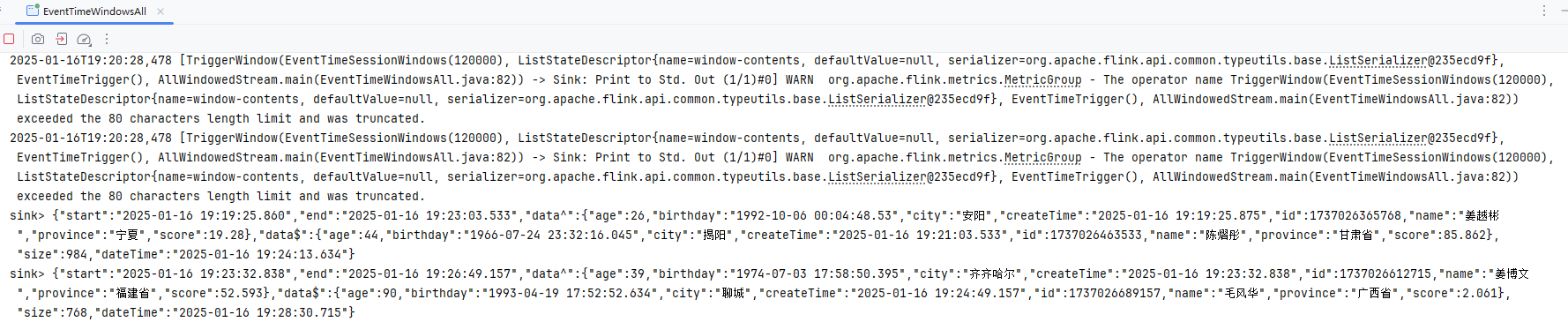
处理时间WindowAll
package local.ateng.java.DataStream.window.session;

import cn.hutool.core.date.DateUtil;
import com.alibaba.fastjson2.JSONArray;
import com.alibaba.fastjson2.JSONObject;
import org.apache.flink.api.common.eventtime.WatermarkStrategy;
import org.apache.flink.api.common.serialization.SimpleStringSchema;
import org.apache.flink.connector.kafka.source.KafkaSource;
import org.apache.flink.connector.kafka.source.enumerator.initializer.OffsetsInitializer;
import org.apache.flink.streaming.api.CheckpointingMode;
import org.apache.flink.streaming.api.datastream.DataStreamSource;
import org.apache.flink.streaming.api.datastream.SingleOutputStreamOperator;
import org.apache.flink.streaming.api.environment.StreamExecutionEnvironment;
import org.apache.flink.streaming.api.functions.windowing.AllWindowFunction;
import org.apache.flink.streaming.api.windowing.assigners.ProcessingTimeSessionWindows;
import org.apache.flink.streaming.api.windowing.windows.TimeWindow;
import org.apache.flink.util.Collector;
import org.apache.kafka.clients.consumer.OffsetResetStrategy;

import java.time.Duration;

/**
 * 可以在普通 DataStream 上定义 Window。 Window 根据某些特征(例如,最近 5 秒内到达的数据)对所有流事件进行分组。
 * DataStream → AllWindowedStream → DataStream
 * https://nightlies.apache.org/flink/flink-docs-release-1.19/zh/docs/dev/datastream/operators/windows/#%e6%bb%91%e5%8a%a8%e7%aa%97%e5%8f%a3sliding-windows
 *
 * 这段代码的功能如下:
 * 从 Kafka 主题读取数据流,以字符串形式消费事件。
 * 使用 处理时间会话窗口,窗口间隔为 2 分钟:
 * 如果事件之间的时间间隔超过 2 分钟,则窗口关闭,新窗口开启。
 * 每个窗口触发时,提取窗口的时间范围、数据数量、首尾事件,并构建一个结果 JSON 输出。
 * 最终的窗口处理结果打印到控制台。
 * 这种会话窗口特别适合处理 非固定间隔的数据流,如用户会话数据分析或系统事件日志聚合。
 *
 * @author 孔余
 * @email 2385569970@qq.com
 * @since 2025-01-15
 */
public class ProcessingTimeWindowsAll {

    public static void main(String[] args) throws Exception {
        // 环境准备
        StreamExecutionEnvironment env = StreamExecutionEnvironment.getExecutionEnvironment();
        env.enableCheckpointing(3 * 1000, CheckpointingMode.EXACTLY_ONCE);
        env.setParallelism(1);
        KafkaSource<String> source = KafkaSource.<String>builder()
                .setBootstrapServers("192.168.1.10:9094")
                .setTopics("ateng_flink_json")
                .setGroupId("ateng")
                .setProperty("commit.offsets.on.checkpoint", "true")
                .setProperty("enable.auto.commit", "true")
                .setProperty("auto.commit.interval.ms", "1000")
                .setProperty("partition.discovery.interval.ms", "10000")
                .setStartingOffsets(OffsetsInitializer.committedOffsets(OffsetResetStrategy.EARLIEST))
                .setValueOnlyDeserializer(new SimpleStringSchema())
                .build();

        // 从 Kafka 数据源读取数据,不设置水印策略(处理时间窗口不存在数据乱序问题)
        DataStreamSource<String> streamSource = env.fromSource(source, WatermarkStrategy.noWatermarks(), "Kafka Source");

        // 窗口
        SingleOutputStreamOperator<JSONObject> operator = streamSource
                // 会话窗口:2分钟窗口数据
                // 表示会话窗口的间隔为 2 分钟。也就是说,窗口会根据事件之间的时间间隔划分。如果两个事件之间的时间差超过了 2 分钟,那么当前的会话窗口就结束,接下来的事件会形成新的窗口。
                .windowAll(ProcessingTimeSessionWindows.withGap(Duration.ofMinutes(2)))
                .apply(new AllWindowFunction<String, JSONObject, TimeWindow>() {
                    @Override
                    public void apply(TimeWindow timeWindow, Iterable<String> iterable, Collector<JSONObject> collector) throws Exception {
                        long start = timeWindow.getStart();
                        long end = timeWindow.getEnd();
                        JSONObject json = JSONObject.of("start", DateUtil.format(DateUtil.date(start), "yyyy-MM-dd HH:mm:ss.SSS"), "end", DateUtil.format(DateUtil.date(end), "yyyy-MM-dd HH:mm:ss.SSS"));
                        JSONArray jsonArray = JSONArray.of();
                        for (String string : iterable) {
                            jsonArray.add(JSONObject.parseObject(string));
                        }
                        int size = jsonArray.size();
                        json.put("data^", jsonArray.get(0));
                        json.put("data$", jsonArray.get(size - 1));
                        json.put("size", size);
                        json.put("dateTime", DateUtil.format(DateUtil.date(), "yyyy-MM-dd HH:mm:ss.SSS"));
                        collector.collect(json);
                    }
                });
        operator.print("sink");

        // 执行流处理作业
        env.execute("Kafka Stream");
    }

}
事件时间Window
package local.ateng.java.DataStream.window.session;

import cn.hutool.core.date.DateUtil;
import cn.hutool.core.date.LocalDateTimeUtil;
import com.alibaba.fastjson2.JSONObject;
import local.ateng.java.entity.UserInfoEntity;
import org.apache.flink.api.common.eventtime.WatermarkStrategy;
import org.apache.flink.api.common.functions.MapFunction;
import org.apache.flink.api.common.serialization.SimpleStringSchema;
import org.apache.flink.api.java.functions.KeySelector;
import org.apache.flink.connector.kafka.source.KafkaSource;
import org.apache.flink.connector.kafka.source.enumerator.initializer.OffsetsInitializer;
import org.apache.flink.streaming.api.CheckpointingMode;
import org.apache.flink.streaming.api.datastream.DataStreamSource;
import org.apache.flink.streaming.api.datastream.SingleOutputStreamOperator;
import org.apache.flink.streaming.api.environment.StreamExecutionEnvironment;
import org.apache.flink.streaming.api.functions.windowing.WindowFunction;
import org.apache.flink.streaming.api.windowing.assigners.EventTimeSessionWindows;
import org.apache.flink.streaming.api.windowing.assigners.ProcessingTimeSessionWindows;
import org.apache.flink.streaming.api.windowing.windows.TimeWindow;
import org.apache.flink.util.Collector;
import org.apache.kafka.clients.consumer.OffsetResetStrategy;

import java.time.Duration;

/**
 * 可以在已经分区的 KeyedStreams 上定义 Window。Window 根据某些特征(例如,最近 5 秒内到达的数据)对每个 key Stream 中的数据进行分组。
 * KeyedStream → WindowedStream → DataStream
 * https://nightlies.apache.org/flink/flink-docs-release-1.19/zh/docs/dev/datastream/operators/overview/#window
 *
 * 这段代码实现了以下功能:
 * Kafka 数据读取:从 Kafka 消费 JSON 格式事件数据。
 * 数据分组:按 province 分组,独立处理每个省份的数据流。
 * 会话窗口:基于 事件时间 的 2 分钟会话窗口。
 * 窗口聚合:
 * 累计每个窗口内的 score 总和和事件数量。
 * 提取窗口时间范围和分组键。
 * 结果输出:将每个窗口的聚合结果输出到控制台。
 * 这种逻辑常用于场景:
 * 实时分析用户行为,按地区(province)统计得分。
 * 分析会话行为,比如用户活跃时间段的统计。
 *
 * @author 孔余
 * @email 2385569970@qq.com
 * @since 2025-01-15
 */
public class EventTimeWindowsKeyBy {

    public static void main(String[] args) throws Exception {
        // 环境准备
        StreamExecutionEnvironment env = StreamExecutionEnvironment.getExecutionEnvironment();
        env.enableCheckpointing(3 * 1000, CheckpointingMode.EXACTLY_ONCE);
        env.setParallelism(1);
        KafkaSource<String> source = KafkaSource.<String>builder()
                .setBootstrapServers("192.168.1.10:9094")
                .setTopics("ateng_flink_json")
                .setGroupId("ateng")
                .setProperty("commit.offsets.on.checkpoint", "true")
                .setProperty("enable.auto.commit", "true")
                .setProperty("auto.commit.interval.ms", "1000")
                .setProperty("partition.discovery.interval.ms", "10000")
                .setStartingOffsets(OffsetsInitializer.committedOffsets(OffsetResetStrategy.EARLIEST))
                .setValueOnlyDeserializer(new SimpleStringSchema())
                .build();

        // 定义水印策略:WatermarkStrategy 可以在 Flink 应用程序中的两处使用,第一种是直接在数据源上使用,第二种是直接在非数据源的操作之后使用。
        // 允许最多 5 秒的事件时间乱序,使用 createTime 字段为事件时间戳(毫秒)
        WatermarkStrategy<String> watermarkStrategy = WatermarkStrategy.<String>forBoundedOutOfOrderness(Duration.ofSeconds(5))
                .withTimestampAssigner(
                        (event, recordTimestamp) -> {
                            // 解析 JSON 格式的事件,并获取事件时间
                            UserInfoEntity user = JSONObject.parseObject(event).toJavaObject(UserInfoEntity.class);
                            long timestamp = LocalDateTimeUtil.toEpochMilli(user.getCreateTime());
                            return timestamp;
                        });

        // 从 Kafka 数据源读取数据,不设置水印策略(处理时间窗口不存在数据乱序问题)
        DataStreamSource<String> streamSource = env.fromSource(source, watermarkStrategy, "Kafka Source");

        // 窗口
        SingleOutputStreamOperator<JSONObject> operator = streamSource
                // 设置水印策略为事件时间
                //.assignTimestampsAndWatermarks(watermarkStrategy)
                .map(new MapFunction<String, JSONObject>() {
                    @Override
                    public JSONObject map(String str) throws Exception {
                        UserInfoEntity userInfoEntity = JSONObject.parseObject(str, UserInfoEntity.class);
                        return JSONObject.of(
                                "province", userInfoEntity.getProvince(),
                                "score", userInfoEntity.getScore());
                    }
                })
                .keyBy(new KeySelector<JSONObject, String>() {
                    @Override
                    public String getKey(JSONObject jsonObject) throws Exception {
                        return jsonObject.getString("province");
                    }
                })
                // 会话窗口:2分钟窗口数据
                // 表示会话窗口的间隔为 2 分钟。也就是说,窗口会根据事件之间的时间间隔划分。如果两个事件之间的时间差超过了 2 分钟,那么当前的会话窗口就结束,接下来的事件会形成新的窗口。
                .window(EventTimeSessionWindows.withGap(Duration.ofMinutes(2)))
                .apply(new WindowFunction<JSONObject, JSONObject, String, TimeWindow>() {
                    @Override
                    public void apply(String str, TimeWindow timeWindow, Iterable<JSONObject> iterable, Collector<JSONObject> collector) throws Exception {
                        long start = timeWindow.getStart();
                        long end = timeWindow.getEnd();
                        JSONObject json = JSONObject.of("start", DateUtil.format(DateUtil.date(start), "yyyy-MM-dd HH:mm:ss.SSS"), "end", DateUtil.format(DateUtil.date(end), "yyyy-MM-dd HH:mm:ss.SSS"));
                        Double score = 0.0;
                        Long count = 0L;
                        for (JSONObject jsonObject : iterable) {
                            score += jsonObject.getDouble("score");
                            count++;
                        }
                        json.put("province", str);
                        json.put("score", score);
                        json.put("count", count);
                        json.put("dateTime", DateUtil.format(DateUtil.date(), "yyyy-MM-dd HH:mm:ss.SSS"));
                        collector.collect(json);
                    }
                });
        operator.print("sink");

        // 执行流处理作业
        env.execute("Kafka Stream");
    }

}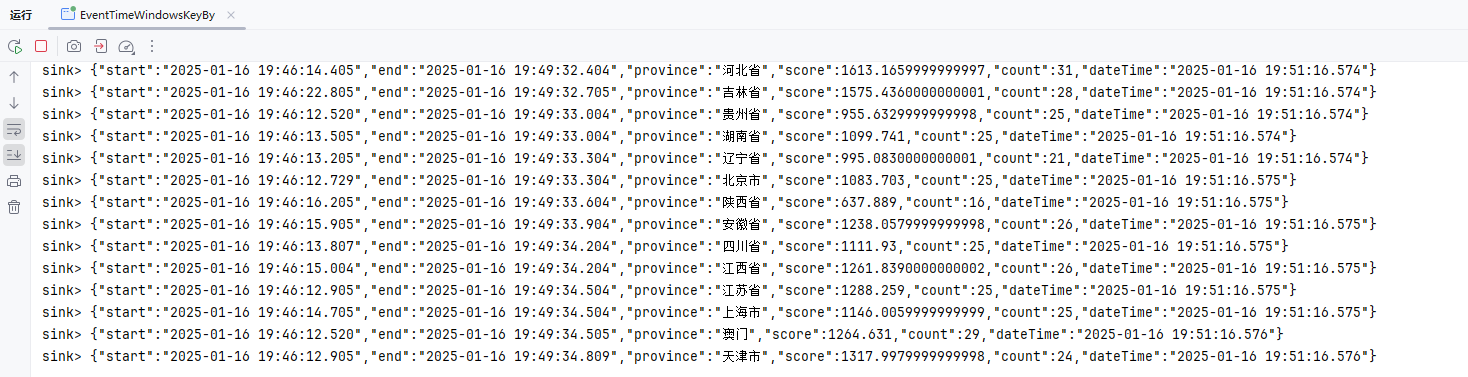
处理时间Window
package local.ateng.java.DataStream.window.session;

import cn.hutool.core.date.DateUtil;
import com.alibaba.fastjson2.JSONArray;
import com.alibaba.fastjson2.JSONObject;
import local.ateng.java.entity.UserInfoEntity;
import org.apache.flink.api.common.eventtime.WatermarkStrategy;
import org.apache.flink.api.common.functions.MapFunction;
import org.apache.flink.api.common.serialization.SimpleStringSchema;
import org.apache.flink.api.java.functions.KeySelector;
import org.apache.flink.connector.kafka.source.KafkaSource;
import org.apache.flink.connector.kafka.source.enumerator.initializer.OffsetsInitializer;
import org.apache.flink.streaming.api.CheckpointingMode;
import org.apache.flink.streaming.api.datastream.DataStreamSource;
import org.apache.flink.streaming.api.datastream.SingleOutputStreamOperator;
import org.apache.flink.streaming.api.environment.StreamExecutionEnvironment;
import org.apache.flink.streaming.api.functions.windowing.AllWindowFunction;
import org.apache.flink.streaming.api.functions.windowing.WindowFunction;
import org.apache.flink.streaming.api.windowing.assigners.ProcessingTimeSessionWindows;
import org.apache.flink.streaming.api.windowing.assigners.SlidingProcessingTimeWindows;
import org.apache.flink.streaming.api.windowing.windows.TimeWindow;
import org.apache.flink.util.Collector;
import org.apache.kafka.clients.consumer.OffsetResetStrategy;

import java.time.Duration;

/**
 * 可以在已经分区的 KeyedStreams 上定义 Window。Window 根据某些特征(例如,最近 5 秒内到达的数据)对每个 key Stream 中的数据进行分组。
 * KeyedStream → WindowedStream → DataStream
 * https://nightlies.apache.org/flink/flink-docs-release-1.19/zh/docs/dev/datastream/operators/overview/#window
 *
 * 这段代码实现了以下功能:
 * Kafka 数据读取:从 Kafka 消费 JSON 格式事件数据。
 * 数据分组:按 province 分组,独立处理每个省份的数据流。
 * 会话窗口:基于 处理时间 的 2 分钟会话窗口。
 * 窗口聚合:
 * 累计每个窗口内的 score 总和和事件数量。
 * 提取窗口时间范围和分组键。
 * 结果输出:将每个窗口的聚合结果输出到控制台。
 * 这种逻辑常用于场景:
 * 实时分析用户行为,按地区(province)统计得分。
 * 分析会话行为,比如用户活跃时间段的统计。
 *
 * @author 孔余
 * @email 2385569970@qq.com
 * @since 2025-01-15
 */
public class ProcessingTimeWindowsKeyBy {

    public static void main(String[] args) throws Exception {
        // 环境准备
        StreamExecutionEnvironment env = StreamExecutionEnvironment.getExecutionEnvironment();
        env.enableCheckpointing(3 * 1000, CheckpointingMode.EXACTLY_ONCE);
        env.setParallelism(1);
        KafkaSource<String> source = KafkaSource.<String>builder()
                .setBootstrapServers("192.168.1.10:9094")
                .setTopics("ateng_flink_json")
                .setGroupId("ateng")
                .setProperty("commit.offsets.on.checkpoint", "true")
                .setProperty("enable.auto.commit", "true")
                .setProperty("auto.commit.interval.ms", "1000")
                .setProperty("partition.discovery.interval.ms", "10000")
                .setStartingOffsets(OffsetsInitializer.committedOffsets(OffsetResetStrategy.EARLIEST))
                .setValueOnlyDeserializer(new SimpleStringSchema())
                .build();

        // 从 Kafka 数据源读取数据,不设置水印策略(处理时间窗口不存在数据乱序问题)
        DataStreamSource<String> streamSource = env.fromSource(source, WatermarkStrategy.noWatermarks(), "Kafka Source");

        // 窗口
        SingleOutputStreamOperator<JSONObject> operator = streamSource
                .map(new MapFunction<String, JSONObject>() {
                    @Override
                    public JSONObject map(String str) throws Exception {
                        UserInfoEntity userInfoEntity = JSONObject.parseObject(str, UserInfoEntity.class);
                        return JSONObject.of(
                                "province", userInfoEntity.getProvince(),
                                "score", userInfoEntity.getScore());
                    }
                })
                .keyBy(new KeySelector<JSONObject, String>() {
                    @Override
                    public String getKey(JSONObject jsonObject) throws Exception {
                        return jsonObject.getString("province");
                    }
                })
                // 会话窗口:2分钟窗口数据
                // 表示会话窗口的间隔为 2 分钟。也就是说,窗口会根据事件之间的时间间隔划分。如果两个事件之间的时间差超过了 2 分钟,那么当前的会话窗口就结束,接下来的事件会形成新的窗口。
                .window(ProcessingTimeSessionWindows.withGap(Duration.ofMinutes(2)))
                .apply(new WindowFunction<JSONObject, JSONObject, String, TimeWindow>() {
                    @Override
                    public void apply(String str, TimeWindow timeWindow, Iterable<JSONObject> iterable, Collector<JSONObject> collector) throws Exception {
                        long start = timeWindow.getStart();
                        long end = timeWindow.getEnd();
                        JSONObject json = JSONObject.of("start", DateUtil.format(DateUtil.date(start), "yyyy-MM-dd HH:mm:ss.SSS"), "end", DateUtil.format(DateUtil.date(end), "yyyy-MM-dd HH:mm:ss.SSS"));
                        Double score = 0.0;
                        Long count = 0L;
                        for (JSONObject jsonObject : iterable) {
                            score += jsonObject.getDouble("score");
                            count++;
                        }
                        json.put("province", str);
                        json.put("score", score);
                        json.put("count", count);
                        json.put("dateTime", DateUtil.format(DateUtil.date(), "yyyy-MM-dd HH:mm:ss.SSS"));
                        collector.collect(json);
                    }
                });
        operator.print("sink");

        // 执行流处理作业
        env.execute("Kafka Stream");
    }

}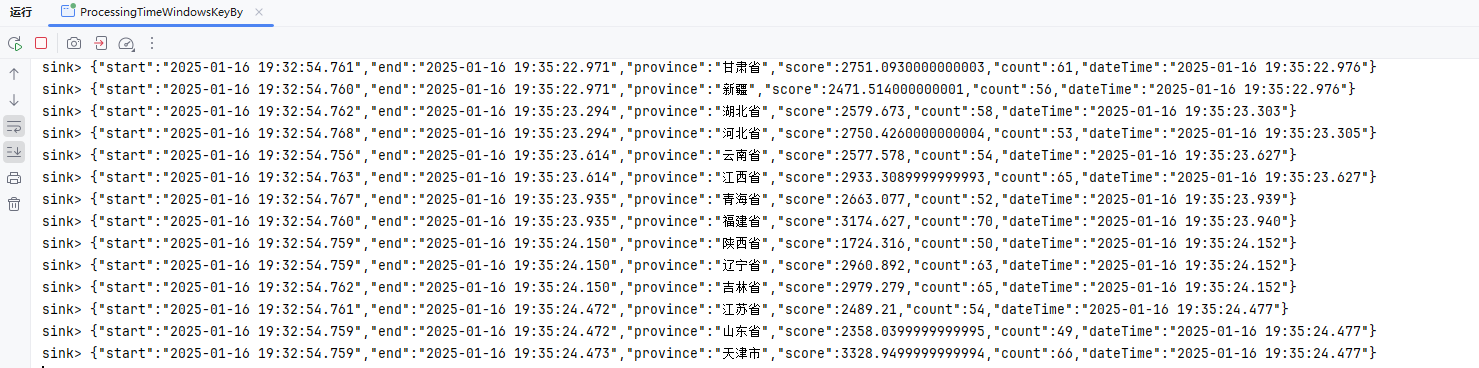
全局窗口 (Global Window)
全局窗口没有固定的大小,所有事件都被视为一个单独的窗口。在没有明确的时间或数量边界的情况下,所有事件都会累积在一个窗口中,直到触发器或其他条件触发计算。通常,开发者需要自定义触发器来决定何时进行计算。全局窗口适用于特殊的计算需求,例如累积所有事件的某些统计信息,或在特定条件下才进行计算。它的灵活性较大,但也需要精心设计触发策略。
参考:官方文档
计数器
使用程序的 CountTrigger 来实现每 100 个事件触发一次窗口计算
        // 窗口
        SingleOutputStreamOperator<JSONObject> operator = streamSource
                .windowAll(GlobalWindows.create())
                .trigger(CountTrigger.of(100))  // 每 100 个事件触发一次窗口计算
                .apply(new AllWindowFunction<String, JSONObject, GlobalWindow>() {
                    @Override
                    public void apply(GlobalWindow globalWindow, Iterable<String> iterable, Collector<JSONObject> collector) throws Exception {
                        JSONObject json = JSONObject.of("maxTimestamp", globalWindow.maxTimestamp());
                        JSONArray jsonArray = JSONArray.of();
                        for (String string : iterable) {
                            jsonArray.add(JSONObject.parseObject(string));
                        }
                        int size = jsonArray.size();
                        json.put("data^", jsonArray.get(0));
                        json.put("data$", jsonArray.get(size - 1));
                        json.put("size", size);
                        json.put("dateTime", DateUtil.format(DateUtil.date(), "yyyy-MM-dd HH:mm:ss.SSS"));
                        collector.collect(json);
                    }
                });
        operator.print("sink");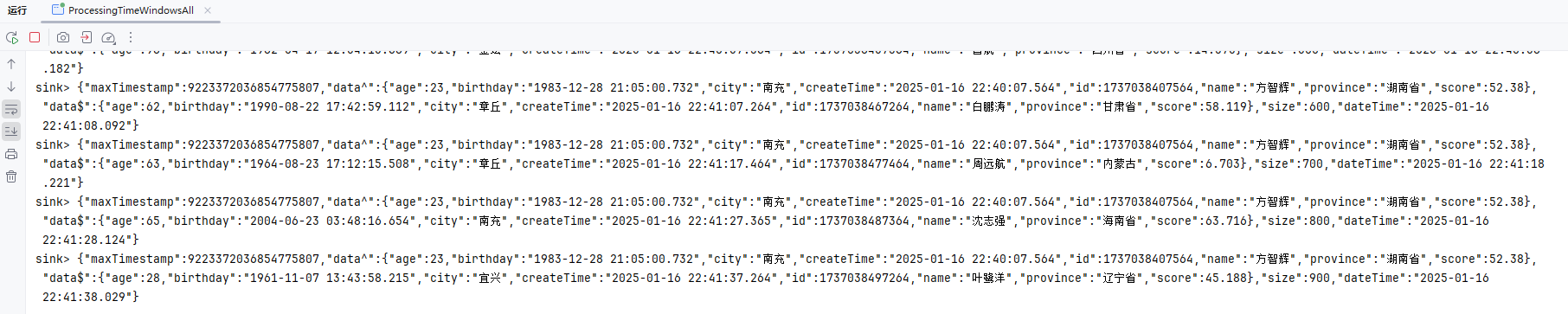
自定义计数器
自定义计数器来实现每 100 个事件触发一次窗口计算
        // 窗口
        SingleOutputStreamOperator<JSONObject> operator = streamSource
                .windowAll(GlobalWindows.create())
                .trigger(new Trigger<String, GlobalWindow>() {
                    @Override
                    public TriggerResult onElement(String element, long timestamp, GlobalWindow window, TriggerContext ctx) throws Exception {
                        // 获取窗口状态
                        ValueState<Long> eventCountState = ctx.getPartitionedState(
                                new ValueStateDescriptor<>("event-count", Long.class));

                        // 获取当前事件计数
                        Long count = eventCountState.value();
                        if (count == null) {
                            count = 0L;
                        }

                        // 更新事件计数
                        count++;

                        // 每当计数器达到阈值 100 时,触发窗口计算并清空窗口数据
                        if (count >= 100) {
                            eventCountState.clear();  // 清空事件计数
                            return TriggerResult.FIRE_AND_PURGE;  // 触发计算并清空窗口数据
                        }

                        // 否则,继续等待更多事件
                        eventCountState.update(count);
                        return TriggerResult.CONTINUE;
                    }

                    @Override
                    public TriggerResult onProcessingTime(long timestamp, GlobalWindow window, TriggerContext ctx) throws Exception {
                        // 基于处理时间触发
                        return TriggerResult.CONTINUE;
                    }

                    @Override
                    public TriggerResult onEventTime(long timestamp, GlobalWindow window, TriggerContext ctx) throws Exception {
                        // 基于事件时间触发
                        return TriggerResult.CONTINUE;
                    }

                    @Override
                    public void clear(GlobalWindow window, TriggerContext ctx) throws Exception {

                    }
                })
                .apply(new AllWindowFunction<String, JSONObject, GlobalWindow>() {
                    @Override
                    public void apply(GlobalWindow globalWindow, Iterable<String> iterable, Collector<JSONObject> collector) throws Exception {
                        JSONObject json = JSONObject.of("maxTimestamp", globalWindow.maxTimestamp());
                        JSONArray jsonArray = JSONArray.of();
                        for (String string : iterable) {
                            jsonArray.add(JSONObject.parseObject(string));
                        }
                        int size = jsonArray.size();
                        json.put("data^", jsonArray.get(0));
                        json.put("data$", jsonArray.get(size - 1));
                        json.put("size", size);
                        json.put("dateTime", DateUtil.format(DateUtil.date(), "yyyy-MM-dd HH:mm:ss.SSS"));
                        collector.collect(json);
                    }
                });
        operator.print("sink");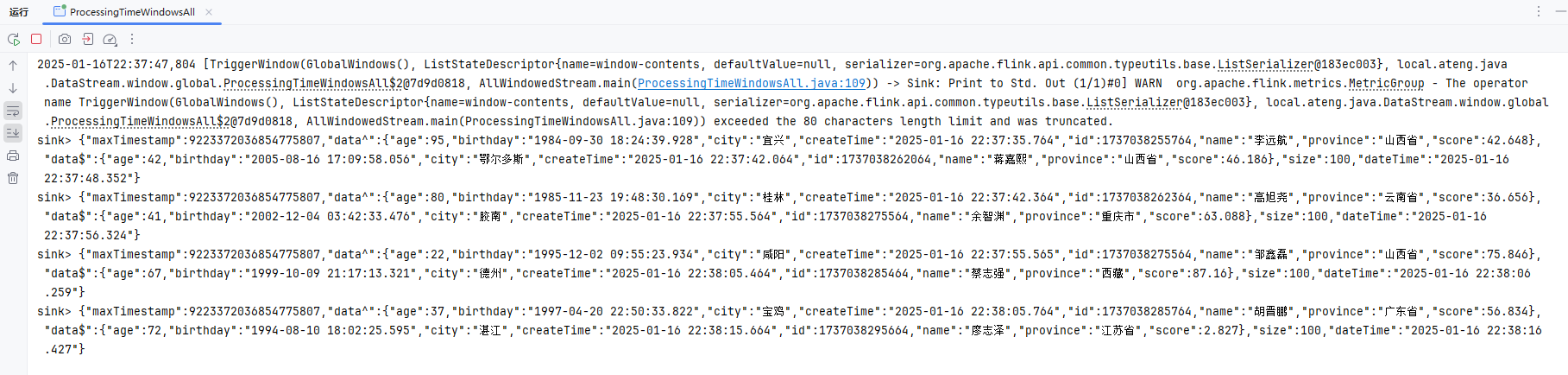
自定义时间窗口
自定义时间窗口来实现 每 1分钟 触发一次窗口计算
        // 窗口
        SingleOutputStreamOperator<JSONObject> operator = streamSource
                .windowAll(GlobalWindows.create())
                .trigger(new Trigger<String, GlobalWindow>() {
                    // 定义窗口长度为60秒
                    private static final long WINDOW_LENGTH = 60 * 1000;

                    @Override
                    public TriggerResult onElement(String element, long timestamp, GlobalWindow window, TriggerContext ctx) throws Exception {
                        // 获取当前处理时间
                        long currentProcessingTime = ctx.getCurrentProcessingTime();

                        // 使用 PartitionedState 存储窗口的状态
                        ValueState<Long> lastTimerState = ctx.getPartitionedState(
                                new ValueStateDescriptor<>("lastTimer", Long.class)
                        );

                        // 如果窗口没有注册过定时器
                        if (lastTimerState.value() == null) {
                            // 计算下一次触发时间:当前时间 + 60秒
                            long nextTriggerTime = currentProcessingTime + WINDOW_LENGTH;

                            // 注册处理时间定时器,60秒后触发
                            ctx.registerProcessingTimeTimer(nextTriggerTime);

                            // 更新窗口状态,标记定时器已注册
                            lastTimerState.update(1L);

                            // 打印下一次定时器触发的时间(调试用)
                            System.out.println("下一次定时器触发时间: " + DateUtil.date(nextTriggerTime));
                        }

                        // 继续等待处理时间触发
                        return TriggerResult.CONTINUE;
                    }

                    @Override
                    public TriggerResult onProcessingTime(long timestamp, GlobalWindow window, TriggerContext ctx) throws Exception {
                        // 执行窗口计算的逻辑
                        //System.out.println("处理时间触发,窗口计算中...");

                        // 清除当前窗口的定时器状态
                        ValueState<Long> lastTimerState = ctx.getPartitionedState(
                                new ValueStateDescriptor<>("lastTimer", Long.class)
                        );

                        // 删除窗口状态中的定时器信息
                        lastTimerState.clear();

                        // 在这里执行窗口计算的逻辑
                        return TriggerResult.FIRE_AND_PURGE; // 触发窗口计算并清除状态
                    }

                    @Override
                    public TriggerResult onEventTime(long timestamp, GlobalWindow window, TriggerContext ctx) throws Exception {
                        // 不设置基于事件时间的触发
                        return TriggerResult.CONTINUE;
                    }

                    @Override
                    public void clear(GlobalWindow window, TriggerContext ctx) throws Exception {

                    }

                })
                .apply(new AllWindowFunction<String, JSONObject, GlobalWindow>() {
                    @Override
                    public void apply(GlobalWindow globalWindow, Iterable<String> iterable, Collector<JSONObject> collector) throws Exception {
                        JSONObject json = JSONObject.of("maxTimestamp", globalWindow.maxTimestamp());
                        JSONArray jsonArray = JSONArray.of();
                        for (String string : iterable) {
                            jsonArray.add(JSONObject.parseObject(string));
                        }
                        int size = jsonArray.size();
                        json.put("data^", jsonArray.get(0));
                        json.put("data$", jsonArray.get(size - 1));
                        json.put("size", size);
                        json.put("dateTime", DateUtil.format(DateUtil.date(), "yyyy-MM-dd HH:mm:ss.SSS"));
                        collector.collect(json);
                    }
                });
operator.print("sink");基于事件时间的时间窗口
基于事件时间,自定义时间窗口来实现 每 1分钟 触发一次窗口计算。
注意数据推积导致事件时间触发机制问题。
package local.ateng.java.DataStream.window.global;

import cn.hutool.core.date.DateUtil;
import cn.hutool.core.date.LocalDateTimeUtil;
import com.alibaba.fastjson2.JSONArray;
import com.alibaba.fastjson2.JSONObject;
import local.ateng.java.entity.UserInfoEntity;
import org.apache.flink.api.common.eventtime.WatermarkStrategy;
import org.apache.flink.api.common.serialization.SimpleStringSchema;
import org.apache.flink.api.common.state.ValueState;
import org.apache.flink.api.common.state.ValueStateDescriptor;
import org.apache.flink.connector.kafka.source.KafkaSource;
import org.apache.flink.connector.kafka.source.enumerator.initializer.OffsetsInitializer;
import org.apache.flink.streaming.api.CheckpointingMode;
import org.apache.flink.streaming.api.datastream.DataStreamSource;
import org.apache.flink.streaming.api.datastream.SingleOutputStreamOperator;
import org.apache.flink.streaming.api.environment.StreamExecutionEnvironment;
import org.apache.flink.streaming.api.functions.windowing.AllWindowFunction;
import org.apache.flink.streaming.api.windowing.assigners.GlobalWindows;
import org.apache.flink.streaming.api.windowing.triggers.Trigger;
import org.apache.flink.streaming.api.windowing.triggers.TriggerResult;
import org.apache.flink.streaming.api.windowing.windows.GlobalWindow;
import org.apache.flink.util.Collector;
import org.apache.kafka.clients.consumer.OffsetResetStrategy;

import java.time.Duration;

/**
 * 可以在普通 DataStream 上定义 Window。 Window 根据某些特征(例如,最近 5 秒内到达的数据)对所有流事件进行分组。
 * DataStream → AllWindowedStream → DataStream
 * https://nightlies.apache.org/flink/flink-docs-release-1.19/zh/docs/dev/datastream/operators/windows/#%e6%bb%91%e5%8a%a8%e7%aa%97%e5%8f%a3sliding-windows
 *
 * 这段代码使用 Flink 从 Kafka 读取消息流
 * 并对消息进行基于事件时间的窗口处理。
 * 窗口大小为 60 秒(1 分钟),每 60 秒触发一次窗口计算,
 * 计算窗口中的数据并输出。
 * 例如,窗口中的第一个元素、最后一个元素、窗口大小以及当前时间都会被输出。
 * @author 孔余
 * @email 2385569970@qq.com
 * @since 2025-01-16
 */
public class EventTimeWindowsAll {

    public static void main(String[] args) throws Exception {
        // 环境准备
        StreamExecutionEnvironment env = StreamExecutionEnvironment.getExecutionEnvironment();
        env.enableCheckpointing(3 * 1000, CheckpointingMode.EXACTLY_ONCE);
        env.setParallelism(1);
        KafkaSource<String> source = KafkaSource.<String>builder()
                .setBootstrapServers("192.168.1.10:9094")
                .setTopics("ateng_flink_json")
                .setGroupId("ateng")
                .setProperty("commit.offsets.on.checkpoint", "true")
                .setProperty("enable.auto.commit", "true")
                .setProperty("auto.commit.interval.ms", "1000")
                .setProperty("partition.discovery.interval.ms", "10000")
                .setStartingOffsets(OffsetsInitializer.committedOffsets(OffsetResetStrategy.EARLIEST))
                .setValueOnlyDeserializer(new SimpleStringSchema())
                .build();

        // 定义水印策略:WatermarkStrategy 可以在 Flink 应用程序中的两处使用,第一种是直接在数据源上使用,第二种是直接在非数据源的操作之后使用。
        // 允许最多 5 秒的事件时间乱序,使用 createTime 字段为事件时间戳(毫秒)
        WatermarkStrategy<String> watermarkStrategy = WatermarkStrategy.<String>forBoundedOutOfOrderness(Duration.ofSeconds(5))
                .withTimestampAssigner(
                        (event, recordTimestamp) -> {
                            // 解析 JSON 格式的事件,并获取事件时间
                            UserInfoEntity user = JSONObject.parseObject(event).toJavaObject(UserInfoEntity.class);
                            long timestamp = LocalDateTimeUtil.toEpochMilli(user.getCreateTime());
                            return timestamp;
                        });

        // 从 Kafka 数据源读取数据,不设置水印策略(处理时间窗口不存在数据乱序问题)
        DataStreamSource<String> streamSource = env.fromSource(source, watermarkStrategy, "Kafka Source");

        // 窗口
        SingleOutputStreamOperator<JSONObject> operator = streamSource
                // 设置水印策略为事件时间
                //.assignTimestampsAndWatermarks(watermarkStrategy)
                .windowAll(GlobalWindows.create())
                .trigger(new Trigger<String, GlobalWindow>() {
                    // 定义窗口长度为60秒
                    private static final long WINDOW_LENGTH = 60 * 1000;

                    @Override
                    public TriggerResult onElement(String element, long timestamp, GlobalWindow window, TriggerContext ctx) throws Exception {
                        // 使用 PartitionedState 存储窗口的状态
                        ValueState<Long> lastTimerState = ctx.getPartitionedState(
                                new ValueStateDescriptor<>("lastTimer", Long.class)
                        );

                        // 如果窗口没有注册过定时器
                        if (lastTimerState.value() == null) {
                            // 计算下一次触发时间:事件时间 + 60秒
                            long nextTriggerTime = timestamp + WINDOW_LENGTH;

                            // 注册事件时间定时器,60秒后触发
                            ctx.registerEventTimeTimer(nextTriggerTime);

                            // 更新窗口状态,标记定时器已注册
                            lastTimerState.update(1L);

                            // 打印下一次定时器触发的时间(调试用)
                            System.out.println("下一次定时器触发时间: " + DateUtil.date(nextTriggerTime));
                        }

                        // 继续等待事件时间触发
                        return TriggerResult.CONTINUE;
                    }

                    @Override
                    public TriggerResult onProcessingTime(long timestamp, GlobalWindow window, TriggerContext ctx) throws Exception {
                        // 不设置基于处理时间的触发
                        return TriggerResult.CONTINUE;
                    }

                    @Override
                    public TriggerResult onEventTime(long timestamp, GlobalWindow window, TriggerContext ctx) throws Exception {
                        // 执行窗口计算的逻辑
                        System.out.println("事件时间触发,窗口计算中...");

                        // 清除当前窗口的定时器状态
                        ValueState<Long> lastTimerState = ctx.getPartitionedState(
                                new ValueStateDescriptor<>("lastTimer", Long.class)
                        );

                        // 删除窗口状态中的定时器信息
                        lastTimerState.clear();

                        // 在这里执行窗口计算的逻辑
                        return TriggerResult.FIRE_AND_PURGE; // 触发窗口计算并清除状态
                    }

                    @Override
                    public void clear(GlobalWindow window, TriggerContext ctx) throws Exception {

                    }

                })
                .apply(new AllWindowFunction<String, JSONObject, GlobalWindow>() {
                    @Override
                    public void apply(GlobalWindow globalWindow, Iterable<String> iterable, Collector<JSONObject> collector) throws Exception {
                        JSONObject json = JSONObject.of("maxTimestamp", globalWindow.maxTimestamp());
                        JSONArray jsonArray = JSONArray.of();
                        for (String string : iterable) {
                            jsonArray.add(JSONObject.parseObject(string));
                        }
                        int size = jsonArray.size();
                        json.put("data^", jsonArray.get(0));
                        json.put("data$", jsonArray.get(size - 1));
                        json.put("size", size);
                        json.put("dateTime", DateUtil.format(DateUtil.date(), "yyyy-MM-dd HH:mm:ss.SSS"));
                        collector.collect(json);
                    }
                });
        operator.print("sink");

        // 执行流处理作业
        env.execute("Kafka Stream");
    }

}窗口函数(Window Functions)
ReduceFunction
ReduceFunction 指定两条输入数据如何合并起来产生一条输出数据,输入和输出数据的类型必须相同。 Flink 使用 ReduceFunction 对窗口中的数据进行增量聚合。
package local.ateng.java.DataStream.window.function;

import com.alibaba.fastjson2.JSONObject;
import local.ateng.java.entity.UserInfoEntity;
import org.apache.flink.api.common.eventtime.WatermarkStrategy;
import org.apache.flink.api.common.functions.MapFunction;
import org.apache.flink.api.common.functions.ReduceFunction;
import org.apache.flink.api.common.serialization.SimpleStringSchema;
import org.apache.flink.api.java.functions.KeySelector;
import org.apache.flink.api.java.tuple.Tuple2;
import org.apache.flink.connector.kafka.source.KafkaSource;
import org.apache.flink.connector.kafka.source.enumerator.initializer.OffsetsInitializer;
import org.apache.flink.streaming.api.CheckpointingMode;
import org.apache.flink.streaming.api.datastream.DataStreamSource;
import org.apache.flink.streaming.api.datastream.SingleOutputStreamOperator;
import org.apache.flink.streaming.api.environment.StreamExecutionEnvironment;
import org.apache.flink.streaming.api.windowing.assigners.TumblingProcessingTimeWindows;
import org.apache.kafka.clients.consumer.OffsetResetStrategy;

import java.time.Duration;

/**
 * ReduceFunction #
 * ReduceFunction 指定两条输入数据如何合并起来产生一条输出数据,输入和输出数据的类型必须相同。 Flink 使用 ReduceFunction 对窗口中的数据进行增量聚合。
 * https://nightlies.apache.org/flink/flink-docs-release-1.19/zh/docs/dev/datastream/operators/windows/#reducefunction
 *
 * @author 孔余
 * @email 2385569970@qq.com
 * @since 2025-01-18
 */
public class WindowsReduceFunction {

    public static void main(String[] args) throws Exception {
        // 环境准备
        StreamExecutionEnvironment env = StreamExecutionEnvironment.getExecutionEnvironment();
        env.enableCheckpointing(3 * 1000, CheckpointingMode.EXACTLY_ONCE);
        env.setParallelism(3);
        KafkaSource<String> source = KafkaSource.<String>builder()
                .setBootstrapServers("192.168.1.10:9094")
                .setTopics("ateng_flink_json")
                .setGroupId("ateng")
                .setProperty("commit.offsets.on.checkpoint", "true")
                .setProperty("enable.auto.commit", "true")
                .setProperty("auto.commit.interval.ms", "1000")
                .setProperty("partition.discovery.interval.ms", "10000")
                .setStartingOffsets(OffsetsInitializer.committedOffsets(OffsetResetStrategy.EARLIEST))
                .setValueOnlyDeserializer(new SimpleStringSchema())
                .build();

        // 从 Kafka 数据源读取数据,不设置水印策略(处理时间窗口不存在数据乱序问题)
        DataStreamSource<String> streamSource = env.fromSource(source, WatermarkStrategy.noWatermarks(), "Kafka Source");

        // 窗口
        SingleOutputStreamOperator<Tuple2<String, Double>> operator = streamSource
                .map(new MapFunction<String, Tuple2<String, Double>>() {
                    @Override
                    public Tuple2<String, Double> map(String str) throws Exception {
                        UserInfoEntity userInfoEntity = JSONObject.parseObject(str, UserInfoEntity.class);
                        return Tuple2.of(userInfoEntity.getProvince(), userInfoEntity.getScore());
                    }
                })
                .keyBy(new KeySelector<Tuple2<String, Double>, String>() {
                    @Override
                    public String getKey(Tuple2<String, Double> t) throws Exception {
                        return t.f0;
                    }
                })
                // 1分钟滚动窗口
                .window(TumblingProcessingTimeWindows.of(Duration.ofMinutes(1)))
                .reduce(new ReduceFunction<Tuple2<String, Double>>() {
                    @Override
                    public Tuple2<String, Double> reduce(Tuple2<String, Double> t1, Tuple2<String, Double> t2) throws Exception {
                        return Tuple2.of(t1.f0, t1.f1 + t2.f1);
                    }
                });
        operator.print("sink");

        // 执行流处理作业
        env.execute("Kafka Stream");
    }

}AggregateFunction
ReduceFunction 是 AggregateFunction 的特殊情况。 AggregateFunction 接收三个类型:输入数据的类型(IN)、累加器的类型(ACC)和输出数据的类型(OUT)。 输入数据的类型是输入流的元素类型,AggregateFunction 接口有如下几个方法: 把每一条元素加进累加器、创建初始累加器、合并两个累加器、从累加器中提取输出(OUT 类型)。与 ReduceFunction 相同,Flink 会在输入数据到达窗口时直接进行增量聚合。
package local.ateng.java.DataStream.window.function;

import com.alibaba.fastjson2.JSONObject;
import local.ateng.java.entity.UserInfoEntity;
import org.apache.flink.api.common.eventtime.WatermarkStrategy;
import org.apache.flink.api.common.functions.AggregateFunction;
import org.apache.flink.api.common.functions.MapFunction;
import org.apache.flink.api.common.serialization.SimpleStringSchema;
import org.apache.flink.api.java.functions.KeySelector;
import org.apache.flink.api.java.tuple.Tuple2;
import org.apache.flink.connector.kafka.source.KafkaSource;
import org.apache.flink.connector.kafka.source.enumerator.initializer.OffsetsInitializer;
import org.apache.flink.streaming.api.CheckpointingMode;
import org.apache.flink.streaming.api.datastream.DataStreamSource;
import org.apache.flink.streaming.api.datastream.SingleOutputStreamOperator;
import org.apache.flink.streaming.api.environment.StreamExecutionEnvironment;
import org.apache.flink.streaming.api.windowing.assigners.TumblingProcessingTimeWindows;
import org.apache.kafka.clients.consumer.OffsetResetStrategy;
import org.slf4j.Logger;
import org.slf4j.LoggerFactory;

import java.time.Duration;

/**
 * AggregateFunction
 * ReduceFunction 是 AggregateFunction 的特殊情况。 AggregateFunction 接收三个类型:输入数据的类型(IN)、累加器的类型(ACC)和输出数据的类型(OUT)。 输入数据的类型是输入流的元素类型,AggregateFunction 接口有如下几个方法: 把每一条元素加进累加器、创建初始累加器、合并两个累加器、从累加器中提取输出(OUT 类型)。
 * 与 ReduceFunction 相同,Flink 会在输入数据到达窗口时直接进行增量聚合。
 * https://nightlies.apache.org/flink/flink-docs-release-1.19/zh/docs/dev/datastream/operators/windows/#aggregatefunction
 *
 * @author 孔余
 * @email 2385569970@qq.com
 * @since 2025-01-18
 */
public class WindowsAggregateFunction {

    public static void main(String[] args) throws Exception {
        // 环境准备
        StreamExecutionEnvironment env = StreamExecutionEnvironment.getExecutionEnvironment();
        env.enableCheckpointing(3 * 1000, CheckpointingMode.EXACTLY_ONCE);
        env.setParallelism(3);
        KafkaSource<String> source = KafkaSource.<String>builder()
                .setBootstrapServers("192.168.1.10:9094")
                .setTopics("ateng_flink_json")
                .setGroupId("ateng")
                .setProperty("commit.offsets.on.checkpoint", "true")
                .setProperty("enable.auto.commit", "true")
                .setProperty("auto.commit.interval.ms", "1000")
                .setProperty("partition.discovery.interval.ms", "10000")
                .setStartingOffsets(OffsetsInitializer.committedOffsets(OffsetResetStrategy.EARLIEST))
                .setValueOnlyDeserializer(new SimpleStringSchema())
                .build();

        // 从 Kafka 数据源读取数据,不设置水印策略(处理时间窗口不存在数据乱序问题)
        DataStreamSource<String> streamSource = env.fromSource(source, WatermarkStrategy.noWatermarks(), "Kafka Source");

        // 窗口
        SingleOutputStreamOperator<Tuple2<String, Double>> operator = streamSource
                .map(new MapFunction<String, Tuple2<String, Double>>() {
                    @Override
                    public Tuple2<String, Double> map(String str) throws Exception {
                        UserInfoEntity userInfoEntity = JSONObject.parseObject(str, UserInfoEntity.class);
                        return Tuple2.of(userInfoEntity.getProvince(), userInfoEntity.getScore());
                    }
                })
                .keyBy(new KeySelector<Tuple2<String, Double>, String>() {
                    @Override
                    public String getKey(Tuple2<String, Double> t) throws Exception {
                        return t.f0;
                    }
                })
                // 1分钟滚动窗口
                .window(TumblingProcessingTimeWindows.of(Duration.ofMinutes(1)))
                .aggregate(new AggregateFunction<Tuple2<String, Double>, Tuple2<String, Double>, Tuple2<String, Double>>() {

                    // 初始化聚合值,返回初始状态
                    @Override
                    public Tuple2<String, Double> createAccumulator() {
                        return Tuple2.of("", 0.0);
                    }

                    // 增量聚合阶段:根据每个输入值更新聚合值
                    @Override
                    public Tuple2<String, Double> add(Tuple2<String, Double> t1, Tuple2<String, Double> t2) {
                        return Tuple2.of(t1.f0, t1.f1 + t2.f1);
                    }

                    // 最终聚合阶段:输出聚合结果
                    @Override
                    public Tuple2<String, Double> getResult(Tuple2<String, Double> t) {
                        return t;
                    }

                    // 合并聚合状态:如果窗口分为多个子窗口,这里合并不同的状态
                    @Override
                    public Tuple2<String, Double> merge(Tuple2<String, Double> t1, Tuple2<String, Double> t2) {
                        return Tuple2.of(t1.f0, t1.f1 + t2.f1);
                    }
                });
        operator.print("sink");

        // 执行流处理作业
        env.execute("Kafka Stream");
    }

}ProcessWindowFunction
ProcessWindowFunction 有能获取包含窗口内所有元素的 Iterable, 以及用来获取时间和状态信息的 Context 对象,比其他窗口函数更加灵活。 ProcessWindowFunction 的灵活性是以性能和资源消耗为代价的, 因为窗口中的数据无法被增量聚合,而需要在窗口触发前缓存所有数据。
package local.ateng.java.DataStream.window.function;

import cn.hutool.core.date.DateUtil;
import cn.hutool.core.util.StrUtil;
import com.alibaba.fastjson2.JSONObject;
import local.ateng.java.entity.UserInfoEntity;
import org.apache.flink.api.common.eventtime.WatermarkStrategy;
import org.apache.flink.api.common.functions.MapFunction;
import org.apache.flink.api.common.serialization.SimpleStringSchema;
import org.apache.flink.api.java.functions.KeySelector;
import org.apache.flink.api.java.tuple.Tuple1;
import org.apache.flink.api.java.tuple.Tuple2;
import org.apache.flink.connector.kafka.source.KafkaSource;
import org.apache.flink.connector.kafka.source.enumerator.initializer.OffsetsInitializer;
import org.apache.flink.streaming.api.CheckpointingMode;
import org.apache.flink.streaming.api.datastream.DataStreamSource;
import org.apache.flink.streaming.api.datastream.SingleOutputStreamOperator;
import org.apache.flink.streaming.api.environment.StreamExecutionEnvironment;
import org.apache.flink.streaming.api.functions.windowing.ProcessWindowFunction;
import org.apache.flink.streaming.api.windowing.assigners.TumblingProcessingTimeWindows;
import org.apache.flink.streaming.api.windowing.windows.TimeWindow;
import org.apache.flink.util.Collector;
import org.apache.kafka.clients.consumer.OffsetResetStrategy;

import java.time.Duration;

/**
 * ProcessWindowFunction #
 * ProcessWindowFunction 有能获取包含窗口内所有元素的 Iterable, 以及用来获取时间和状态信息的 Context 对象,比其他窗口函数更加灵活。
 * ProcessWindowFunction 的灵活性是以性能和资源消耗为代价的, 因为窗口中的数据无法被增量聚合,而需要在窗口触发前缓存所有数据。
 * https://nightlies.apache.org/flink/flink-docs-release-1.19/zh/docs/dev/datastream/operators/windows/#processwindowfunction
 *
 * @author 孔余
 * @email 2385569970@qq.com
 * @since 2025-01-18
 */
public class WindowsProcessFunction {

    public static void main(String[] args) throws Exception {
        // 环境准备
        StreamExecutionEnvironment env = StreamExecutionEnvironment.getExecutionEnvironment();
        env.enableCheckpointing(3 * 1000, CheckpointingMode.EXACTLY_ONCE);
        env.setParallelism(3);
        KafkaSource<String> source = KafkaSource.<String>builder()
                .setBootstrapServers("192.168.1.10:9094")
                .setTopics("ateng_flink_json")
                .setGroupId("ateng")
                .setProperty("commit.offsets.on.checkpoint", "true")
                .setProperty("enable.auto.commit", "true")
                .setProperty("auto.commit.interval.ms", "1000")
                .setProperty("partition.discovery.interval.ms", "10000")
                .setStartingOffsets(OffsetsInitializer.committedOffsets(OffsetResetStrategy.EARLIEST))
                .setValueOnlyDeserializer(new SimpleStringSchema())
                .build();

        // 从 Kafka 数据源读取数据,不设置水印策略(处理时间窗口不存在数据乱序问题)
        DataStreamSource<String> streamSource = env.fromSource(source, WatermarkStrategy.noWatermarks(), "Kafka Source");

        // 窗口
        SingleOutputStreamOperator<Tuple1<String>> operator = streamSource
                .map(new MapFunction<String, Tuple2<String, Double>>() {
                    @Override
                    public Tuple2<String, Double> map(String str) throws Exception {
                        UserInfoEntity userInfoEntity = JSONObject.parseObject(str, UserInfoEntity.class);
                        return Tuple2.of(userInfoEntity.getProvince(), userInfoEntity.getScore());
                    }
                })
                .keyBy(new KeySelector<Tuple2<String, Double>, String>() {
                    @Override
                    public String getKey(Tuple2<String, Double> t) throws Exception {
                        return t.f0;
                    }
                })
                // 1分钟滚动窗口
                .window(TumblingProcessingTimeWindows.of(Duration.ofMinutes(1)))
                .process(new ProcessWindowFunction<Tuple2<String, Double>, Tuple1<String>, String, TimeWindow>() {
                    @Override
                    public void process(String key, Context context, Iterable<Tuple2<String, Double>> iterable, Collector<Tuple1<String>> collector) throws Exception {
                        long windowStart = context.window().getStart();  // 窗口的开始时间
                        long windowEnd = context.window().getEnd();      // 窗口的结束时间
                        long currentProcessingTime = context.currentProcessingTime();  // 获取当前处理时间
                        long currentWatermark = context.currentWatermark();  // 获取当前水位线
                        Double score = 0.0;
                        for (Tuple2<String, Double> t : iterable) {
                            score += t.f1;
                        }
                        String string = StrUtil.format("windowStart={},windowEnd={},currentProcessingTime={},currentWatermark={},data={}",
                                DateUtil.date(windowStart), DateUtil.date(windowEnd),
                                DateUtil.date(currentProcessingTime), DateUtil.date(currentWatermark),
                                key + ":" + score);
                        collector.collect(Tuple1.of(string));
                    }
                });
        operator.print("sink");

        // 执行流处理作业
        env.execute("Kafka Stream");
    }

}ApplyWindowFunction
在某些可以使用 ProcessWindowFunction 的地方,你也可以使用 WindowFunction。 它是旧版的 ProcessWindowFunction,只能提供更少的环境信息且缺少一些高级的功能,比如 per-window state。 这个接口会在未来被弃用。
package local.ateng.java.DataStream.window.function;

import cn.hutool.core.date.DateUtil;
import cn.hutool.core.util.StrUtil;
import com.alibaba.fastjson2.JSONObject;
import local.ateng.java.entity.UserInfoEntity;
import org.apache.flink.api.common.eventtime.WatermarkStrategy;
import org.apache.flink.api.common.functions.MapFunction;
import org.apache.flink.api.common.serialization.SimpleStringSchema;
import org.apache.flink.api.java.functions.KeySelector;
import org.apache.flink.api.java.tuple.Tuple1;
import org.apache.flink.api.java.tuple.Tuple2;
import org.apache.flink.connector.kafka.source.KafkaSource;
import org.apache.flink.connector.kafka.source.enumerator.initializer.OffsetsInitializer;
import org.apache.flink.streaming.api.CheckpointingMode;
import org.apache.flink.streaming.api.datastream.DataStreamSource;
import org.apache.flink.streaming.api.datastream.SingleOutputStreamOperator;
import org.apache.flink.streaming.api.environment.StreamExecutionEnvironment;
import org.apache.flink.streaming.api.functions.windowing.ProcessWindowFunction;
import org.apache.flink.streaming.api.functions.windowing.WindowFunction;
import org.apache.flink.streaming.api.windowing.assigners.TumblingProcessingTimeWindows;
import org.apache.flink.streaming.api.windowing.windows.TimeWindow;
import org.apache.flink.util.Collector;
import org.apache.kafka.clients.consumer.OffsetResetStrategy;

import java.time.Duration;

/**
 * WindowFunction(已过时)
 * 在某些可以使用 ProcessWindowFunction 的地方,你也可以使用 WindowFunction。
 * 它是旧版的 ProcessWindowFunction,只能提供更少的环境信息且缺少一些高级的功能,比如 per-window state。 这个接口会在未来被弃用。
 *
 * https://nightlies.apache.org/flink/flink-docs-release-1.19/zh/docs/dev/datastream/operators/windows/#windowfunction%e5%b7%b2%e8%bf%87%e6%97%b6
 *
 * @author 孔余
 * @email 2385569970@qq.com
 * @since 2025-01-18
 */
public class WindowsApplyFunction {

    public static void main(String[] args) throws Exception {
        // 环境准备
        StreamExecutionEnvironment env = StreamExecutionEnvironment.getExecutionEnvironment();
        env.enableCheckpointing(3 * 1000, CheckpointingMode.EXACTLY_ONCE);
        env.setParallelism(3);
        KafkaSource<String> source = KafkaSource.<String>builder()
                .setBootstrapServers("192.168.1.10:9094")
                .setTopics("ateng_flink_json")
                .setGroupId("ateng")
                .setProperty("commit.offsets.on.checkpoint", "true")
                .setProperty("enable.auto.commit", "true")
                .setProperty("auto.commit.interval.ms", "1000")
                .setProperty("partition.discovery.interval.ms", "10000")
                .setStartingOffsets(OffsetsInitializer.committedOffsets(OffsetResetStrategy.EARLIEST))
                .setValueOnlyDeserializer(new SimpleStringSchema())
                .build();

        // 从 Kafka 数据源读取数据,不设置水印策略(处理时间窗口不存在数据乱序问题)
        DataStreamSource<String> streamSource = env.fromSource(source, WatermarkStrategy.noWatermarks(), "Kafka Source");

        // 窗口
        SingleOutputStreamOperator<Tuple1<String>> operator = streamSource
                .map(new MapFunction<String, Tuple2<String, Double>>() {
                    @Override
                    public Tuple2<String, Double> map(String str) throws Exception {
                        UserInfoEntity userInfoEntity = JSONObject.parseObject(str, UserInfoEntity.class);
                        return Tuple2.of(userInfoEntity.getProvince(), userInfoEntity.getScore());
                    }
                })
                .keyBy(new KeySelector<Tuple2<String, Double>, String>() {
                    @Override
                    public String getKey(Tuple2<String, Double> t) throws Exception {
                        return t.f0;
                    }
                })
                // 1分钟滚动窗口
                .window(TumblingProcessingTimeWindows.of(Duration.ofMinutes(1)))
                .apply(new WindowFunction<Tuple2<String, Double>, Tuple1<String>, String, TimeWindow>() {
                    @Override
                    public void apply(String key, TimeWindow timeWindow, Iterable<Tuple2<String, Double>> iterable, Collector<Tuple1<String>> collector) throws Exception {
                        long windowStart = timeWindow.getStart();  // 窗口的开始时间
                        long windowEnd = timeWindow.getEnd();      // 窗口的结束时间
                        Double score = 0.0;
                        for (Tuple2<String, Double> t : iterable) {
                            score += t.f1;
                        }
                        String string = StrUtil.format("windowStart={},windowEnd={},data={}",
                                DateUtil.date(windowStart), DateUtil.date(windowEnd),
                                key + ":" + score);
                        collector.collect(Tuple1.of(string));
                    }
                });
        operator.print("sink");

        // 执行流处理作业
        env.execute("Kafka Stream");
    }

}ReduceProcessFunction
增量聚合的 ProcessWindowFunction
ProcessWindowFunction 可以与 ReduceFunction 或 AggregateFunction 搭配使用, 使其能够在数据到达窗口的时候进行增量聚合。当窗口关闭时,ProcessWindowFunction 将会得到聚合的结果。 这样它就可以增量聚合窗口的元素并且从 ProcessWindowFunction` 中获得窗口的元数据。
package local.ateng.java.DataStream.window.function;

import cn.hutool.core.date.DateUtil;
import cn.hutool.core.util.StrUtil;
import com.alibaba.fastjson2.JSONObject;
import local.ateng.java.entity.UserInfoEntity;
import org.apache.flink.api.common.eventtime.WatermarkStrategy;
import org.apache.flink.api.common.functions.MapFunction;
import org.apache.flink.api.common.functions.ReduceFunction;
import org.apache.flink.api.common.serialization.SimpleStringSchema;
import org.apache.flink.api.java.functions.KeySelector;
import org.apache.flink.api.java.tuple.Tuple1;
import org.apache.flink.api.java.tuple.Tuple2;
import org.apache.flink.connector.kafka.source.KafkaSource;
import org.apache.flink.connector.kafka.source.enumerator.initializer.OffsetsInitializer;
import org.apache.flink.streaming.api.CheckpointingMode;
import org.apache.flink.streaming.api.datastream.DataStreamSource;
import org.apache.flink.streaming.api.datastream.SingleOutputStreamOperator;
import org.apache.flink.streaming.api.environment.StreamExecutionEnvironment;
import org.apache.flink.streaming.api.functions.windowing.ProcessWindowFunction;
import org.apache.flink.streaming.api.windowing.assigners.TumblingProcessingTimeWindows;
import org.apache.flink.streaming.api.windowing.windows.TimeWindow;
import org.apache.flink.util.Collector;
import org.apache.kafka.clients.consumer.OffsetResetStrategy;

import java.time.Duration;

/**
 * 增量聚合的 ProcessWindowFunction
 * ProcessWindowFunction 可以与 ReduceFunction 或 AggregateFunction 搭配使用, 使其能够在数据到达窗口的时候进行增量聚合。当窗口关闭时,ProcessWindowFunction 将会得到聚合的结果。
 * 这样它就可以增量聚合窗口的元素并且从 ProcessWindowFunction` 中获得窗口的元数据。
 * https://nightlies.apache.org/flink/flink-docs-release-1.19/zh/docs/dev/datastream/operators/windows/#%e5%a2%9e%e9%87%8f%e8%81%9a%e5%90%88%e7%9a%84-processwindowfunction
 *
 * @author 孔余
 * @email 2385569970@qq.com
 * @since 2025-01-18
 */
public class WindowsReduceProcessFunction {

    public static void main(String[] args) throws Exception {
        // 环境准备
        StreamExecutionEnvironment env = StreamExecutionEnvironment.getExecutionEnvironment();
        env.enableCheckpointing(3 * 1000, CheckpointingMode.EXACTLY_ONCE);
        env.setParallelism(3);
        KafkaSource<String> source = KafkaSource.<String>builder()
                .setBootstrapServers("192.168.1.10:9094")
                .setTopics("ateng_flink_json")
                .setGroupId("ateng")
                .setProperty("commit.offsets.on.checkpoint", "true")
                .setProperty("enable.auto.commit", "true")
                .setProperty("auto.commit.interval.ms", "1000")
                .setProperty("partition.discovery.interval.ms", "10000")
                .setStartingOffsets(OffsetsInitializer.committedOffsets(OffsetResetStrategy.EARLIEST))
                .setValueOnlyDeserializer(new SimpleStringSchema())
                .build();

        // 从 Kafka 数据源读取数据,不设置水印策略(处理时间窗口不存在数据乱序问题)
        DataStreamSource<String> streamSource = env.fromSource(source, WatermarkStrategy.noWatermarks(), "Kafka Source");

        // 窗口
        SingleOutputStreamOperator<Tuple1<String>> operator = streamSource
                .map(new MapFunction<String, Tuple2<String, Double>>() {
                    @Override
                    public Tuple2<String, Double> map(String str) throws Exception {
                        UserInfoEntity userInfoEntity = JSONObject.parseObject(str, UserInfoEntity.class);
                        return Tuple2.of(userInfoEntity.getProvince(), userInfoEntity.getScore());
                    }
                })
                .keyBy(new KeySelector<Tuple2<String, Double>, String>() {
                    @Override
                    public String getKey(Tuple2<String, Double> t) throws Exception {
                        return t.f0;
                    }
                })
                // 1分钟滚动窗口
                .window(TumblingProcessingTimeWindows.of(Duration.ofMinutes(1)))
                .reduce(new ReduceFunction<Tuple2<String, Double>>() {
                    @Override
                    public Tuple2<String, Double> reduce(Tuple2<String, Double> t1, Tuple2<String, Double> t2) throws Exception {
                        return Tuple2.of(t1.f0, t1.f1 + t2.f1);
                    }
                }, new ProcessWindowFunction<Tuple2<String, Double>, Tuple1<String>, String, TimeWindow>() {
                    @Override
                    public void process(String key, Context context, Iterable<Tuple2<String, Double>> iterable, Collector<Tuple1<String>> collector) throws Exception {
                        long windowStart = context.window().getStart();  // 窗口的开始时间
                        long windowEnd = context.window().getEnd();      // 窗口的结束时间
                        long currentProcessingTime = context.currentProcessingTime();  // 获取当前处理时间
                        long currentWatermark = context.currentWatermark();  // 获取当前水位线
                        // ReduceFunction 已经聚合的结果通过 ProcessWindowFunction 处理,所有iterable这里只有一个值
                        Tuple2<String, Double> t = iterable.iterator().next();
                        String string = StrUtil.format("windowStart={},windowEnd={},currentProcessingTime={},currentWatermark={},data={},size={}",
                                DateUtil.date(windowStart), DateUtil.date(windowEnd),
                                DateUtil.date(currentProcessingTime), DateUtil.date(currentWatermark),
                                key + ":" + t.f0 + ":" + t.f1, iterable.spliterator().estimateSize());
                        collector.collect(Tuple1.of(string));
                    }
                });
        operator.print("sink");

        // 执行流处理作业
        env.execute("Kafka Stream");
    }

}AggregateProcessFunction
增量聚合的 ProcessWindowFunction
ProcessWindowFunction 可以与 ReduceFunction 或 AggregateFunction 搭配使用, 使其能够在数据到达窗口的时候进行增量聚合。当窗口关闭时,ProcessWindowFunction 将会得到聚合的结果。 这样它就可以增量聚合窗口的元素并且从 ProcessWindowFunction` 中获得窗口的元数据。
package local.ateng.java.DataStream.window.function;

import cn.hutool.core.date.DateUtil;
import cn.hutool.core.util.StrUtil;
import com.alibaba.fastjson2.JSONObject;
import local.ateng.java.entity.UserInfoEntity;
import org.apache.flink.api.common.eventtime.WatermarkStrategy;
import org.apache.flink.api.common.functions.AggregateFunction;
import org.apache.flink.api.common.functions.MapFunction;
import org.apache.flink.api.common.serialization.SimpleStringSchema;
import org.apache.flink.api.java.functions.KeySelector;
import org.apache.flink.api.java.tuple.Tuple1;
import org.apache.flink.api.java.tuple.Tuple2;
import org.apache.flink.connector.kafka.source.KafkaSource;
import org.apache.flink.connector.kafka.source.enumerator.initializer.OffsetsInitializer;
import org.apache.flink.streaming.api.CheckpointingMode;
import org.apache.flink.streaming.api.datastream.DataStreamSource;
import org.apache.flink.streaming.api.datastream.SingleOutputStreamOperator;
import org.apache.flink.streaming.api.environment.StreamExecutionEnvironment;
import org.apache.flink.streaming.api.functions.windowing.ProcessWindowFunction;
import org.apache.flink.streaming.api.windowing.assigners.TumblingProcessingTimeWindows;
import org.apache.flink.streaming.api.windowing.windows.TimeWindow;
import org.apache.flink.util.Collector;
import org.apache.kafka.clients.consumer.OffsetResetStrategy;

import java.time.Duration;

/**
 * 增量聚合的 ProcessWindowFunction
 * ProcessWindowFunction 可以与 ReduceFunction 或 AggregateFunction 搭配使用, 使其能够在数据到达窗口的时候进行增量聚合。当窗口关闭时,ProcessWindowFunction 将会得到聚合的结果。
 * 这样它就可以增量聚合窗口的元素并且从 ProcessWindowFunction` 中获得窗口的元数据。
 * https://nightlies.apache.org/flink/flink-docs-release-1.19/zh/docs/dev/datastream/operators/windows/#%e5%a2%9e%e9%87%8f%e8%81%9a%e5%90%88%e7%9a%84-processwindowfunction
 *
 * @author 孔余
 * @email 2385569970@qq.com
 * @since 2025-01-18
 */
public class WindowsAggregateProcessFunction {

    public static void main(String[] args) throws Exception {
        // 环境准备
        StreamExecutionEnvironment env = StreamExecutionEnvironment.getExecutionEnvironment();
        env.enableCheckpointing(3 * 1000, CheckpointingMode.EXACTLY_ONCE);
        env.setParallelism(3);
        KafkaSource<String> source = KafkaSource.<String>builder()
                .setBootstrapServers("192.168.1.10:9094")
                .setTopics("ateng_flink_json")
                .setGroupId("ateng")
                .setProperty("commit.offsets.on.checkpoint", "true")
                .setProperty("enable.auto.commit", "true")
                .setProperty("auto.commit.interval.ms", "1000")
                .setProperty("partition.discovery.interval.ms", "10000")
                .setStartingOffsets(OffsetsInitializer.committedOffsets(OffsetResetStrategy.EARLIEST))
                .setValueOnlyDeserializer(new SimpleStringSchema())
                .build();

        // 从 Kafka 数据源读取数据,不设置水印策略(处理时间窗口不存在数据乱序问题)
        DataStreamSource<String> streamSource = env.fromSource(source, WatermarkStrategy.noWatermarks(), "Kafka Source");

        // 窗口
        SingleOutputStreamOperator<Tuple1<String>> operator = streamSource
                .map(new MapFunction<String, Tuple2<String, Double>>() {
                    @Override
                    public Tuple2<String, Double> map(String str) throws Exception {
                        UserInfoEntity userInfoEntity = JSONObject.parseObject(str, UserInfoEntity.class);
                        return Tuple2.of(userInfoEntity.getProvince(), userInfoEntity.getScore());
                    }
                })
                .keyBy(new KeySelector<Tuple2<String, Double>, String>() {
                    @Override
                    public String getKey(Tuple2<String, Double> t) throws Exception {
                        return t.f0;
                    }
                })
                // 1分钟滚动窗口
                .window(TumblingProcessingTimeWindows.of(Duration.ofMinutes(1)))
                .aggregate(new AggregateFunction<Tuple2<String, Double>, Tuple2<String, Double>, Tuple2<String, Double>>() {

                    // 初始化聚合值,返回初始状态
                    @Override
                    public Tuple2<String, Double> createAccumulator() {
                        return Tuple2.of("", 0.0);
                    }

                    // 增量聚合阶段:根据每个输入值更新聚合值
                    @Override
                    public Tuple2<String, Double> add(Tuple2<String, Double> t1, Tuple2<String, Double> t2) {
                        return Tuple2.of(t1.f0, t1.f1 + t2.f1);
                    }

                    // 最终聚合阶段:输出聚合结果
                    @Override
                    public Tuple2<String, Double> getResult(Tuple2<String, Double> t) {
                        return t;
                    }

                    // 合并聚合状态:如果窗口分为多个子窗口,这里合并不同的状态
                    @Override
                    public Tuple2<String, Double> merge(Tuple2<String, Double> t1, Tuple2<String, Double> t2) {
                        return Tuple2.of(t1.f0, t1.f1 + t2.f1);
                    }
                }, new ProcessWindowFunction<Tuple2<String, Double>, Tuple1<String>, String, TimeWindow>() {
                    @Override
                    public void process(String key, Context context, Iterable<Tuple2<String, Double>> iterable, Collector<Tuple1<String>> collector) throws Exception {
                        long windowStart = context.window().getStart();  // 窗口的开始时间
                        long windowEnd = context.window().getEnd();      // 窗口的结束时间
                        long currentProcessingTime = context.currentProcessingTime();  // 获取当前处理时间
                        long currentWatermark = context.currentWatermark();  // 获取当前水位线
                        // ReduceFunction 已经聚合的结果通过 ProcessWindowFunction 处理,所有iterable这里只有一个值
                        Tuple2<String, Double> t = iterable.iterator().next();
                        String string = StrUtil.format("windowStart={},windowEnd={},currentProcessingTime={},currentWatermark={},data={},size={}",
                                DateUtil.date(windowStart), DateUtil.date(windowEnd),
                                DateUtil.date(currentProcessingTime), DateUtil.date(currentWatermark),
                                key + ":" + t.f0 + ":" + t.f1, iterable.spliterator().estimateSize());
                        collector.collect(Tuple1.of(string));
                    }
                });
        operator.print("sink");

        // 执行流处理作业
        env.execute("Kafka Stream");
    }

}Table API
Table API 是批处理和流处理的统一的关系型 API。Table API 的查询不需要修改代码就可以采用批输入或流输入来运行。Table API 是 SQL 语言的超集,并且是针对 Apache Flink 专门设计的。Table API 集成了 Scala,Java 和 Python 语言的 API。Table API 的查询是使用 Java,Scala 或 Python 语言嵌入的风格定义的,有诸如自动补全和语法校验的 IDE 支持,而不是像普通 SQL 一样使用字符串类型的值来指定查询。
参考:官方文档
添加依赖
<!-- Apache Flink Table API & SQL -->
<dependency>
    <groupId>org.apache.flink</groupId>
    <artifactId>flink-table-api-java-bridge</artifactId>
    <version>${flink.version}</version>
    <scope>provided</scope>
</dependency>
<dependency>
    <groupId>org.apache.flink</groupId>
    <artifactId>flink-table-planner-loader</artifactId>
    <version>${flink.version}</version>
    <scope>provided</scope>
</dependency>
<dependency>
    <groupId>org.apache.flink</groupId>
    <artifactId>flink-table-runtime</artifactId>
    <version>${flink.version}</version>
    <scope>provided</scope>
</dependency>

<!-- Flink SQL parquet 格式 -->
<dependency>
    <groupId>org.apache.flink</groupId>
    <artifactId>flink-sql-parquet</artifactId>
    <version>${flink.version}</version>
    <scope>provided</scope>
</dependency>
<!-- Flink SQL csv 格式 -->
<dependency>
    <groupId>org.apache.flink</groupId>
    <artifactId>flink-sql-csv</artifactId>
    <version>${flink.version}</version>
    <scope>provided</scope>
</dependency>
<!-- Flink SQL json 格式 -->
<dependency>
    <groupId>org.apache.flink</groupId>
    <artifactId>flink-sql-json</artifactId>
    <version>${flink.version}</version>
    <scope>provided</scope>
</dependency>查询
基础查询
使用datagen
package local.ateng.java.TableAPI.query;

import org.apache.flink.connector.datagen.table.DataGenConnectorOptions;
import org.apache.flink.streaming.api.environment.StreamExecutionEnvironment;
import org.apache.flink.table.api.*;
import org.apache.flink.table.api.bridge.java.StreamTableEnvironment;

import static org.apache.flink.table.api.Expressions.*;

public class TableAPIQueryAll {
    public static void main(String[] args) throws Exception {
        // 创建流式执行环境
        StreamExecutionEnvironment env = StreamExecutionEnvironment.getExecutionEnvironment();
        // 设置并行度为 1
        env.setParallelism(1);

        // 创建流式表环境
        StreamTableEnvironment tableEnv = StreamTableEnvironment.create(env);

        // 使用 TableDescriptor 定义数据源
        final TableDescriptor sourceDescriptor = TableDescriptor.forConnector("datagen")
                .schema(Schema.newBuilder()
                        .column("id", DataTypes.BIGINT())
                        .column("name", DataTypes.STRING())
                        .column("age", DataTypes.INT())
                        .column("score", DataTypes.DOUBLE())
                        .column("birthday ", DataTypes.DATE())
                        .column("province", DataTypes.STRING())
                        .column("city", DataTypes.STRING())
                        .column("create_time", DataTypes.TIMESTAMP_LTZ())
                        .build())
                .option(DataGenConnectorOptions.ROWS_PER_SECOND, 1L)  // 每秒生成1条数据
                // 配置字段的生成约束
                .option("fields.id.min", "1")  // id 最小值
                .option("fields.id.max", "1000")  // id 最大值
                .option("fields.name.length", "10")  // name 字符串长度 10
                .option("fields.age.min", "18")  // age 最小值 18
                .option("fields.age.max", "80")  // age 最大值 80
                .option("fields.score.min", "50.0")  // score 最小值 50.0
                .option("fields.score.max", "100.0")  // score 最大值 100.0
                .option("fields.province.length", "5")  // province 字符串长度 5
                .option("fields.city.length", "5")  // city 字符串长度 5
                .build();

        // 创建一个临时表 'my_user',这个表通过 data generator 连接器读取数据
        tableEnv.createTemporaryTable("my_user", sourceDescriptor);

        // 使用 Table API 读取表
        Table table = tableEnv.from("my_user");

        // 选择表中的所有列
        Table result = table.select($("*"));

        // 执行操作
        TableResult tableResult = result.execute();

        // 打印结果
        tableResult.print();

        // 执行任务
        env.execute("TableAPI使用示例");
    }
}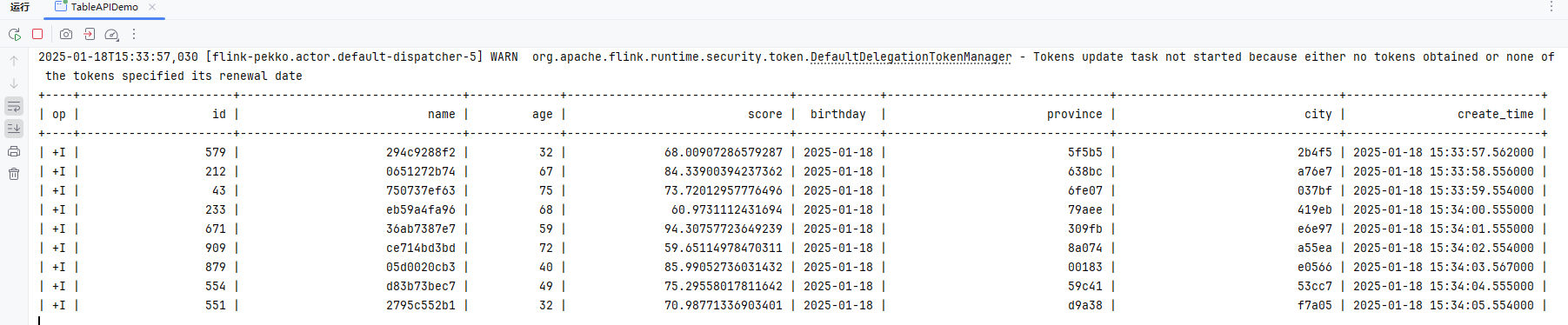
使用kafka
使用kafka中的数据
package local.ateng.java.TableAPI.query;

import org.apache.flink.streaming.api.environment.StreamExecutionEnvironment;
import org.apache.flink.table.api.*;
import org.apache.flink.table.api.bridge.java.StreamTableEnvironment;

import static org.apache.flink.table.api.Expressions.$;

public class TableAPIQueryAllKafka {
    public static void main(String[] args) throws Exception {
        // 创建流式执行环境
        StreamExecutionEnvironment env = StreamExecutionEnvironment.getExecutionEnvironment();
        // 设置并行度为 3
        env.setParallelism(3);

        // 创建流式表环境
        StreamTableEnvironment tableEnv = StreamTableEnvironment.create(env);

        // 使用 TableDescriptor 定义 Kafka 数据源
        TableDescriptor sourceDescriptor = TableDescriptor.forConnector("kafka")
                .schema(Schema.newBuilder()
                        .column("id", DataTypes.BIGINT())
                        .column("name", DataTypes.STRING())
                        .column("age", DataTypes.INT())
                        .column("score", DataTypes.DOUBLE())
                        .column("birthday", DataTypes.TIMESTAMP())
                        .column("province", DataTypes.STRING())
                        .column("city", DataTypes.STRING())
                        .column("createTime", DataTypes.TIMESTAMP())
                        // 映射 Kafka 中的 createTime 到逻辑字段 create_time
                        .columnByExpression("create_time", "createTime")
                        .columnByMetadata("timestamp",  DataTypes.TIMESTAMP())
                        .columnByMetadata("partition",  DataTypes.INT())
                        .columnByMetadata("offset",  DataTypes.BIGINT())
                        .build())
                .option("topic", "ateng_flink_json")  // Kafka topic 名称
                .option("properties.group.id", "ateng_flink_table_api")  // 消费者组 名称
                .option("properties.bootstrap.servers", "192.168.1.10:9094")  // Kafka 地址
                .option("format", "json")  // 数据格式,假设 Kafka 中的数据是 JSON 格式
                // 'earliest-offset', 'latest-offset', 'group-offsets', 'timestamp' and 'specific-offsets'
                .option("scan.startup.mode", "latest-offset")  // 从最早的偏移量开始消费
                .build();

        // 创建一个临时表 'my_user',这个表通过 data generator 连接器读取数据
        tableEnv.createTemporaryTable("my_user", sourceDescriptor);

        // 使用 Table API 读取表
        Table table = tableEnv.from("my_user");

        // 选择表中的所有列
        Table result = table.select($("*"));

        // 执行操作
        TableResult tableResult = result.execute();

        // 打印结果
        tableResult.print();

        // 执行任务
        env.execute("Kafka数据源查询");
    }
}因为这里做了逻辑映射,所以这里会有两个字段 createTime 和 createTime
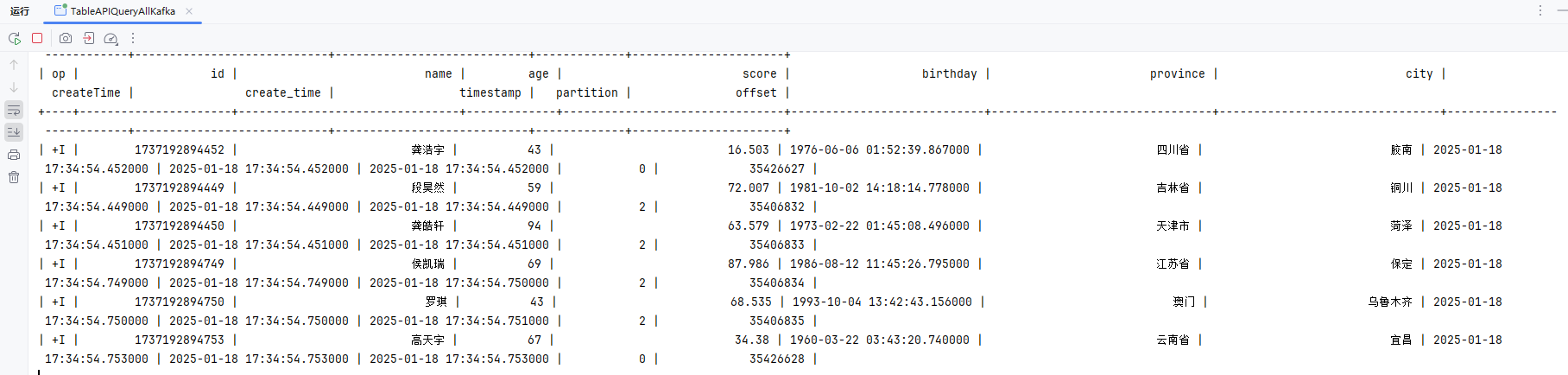
复杂查询
package local.ateng.java.TableAPI.query;

import org.apache.flink.connector.datagen.table.DataGenConnectorOptions;
import org.apache.flink.streaming.api.environment.StreamExecutionEnvironment;
import org.apache.flink.table.api.*;
import org.apache.flink.table.api.bridge.java.StreamTableEnvironment;

import static org.apache.flink.table.api.Expressions.$;
import static org.apache.flink.table.api.Expressions.and;

public class TableAPIQueryComplex {
    public static void main(String[] args) throws Exception {
        // 创建流式执行环境
        StreamExecutionEnvironment env = StreamExecutionEnvironment.getExecutionEnvironment();
        // 设置并行度为 3
        env.setParallelism(3);

        // 创建流式表环境
        StreamTableEnvironment tableEnv = StreamTableEnvironment.create(env);

        // 使用 TableDescriptor 定义 Kafka 数据源
        TableDescriptor sourceDescriptor = TableDescriptor.forConnector("kafka")
                .schema(Schema.newBuilder()
                        .column("id", DataTypes.BIGINT())
                        .column("name", DataTypes.STRING())
                        .column("age", DataTypes.INT())
                        .column("score", DataTypes.DOUBLE())
                        .column("birthday", DataTypes.TIMESTAMP())
                        .column("province", DataTypes.STRING())
                        .column("city", DataTypes.STRING())
                        .column("createTime", DataTypes.TIMESTAMP())
                        // 映射 Kafka 中的 createTime 到逻辑字段 create_time
                        .columnByExpression("create_time", "createTime")
                        .columnByMetadata("timestamp",  DataTypes.TIMESTAMP())
                        .columnByMetadata("partition",  DataTypes.INT())
                        .columnByMetadata("offset",  DataTypes.BIGINT())
                        .build())
                .option("topic", "ateng_flink_json")  // Kafka topic 名称
                .option("properties.group.id", "ateng_flink_table_api")  // 消费者组 名称
                .option("properties.bootstrap.servers", "192.168.1.10:9094")  // Kafka 地址
                .option("format", "json")  // 数据格式,假设 Kafka 中的数据是 JSON 格式
                // 'earliest-offset', 'latest-offset', 'group-offsets', 'timestamp' and 'specific-offsets'
                .option("scan.startup.mode", "latest-offset")  // 从最早的偏移量开始消费
                .build();

        // 创建一个临时表 'my_user',这个表通过 data generator 连接器读取数据
        tableEnv.createTemporaryTable("my_user", sourceDescriptor);

        // 使用 Table API 读取表
        Table table = tableEnv.from("my_user");

        // 使用 GroupBy 聚合查询
        Table result = table.filter(
                        and(
                                $("id").isNotNull(),
                                $("name").isNotNull(),
                                $("age").isNotNull()
                        )
                )
                .groupBy($("province"))
                .select($("province"), $("id").count().as("cnt"));

        // 执行操作
        TableResult tableResult = result.execute();

        // 打印结果
        tableResult.print();

        // 执行任务
        env.execute("复杂查询");
    }
}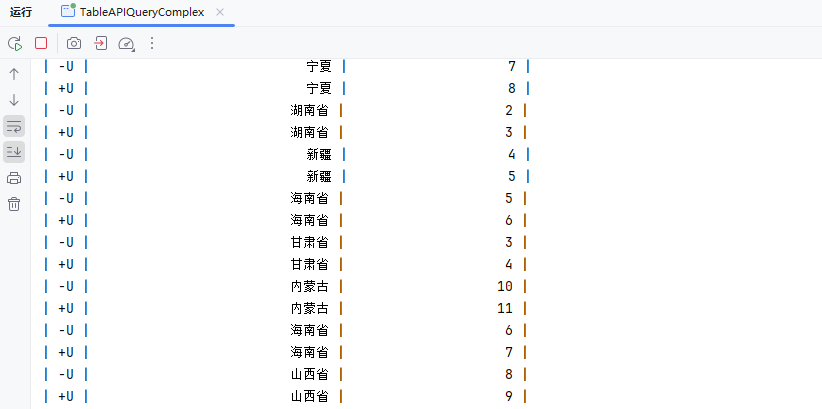
转换为DataStream
Flink提供了一个专用的Streamtable环境,用于与数据流API集成。这些环境通过附加的方法扩展了传统的TableEnvironment,并将使用数据流API StreamExecutionEnvironment作为参数。
DataStream<Row> dataStream = tableEnv.toDataStream(result);参考:官方文档
package local.ateng.java.TableAPI.convert;

import local.ateng.java.entity.UserInfoEntity;
import org.apache.flink.streaming.api.datastream.DataStream;
import org.apache.flink.streaming.api.environment.StreamExecutionEnvironment;
import org.apache.flink.table.api.DataTypes;
import org.apache.flink.table.api.Schema;
import org.apache.flink.table.api.Table;
import org.apache.flink.table.api.TableDescriptor;
import org.apache.flink.table.api.bridge.java.StreamTableEnvironment;
import org.apache.flink.types.Row;

import static org.apache.flink.table.api.Expressions.$;

/**
 * Table 转换成 DataStream
 *
 * @author 孔余
 * @email 2385569970@qq.com
 * @since 2025-01-19
 */
public class KafkaTableToDataStream {
    public static void main(String[] args) throws Exception {
        // 创建流式执行环境
        StreamExecutionEnvironment env = StreamExecutionEnvironment.getExecutionEnvironment();
        // 设置并行度为 3
        env.setParallelism(3);

        // 创建流式表环境
        StreamTableEnvironment tableEnv = StreamTableEnvironment.create(env);

        // 使用 TableDescriptor 定义 Kafka 数据源
        TableDescriptor sourceDescriptor = TableDescriptor.forConnector("kafka")
                .schema(Schema.newBuilder()
                        .column("id", DataTypes.BIGINT())
                        .column("name", DataTypes.STRING())
                        .column("age", DataTypes.INT())
                        .column("score", DataTypes.DOUBLE())
                        .column("birthday", DataTypes.TIMESTAMP())
                        .column("province", DataTypes.STRING())
                        .column("city", DataTypes.STRING())
                        .column("createTime", DataTypes.TIMESTAMP())
                        // 映射 Kafka 中的 createTime 到逻辑字段 create_time
                        .columnByExpression("create_time", "createTime")
                        .columnByMetadata("timestamp", DataTypes.TIMESTAMP())
                        .columnByMetadata("partition", DataTypes.INT())
                        .columnByMetadata("offset", DataTypes.BIGINT())
                        .build())
                .option("topic", "ateng_flink_json")  // Kafka topic 名称
                .option("properties.group.id", "ateng_flink_table_api")  // 消费者组 名称
                .option("properties.bootstrap.servers", "192.168.1.10:9094")  // Kafka 地址
                .option("format", "json")  // 数据格式,假设 Kafka 中的数据是 JSON 格式
                // 'earliest-offset', 'latest-offset', 'group-offsets', 'timestamp' and 'specific-offsets'
                .option("scan.startup.mode", "latest-offset")  // 从最早的偏移量开始消费
                .build();

        // 创建一个临时表 'my_user',这个表通过 data generator 连接器读取数据
        tableEnv.createTemporaryTable("my_user", sourceDescriptor);

        // 使用 Table API 读取表
        Table table = tableEnv.from("my_user");

        // 选择表中的所有列
        Table result = table.select($("*"));

        // Table 转换成 DataStream
        DataStream<Row> dataStream = tableEnv.toDataStream(result);

        // 将数据打印到控制台
        dataStream.print("output");

        // 执行任务
        env.execute("Kafka Table转换成DataStream");
    }
}滚动窗口
参考:官方文档
滚动窗口将行分配给固定长度的非重叠连续窗口。例如,一个 5 分钟的滚动窗口以 5 分钟的间隔对行进行分组。滚动窗口可以定义在事件时间、处理时间或行数上。
处理时间WindowAll
package local.ateng.java.TableAPI.window.tumbling;

import org.apache.flink.streaming.api.CheckpointingMode;
import org.apache.flink.streaming.api.environment.StreamExecutionEnvironment;
import org.apache.flink.table.api.*;
import org.apache.flink.table.api.bridge.java.StreamTableEnvironment;

import static org.apache.flink.table.api.Expressions.$;
import static org.apache.flink.table.api.Expressions.lit;

/**
 * 基于处理时间的windowAll滚动窗口
 *
 * @author 孔余
 * @email 2385569970@qq.com
 * @since 2025-01-18
 */
public class ProcessingTimeWindowAll {
    public static void main(String[] args) throws Exception {
        // 创建流式执行环境
        StreamExecutionEnvironment env = StreamExecutionEnvironment.getExecutionEnvironment();
        // 启用检查点,设置检查点间隔为 5 秒,检查点模式为 精准一次
        env.enableCheckpointing(5 * 1000, CheckpointingMode.EXACTLY_ONCE);
        // 设置并行度为 3
        env.setParallelism(3);

        // 创建流式表环境
        StreamTableEnvironment tableEnv = StreamTableEnvironment.create(env);

        // 使用 TableDescriptor 定义 Kafka 数据源
        TableDescriptor sourceDescriptor = TableDescriptor.forConnector("kafka")
                .schema(Schema.newBuilder()
                        .column("id", DataTypes.BIGINT())
                        .column("name", DataTypes.STRING())
                        .column("age", DataTypes.INT())
                        .column("score", DataTypes.DOUBLE())
                        .column("birthday", DataTypes.TIMESTAMP())
                        .column("province", DataTypes.STRING())
                        .column("city", DataTypes.STRING())
                        .column("createTime", DataTypes.TIMESTAMP(3)) // 事件时间字段
                        .columnByExpression("proc_time", "PROCTIME()") // 处理时间字段
                        .columnByMetadata("timestamp", DataTypes.TIMESTAMP(3))  // Kafka 的时间戳
                        .columnByMetadata("partition", DataTypes.INT())
                        .columnByMetadata("offset", DataTypes.BIGINT())
                        .build())
                .option("topic", "ateng_flink_json")  // Kafka topic 名称
                .option("properties.group.id", "ateng_flink_table_api")  // 消费者组 名称
                .option("properties.bootstrap.servers", "192.168.1.10:9094")  // Kafka 地址
                .option("format", "json")  // 数据格式,假设 Kafka 中的数据是 JSON 格式
                // 'earliest-offset', 'latest-offset', 'group-offsets', 'timestamp' and 'specific-offsets'
                .option("scan.startup.mode", "latest-offset")  // 从最早的偏移量开始消费
                .build();

        // 创建一个临时表 'my_user',这个表通过 data generator 连接器读取数据
        tableEnv.createTemporaryTable("my_user", sourceDescriptor);

        // 使用 Table API 读取表
        Table table = tableEnv.from("my_user");

        // 定义窗口操作
        Table windowedTable = table
                .window(Tumble.over(lit(1).minutes()).on($("proc_time")).as("w")) // 定义 1 分钟滚动窗口
                .groupBy($("w")) // 窗口分组实现windowAll
                .select(
                        $("w").start().as("window_start"), // 窗口开始时间
                        $("w").end().as("window_end"), // 窗口结束时间
                        $("score").avg().as("avg_score"), // 平均分
                        $("age").max().as("max_age"), // 最大年龄
                        $("id").count().as("user_count") // 用户数量
                );

        // 执行操作
        TableResult tableResult = windowedTable.execute();

        // 打印结果
        tableResult.print();

        // 执行任务
        env.execute("处理时间滚动窗口");

    }
}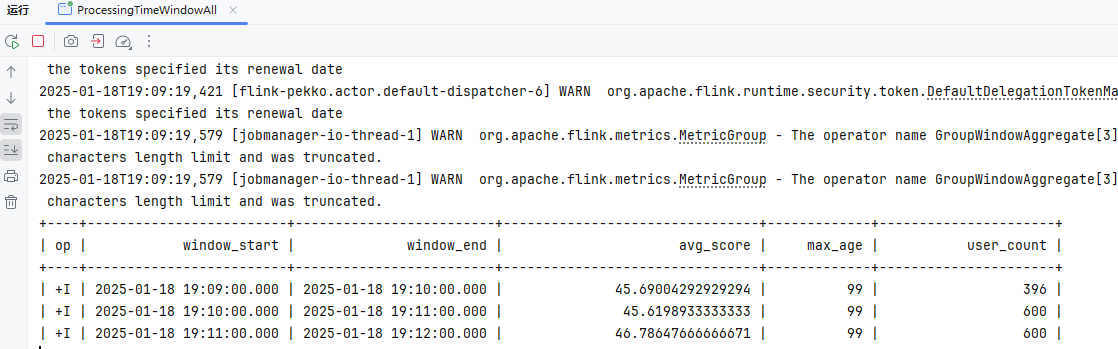
事件时间WindowAll
package local.ateng.java.TableAPI.window.tumbling;

import org.apache.flink.streaming.api.CheckpointingMode;
import org.apache.flink.streaming.api.environment.StreamExecutionEnvironment;
import org.apache.flink.table.api.*;
import org.apache.flink.table.api.bridge.java.StreamTableEnvironment;

import static org.apache.flink.table.api.Expressions.$;
import static org.apache.flink.table.api.Expressions.lit;

/**
 * 基于事件时间的windowAll滚动窗口
 *
 * @author 孔余
 * @email 2385569970@qq.com
 * @since 2025-01-18
 */
public class EventTimeWindowAll {
    public static void main(String[] args) throws Exception {
        // 创建流式执行环境
        StreamExecutionEnvironment env = StreamExecutionEnvironment.getExecutionEnvironment();
        // 启用检查点,设置检查点间隔为 5 秒,检查点模式为 精准一次
        env.enableCheckpointing(5 * 1000, CheckpointingMode.EXACTLY_ONCE);
        // 设置并行度为 3
        env.setParallelism(3);

        // 创建流式表环境
        StreamTableEnvironment tableEnv = StreamTableEnvironment.create(env);

        // 使用 TableDescriptor 定义 Kafka 数据源
        TableDescriptor sourceDescriptor = TableDescriptor.forConnector("kafka")
                .schema(Schema.newBuilder()
                        .column("id", DataTypes.BIGINT())
                        .column("name", DataTypes.STRING())
                        .column("age", DataTypes.INT())
                        .column("score", DataTypes.DOUBLE())
                        .column("birthday", DataTypes.TIMESTAMP())
                        .column("province", DataTypes.STRING())
                        .column("city", DataTypes.STRING())
                        .column("createTime", DataTypes.TIMESTAMP(3)) // 事件时间字段
                        // 映射 Kafka 中的 createTime 到逻辑字段 create_time
                        .columnByExpression("create_time", "createTime")
                        .watermark("create_time", "create_time - INTERVAL '5' SECOND") // 配置 watermark,允许最大 5 秒延迟
                        .columnByMetadata("timestamp", DataTypes.TIMESTAMP(3))  // Kafka 的时间戳
                        .columnByMetadata("partition", DataTypes.INT())
                        .columnByMetadata("offset", DataTypes.BIGINT())
                        .build())
                .option("topic", "ateng_flink_json")  // Kafka topic 名称
                .option("properties.group.id", "ateng_flink_table_api")  // 消费者组 名称
                .option("properties.bootstrap.servers", "192.168.1.10:9094")  // Kafka 地址
                .option("format", "json")  // 数据格式,假设 Kafka 中的数据是 JSON 格式
                // 'earliest-offset', 'latest-offset', 'group-offsets', 'timestamp' and 'specific-offsets'
                .option("scan.startup.mode", "latest-offset")  // 从最早的偏移量开始消费
                .build();

        // 创建一个临时表 'my_user',这个表通过 data generator 连接器读取数据
        tableEnv.createTemporaryTable("my_user", sourceDescriptor);

        // 使用 Table API 读取表
        Table table = tableEnv.from("my_user");

        // 定义窗口操作
        Table windowedTable = table
                .window(Tumble.over(lit(1).minutes()).on($("create_time")).as("w")) // 定义 1 分钟滚动窗口
                .groupBy($("w")) // 窗口分组实现windowAll
                .select(
                        $("w").start().as("window_start"), // 窗口开始时间
                        $("w").end().as("window_end"), // 窗口结束时间
                        $("score").avg().as("avg_score"), // 平均分
                        $("age").max().as("max_age"), // 最大年龄
                        $("id").count().as("user_count") // 用户数量
                );

        // 执行操作
        TableResult tableResult = windowedTable.execute();

        // 打印结果
        tableResult.print();

        // 执行任务
        env.execute("事件时间滚动窗口");

    }
}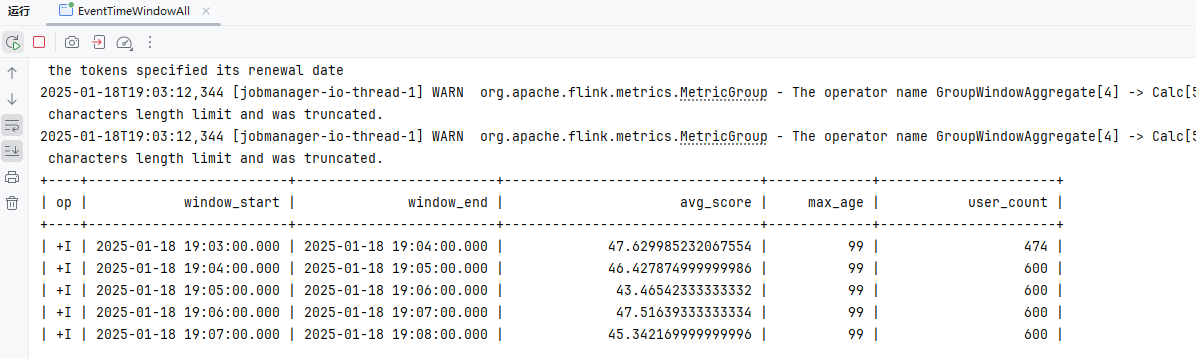
处理时间WindowGroupBy
package local.ateng.java.TableAPI.window.tumbling;

import org.apache.flink.streaming.api.CheckpointingMode;
import org.apache.flink.streaming.api.environment.StreamExecutionEnvironment;
import org.apache.flink.table.api.*;
import org.apache.flink.table.api.bridge.java.StreamTableEnvironment;

import static org.apache.flink.table.api.Expressions.$;
import static org.apache.flink.table.api.Expressions.lit;

/**
 * 基于处理时间的window分组滚动窗口
 *
 * @author 孔余
 * @email 2385569970@qq.com
 * @since 2025-01-18
 */
public class ProcessingTimeWindowGroupBy {
    public static void main(String[] args) throws Exception {
        // 创建流式执行环境
        StreamExecutionEnvironment env = StreamExecutionEnvironment.getExecutionEnvironment();
        // 启用检查点,设置检查点间隔为 5 秒,检查点模式为 精准一次
        env.enableCheckpointing(5 * 1000, CheckpointingMode.EXACTLY_ONCE);
        // 设置并行度为 3
        env.setParallelism(3);

        // 创建流式表环境
        StreamTableEnvironment tableEnv = StreamTableEnvironment.create(env);

        // 使用 TableDescriptor 定义 Kafka 数据源
        TableDescriptor sourceDescriptor = TableDescriptor.forConnector("kafka")
                .schema(Schema.newBuilder()
                        .column("id", DataTypes.BIGINT())
                        .column("name", DataTypes.STRING())
                        .column("age", DataTypes.INT())
                        .column("score", DataTypes.DOUBLE())
                        .column("birthday", DataTypes.TIMESTAMP())
                        .column("province", DataTypes.STRING())
                        .column("city", DataTypes.STRING())
                        .column("createTime", DataTypes.TIMESTAMP(3)) // 事件时间字段
                        .columnByExpression("proc_time", "PROCTIME()") // 处理时间字段
                        .columnByMetadata("timestamp", DataTypes.TIMESTAMP(3))  // Kafka 的时间戳
                        .columnByMetadata("partition", DataTypes.INT())
                        .columnByMetadata("offset", DataTypes.BIGINT())
                        .build())
                .option("topic", "ateng_flink_json")  // Kafka topic 名称
                .option("properties.group.id", "ateng_flink_table_api")  // 消费者组 名称
                .option("properties.bootstrap.servers", "192.168.1.10:9094")  // Kafka 地址
                .option("format", "json")  // 数据格式,假设 Kafka 中的数据是 JSON 格式
                // 'earliest-offset', 'latest-offset', 'group-offsets', 'timestamp' and 'specific-offsets'
                .option("scan.startup.mode", "latest-offset")  // 从最早的偏移量开始消费
                .build();

        // 创建一个临时表 'my_user',这个表通过 data generator 连接器读取数据
        tableEnv.createTemporaryTable("my_user", sourceDescriptor);

        // 使用 Table API 读取表
        Table table = tableEnv.from("my_user");

        // 定义窗口操作
        Table windowedTable = table
                .window(Tumble.over(lit(1).minutes()).on($("proc_time")).as("w")) // 定义 1 分钟滚动窗口
                .groupBy($("province"), $("w")) // 按省份和窗口分组
                .select(
                        $("province"), // 选择省份
                        $("w").start().as("window_start"), // 窗口开始时间
                        $("w").end().as("window_end"), // 窗口结束时间
                        $("score").avg().as("avg_score"), // 平均分
                        $("age").max().as("max_age"), // 最大年龄
                        $("id").count().as("user_count") // 用户数量
                );

        // 执行操作
        TableResult tableResult = windowedTable.execute();

        // 打印结果
        tableResult.print();

        // 执行任务
        env.execute("处理时间滚动窗口");

    }
}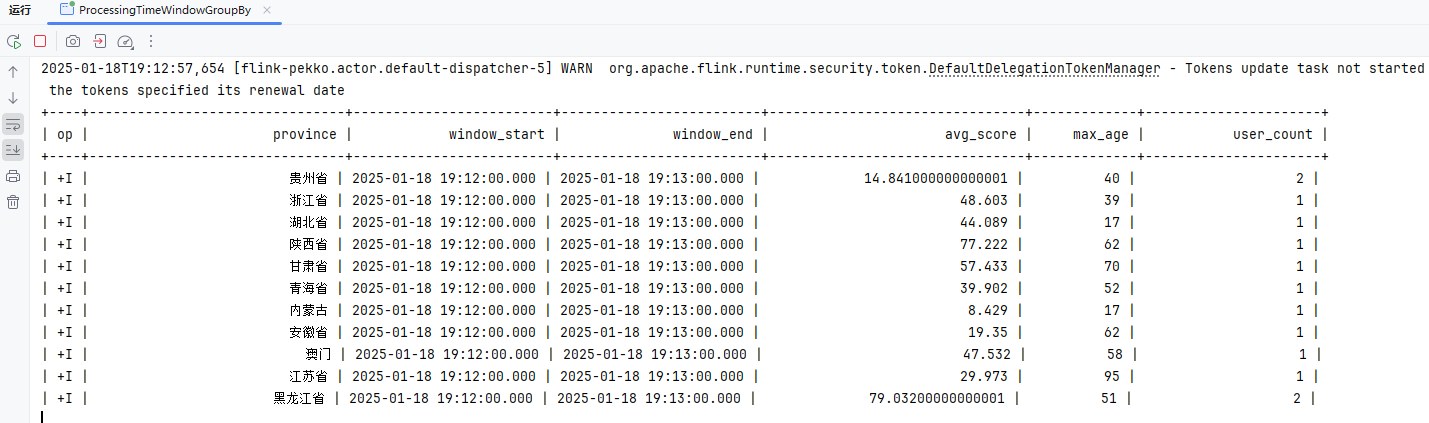
事件时间WindowGroupBy
package local.ateng.java.TableAPI.window.tumbling;

import org.apache.flink.streaming.api.CheckpointingMode;
import org.apache.flink.streaming.api.environment.StreamExecutionEnvironment;
import org.apache.flink.table.api.*;
import org.apache.flink.table.api.bridge.java.StreamTableEnvironment;

import static org.apache.flink.table.api.Expressions.$;
import static org.apache.flink.table.api.Expressions.lit;

/**
 * 基于事件时间的window分组滚动窗口
 *
 * @author 孔余
 * @email 2385569970@qq.com
 * @since 2025-01-18
 */
public class EventTimeWindowGroupBy {
    public static void main(String[] args) throws Exception {
        // 创建流式执行环境
        StreamExecutionEnvironment env = StreamExecutionEnvironment.getExecutionEnvironment();
        // 启用检查点,设置检查点间隔为 5 秒,检查点模式为 精准一次
        env.enableCheckpointing(5 * 1000, CheckpointingMode.EXACTLY_ONCE);
        // 设置并行度为 3
        env.setParallelism(3);

        // 创建流式表环境
        StreamTableEnvironment tableEnv = StreamTableEnvironment.create(env);

        // 使用 TableDescriptor 定义 Kafka 数据源
        TableDescriptor sourceDescriptor = TableDescriptor.forConnector("kafka")
                .schema(Schema.newBuilder()
                        .column("id", DataTypes.BIGINT())
                        .column("name", DataTypes.STRING())
                        .column("age", DataTypes.INT())
                        .column("score", DataTypes.DOUBLE())
                        .column("birthday", DataTypes.TIMESTAMP())
                        .column("province", DataTypes.STRING())
                        .column("city", DataTypes.STRING())
                        .column("createTime", DataTypes.TIMESTAMP(3))  // 事件时间字段
                        // 映射 Kafka 中的 createTime 到逻辑字段 create_time
                        .columnByExpression("create_time", "createTime")
                        .watermark("create_time", "create_time - INTERVAL '5' SECOND") // 配置 watermark,允许最大 5 秒延迟
                        .columnByMetadata("timestamp", DataTypes.TIMESTAMP(3))  // Kafka 的时间戳
                        .columnByMetadata("partition", DataTypes.INT())
                        .columnByMetadata("offset", DataTypes.BIGINT())
                        .build())
                .option("topic", "ateng_flink_json")  // Kafka topic 名称
                .option("properties.group.id", "ateng_flink_table_api")  // 消费者组 名称
                .option("properties.bootstrap.servers", "192.168.1.10:9094")  // Kafka 地址
                .option("format", "json")  // 数据格式,假设 Kafka 中的数据是 JSON 格式
                // 'earliest-offset', 'latest-offset', 'group-offsets', 'timestamp' and 'specific-offsets'
                .option("scan.startup.mode", "latest-offset")  // 从最早的偏移量开始消费
                .build();

        // 创建一个临时表 'my_user',这个表通过 data generator 连接器读取数据
        tableEnv.createTemporaryTable("my_user", sourceDescriptor);

        // 使用 Table API 读取表
        Table table = tableEnv.from("my_user");

        // 定义窗口操作
        Table windowedTable = table
                .window(Tumble.over(lit(1).minutes()).on($("create_time")).as("w")) // 定义 1 分钟滚动窗口
                .groupBy($("province"), $("w")) // 按省份和窗口分组
                .select(
                        $("province"), // 选择省份
                        $("w").start().as("window_start"), // 窗口开始时间
                        $("w").end().as("window_end"), // 窗口结束时间
                        $("score").avg().as("avg_score"), // 平均分
                        $("age").max().as("max_age"), // 最大年龄
                        $("id").count().as("user_count") // 用户数量
                );

        // 执行操作
        TableResult tableResult = windowedTable.execute();

        // 打印结果
        tableResult.print();

        // 执行任务
        env.execute("事件时间滚动窗口");

    }
}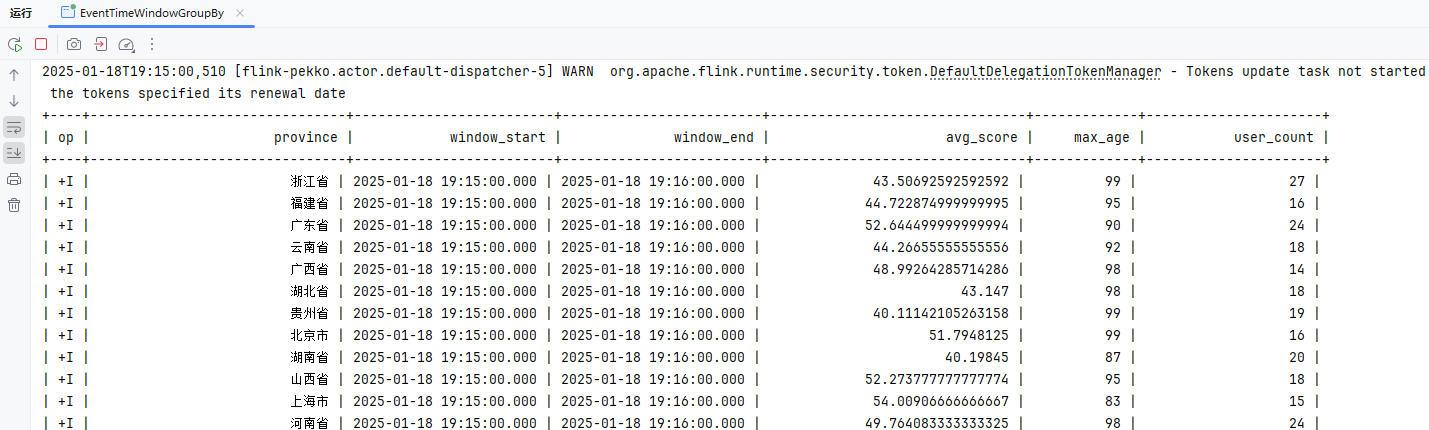
滑动窗口
参考:官方文档
滑动窗口具有固定大小并按指定的滑动间隔滑动。如果滑动间隔小于窗口大小,则滑动窗口重叠。因此,行可能分配给多个窗口。例如,15 分钟大小和 5 分钟滑动间隔的滑动窗口将每一行分配给 3 个不同的 15 分钟大小的窗口,以 5 分钟的间隔进行一次计算。滑动窗口可以定义在事件时间、处理时间或行数上。
处理时间WindowAll
package local.ateng.java.TableAPI.window.sliding;

import org.apache.flink.streaming.api.CheckpointingMode;
import org.apache.flink.streaming.api.environment.StreamExecutionEnvironment;
import org.apache.flink.table.api.*;
import org.apache.flink.table.api.bridge.java.StreamTableEnvironment;

import static org.apache.flink.table.api.Expressions.$;
import static org.apache.flink.table.api.Expressions.lit;

/**
 * 基于处理时间的windowAll滑动窗口
 *
 * @author 孔余
 * @email 2385569970@qq.com
 * @since 2025-01-18
 */
public class ProcessingTimeWindowAll {
    public static void main(String[] args) throws Exception {
        // 创建流式执行环境
        StreamExecutionEnvironment env = StreamExecutionEnvironment.getExecutionEnvironment();
        // 启用检查点,设置检查点间隔为 5 秒,检查点模式为 精准一次
        env.enableCheckpointing(5 * 1000, CheckpointingMode.EXACTLY_ONCE);
        // 设置并行度为 3
        env.setParallelism(3);

        // 创建流式表环境
        StreamTableEnvironment tableEnv = StreamTableEnvironment.create(env);

        // 使用 TableDescriptor 定义 Kafka 数据源
        TableDescriptor sourceDescriptor = TableDescriptor.forConnector("kafka")
                .schema(Schema.newBuilder()
                        .column("id", DataTypes.BIGINT())
                        .column("name", DataTypes.STRING())
                        .column("age", DataTypes.INT())
                        .column("score", DataTypes.DOUBLE())
                        .column("birthday", DataTypes.TIMESTAMP())
                        .column("province", DataTypes.STRING())
                        .column("city", DataTypes.STRING())
                        .column("createTime", DataTypes.TIMESTAMP(3)) // 事件时间字段
                        .columnByExpression("proc_time", "PROCTIME()") // 处理时间字段
                        .columnByMetadata("timestamp", DataTypes.TIMESTAMP(3))  // Kafka 的时间戳
                        .columnByMetadata("partition", DataTypes.INT())
                        .columnByMetadata("offset", DataTypes.BIGINT())
                        .build())
                .option("topic", "ateng_flink_json")  // Kafka topic 名称
                .option("properties.group.id", "ateng_flink_table_api")  // 消费者组 名称
                .option("properties.bootstrap.servers", "192.168.1.10:9094")  // Kafka 地址
                .option("format", "json")  // 数据格式,假设 Kafka 中的数据是 JSON 格式
                // 'earliest-offset', 'latest-offset', 'group-offsets', 'timestamp' and 'specific-offsets'
                .option("scan.startup.mode", "latest-offset")  // 从最早的偏移量开始消费
                .build();

        // 创建一个临时表 'my_user',这个表通过 data generator 连接器读取数据
        tableEnv.createTemporaryTable("my_user", sourceDescriptor);

        // 使用 Table API 读取表
        Table table = tableEnv.from("my_user");

        // 定义窗口操作
        Table windowedTable = table
                // 滑动窗口:2分钟窗口数据,1分钟刷新一次数据(整个数据区间就是前2分钟)
                .window(Slide.over(lit(2).minutes()).every(lit(1).minutes()).on($("proc_time")).as("w"))
                .groupBy($("w")) // 窗口分组实现windowAll
                .select(
                        $("w").start().as("window_start"), // 窗口开始时间
                        $("w").end().as("window_end"), // 窗口结束时间
                        $("score").avg().as("avg_score"), // 平均分
                        $("age").max().as("max_age"), // 最大年龄
                        $("id").count().as("user_count") // 用户数量
                );

        // 执行操作
        TableResult tableResult = windowedTable.execute();

        // 打印结果
        tableResult.print();

        // 执行任务
        env.execute("处理时间滑动窗口");

    }
}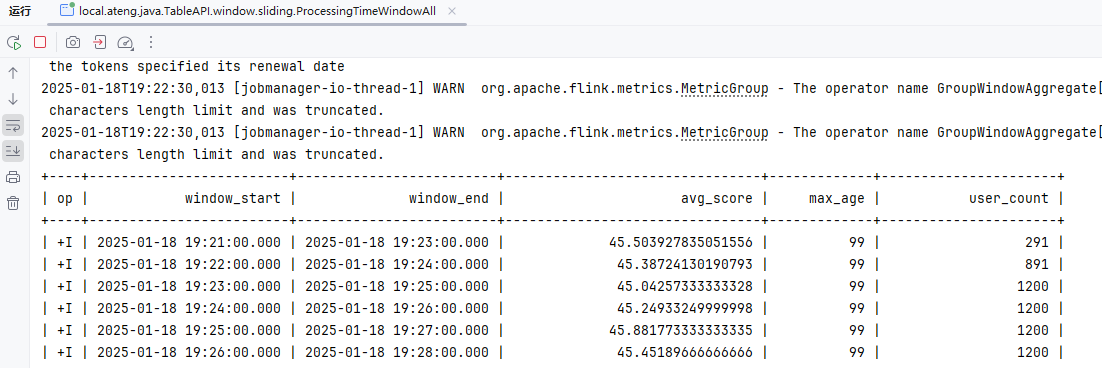
事件时间WindowAll
package local.ateng.java.TableAPI.window.sliding;

import org.apache.flink.streaming.api.CheckpointingMode;
import org.apache.flink.streaming.api.environment.StreamExecutionEnvironment;
import org.apache.flink.table.api.*;
import org.apache.flink.table.api.bridge.java.StreamTableEnvironment;

import static org.apache.flink.table.api.Expressions.$;
import static org.apache.flink.table.api.Expressions.lit;

/**
 * 基于事件时间的windowAll滑动窗口
 *
 * @author 孔余
 * @email 2385569970@qq.com
 * @since 2025-01-18
 */
public class EventTimeWindowAll {
    public static void main(String[] args) throws Exception {
        // 创建流式执行环境
        StreamExecutionEnvironment env = StreamExecutionEnvironment.getExecutionEnvironment();
        // 启用检查点,设置检查点间隔为 5 秒,检查点模式为 精准一次
        env.enableCheckpointing(5 * 1000, CheckpointingMode.EXACTLY_ONCE);
        // 设置并行度为 3
        env.setParallelism(3);

        // 创建流式表环境
        StreamTableEnvironment tableEnv = StreamTableEnvironment.create(env);

        // 使用 TableDescriptor 定义 Kafka 数据源
        TableDescriptor sourceDescriptor = TableDescriptor.forConnector("kafka")
                .schema(Schema.newBuilder()
                        .column("id", DataTypes.BIGINT())
                        .column("name", DataTypes.STRING())
                        .column("age", DataTypes.INT())
                        .column("score", DataTypes.DOUBLE())
                        .column("birthday", DataTypes.TIMESTAMP())
                        .column("province", DataTypes.STRING())
                        .column("city", DataTypes.STRING())
                        .column("createTime", DataTypes.TIMESTAMP(3)) // 事件时间字段
                        // 映射 Kafka 中的 createTime 到逻辑字段 create_time
                        .columnByExpression("create_time", "createTime")
                        .watermark("create_time", "create_time - INTERVAL '5' SECOND") // 配置 watermark,允许最大 5 秒延迟
                        .columnByMetadata("timestamp", DataTypes.TIMESTAMP(3))  // Kafka 的时间戳
                        .columnByMetadata("partition", DataTypes.INT())
                        .columnByMetadata("offset", DataTypes.BIGINT())
                        .build())
                .option("topic", "ateng_flink_json")  // Kafka topic 名称
                .option("properties.group.id", "ateng_flink_table_api")  // 消费者组 名称
                .option("properties.bootstrap.servers", "192.168.1.10:9094")  // Kafka 地址
                .option("format", "json")  // 数据格式,假设 Kafka 中的数据是 JSON 格式
                // 'earliest-offset', 'latest-offset', 'group-offsets', 'timestamp' and 'specific-offsets'
                .option("scan.startup.mode", "latest-offset")  // 从最早的偏移量开始消费
                .build();

        // 创建一个临时表 'my_user',这个表通过 data generator 连接器读取数据
        tableEnv.createTemporaryTable("my_user", sourceDescriptor);

        // 使用 Table API 读取表
        Table table = tableEnv.from("my_user");

        // 定义窗口操作
        Table windowedTable = table
                // 滑动窗口:2分钟窗口数据,1分钟刷新一次数据(整个数据区间就是前2分钟)
                .window(Slide.over(lit(2).minutes()).every(lit(1).minutes()).on($("create_time")).as("w"))
                .groupBy($("w")) // 窗口分组实现windowAll
                .select(
                        $("w").start().as("window_start"), // 窗口开始时间
                        $("w").end().as("window_end"), // 窗口结束时间
                        $("score").avg().as("avg_score"), // 平均分
                        $("age").max().as("max_age"), // 最大年龄
                        $("id").count().as("user_count") // 用户数量
                );

        // 执行操作
        TableResult tableResult = windowedTable.execute();

        // 打印结果
        tableResult.print();

        // 执行任务
        env.execute("事件时间滑动窗口");

    }
}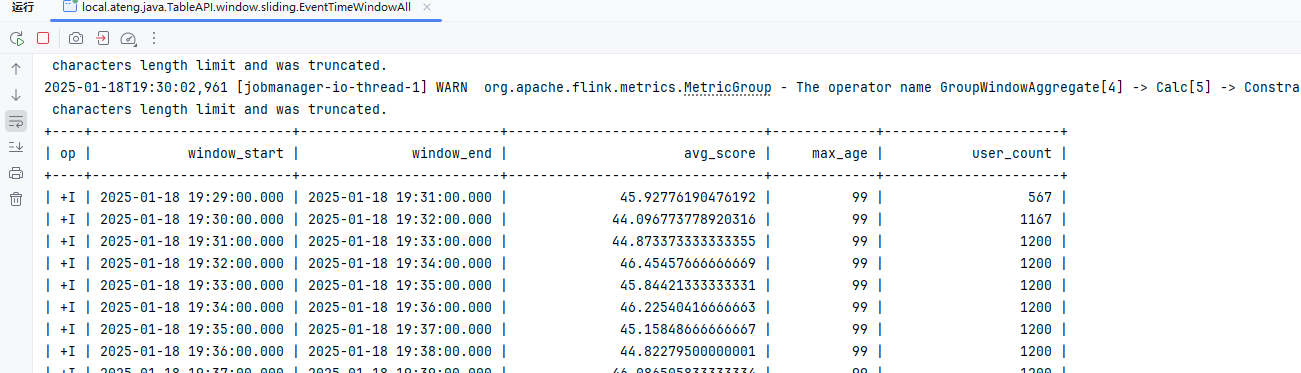
处理时间WindowGroupBy
package local.ateng.java.TableAPI.window.sliding;

import org.apache.flink.streaming.api.CheckpointingMode;
import org.apache.flink.streaming.api.environment.StreamExecutionEnvironment;
import org.apache.flink.table.api.*;
import org.apache.flink.table.api.bridge.java.StreamTableEnvironment;

import static org.apache.flink.table.api.Expressions.$;
import static org.apache.flink.table.api.Expressions.lit;

/**
 * 基于处理时间的window分组滑动窗口
 *
 * @author 孔余
 * @email 2385569970@qq.com
 * @since 2025-01-18
 */
public class ProcessingTimeWindowGroupBy {
    public static void main(String[] args) throws Exception {
        // 创建流式执行环境
        StreamExecutionEnvironment env = StreamExecutionEnvironment.getExecutionEnvironment();
        // 启用检查点,设置检查点间隔为 5 秒,检查点模式为 精准一次
        env.enableCheckpointing(5 * 1000, CheckpointingMode.EXACTLY_ONCE);
        // 设置并行度为 3
        env.setParallelism(3);

        // 创建流式表环境
        StreamTableEnvironment tableEnv = StreamTableEnvironment.create(env);

        // 使用 TableDescriptor 定义 Kafka 数据源
        TableDescriptor sourceDescriptor = TableDescriptor.forConnector("kafka")
                .schema(Schema.newBuilder()
                        .column("id", DataTypes.BIGINT())
                        .column("name", DataTypes.STRING())
                        .column("age", DataTypes.INT())
                        .column("score", DataTypes.DOUBLE())
                        .column("birthday", DataTypes.TIMESTAMP())
                        .column("province", DataTypes.STRING())
                        .column("city", DataTypes.STRING())
                        .column("createTime", DataTypes.TIMESTAMP(3)) // 事件时间字段
                        .columnByExpression("proc_time", "PROCTIME()") // 处理时间字段
                        .columnByMetadata("timestamp", DataTypes.TIMESTAMP(3))  // Kafka 的时间戳
                        .columnByMetadata("partition", DataTypes.INT())
                        .columnByMetadata("offset", DataTypes.BIGINT())
                        .build())
                .option("topic", "ateng_flink_json")  // Kafka topic 名称
                .option("properties.group.id", "ateng_flink_table_api")  // 消费者组 名称
                .option("properties.bootstrap.servers", "192.168.1.10:9094")  // Kafka 地址
                .option("format", "json")  // 数据格式,假设 Kafka 中的数据是 JSON 格式
                // 'earliest-offset', 'latest-offset', 'group-offsets', 'timestamp' and 'specific-offsets'
                .option("scan.startup.mode", "latest-offset")  // 从最早的偏移量开始消费
                .build();

        // 创建一个临时表 'my_user',这个表通过 data generator 连接器读取数据
        tableEnv.createTemporaryTable("my_user", sourceDescriptor);

        // 使用 Table API 读取表
        Table table = tableEnv.from("my_user");

        // 定义窗口操作
        Table windowedTable = table
                // 滑动窗口:2分钟窗口数据,1分钟刷新一次数据(整个数据区间就是前2分钟)
                .window(Slide.over(lit(2).minutes()).every(lit(1).minutes()).on($("proc_time")).as("w"))
                .groupBy($("province"), $("w")) // 按省份和窗口分组
                .select(
                        $("province"), // 选择省份
                        $("w").start().as("window_start"), // 窗口开始时间
                        $("w").end().as("window_end"), // 窗口结束时间
                        $("score").avg().as("avg_score"), // 平均分
                        $("age").max().as("max_age"), // 最大年龄
                        $("id").count().as("user_count") // 用户数量
                );

        // 执行操作
        TableResult tableResult = windowedTable.execute();

        // 打印结果
        tableResult.print();

        // 执行任务
        env.execute("处理时间滑动窗口");

    }
}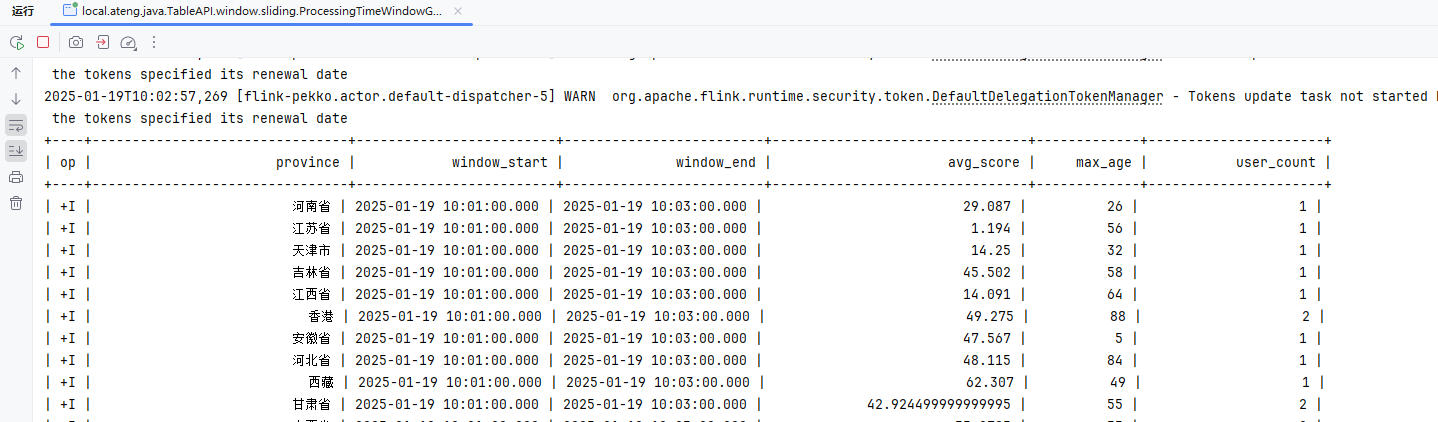
事件时间WindowGroupBy
package local.ateng.java.TableAPI.window.sliding;

import org.apache.flink.streaming.api.CheckpointingMode;
import org.apache.flink.streaming.api.environment.StreamExecutionEnvironment;
import org.apache.flink.table.api.*;
import org.apache.flink.table.api.bridge.java.StreamTableEnvironment;

import static org.apache.flink.table.api.Expressions.$;
import static org.apache.flink.table.api.Expressions.lit;

/**
 * 基于事件时间的window分组滑动窗口
 *
 * @author 孔余
 * @email 2385569970@qq.com
 * @since 2025-01-18
 */
public class EventTimeWindowGroupBy {
    public static void main(String[] args) throws Exception {
        // 创建流式执行环境
        StreamExecutionEnvironment env = StreamExecutionEnvironment.getExecutionEnvironment();
        // 启用检查点,设置检查点间隔为 5 秒,检查点模式为 精准一次
        env.enableCheckpointing(5 * 1000, CheckpointingMode.EXACTLY_ONCE);
        // 设置并行度为 3
        env.setParallelism(3);

        // 创建流式表环境
        StreamTableEnvironment tableEnv = StreamTableEnvironment.create(env);

        // 使用 TableDescriptor 定义 Kafka 数据源
        TableDescriptor sourceDescriptor = TableDescriptor.forConnector("kafka")
                .schema(Schema.newBuilder()
                        .column("id", DataTypes.BIGINT())
                        .column("name", DataTypes.STRING())
                        .column("age", DataTypes.INT())
                        .column("score", DataTypes.DOUBLE())
                        .column("birthday", DataTypes.TIMESTAMP())
                        .column("province", DataTypes.STRING())
                        .column("city", DataTypes.STRING())
                        .column("createTime", DataTypes.TIMESTAMP(3))  // 事件时间字段
                        // 映射 Kafka 中的 createTime 到逻辑字段 create_time
                        .columnByExpression("create_time", "createTime")
                        .watermark("create_time", "create_time - INTERVAL '5' SECOND") // 配置 watermark,允许最大 5 秒延迟
                        .columnByMetadata("timestamp", DataTypes.TIMESTAMP(3))  // Kafka 的时间戳
                        .columnByMetadata("partition", DataTypes.INT())
                        .columnByMetadata("offset", DataTypes.BIGINT())
                        .build())
                .option("topic", "ateng_flink_json")  // Kafka topic 名称
                .option("properties.group.id", "ateng_flink_table_api")  // 消费者组 名称
                .option("properties.bootstrap.servers", "192.168.1.10:9094")  // Kafka 地址
                .option("format", "json")  // 数据格式,假设 Kafka 中的数据是 JSON 格式
                // 'earliest-offset', 'latest-offset', 'group-offsets', 'timestamp' and 'specific-offsets'
                .option("scan.startup.mode", "latest-offset")  // 从最早的偏移量开始消费
                .build();

        // 创建一个临时表 'my_user',这个表通过 data generator 连接器读取数据
        tableEnv.createTemporaryTable("my_user", sourceDescriptor);

        // 使用 Table API 读取表
        Table table = tableEnv.from("my_user");

        // 定义窗口操作
        Table windowedTable = table
                // 滑动窗口:2分钟窗口数据,1分钟刷新一次数据(整个数据区间就是前2分钟)
                .window(Slide.over(lit(2).minutes()).every(lit(1).minutes()).on($("create_time")).as("w"))
                .groupBy($("province"), $("w")) // 按省份和窗口分组
                .select(
                        $("province"), // 选择省份
                        $("w").start().as("window_start"), // 窗口开始时间
                        $("w").end().as("window_end"), // 窗口结束时间
                        $("score").avg().as("avg_score"), // 平均分
                        $("age").max().as("max_age"), // 最大年龄
                        $("id").count().as("user_count") // 用户数量
                );

        // 执行操作
        TableResult tableResult = windowedTable.execute();

        // 打印结果
        tableResult.print();

        // 执行任务
        env.execute("事件时间滑动窗口");

    }
}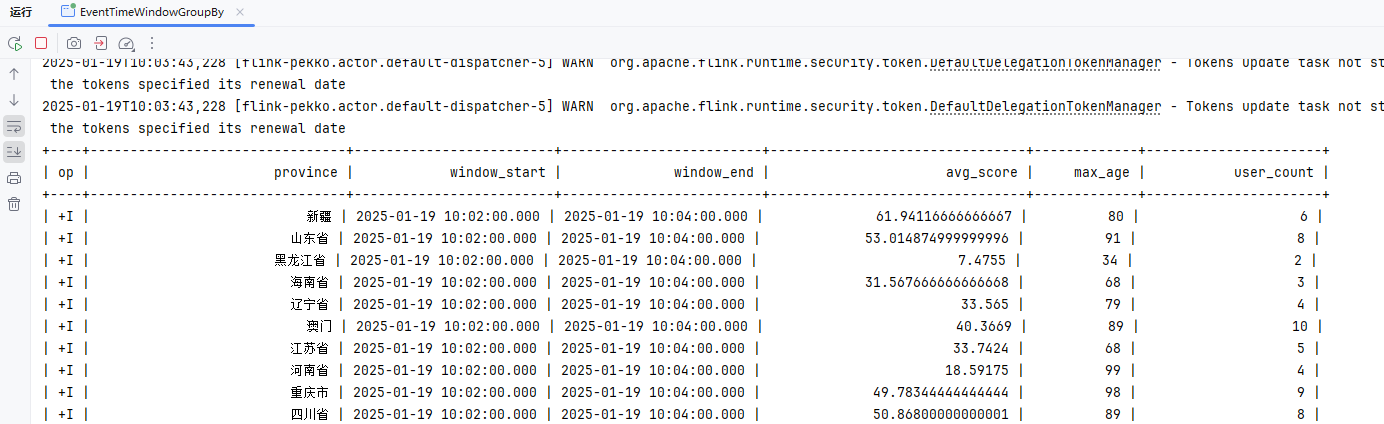
会话窗口
会话窗口没有固定的大小,其边界是由不活动的间隔定义的,例如,如果在定义的间隔期内没有事件出现,则会话窗口将关闭。例如,定义 30 分钟间隔的会话窗口,当观察到一行在 30 分钟内不活动(否则该行将被添加到现有窗口中)且 30 分钟内没有添加新行,窗口会关闭。会话窗口支持事件时间和处理时间。
参考:官方文档
处理时间WindowAll
package local.ateng.java.TableAPI.window.session;

import org.apache.flink.streaming.api.CheckpointingMode;
import org.apache.flink.streaming.api.environment.StreamExecutionEnvironment;
import org.apache.flink.table.api.*;
import org.apache.flink.table.api.bridge.java.StreamTableEnvironment;

import static org.apache.flink.table.api.Expressions.*;

/**
 * 基于处理时间的windowAll会话窗口
 *
 * @author 孔余
 * @email 2385569970@qq.com
 * @since 2025-01-18
 */
public class ProcessingTimeWindowAll {
    public static void main(String[] args) throws Exception {
        // 创建流式执行环境
        StreamExecutionEnvironment env = StreamExecutionEnvironment.getExecutionEnvironment();
        // 启用检查点,设置检查点间隔为 5 秒,检查点模式为 精准一次
        env.enableCheckpointing(5 * 1000, CheckpointingMode.EXACTLY_ONCE);
        // 设置并行度为 3
        env.setParallelism(3);

        // 创建流式表环境
        StreamTableEnvironment tableEnv = StreamTableEnvironment.create(env);

        // 使用 TableDescriptor 定义 Kafka 数据源
        TableDescriptor sourceDescriptor = TableDescriptor.forConnector("kafka")
                .schema(Schema.newBuilder()
                        .column("id", DataTypes.BIGINT())
                        .column("name", DataTypes.STRING())
                        .column("age", DataTypes.INT())
                        .column("score", DataTypes.DOUBLE())
                        .column("birthday", DataTypes.TIMESTAMP())
                        .column("province", DataTypes.STRING())
                        .column("city", DataTypes.STRING())
                        .column("createTime", DataTypes.TIMESTAMP(3)) // 事件时间字段
                        .columnByExpression("proc_time", "PROCTIME()") // 处理时间字段
                        .columnByMetadata("timestamp", DataTypes.TIMESTAMP(3))  // Kafka 的时间戳
                        .columnByMetadata("partition", DataTypes.INT())
                        .columnByMetadata("offset", DataTypes.BIGINT())
                        .build())
                .option("topic", "ateng_flink_json")  // Kafka topic 名称
                .option("properties.group.id", "ateng_flink_table_api")  // 消费者组 名称
                .option("properties.bootstrap.servers", "192.168.1.10:9094")  // Kafka 地址
                .option("format", "json")  // 数据格式,假设 Kafka 中的数据是 JSON 格式
                // 'earliest-offset', 'latest-offset', 'group-offsets', 'timestamp' and 'specific-offsets'
                .option("scan.startup.mode", "latest-offset")  // 从最早的偏移量开始消费
                .build();

        // 创建一个临时表 'my_user',这个表通过 data generator 连接器读取数据
        tableEnv.createTemporaryTable("my_user", sourceDescriptor);

        // 使用 Table API 读取表
        Table table = tableEnv.from("my_user");

        // 定义窗口操作
        Table windowedTable = table
                // 会话窗口:2分钟窗口数据
                // 表示会话窗口的间隔为 2 分钟。也就是说,窗口会根据事件之间的时间间隔划分。如果两个事件之间的时间差超过了 2 分钟,那么当前的会话窗口就结束,接下来的事件会形成新的窗口。
                .window(Session.withGap(lit(2).minutes()).on($("proc_time")).as("w"))
                .groupBy($("w")) // 窗口分组实现windowAll
                .select(
                        $("w").start().as("window_start"), // 窗口开始时间
                        $("w").end().as("window_end"), // 窗口结束时间
                        $("score").avg().as("avg_score"), // 平均分
                        $("age").max().as("max_age"), // 最大年龄
                        $("id").count().as("user_count") // 用户数量
                );

        // 执行操作
        TableResult tableResult = windowedTable.execute();

        // 打印结果
        tableResult.print();

        // 执行任务
        env.execute("处理时间会话窗口");

    }
}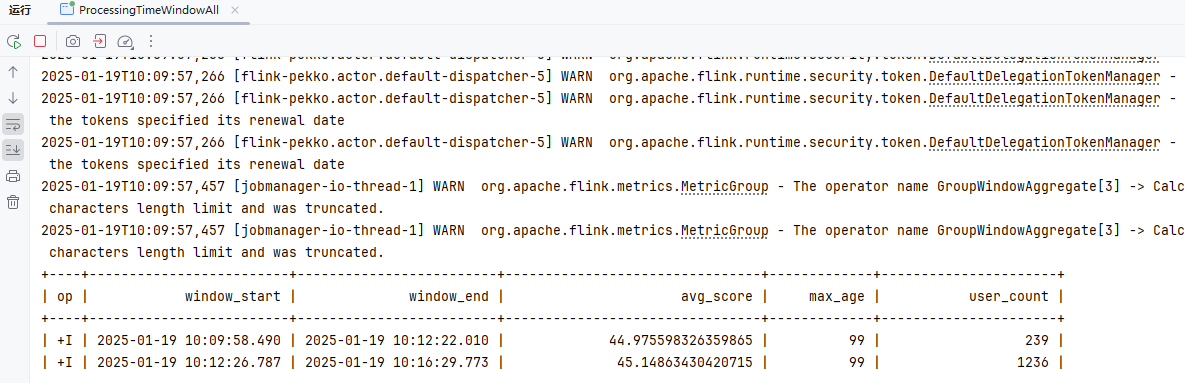
事件时间WindowAll
package local.ateng.java.TableAPI.window.session;

import org.apache.flink.streaming.api.CheckpointingMode;
import org.apache.flink.streaming.api.environment.StreamExecutionEnvironment;
import org.apache.flink.table.api.*;
import org.apache.flink.table.api.bridge.java.StreamTableEnvironment;

import static org.apache.flink.table.api.Expressions.$;
import static org.apache.flink.table.api.Expressions.lit;

/**
 * 基于事件时间的windowAll会话窗口
 *
 * @author 孔余
 * @email 2385569970@qq.com
 * @since 2025-01-18
 */
public class EventTimeWindowAll {
    public static void main(String[] args) throws Exception {
        // 创建流式执行环境
        StreamExecutionEnvironment env = StreamExecutionEnvironment.getExecutionEnvironment();
        // 启用检查点,设置检查点间隔为 5 秒,检查点模式为 精准一次
        env.enableCheckpointing(5 * 1000, CheckpointingMode.EXACTLY_ONCE);
        // 设置并行度为 3
        env.setParallelism(3);

        // 创建流式表环境
        StreamTableEnvironment tableEnv = StreamTableEnvironment.create(env);

        // 使用 TableDescriptor 定义 Kafka 数据源
        TableDescriptor sourceDescriptor = TableDescriptor.forConnector("kafka")
                .schema(Schema.newBuilder()
                        .column("id", DataTypes.BIGINT())
                        .column("name", DataTypes.STRING())
                        .column("age", DataTypes.INT())
                        .column("score", DataTypes.DOUBLE())
                        .column("birthday", DataTypes.TIMESTAMP())
                        .column("province", DataTypes.STRING())
                        .column("city", DataTypes.STRING())
                        .column("createTime", DataTypes.TIMESTAMP(3)) // 事件时间字段
                        // 映射 Kafka 中的 createTime 到逻辑字段 create_time
                        .columnByExpression("create_time", "createTime")
                        .watermark("create_time", "create_time - INTERVAL '5' SECOND") // 配置 watermark,允许最大 5 秒延迟
                        .columnByMetadata("timestamp", DataTypes.TIMESTAMP(3))  // Kafka 的时间戳
                        .columnByMetadata("partition", DataTypes.INT())
                        .columnByMetadata("offset", DataTypes.BIGINT())
                        .build())
                .option("topic", "ateng_flink_json")  // Kafka topic 名称
                .option("properties.group.id", "ateng_flink_table_api")  // 消费者组 名称
                .option("properties.bootstrap.servers", "192.168.1.10:9094")  // Kafka 地址
                .option("format", "json")  // 数据格式,假设 Kafka 中的数据是 JSON 格式
                // 'earliest-offset', 'latest-offset', 'group-offsets', 'timestamp' and 'specific-offsets'
                .option("scan.startup.mode", "latest-offset")  // 从最早的偏移量开始消费
                .build();

        // 创建一个临时表 'my_user',这个表通过 data generator 连接器读取数据
        tableEnv.createTemporaryTable("my_user", sourceDescriptor);

        // 使用 Table API 读取表
        Table table = tableEnv.from("my_user");

        // 定义窗口操作
        Table windowedTable = table
                // 会话窗口:2分钟窗口数据
                // 表示会话窗口的间隔为 2 分钟。也就是说,窗口会根据事件之间的时间间隔划分。如果两个事件之间的时间差超过了 2 分钟,那么当前的会话窗口就结束,接下来的事件会形成新的窗口。
                .window(Session.withGap(lit(2).minutes()).on($("create_time")).as("w"))
                .groupBy($("w")) // 窗口分组实现windowAll
                .select(
                        $("w").start().as("window_start"), // 窗口开始时间
                        $("w").end().as("window_end"), // 窗口结束时间
                        $("score").avg().as("avg_score"), // 平均分
                        $("age").max().as("max_age"), // 最大年龄
                        $("id").count().as("user_count") // 用户数量
                );

        // 执行操作
        TableResult tableResult = windowedTable.execute();

        // 打印结果
        tableResult.print();

        // 执行任务
        env.execute("事件时间会话窗口");

    }
}处理时间WindowGroupBy
package local.ateng.java.TableAPI.window.session;

import org.apache.flink.streaming.api.CheckpointingMode;
import org.apache.flink.streaming.api.environment.StreamExecutionEnvironment;
import org.apache.flink.table.api.*;
import org.apache.flink.table.api.bridge.java.StreamTableEnvironment;

import static org.apache.flink.table.api.Expressions.$;
import static org.apache.flink.table.api.Expressions.lit;

/**
 * 基于处理时间的window分组会话窗口
 *
 * @author 孔余
 * @email 2385569970@qq.com
 * @since 2025-01-18
 */
public class ProcessingTimeWindowGroupBy {
    public static void main(String[] args) throws Exception {
        // 创建流式执行环境
        StreamExecutionEnvironment env = StreamExecutionEnvironment.getExecutionEnvironment();
        // 启用检查点,设置检查点间隔为 5 秒,检查点模式为 精准一次
        env.enableCheckpointing(5 * 1000, CheckpointingMode.EXACTLY_ONCE);
        // 设置并行度为 3
        env.setParallelism(3);

        // 创建流式表环境
        StreamTableEnvironment tableEnv = StreamTableEnvironment.create(env);

        // 使用 TableDescriptor 定义 Kafka 数据源
        TableDescriptor sourceDescriptor = TableDescriptor.forConnector("kafka")
                .schema(Schema.newBuilder()
                        .column("id", DataTypes.BIGINT())
                        .column("name", DataTypes.STRING())
                        .column("age", DataTypes.INT())
                        .column("score", DataTypes.DOUBLE())
                        .column("birthday", DataTypes.TIMESTAMP())
                        .column("province", DataTypes.STRING())
                        .column("city", DataTypes.STRING())
                        .column("createTime", DataTypes.TIMESTAMP(3)) // 事件时间字段
                        .columnByExpression("proc_time", "PROCTIME()") // 处理时间字段
                        .columnByMetadata("timestamp", DataTypes.TIMESTAMP(3))  // Kafka 的时间戳
                        .columnByMetadata("partition", DataTypes.INT())
                        .columnByMetadata("offset", DataTypes.BIGINT())
                        .build())
                .option("topic", "ateng_flink_json")  // Kafka topic 名称
                .option("properties.group.id", "ateng_flink_table_api")  // 消费者组 名称
                .option("properties.bootstrap.servers", "192.168.1.10:9094")  // Kafka 地址
                .option("format", "json")  // 数据格式,假设 Kafka 中的数据是 JSON 格式
                // 'earliest-offset', 'latest-offset', 'group-offsets', 'timestamp' and 'specific-offsets'
                .option("scan.startup.mode", "latest-offset")  // 从最早的偏移量开始消费
                .build();

        // 创建一个临时表 'my_user',这个表通过 data generator 连接器读取数据
        tableEnv.createTemporaryTable("my_user", sourceDescriptor);

        // 使用 Table API 读取表
        Table table = tableEnv.from("my_user");

        // 定义窗口操作
        Table windowedTable = table
                // 会话窗口:2分钟窗口数据
                // 表示会话窗口的间隔为 2 分钟。也就是说,窗口会根据事件之间的时间间隔划分。如果两个事件之间的时间差超过了 2 分钟,那么当前的会话窗口就结束,接下来的事件会形成新的窗口。
                .window(Session.withGap(lit(2).minutes()).on($("proc_time")).as("w"))
                .groupBy($("province"), $("w")) // 按省份和窗口分组
                .select(
                        $("province"), // 选择省份
                        $("w").start().as("window_start"), // 窗口开始时间
                        $("w").end().as("window_end"), // 窗口结束时间
                        $("score").avg().as("avg_score"), // 平均分
                        $("age").max().as("max_age"), // 最大年龄
                        $("id").count().as("user_count") // 用户数量
                );

        // 执行操作
        TableResult tableResult = windowedTable.execute();

        // 打印结果
        tableResult.print();

        // 执行任务
        env.execute("处理时间会话窗口");

    }
}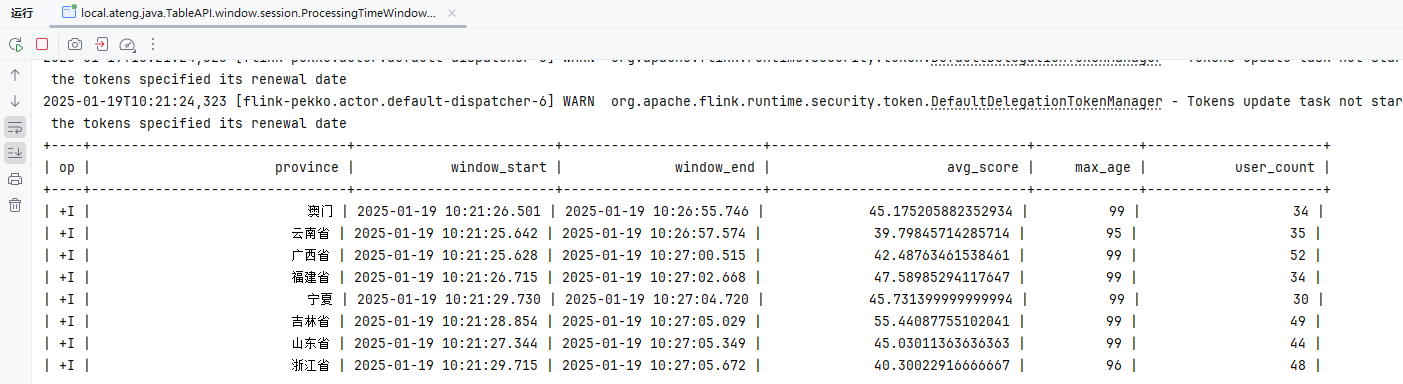
事件时间WindowGroupBy
package local.ateng.java.TableAPI.window.session;

import org.apache.flink.streaming.api.CheckpointingMode;
import org.apache.flink.streaming.api.environment.StreamExecutionEnvironment;
import org.apache.flink.table.api.*;
import org.apache.flink.table.api.bridge.java.StreamTableEnvironment;

import static org.apache.flink.table.api.Expressions.$;
import static org.apache.flink.table.api.Expressions.lit;

/**
 * 基于事件时间的window分组会话窗口
 *
 * @author 孔余
 * @email 2385569970@qq.com
 * @since 2025-01-18
 */
public class EventTimeWindowGroupBy {
    public static void main(String[] args) throws Exception {
        // 创建流式执行环境
        StreamExecutionEnvironment env = StreamExecutionEnvironment.getExecutionEnvironment();
        // 启用检查点,设置检查点间隔为 5 秒,检查点模式为 精准一次
        env.enableCheckpointing(5 * 1000, CheckpointingMode.EXACTLY_ONCE);
        // 设置并行度为 3
        env.setParallelism(3);

        // 创建流式表环境
        StreamTableEnvironment tableEnv = StreamTableEnvironment.create(env);

        // 使用 TableDescriptor 定义 Kafka 数据源
        TableDescriptor sourceDescriptor = TableDescriptor.forConnector("kafka")
                .schema(Schema.newBuilder()
                        .column("id", DataTypes.BIGINT())
                        .column("name", DataTypes.STRING())
                        .column("age", DataTypes.INT())
                        .column("score", DataTypes.DOUBLE())
                        .column("birthday", DataTypes.TIMESTAMP())
                        .column("province", DataTypes.STRING())
                        .column("city", DataTypes.STRING())
                        .column("createTime", DataTypes.TIMESTAMP(3))  // 事件时间字段
                        // 映射 Kafka 中的 createTime 到逻辑字段 create_time
                        .columnByExpression("create_time", "createTime")
                        .watermark("create_time", "create_time - INTERVAL '5' SECOND") // 配置 watermark,允许最大 5 秒延迟
                        .columnByMetadata("timestamp", DataTypes.TIMESTAMP(3))  // Kafka 的时间戳
                        .columnByMetadata("partition", DataTypes.INT())
                        .columnByMetadata("offset", DataTypes.BIGINT())
                        .build())
                .option("topic", "ateng_flink_json")  // Kafka topic 名称
                .option("properties.group.id", "ateng_flink_table_api")  // 消费者组 名称
                .option("properties.bootstrap.servers", "192.168.1.10:9094")  // Kafka 地址
                .option("format", "json")  // 数据格式,假设 Kafka 中的数据是 JSON 格式
                // 'earliest-offset', 'latest-offset', 'group-offsets', 'timestamp' and 'specific-offsets'
                .option("scan.startup.mode", "latest-offset")  // 从最早的偏移量开始消费
                .build();

        // 创建一个临时表 'my_user',这个表通过 data generator 连接器读取数据
        tableEnv.createTemporaryTable("my_user", sourceDescriptor);

        // 使用 Table API 读取表
        Table table = tableEnv.from("my_user");

        // 定义窗口操作
        Table windowedTable = table
                // 会话窗口:2分钟窗口数据
                // 表示会话窗口的间隔为 2 分钟。也就是说,窗口会根据事件之间的时间间隔划分。如果两个事件之间的时间差超过了 2 分钟,那么当前的会话窗口就结束,接下来的事件会形成新的窗口。
                .window(Session.withGap(lit(2).minutes()).on($("create_time")).as("w"))
                .groupBy($("province"), $("w")) // 按省份和窗口分组
                .select(
                        $("province"), // 选择省份
                        $("w").start().as("window_start"), // 窗口开始时间
                        $("w").end().as("window_end"), // 窗口结束时间
                        $("score").avg().as("avg_score"), // 平均分
                        $("age").max().as("max_age"), // 最大年龄
                        $("id").count().as("user_count") // 用户数量
                );

        // 执行操作
        TableResult tableResult = windowedTable.execute();

        // 打印结果
        tableResult.print();

        // 执行任务
        env.execute("事件时间会话窗口");

    }
}Over窗口
Over window 聚合来自标准的 SQL(OVER 子句),可以在 SELECT 查询子句中定义。与在“GROUP BY”子句中指定的 group window 不同, over window 不会折叠行。相反,over window 聚合为每个输入行在其相邻行的范围内计算聚合。
参考:官方文档
Over聚合(行间隔)
ROWS 间隔基于计数。它定义了聚合操作包含的精确行数。下面的 ROWS 间隔定义了当前行 + 之前的 100 行(也就是101行)都会被聚合。
代码如下
package local.ateng.java.TableAPI.window.over;

import org.apache.flink.streaming.api.environment.StreamExecutionEnvironment;
import org.apache.flink.table.api.*;
import org.apache.flink.table.api.bridge.java.StreamTableEnvironment;

import static org.apache.flink.table.api.Expressions.$;
import static org.apache.flink.table.api.Expressions.rowInterval;


public class OverRows {
    public static void main(String[] args) throws Exception {
        // 创建流式执行环境
        StreamExecutionEnvironment env = StreamExecutionEnvironment.getExecutionEnvironment();
        // 启用检查点,设置检查点间隔为 5 秒,检查点模式为 精准一次
        //env.enableCheckpointing(5 * 1000, CheckpointingMode.EXACTLY_ONCE);
        // 设置并行度为 1
        env.setParallelism(1);

        // 创建流式表环境
        StreamTableEnvironment tableEnv = StreamTableEnvironment.create(env);

        // 使用 TableDescriptor 定义 Kafka 数据源
        TableDescriptor sourceDescriptor = TableDescriptor.forConnector("kafka")
                .schema(Schema.newBuilder()
                        .column("id", DataTypes.BIGINT())
                        .column("name", DataTypes.STRING())
                        .column("age", DataTypes.INT())
                        .column("score", DataTypes.DOUBLE())
                        .column("birthday", DataTypes.TIMESTAMP())
                        .column("province", DataTypes.STRING())
                        .column("city", DataTypes.STRING())
                        .column("createTime", DataTypes.TIMESTAMP(3)) // 事件时间字段
                        .columnByExpression("proc_time", "PROCTIME()") // 处理时间字段
                        .columnByMetadata("timestamp", DataTypes.TIMESTAMP(3))  // Kafka 的时间戳
                        .columnByMetadata("partition", DataTypes.INT())
                        .columnByMetadata("offset", DataTypes.BIGINT())
                        .build())
                .option("topic", "ateng_flink_json")  // Kafka topic 名称
                .option("properties.group.id", "ateng_flink_table_api")  // 消费者组 名称
                .option("properties.bootstrap.servers", "192.168.1.10:9094")  // Kafka 地址
                .option("format", "json")  // 数据格式,假设 Kafka 中的数据是 JSON 格式
                // 'earliest-offset', 'latest-offset', 'group-offsets', 'timestamp' and 'specific-offsets'
                .option("scan.startup.mode", "latest-offset")  // 从最早的偏移量开始消费
                .build();

        // 创建一个临时表 'my_user',这个表通过 data generator 连接器读取数据
        tableEnv.createTemporaryTable("my_user", sourceDescriptor);

        // 使用 Table API 读取表
        Table table = tableEnv.from("my_user");

        // 定义窗口操作
        Table windowedTable = table
                .window(Over.orderBy($("proc_time")).preceding(rowInterval(100L)).as("w"))  // 定义 Over 窗口
                .select(
                        $("score").avg().over($("w")).as("avg_score"), // 平均分
                        $("age").max().over($("w")).as("max_age"), // 最大年龄
                        $("id").count().over($("w")).as("user_count") // 用户数量
                );

        // 执行操作
        TableResult tableResult = windowedTable.execute();

        // 打印结果
        tableResult.print();

        // 执行任务
        env.execute("Over聚合(行间隔)");

    }
}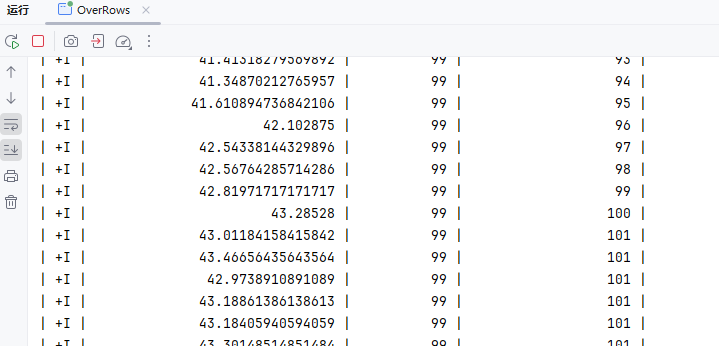
Over聚合(时间范围间隔)
RANGE 间隔是定义在排序列值上的,在 Flink 里,排序列总是一个时间属性。下面的 RANG 间隔定义了聚合会在比当前行的时间属性小 2 分钟的所有行上进行。
代码如下
package local.ateng.java.TableAPI.window.over;

import org.apache.flink.streaming.api.environment.StreamExecutionEnvironment;
import org.apache.flink.table.api.*;
import org.apache.flink.table.api.bridge.java.StreamTableEnvironment;

import static org.apache.flink.table.api.Expressions.$;
import static org.apache.flink.table.api.Expressions.lit;


public class OverRange {
    public static void main(String[] args) throws Exception {
        // 创建流式执行环境
        StreamExecutionEnvironment env = StreamExecutionEnvironment.getExecutionEnvironment();
        // 启用检查点,设置检查点间隔为 5 秒,检查点模式为 精准一次
        //env.enableCheckpointing(5 * 1000, CheckpointingMode.EXACTLY_ONCE);
        // 设置并行度为 1
        env.setParallelism(1);

        // 创建流式表环境
        StreamTableEnvironment tableEnv = StreamTableEnvironment.create(env);

        // 使用 TableDescriptor 定义 Kafka 数据源
        TableDescriptor sourceDescriptor = TableDescriptor.forConnector("kafka")
                .schema(Schema.newBuilder()
                        .column("id", DataTypes.BIGINT())
                        .column("name", DataTypes.STRING())
                        .column("age", DataTypes.INT())
                        .column("score", DataTypes.DOUBLE())
                        .column("birthday", DataTypes.TIMESTAMP())
                        .column("province", DataTypes.STRING())
                        .column("city", DataTypes.STRING())
                        .column("createTime", DataTypes.TIMESTAMP(3)) // 事件时间字段
                        .columnByExpression("proc_time", "PROCTIME()") // 处理时间字段
                        .columnByMetadata("timestamp", DataTypes.TIMESTAMP(3))  // Kafka 的时间戳
                        .columnByMetadata("partition", DataTypes.INT())
                        .columnByMetadata("offset", DataTypes.BIGINT())
                        .build())
                .option("topic", "ateng_flink_json")  // Kafka topic 名称
                .option("properties.group.id", "ateng_flink_table_api")  // 消费者组 名称
                .option("properties.bootstrap.servers", "192.168.1.10:9094")  // Kafka 地址
                .option("format", "json")  // 数据格式,假设 Kafka 中的数据是 JSON 格式
                // 'earliest-offset', 'latest-offset', 'group-offsets', 'timestamp' and 'specific-offsets'
                .option("scan.startup.mode", "latest-offset")  // 从最早的偏移量开始消费
                .build();

        // 创建一个临时表 'my_user',这个表通过 data generator 连接器读取数据
        tableEnv.createTemporaryTable("my_user", sourceDescriptor);

        // 使用 Table API 读取表
        Table table = tableEnv.from("my_user");

        // 定义窗口操作
        Table windowedTable = table
                .window(Over.orderBy($("proc_time")).preceding(lit(2).minutes()).as("w"))  // 定义 Over 窗口
                .select(
                        $("score").avg().over($("w")).as("avg_score"), // 平均分
                        $("age").max().over($("w")).as("max_age"), // 最大年龄
                        $("id").count().over($("w")).as("user_count") // 用户数量
                );

        // 执行操作
        TableResult tableResult = windowedTable.execute();

        // 打印结果
        tableResult.print();

        // 执行任务
        env.execute("Over聚合(时间范围间隔)");

    }
}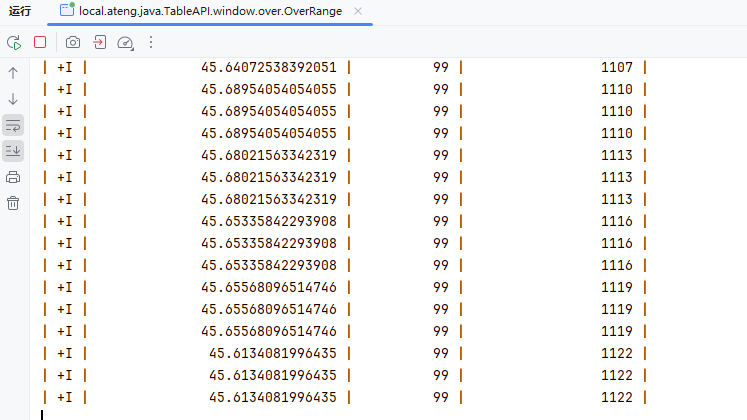
Over分区聚合(行间隔)
ROWS 间隔基于计数。它定义了聚合操作包含的精确行数。下面的 ROWS 间隔定义了当前行 + 之前的 100 行(也就是101行)都会被聚合。
PARTITION BY 子句代表着每行数据只在其所属的数据分区进行聚合。
代码如下
package local.ateng.java.TableAPI.window.over;

import org.apache.flink.streaming.api.environment.StreamExecutionEnvironment;
import org.apache.flink.table.api.*;
import org.apache.flink.table.api.bridge.java.StreamTableEnvironment;

import static org.apache.flink.table.api.Expressions.$;
import static org.apache.flink.table.api.Expressions.rowInterval;


public class OverPartRows {
    public static void main(String[] args) throws Exception {
        // 创建流式执行环境
        StreamExecutionEnvironment env = StreamExecutionEnvironment.getExecutionEnvironment();
        // 启用检查点,设置检查点间隔为 5 秒,检查点模式为 精准一次
        //env.enableCheckpointing(5 * 1000, CheckpointingMode.EXACTLY_ONCE);
        // 设置并行度为 1
        env.setParallelism(1);

        // 创建流式表环境
        StreamTableEnvironment tableEnv = StreamTableEnvironment.create(env);

        // 使用 TableDescriptor 定义 Kafka 数据源
        TableDescriptor sourceDescriptor = TableDescriptor.forConnector("kafka")
                .schema(Schema.newBuilder()
                        .column("id", DataTypes.BIGINT())
                        .column("name", DataTypes.STRING())
                        .column("age", DataTypes.INT())
                        .column("score", DataTypes.DOUBLE())
                        .column("birthday", DataTypes.TIMESTAMP())
                        .column("province", DataTypes.STRING())
                        .column("city", DataTypes.STRING())
                        .column("createTime", DataTypes.TIMESTAMP(3)) // 事件时间字段
                        .columnByExpression("proc_time", "PROCTIME()") // 处理时间字段
                        .columnByMetadata("timestamp", DataTypes.TIMESTAMP(3))  // Kafka 的时间戳
                        .columnByMetadata("partition", DataTypes.INT())
                        .columnByMetadata("offset", DataTypes.BIGINT())
                        .build())
                .option("topic", "ateng_flink_json")  // Kafka topic 名称
                .option("properties.group.id", "ateng_flink_table_api")  // 消费者组 名称
                .option("properties.bootstrap.servers", "192.168.1.10:9094")  // Kafka 地址
                .option("format", "json")  // 数据格式,假设 Kafka 中的数据是 JSON 格式
                // 'earliest-offset', 'latest-offset', 'group-offsets', 'timestamp' and 'specific-offsets'
                .option("scan.startup.mode", "latest-offset")  // 从最早的偏移量开始消费
                .build();

        // 创建一个临时表 'my_user',这个表通过 data generator 连接器读取数据
        tableEnv.createTemporaryTable("my_user", sourceDescriptor);

        // 使用 Table API 读取表
        Table table = tableEnv.from("my_user");

        // 定义窗口操作
        Table windowedTable = table
                .window(Over.partitionBy($("province")).orderBy($("proc_time")).preceding(rowInterval(100L)).as("w"))  // 定义 Over 窗口
                .select(
                        $("province"),
                        $("score").avg().over($("w")).as("avg_score"), // 平均分
                        $("age").max().over($("w")).as("max_age"), // 最大年龄
                        $("id").count().over($("w")).as("user_count") // 用户数量
                );

        // 执行操作
        TableResult tableResult = windowedTable.execute();

        // 打印结果
        tableResult.print();

        // 执行任务
        env.execute("Over分区聚合(行间隔)");

    }
}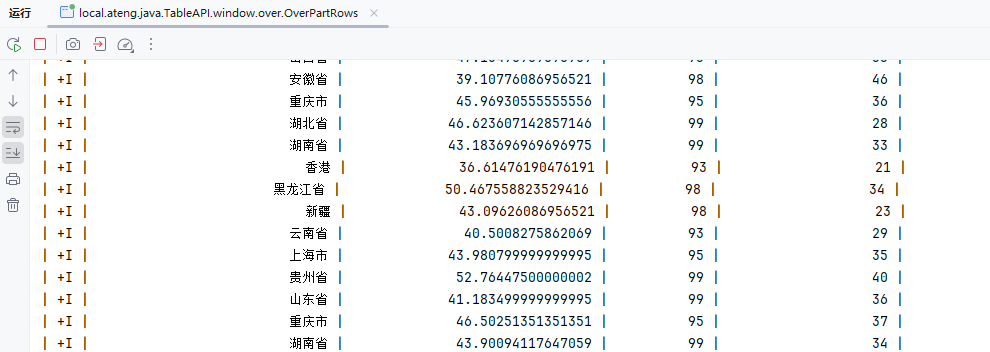
Over分区聚合(时间范围间隔)
RANGE 间隔是定义在排序列值上的,在 Flink 里,排序列总是一个时间属性。下面的 RANG 间隔定义了聚合会在比当前行的时间属性小 2 分钟的所有行上进行。
PARTITION BY 子句代表着每行数据只在其所属的数据分区进行聚合。
代码如下
package local.ateng.java.TableAPI.window.over;

import org.apache.flink.streaming.api.environment.StreamExecutionEnvironment;
import org.apache.flink.table.api.*;
import org.apache.flink.table.api.bridge.java.StreamTableEnvironment;

import static org.apache.flink.table.api.Expressions.$;
import static org.apache.flink.table.api.Expressions.lit;


public class OverPartRange {
    public static void main(String[] args) throws Exception {
        // 创建流式执行环境
        StreamExecutionEnvironment env = StreamExecutionEnvironment.getExecutionEnvironment();
        // 启用检查点,设置检查点间隔为 5 秒,检查点模式为 精准一次
        //env.enableCheckpointing(5 * 1000, CheckpointingMode.EXACTLY_ONCE);
        // 设置并行度为 1
        env.setParallelism(1);

        // 创建流式表环境
        StreamTableEnvironment tableEnv = StreamTableEnvironment.create(env);

        // 使用 TableDescriptor 定义 Kafka 数据源
        TableDescriptor sourceDescriptor = TableDescriptor.forConnector("kafka")
                .schema(Schema.newBuilder()
                        .column("id", DataTypes.BIGINT())
                        .column("name", DataTypes.STRING())
                        .column("age", DataTypes.INT())
                        .column("score", DataTypes.DOUBLE())
                        .column("birthday", DataTypes.TIMESTAMP())
                        .column("province", DataTypes.STRING())
                        .column("city", DataTypes.STRING())
                        .column("createTime", DataTypes.TIMESTAMP(3)) // 事件时间字段
                        .columnByExpression("proc_time", "PROCTIME()") // 处理时间字段
                        .columnByMetadata("timestamp", DataTypes.TIMESTAMP(3))  // Kafka 的时间戳
                        .columnByMetadata("partition", DataTypes.INT())
                        .columnByMetadata("offset", DataTypes.BIGINT())
                        .build())
                .option("topic", "ateng_flink_json")  // Kafka topic 名称
                .option("properties.group.id", "ateng_flink_table_api")  // 消费者组 名称
                .option("properties.bootstrap.servers", "192.168.1.10:9094")  // Kafka 地址
                .option("format", "json")  // 数据格式,假设 Kafka 中的数据是 JSON 格式
                // 'earliest-offset', 'latest-offset', 'group-offsets', 'timestamp' and 'specific-offsets'
                .option("scan.startup.mode", "latest-offset")  // 从最早的偏移量开始消费
                .build();

        // 创建一个临时表 'my_user',这个表通过 data generator 连接器读取数据
        tableEnv.createTemporaryTable("my_user", sourceDescriptor);

        // 使用 Table API 读取表
        Table table = tableEnv.from("my_user");

        // 定义窗口操作
        Table windowedTable = table
                .window(Over.partitionBy($("province")).orderBy($("proc_time")).preceding(lit(2).minutes()).as("w"))  // 定义 Over 窗口
                .select(
                        $("province"),
                        $("score").avg().over($("w")).as("avg_score"), // 平均分
                        $("age").max().over($("w")).as("max_age"), // 最大年龄
                        $("id").count().over($("w")).as("user_count") // 用户数量
                );

        // 执行操作
        TableResult tableResult = windowedTable.execute();

        // 打印结果
        tableResult.print();

        // 执行任务
        env.execute("Over分区聚合(时间范围间隔)");

    }
}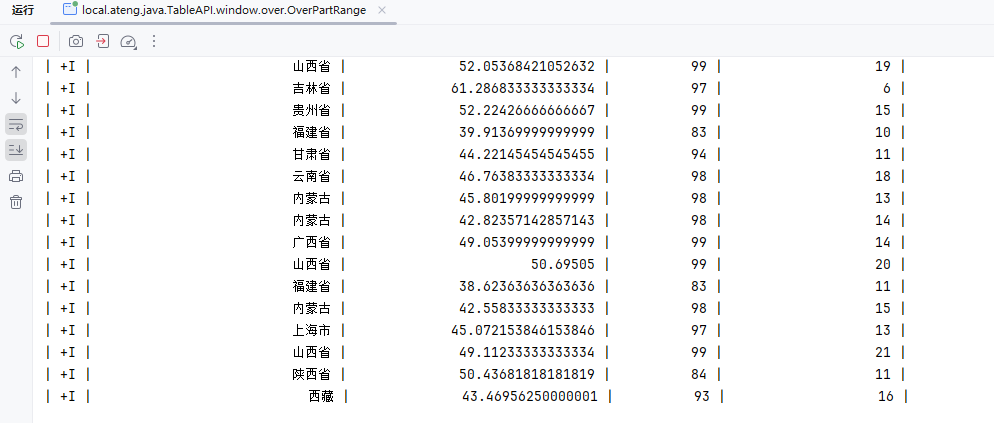
SQL
Flink SQL 是 Apache Flink 提供的 SQL 查询引擎,它使得用户能够通过 SQL 查询语言对流数据进行处理和分析。Flink SQL 既支持批处理(批数据)也支持流处理(实时数据)。
参考官方文档:
检查点模式
精准一次
EXACTLY_ONCE:在此模式下,Flink 确保每条数据被 精确处理一次,即使在任务失败并恢复时,数据也不会重复处理或丢失。通过二阶段提交(两阶段提交协议)保证了事务一致性,状态保存和提交都必须成功。这种模式适用于对数据一致性和可靠性要求极高的场景,如金融交易、支付系统等。虽然提供了强一致性保障,但代价较高,性能相对较低。
env.enableCheckpointing(5 * 1000, CheckpointingMode.EXACTLY_ONCE);至少一次
AT_LEAST_ONCE:此模式保证每条数据 至少被处理一次,即使在任务失败恢复时,也可能会发生数据重复处理。Flink 只要成功保存状态并提交检查点就认为成功,不要求完全一致性。因此,它适合吞吐量较高的应用,允许有少量的重复数据。典型应用包括日志处理、数据流分析等,性能较 EXACTLY_ONCE 好,但不保证强一致性。
env.enableCheckpointing(5 * 1000, CheckpointingMode.AT_LEAST_ONCE);创建实体类和生成函数
其实和DataStream里面的实体类和生成函数差不多,就是实体类的Date字段解析会出问题,所以就换成了LocalDateTime。
实体类
package local.ateng.java.SQL.entity;

import lombok.AllArgsConstructor;
import lombok.Builder;
import lombok.Data;
import lombok.NoArgsConstructor;

import java.io.Serializable;
import java.time.LocalDateTime;

/**
 * 用户信息实体类
 * 用于表示系统中的用户信息。
 *
 * @author 孔余
 * @since 2024-01-10 15:51
 */
@Data
@NoArgsConstructor
@AllArgsConstructor
@Builder
public class UserInfoEntity implements Serializable {
    private static final long serialVersionUID = 1L;

    /**
     * 用户ID
     */
    private Long id;

    /**
     * 用户姓名
     */
    private String name;

    /**
     * 用户年龄
     * 注意:这里使用Integer类型,表示年龄是一个整数值。
     */
    private Integer age;

    /**
     * 分数
     */
    private Double score;

    /**
     * 用户生日
     */
    private LocalDateTime birthday;

    /**
     * 用户所在省份
     */
    private String province;

    /**
     * 用户所在城市
     */
    private String city;

    /**
     * 创建时间
     */
    private LocalDateTime createTime;
}生成函数
package local.ateng.java.SQL.function;

import com.github.javafaker.Faker;
import local.ateng.java.SQL.entity.UserInfoEntity;
import org.apache.flink.api.connector.source.SourceReaderContext;
import org.apache.flink.connector.datagen.source.GeneratorFunction;

import java.time.LocalDateTime;
import java.time.ZoneId;
import java.util.Locale;

/**
 * 生成器函数
 *
 * @author 孔余
 * @since 2024-02-29 17:07
 */
public class MyGeneratorFunction implements GeneratorFunction {
    // 创建一个Java Faker实例,指定Locale为中文
    private Faker faker;

    // 初始化随机数数据生成器
    @Override
    public void open(SourceReaderContext readerContext) throws Exception {
        faker = new Faker(new Locale("zh-CN"));
    }

    @Override
    public UserInfoEntity map(Object value) throws Exception {
        // 使用 随机数数据生成器 来创建实例
        UserInfoEntity user = UserInfoEntity.builder()
                .id(System.currentTimeMillis())
                .name(faker.name().fullName())
                .birthday(faker.date().birthday().toInstant().atZone(ZoneId.systemDefault()).toLocalDateTime())
                .age(faker.number().numberBetween(0, 100))
                .province(faker.address().state())
                .city(faker.address().cityName())
                .score(faker.number().randomDouble(3, 1, 100))
                .createTime(LocalDateTime.now())
                .build();
        return user;
    }

}数据源的使用
DataGenerator
将DataGenerator生成的数据查询出来,用于后续数据测试使用。
package local.ateng.java.SQL.SourceAndSink;

import local.ateng.java.SQL.entity.UserInfoEntity;
import local.ateng.java.SQL.function.MyGeneratorFunction;
import org.apache.flink.api.common.eventtime.WatermarkStrategy;
import org.apache.flink.api.common.typeinfo.TypeInformation;
import org.apache.flink.api.connector.source.util.ratelimit.RateLimiterStrategy;
import org.apache.flink.connector.datagen.source.DataGeneratorSource;
import org.apache.flink.streaming.api.datastream.DataStreamSource;
import org.apache.flink.streaming.api.environment.StreamExecutionEnvironment;
import org.apache.flink.table.api.DataTypes;
import org.apache.flink.table.api.Schema;
import org.apache.flink.table.api.Table;
import org.apache.flink.table.api.TableResult;
import org.apache.flink.table.api.bridge.java.StreamTableEnvironment;

/**
 * 通过DataGeneratorSource生成数据
 * 使用tableEnv.createTemporaryView创建视图表供后续使用
 *
 * @author 孔余
 * @email 2385569970@qq.com
 * @since 2025-01-20
 */
public class DataGenerator {
    public static void main(String[] args) throws Exception {
        // 创建流式执行环境
        StreamExecutionEnvironment env = StreamExecutionEnvironment.getExecutionEnvironment();
        // 设置并行度为 1
        env.setParallelism(1);
        // 创建流式表环境
        StreamTableEnvironment tableEnv = StreamTableEnvironment.create(env);

        // 创建数据生成器源,生成器函数为 MyGeneratorFunction,生成 Long.MAX_VALUE 条数据,速率限制为 3 条/秒
        DataGeneratorSource<UserInfoEntity> source = new DataGeneratorSource<>(
                new MyGeneratorFunction(),
                Long.MAX_VALUE,
                RateLimiterStrategy.perSecond(3),
                TypeInformation.of(UserInfoEntity.class)
        );
        // 将数据生成器源添加到流中
        DataStreamSource<UserInfoEntity> stream =
                env.fromSource(source,
                        WatermarkStrategy.noWatermarks(),
                        "Generator Source");

        // 将 DataStream 注册为动态表
        tableEnv.createTemporaryView("my_user", stream,
                Schema.newBuilder()
                        .column("id", DataTypes.BIGINT())
                        .column("name", DataTypes.STRING())
                        .column("age", DataTypes.INT())
                        .column("score", DataTypes.DOUBLE())
                        .column("birthday", DataTypes.TIMESTAMP(3))
                        .column("province", DataTypes.STRING())
                        .column("city", DataTypes.STRING())
                        .column("createTime", DataTypes.TIMESTAMP(3))
                        .build());

        // 查询数据
        String querySql = "select * from my_user";
        Table result = tableEnv.sqlQuery(querySql);

        // 执行操作
        TableResult tableResult = result.execute();

        // 打印结果
        tableResult.print();

        // 执行任务
        env.execute("Data Generator使用示例");

    }
}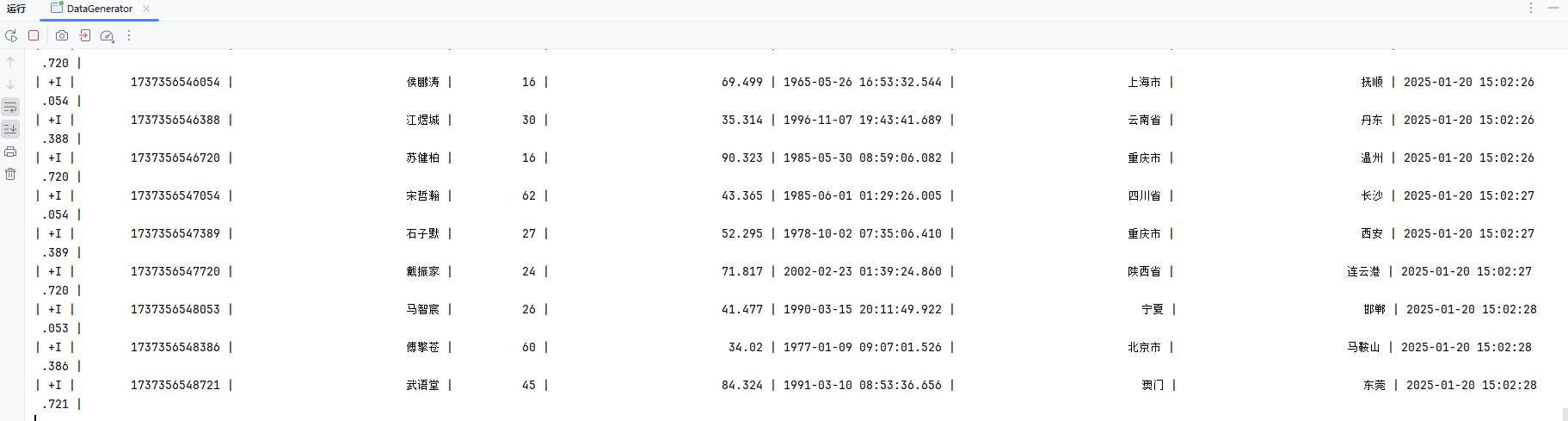
Kafka
Kafka 连接器提供从 Kafka topic 中消费和写入数据的能力。
参考:官方文档
创建一个数据生成源转换成Table,然后使用SQL insert to到目标表,最后再查询目标表的数据。
package local.ateng.java.SQL.SourceAndSink;

import local.ateng.java.SQL.entity.UserInfoEntity;
import local.ateng.java.SQL.function.MyGeneratorFunction;
import org.apache.flink.api.common.eventtime.WatermarkStrategy;
import org.apache.flink.api.common.typeinfo.TypeInformation;
import org.apache.flink.api.connector.source.util.ratelimit.RateLimiterStrategy;
import org.apache.flink.connector.datagen.source.DataGeneratorSource;
import org.apache.flink.streaming.api.CheckpointingMode;
import org.apache.flink.streaming.api.datastream.DataStreamSource;
import org.apache.flink.streaming.api.environment.StreamExecutionEnvironment;
import org.apache.flink.table.api.DataTypes;
import org.apache.flink.table.api.Schema;
import org.apache.flink.table.api.Table;
import org.apache.flink.table.api.TableResult;
import org.apache.flink.table.api.bridge.java.StreamTableEnvironment;

public class Kafka {
    public static void main(String[] args) throws Exception {
        // 创建流式执行环境
        StreamExecutionEnvironment env = StreamExecutionEnvironment.getExecutionEnvironment();
        // 设置并行度为 3
        env.setParallelism(3);
        // 创建流式表环境
        StreamTableEnvironment tableEnv = StreamTableEnvironment.create(env);

        // 创建数据生成器源,生成器函数为 MyGeneratorFunction,生成 Long.MAX_VALUE 条数据,速率限制为 3 条/秒
        DataGeneratorSource<UserInfoEntity> source = new DataGeneratorSource<>(
                new MyGeneratorFunction(),
                Long.MAX_VALUE,
                RateLimiterStrategy.perSecond(3),
                TypeInformation.of(UserInfoEntity.class)
        );
        // 将数据生成器源添加到流中
        DataStreamSource<UserInfoEntity> stream =
                env.fromSource(source,
                        WatermarkStrategy.noWatermarks(),
                        "Generator Source");

        // 将 DataStream 注册为动态表
        tableEnv.createTemporaryView("my_user", stream,
                Schema.newBuilder()
                        .column("id", DataTypes.BIGINT())
                        .column("name", DataTypes.STRING())
                        .column("age", DataTypes.INT())
                        .column("score", DataTypes.DOUBLE())
                        .column("birthday", DataTypes.TIMESTAMP(3))
                        .column("province", DataTypes.STRING())
                        .column("city", DataTypes.STRING())
                        .column("createTime", DataTypes.TIMESTAMP(3))
                        .build());

        // 创建表
        String createSql = "CREATE TABLE my_user_kafka( \n" +
                "  my_event_time TIMESTAMP(3) METADATA FROM 'timestamp' VIRTUAL,\n" +
                "  my_partition BIGINT METADATA FROM 'partition' VIRTUAL,\n" +
                "  my_offset BIGINT METADATA FROM 'offset' VIRTUAL,\n" +
                "  id BIGINT NOT NULL,\n" +
                "  name STRING,\n" +
                "  age INT,\n" +
                "  score DOUBLE,\n" +
                "  birthday TIMESTAMP(3),\n" +
                "  province STRING,\n" +
                "  city STRING,\n" +
                "  createTime TIMESTAMP(3)\n" +
                ")\n" +
                "WITH (\n" +
                "  'connector' = 'kafka',\n" +
                "  'properties.bootstrap.servers' = '192.168.1.10:9094',\n" +
                "  'properties.group.id' = 'ateng_sql',\n" +
                "  -- 'earliest-offset', 'latest-offset', 'group-offsets', 'timestamp' and 'specific-offsets'\n" +
                "  'scan.startup.mode' = 'latest-offset',\n" +
                "  'topic' = 'ateng_flink_json',\n" +
                "  'format' = 'json'\n" +
                ");";
        tableEnv.executeSql(createSql);

        // 写入数据到目标表
        String insertSql = "insert into my_user_kafka select * from my_user;";
        tableEnv.executeSql(insertSql);

        // 查询数据
        String querySql= "select * from my_user_kafka";
        Table result = tableEnv.sqlQuery(querySql);

        // 执行操作
        TableResult tableResult = result.execute();

        // 打印结果
        tableResult.print();

        // 执行任务
        env.execute("Kafka使用示例");

    }
}Kafka Upsert
Upsert Kafka 连接器支持以 upsert 方式从 Kafka topic 中读取数据并将数据写入 Kafka topic。
作为 source,upsert-kafka 连接器生产 changelog 流,其中每条数据记录代表一个更新或删除事件。更准确地说,数据记录中的 value 被解释为同一 key 的最后一个 value 的 UPDATE,如果有这个 key(如果不存在相应的 key,则该更新被视为 INSERT)。用表来类比,changelog 流中的数据记录被解释为 UPSERT,也称为 INSERT/UPDATE,因为任何具有相同 key 的现有行都被覆盖。另外,value 为空的消息将会被视作为 DELETE 消息。
作为 sink,upsert-kafka 连接器可以消费 changelog 流。它会将 INSERT/UPDATE_AFTER 数据作为正常的 Kafka 消息写入,并将 DELETE 数据以 value 为空的 Kafka 消息写入(表示对应 key 的消息被删除)。Flink 将根据主键列的值对数据进行分区,从而保证主键上的消息有序,因此同一主键上的更新/删除消息将落在同一分区中。
参考:官方文档
package local.ateng.java.SQL.SourceAndSink;

import local.ateng.java.SQL.entity.UserInfoEntity;
import local.ateng.java.SQL.function.MyGeneratorFunction;
import org.apache.flink.api.common.eventtime.WatermarkStrategy;
import org.apache.flink.api.common.typeinfo.TypeInformation;
import org.apache.flink.api.connector.source.util.ratelimit.RateLimiterStrategy;
import org.apache.flink.connector.datagen.source.DataGeneratorSource;
import org.apache.flink.streaming.api.datastream.DataStreamSource;
import org.apache.flink.streaming.api.environment.StreamExecutionEnvironment;
import org.apache.flink.table.api.DataTypes;
import org.apache.flink.table.api.Schema;
import org.apache.flink.table.api.Table;
import org.apache.flink.table.api.TableResult;
import org.apache.flink.table.api.bridge.java.StreamTableEnvironment;

/**
 * 通过DataGeneratorSource生成数据
 * 使用tableEnv.createTemporaryView创建视图表供后续使用
 * 将数据写入Kafka
 *
 * @author 孔余
 * @email 2385569970@qq.com
 * @since 2025-01-20
 */
public class KafkaUpsert {
    public static void main(String[] args) throws Exception {
        // 创建流式执行环境
        StreamExecutionEnvironment env = StreamExecutionEnvironment.getExecutionEnvironment();
        // 设置并行度为 3
        env.setParallelism(3);
        // 创建流式表环境
        StreamTableEnvironment tableEnv = StreamTableEnvironment.create(env);

        // 创建数据生成器源,生成器函数为 MyGeneratorFunction,生成 Long.MAX_VALUE 条数据,速率限制为 3 条/秒
        DataGeneratorSource<UserInfoEntity> source = new DataGeneratorSource<>(
                new MyGeneratorFunction(),
                Long.MAX_VALUE,
                RateLimiterStrategy.perSecond(3),
                TypeInformation.of(UserInfoEntity.class)
        );
        // 将数据生成器源添加到流中
        DataStreamSource<UserInfoEntity> stream =
                env.fromSource(source,
                        WatermarkStrategy.noWatermarks(),
                        "Generator Source");

        // 将 DataStream 注册为动态表
        tableEnv.createTemporaryView("my_user", stream,
                Schema.newBuilder()
                        .column("id", DataTypes.BIGINT())
                        .column("name", DataTypes.STRING())
                        .column("age", DataTypes.INT())
                        .column("score", DataTypes.DOUBLE())
                        .column("birthday", DataTypes.TIMESTAMP(3))
                        .column("province", DataTypes.STRING())
                        .column("city", DataTypes.STRING())
                        .column("createTime", DataTypes.TIMESTAMP(3))
                        .build());

        // 创建表
        String createSql = "CREATE TABLE my_user_kafka_upsert (\n" +
                "  province STRING,\n" +
                "  id_count BIGINT,\n" +
                "  score_sum DOUBLE,\n" +
                "  PRIMARY KEY (province) NOT ENFORCED\n" +
                ") WITH (\n" +
                "  'connector' = 'upsert-kafka',\n" +
                "  'topic' = 'ateng_flink_upsert',\n" +
                "  'properties.bootstrap.servers' = '192.168.1.10:9094',\n" +
                "  'key.format' = 'json',\n" +
                "  'value.format' = 'json'\n" +
                ");";
        tableEnv.executeSql(createSql);

        // 写入数据到目标表
        String insertSql = "insert into my_user_kafka_upsert\n" +
                "select province,count(id) as id_count,sum(score) as score_sum\n" +
                "from my_user\n" +
                "group by province;";
        tableEnv.executeSql(insertSql);

        // 查询数据
        String querySql= "select * from my_user_kafka_upsert";
        Table result = tableEnv.sqlQuery(querySql);

        // 执行操作
        TableResult tableResult = result.execute();

        // 打印结果
        tableResult.print();

        // 执行任务
        env.execute("Kafka Upsert使用示例");

    }
}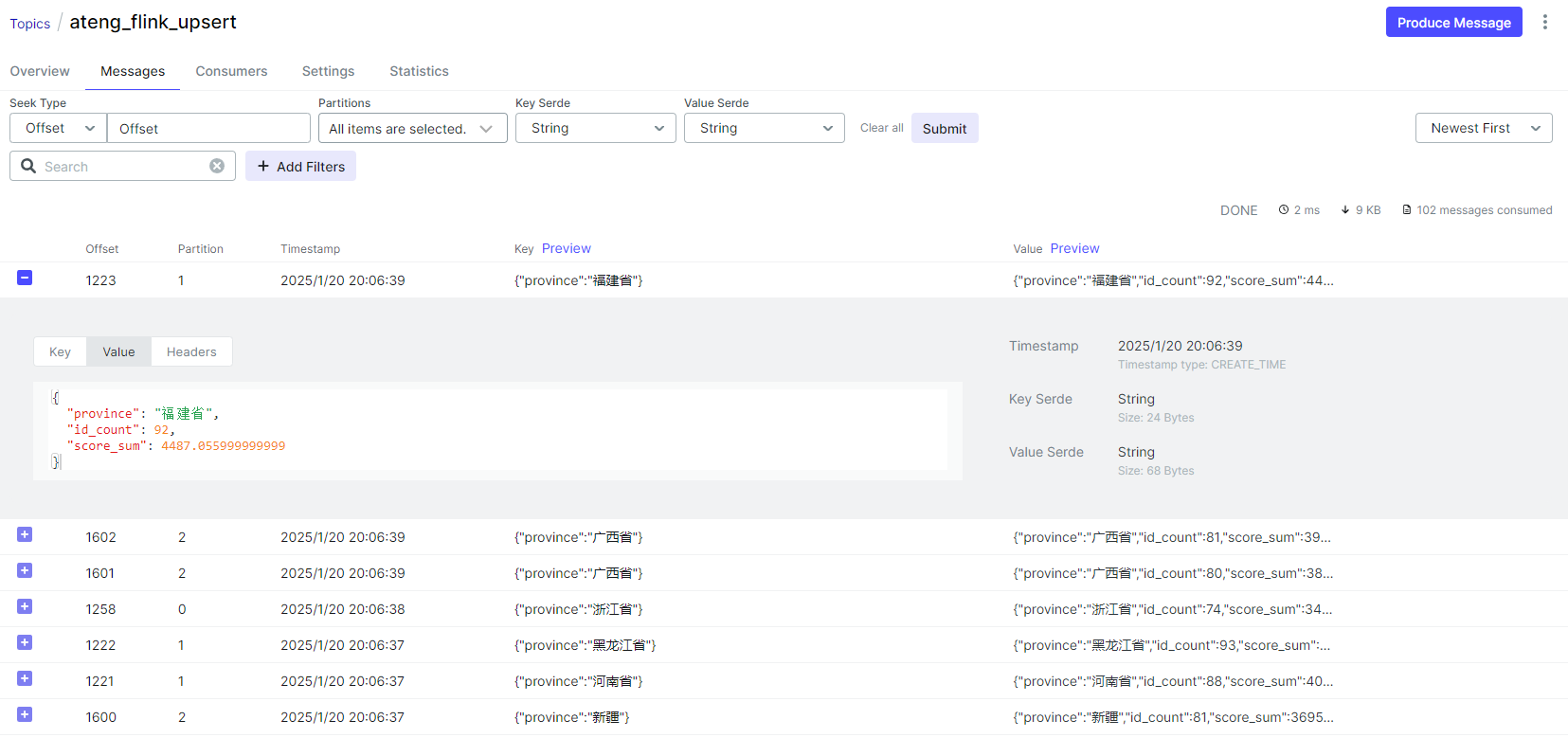
Upsert to MySQL
DDL语句执行到MySQL
创建表
DROP TABLE IF EXISTS `my_user_mysql_kafka`;
CREATE TABLE IF NOT EXISTS `my_user_mysql_kafka`
(
    `province`    varchar(50) NOT NULL COMMENT '省份' primary key,
    `id_count`    bigint NOT NULL COMMENT '数量',
    `score_sum`   double NOT NULL COMMENT '分数',
    `create_time` datetime(3) DEFAULT CURRENT_TIMESTAMP(3) COMMENT '创建时间',
    `update_time` datetime(3) DEFAULT CURRENT_TIMESTAMP(3) ON UPDATE CURRENT_TIMESTAMP(3) COMMENT '更新时间'
);编辑Flink SQL
package local.ateng.java.SQL.SourceAndSink;

import local.ateng.java.SQL.entity.UserInfoEntity;
import local.ateng.java.SQL.function.MyGeneratorFunction;
import org.apache.flink.api.common.eventtime.WatermarkStrategy;
import org.apache.flink.api.common.typeinfo.TypeInformation;
import org.apache.flink.api.connector.source.util.ratelimit.RateLimiterStrategy;
import org.apache.flink.connector.datagen.source.DataGeneratorSource;
import org.apache.flink.streaming.api.datastream.DataStreamSource;
import org.apache.flink.streaming.api.environment.StreamExecutionEnvironment;
import org.apache.flink.table.api.DataTypes;
import org.apache.flink.table.api.Schema;
import org.apache.flink.table.api.Table;
import org.apache.flink.table.api.TableResult;
import org.apache.flink.table.api.bridge.java.StreamTableEnvironment;

/**
 * 通过DataGeneratorSource生成数据
 * 使用tableEnv.createTemporaryView创建视图表供后续使用
 * 将数据新增或更新到MySQL
 *
 * @author 孔余
 * @email 2385569970@qq.com
 * @since 2025-01-20
 */
public class KafkaUpsertMySQL {
    public static void main(String[] args) throws Exception {
        // 创建流式执行环境
        StreamExecutionEnvironment env = StreamExecutionEnvironment.getExecutionEnvironment();
        // 设置并行度为 3
        env.setParallelism(3);
        // 创建流式表环境
        StreamTableEnvironment tableEnv = StreamTableEnvironment.create(env);

        // 创建Kafka Upsert表
        String createKafkaSql = "CREATE TABLE my_user_kafka_upsert (\n" +
                "  province STRING,\n" +
                "  id_count BIGINT,\n" +
                "  score_sum DOUBLE,\n" +
                "  PRIMARY KEY (province) NOT ENFORCED\n" +
                ") WITH (\n" +
                "  'connector' = 'upsert-kafka',\n" +
                "  'topic' = 'ateng_flink_upsert',\n" +
                "  'properties.bootstrap.servers' = '192.168.1.10:9094',\n" +
                "  'key.format' = 'json',\n" +
                "  'value.format' = 'json'\n" +
                ");";
        tableEnv.executeSql(createKafkaSql);

        // 创建表
        // 这里id和create_time字段都是数据库自动生成,所以这里不需要这两个字段
        String createSql = "CREATE TABLE my_user_mysql_kafka(\n" +
                "  province STRING,\n" +
                "  id_count BIGINT,\n" +
                "  score_sum DOUBLE,\n" +
                "  PRIMARY KEY (province) NOT ENFORCED\n" +
                ") WITH (\n" +
                "    'connector'='jdbc',\n" +
                "    'url' = 'jdbc:mysql://192.168.1.10:35725/kongyu_flink',\n" +
                "    'driver' = 'com.mysql.cj.jdbc.Driver',\n" +
                "    'username' = 'root',\n" +
                "    'password' = 'Admin@123',\n" +
                "    'connection.max-retry-timeout' = '60s',\n" +
                "    'table-name' = 'my_user_mysql_kafka',\n" +
                "    'sink.buffer-flush.max-rows' = '500',\n" +
                "    'sink.buffer-flush.interval' = '5s',\n" +
                "    'sink.max-retries' = '3',\n" +
                "    'sink.parallelism' = '1'\n" +
                ");\n";
        tableEnv.executeSql(createSql);

        // 写入数据到目标表
        String insertSql = "INSERT INTO my_user_mysql_kafka (province,id_count,score_sum)\n" +
                "SELECT province,id_count,score_sum \n" +
                "FROM my_user_kafka_upsert;\n";
        tableEnv.executeSql(insertSql);

        // 查询数据
        String querySql= "select * from my_user_kafka_upsert";
        Table result = tableEnv.sqlQuery(querySql);

        // 执行操作
        TableResult tableResult = result.execute();

        // 打印结果
        tableResult.print();

        // 执行任务
        env.execute("Kafka Upsert使用示例");

    }
}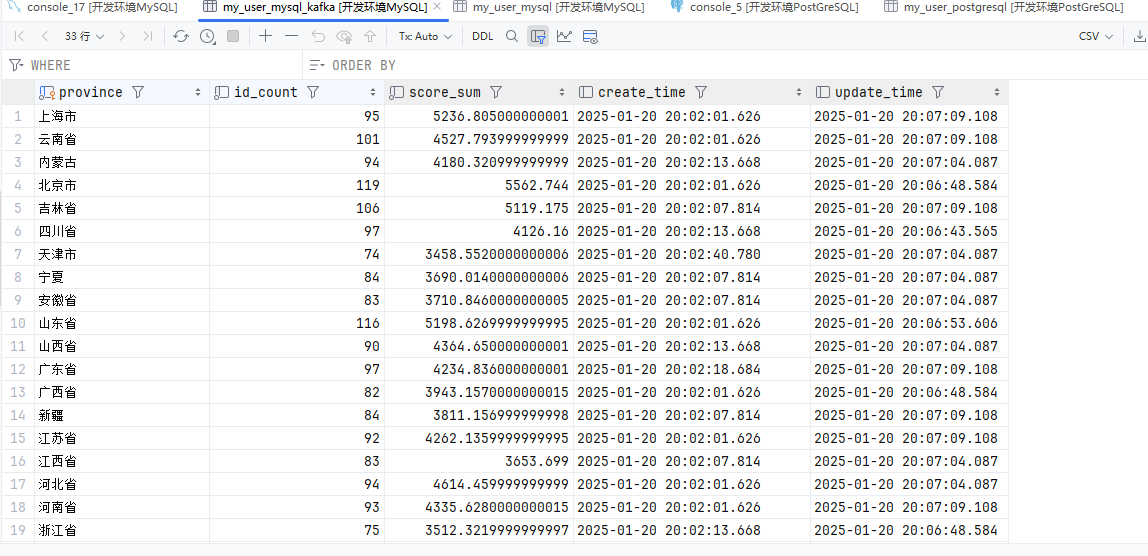
HDFS
参考:官方文档
package local.ateng.java.SQL.SourceAndSink;

import local.ateng.java.SQL.entity.UserInfoEntity;
import local.ateng.java.SQL.function.MyGeneratorFunction;
import org.apache.flink.api.common.eventtime.WatermarkStrategy;
import org.apache.flink.api.common.typeinfo.TypeInformation;
import org.apache.flink.api.connector.source.util.ratelimit.RateLimiterStrategy;
import org.apache.flink.connector.datagen.source.DataGeneratorSource;
import org.apache.flink.streaming.api.CheckpointingMode;
import org.apache.flink.streaming.api.datastream.DataStreamSource;
import org.apache.flink.streaming.api.environment.StreamExecutionEnvironment;
import org.apache.flink.table.api.DataTypes;
import org.apache.flink.table.api.Schema;
import org.apache.flink.table.api.Table;
import org.apache.flink.table.api.TableResult;
import org.apache.flink.table.api.bridge.java.StreamTableEnvironment;

/**
 * 通过DataGeneratorSource生成数据
 * 使用tableEnv.createTemporaryView创建视图表供后续使用
 * 将数据写入HDFS
 *
 * @author 孔余
 * @email 2385569970@qq.com
 * @since 2025-01-20
 */
public class HDFS {
    public static void main(String[] args) throws Exception {
        // 创建流式执行环境
        StreamExecutionEnvironment env = StreamExecutionEnvironment.getExecutionEnvironment();
        // 启用检查点,设置检查点间隔为 2 分钟,检查点模式为 精准一次
        env.enableCheckpointing(120 * 1000, CheckpointingMode.EXACTLY_ONCE);
        // 设置并行度为 1
        env.setParallelism(1);
        // 创建流式表环境
        StreamTableEnvironment tableEnv = StreamTableEnvironment.create(env);

        // 创建数据生成器源,生成器函数为 MyGeneratorFunction,生成 Long.MAX_VALUE 条数据,速率限制为 3 条/秒
        DataGeneratorSource<UserInfoEntity> source = new DataGeneratorSource<>(
                new MyGeneratorFunction(),
                Long.MAX_VALUE,
                RateLimiterStrategy.perSecond(3),
                TypeInformation.of(UserInfoEntity.class)
        );
        // 将数据生成器源添加到流中
        DataStreamSource<UserInfoEntity> stream =
                env.fromSource(source,
                        WatermarkStrategy.noWatermarks(),
                        "Generator Source");

        // 将 DataStream 注册为动态表
        tableEnv.createTemporaryView("my_user", stream,
                Schema.newBuilder()
                        .column("id", DataTypes.BIGINT())
                        .column("name", DataTypes.STRING())
                        .column("age", DataTypes.INT())
                        .column("score", DataTypes.DOUBLE())
                        .column("birthday", DataTypes.TIMESTAMP(3))
                        .column("province", DataTypes.STRING())
                        .column("city", DataTypes.STRING())
                        .column("createTime", DataTypes.TIMESTAMP(3))
                        .build());

        // 创建表
        String createSql = "CREATE TABLE my_user_file(\n" +
                "  id BIGINT NOT NULL,\n" +
                "  name STRING,\n" +
                "  age INT,\n" +
                "  score DOUBLE,\n" +
                "  birthday TIMESTAMP(3),\n" +
                "  province STRING,\n" +
                "  city STRING,\n" +
                "  createTime TIMESTAMP(3)\n" +
                ")\n" +
                "WITH (\n" +
                "  'connector' = 'filesystem',\n" +
                "  'path' = 'hdfs://server01:8020/flink/database/my_user_file',\n" +
                "  'format' = 'csv'\n" +
                ");\n";
        tableEnv.executeSql(createSql);

        // 写入数据到目标表
        String insertSql = "insert into my_user_file select * from my_user;";
        tableEnv.executeSql(insertSql);

        // 查询数据
        //tableEnv.sqlQuery("select * from my_user_file").execute().print(); //批查询
        String querySql= "select * from my_user";
        Table result = tableEnv.sqlQuery(querySql);

        // 执行操作
        TableResult tableResult = result.execute();

        // 打印结果
        tableResult.print();

        // 执行任务
        env.execute("HDFS使用示例");

    }
}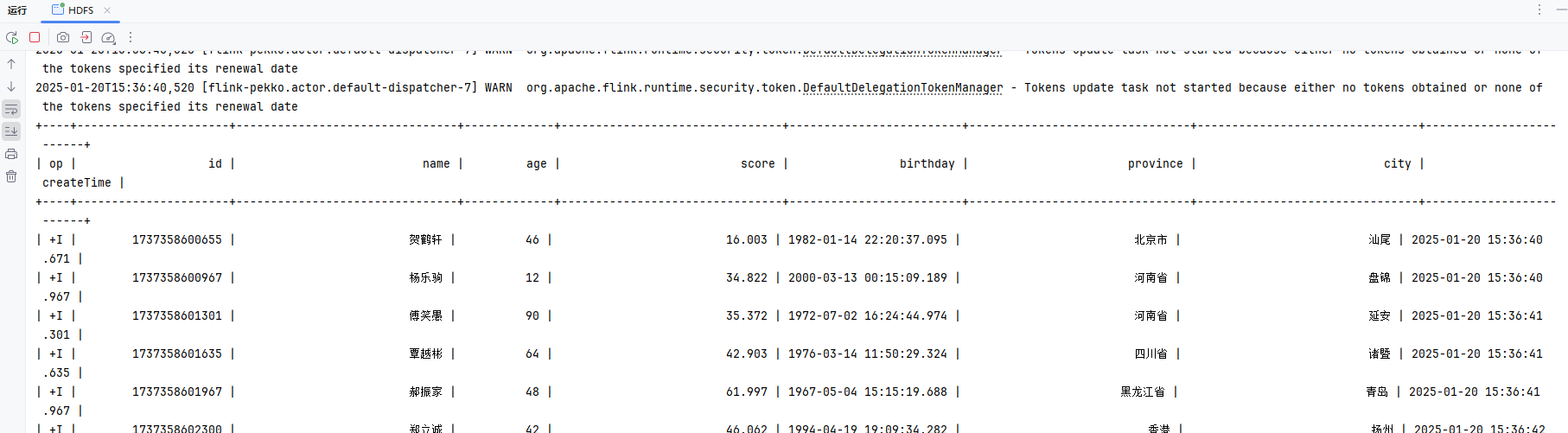
配置HDFS
Windows操作系统配置Hadoop
- 参考:地址
操作系统设置环境变量
HADOOP_GROUP_NAME=ateng
HADOOP_USER_NAME=admin创建目录并设置权限
hadoop fs -mkdir -p flink/database/my_user_file
hadoop fs -chown admin:ateng flink/database/my_user_file查看文件
hadoop fs -ls /flink/database/my_user_file
Hive
参考:官方文档
package local.ateng.java.SQL.SourceAndSink;

import local.ateng.java.SQL.entity.UserInfoEntity;
import local.ateng.java.SQL.function.MyGeneratorFunction;
import org.apache.flink.api.common.eventtime.WatermarkStrategy;
import org.apache.flink.api.common.typeinfo.TypeInformation;
import org.apache.flink.api.connector.source.util.ratelimit.RateLimiterStrategy;
import org.apache.flink.connector.datagen.source.DataGeneratorSource;
import org.apache.flink.streaming.api.CheckpointingMode;
import org.apache.flink.streaming.api.datastream.DataStreamSource;
import org.apache.flink.streaming.api.environment.StreamExecutionEnvironment;
import org.apache.flink.table.api.DataTypes;
import org.apache.flink.table.api.Schema;
import org.apache.flink.table.api.Table;
import org.apache.flink.table.api.TableResult;
import org.apache.flink.table.api.bridge.java.StreamTableEnvironment;

/**
 * 通过DataGeneratorSource生成数据
 * 使用tableEnv.createTemporaryView创建视图表供后续使用
 * 将数据写入HDFS
 *
 * @author 孔余
 * @email 2385569970@qq.com
 * @since 2025-01-20
 */
public class Hive {
    public static void main(String[] args) throws Exception {
        // 创建流式执行环境
        StreamExecutionEnvironment env = StreamExecutionEnvironment.getExecutionEnvironment();
        // 启用检查点,设置检查点间隔为 2 分钟,检查点模式为 精准一次
        env.enableCheckpointing(120 * 1000, CheckpointingMode.EXACTLY_ONCE);
        // 设置并行度为 1
        env.setParallelism(1);
        // 创建流式表环境
        StreamTableEnvironment tableEnv = StreamTableEnvironment.create(env);

        // 创建数据生成器源,生成器函数为 MyGeneratorFunction,生成 Long.MAX_VALUE 条数据,速率限制为 3 条/秒
        DataGeneratorSource<UserInfoEntity> source = new DataGeneratorSource<>(
                new MyGeneratorFunction(),
                Long.MAX_VALUE,
                RateLimiterStrategy.perSecond(3),
                TypeInformation.of(UserInfoEntity.class)
        );
        // 将数据生成器源添加到流中
        DataStreamSource<UserInfoEntity> stream =
                env.fromSource(source,
                        WatermarkStrategy.noWatermarks(),
                        "Generator Source");

        // 将 DataStream 注册为动态表
        tableEnv.createTemporaryView("my_user", stream,
                Schema.newBuilder()
                        .column("id", DataTypes.BIGINT())
                        .column("name", DataTypes.STRING())
                        .column("age", DataTypes.INT())
                        .column("score", DataTypes.DOUBLE())
                        .column("birthday", DataTypes.TIMESTAMP(3))
                        .column("province", DataTypes.STRING())
                        .column("city", DataTypes.STRING())
                        .column("createTime", DataTypes.TIMESTAMP(3))
                        .build());

        // 创建表
        String createSql = "CREATE TABLE my_user_hive(\n" +
                "  id BIGINT NOT NULL,\n" +
                "  name STRING,\n" +
                "  age INT,\n" +
                "  score DOUBLE,\n" +
                "  birthday TIMESTAMP(3),\n" +
                "  province STRING,\n" +
                "  city STRING,\n" +
                "  createTime TIMESTAMP(3)\n" +
                ") WITH (\n" +
                "  'connector' = 'filesystem',\n" +
                "  'path' = 'hdfs://server01:8020/hive/warehouse/my_user_hive',\n" +
                "  'format' = 'parquet'\n" +
                ");\n";
        tableEnv.executeSql(createSql);

        // 写入数据到目标表
        String insertSql = "insert into my_user_hive select * from my_user;";
        tableEnv.executeSql(insertSql);

        // 查询数据
        //tableEnv.sqlQuery("select * from my_user_hive").execute().print(); //批查询
        String querySql= "select * from my_user";
        Table result = tableEnv.sqlQuery(querySql);

        // 执行操作
        TableResult tableResult = result.execute();

        // 打印结果
        tableResult.print();

        // 执行任务
        env.execute("HDFS使用示例");

    }
}
配置HDFS
Windows操作系统配置Hadoop
- 参考:地址
操作系统设置环境变量
HADOOP_GROUP_NAME=ateng
HADOOP_USER_NAME=admin创建目录并设置权限
hadoop fs -mkdir -p /hive/warehouse/my_user_hive
hadoop fs -chown admin:ateng /hive/warehouse/my_user_hive查看文件
hadoop fs -ls /hive/warehouse/my_user_hive
进入Hive创建表
$ beeline -u jdbc:hive2://server01:10000 -n admin
CREATE EXTERNAL TABLE my_user_hive (
  id BIGINT,
  name STRING,
  age INT,
  score DOUBLE,
  birthday TIMESTAMP,
  province STRING,
  city STRING,
  create_time TIMESTAMP
)
STORED AS PARQUET
LOCATION 'hdfs://server01:8020/hive/warehouse/my_user_hive';查看数据
select * from my_user_hive;
select age,count(*) from my_user_hive group by age;Hive(分区表)
参考:官方文档
package local.ateng.java.SQL.SourceAndSink;

import local.ateng.java.SQL.entity.UserInfoEntity;
import local.ateng.java.SQL.function.MyGeneratorFunction;
import org.apache.flink.api.common.eventtime.WatermarkStrategy;
import org.apache.flink.api.common.typeinfo.TypeInformation;
import org.apache.flink.api.connector.source.util.ratelimit.RateLimiterStrategy;
import org.apache.flink.connector.datagen.source.DataGeneratorSource;
import org.apache.flink.streaming.api.CheckpointingMode;
import org.apache.flink.streaming.api.datastream.DataStreamSource;
import org.apache.flink.streaming.api.environment.StreamExecutionEnvironment;
import org.apache.flink.table.api.DataTypes;
import org.apache.flink.table.api.Schema;
import org.apache.flink.table.api.Table;
import org.apache.flink.table.api.TableResult;
import org.apache.flink.table.api.bridge.java.StreamTableEnvironment;

/**
 * 通过DataGeneratorSource生成数据
 * 使用tableEnv.createTemporaryView创建视图表供后续使用
 * 将数据写入HDFS
 *
 * @author 孔余
 * @email 2385569970@qq.com
 * @since 2025-01-20
 */
public class HivePart {
    public static void main(String[] args) throws Exception {
        // 创建流式执行环境
        StreamExecutionEnvironment env = StreamExecutionEnvironment.getExecutionEnvironment();
        // 启用检查点,设置检查点间隔为 2 分钟,检查点模式为 精准一次
        env.enableCheckpointing(120 * 1000, CheckpointingMode.EXACTLY_ONCE);
        // 设置并行度为 1
        env.setParallelism(1);
        // 创建流式表环境
        StreamTableEnvironment tableEnv = StreamTableEnvironment.create(env);

        // 创建数据生成器源,生成器函数为 MyGeneratorFunction,生成 Long.MAX_VALUE 条数据,速率限制为 3 条/秒
        DataGeneratorSource<UserInfoEntity> source = new DataGeneratorSource<>(
                new MyGeneratorFunction(),
                Long.MAX_VALUE,
                RateLimiterStrategy.perSecond(3),
                TypeInformation.of(UserInfoEntity.class)
        );
        // 将数据生成器源添加到流中
        DataStreamSource<UserInfoEntity> stream =
                env.fromSource(source,
                        WatermarkStrategy.noWatermarks(),
                        "Generator Source");

        // 将 DataStream 注册为动态表
        tableEnv.createTemporaryView("my_user", stream,
                Schema.newBuilder()
                        .column("id", DataTypes.BIGINT())
                        .column("name", DataTypes.STRING())
                        .column("age", DataTypes.INT())
                        .column("score", DataTypes.DOUBLE())
                        .column("birthday", DataTypes.TIMESTAMP(3))
                        .column("province", DataTypes.STRING())
                        .column("city", DataTypes.STRING())
                        .column("createTime", DataTypes.TIMESTAMP(3))
                        .build());

        // 创建表
        String createSql = "CREATE TABLE my_user_hive_part(\n" +
                "  id BIGINT NOT NULL,\n" +
                "  name STRING,\n" +
                "  age INT,\n" +
                "  score DOUBLE,\n" +
                "  birthday TIMESTAMP(3),\n" +
                "  province STRING,\n" +
                "  city STRING,\n" +
                "  createTime TIMESTAMP(3),\n" +
                "  t_date STRING,\n" +
                "  t_hour STRING\n" +
                ") PARTITIONED BY (t_date, t_hour) WITH (\n" +
                "  'connector' = 'filesystem',\n" +
                "  'path' = 'hdfs://server01:8020/hive/warehouse/my_user_hive_part',\n" +
                "  'format' = 'parquet',\n" +
                "  'sink.partition-commit.policy.kind'='success-file'\n" +
                ");\n";
        tableEnv.executeSql(createSql);

        // 写入数据到目标表
        String insertSql = "insert into my_user_hive_part\n" +
                "select\n" +
                "  id,\n" +
                "  name,\n" +
                "  age,\n" +
                "  score,\n" +
                "  birthday,\n" +
                "  province,\n" +
                "  city,\n" +
                "  createTime,\n" +
                "  DATE_FORMAT(createTime, 'yyyy-MM-dd') AS t_date,\n" +
                "  DATE_FORMAT(createTime, 'HH') AS t_hour\n" +
                "from my_user;";
        tableEnv.executeSql(insertSql);

        // 查询数据
        //tableEnv.sqlQuery("select * from my_user_hive_part").execute().print(); //批查询
        String querySql= "select * from my_user";
        Table result = tableEnv.sqlQuery(querySql);

        // 执行操作
        TableResult tableResult = result.execute();

        // 打印结果
        tableResult.print();

        // 执行任务
        env.execute("HDFS使用示例");

    }
}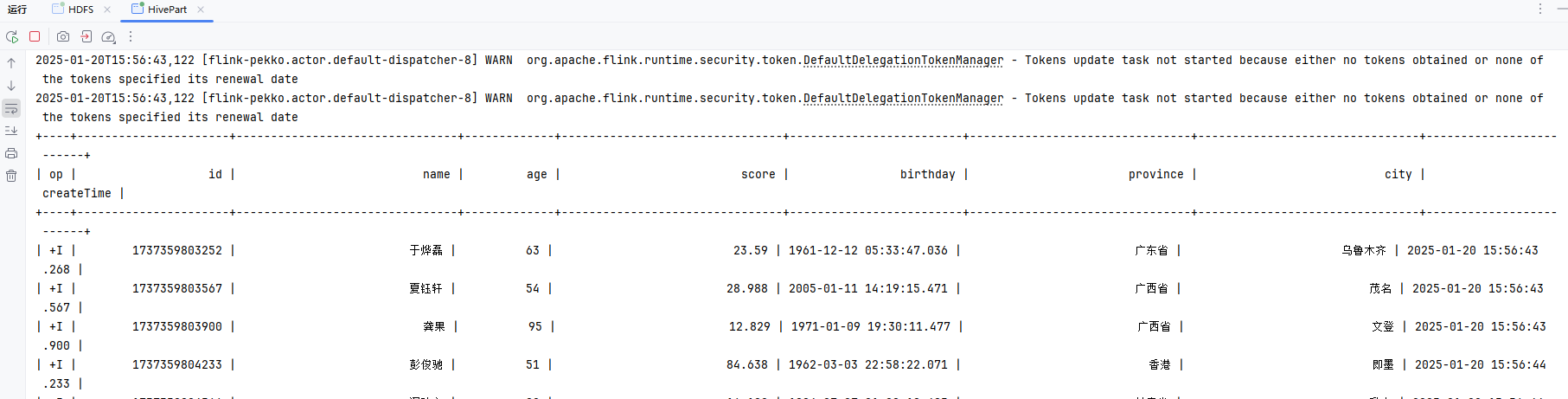
配置HDFS
Windows操作系统配置Hadoop
- 参考:地址
操作系统设置环境变量
HADOOP_GROUP_NAME=ateng
HADOOP_USER_NAME=admin创建目录并设置权限
hadoop fs -mkdir -p /hive/warehouse/my_user_hive_part
hadoop fs -chown admin:ateng /hive/warehouse/my_user_hive_part查看文件
hadoop fs -ls /hive/warehouse/my_user_hive_part
hadoop fs -ls /hive/warehouse/my_user_hive_part/t_date=2025-01-20/t_hour=15
进入Hive创建表
$ beeline -u jdbc:hive2://server01:10000 -n admin
CREATE EXTERNAL TABLE my_user_hive_part (
  id BIGINT,
  name STRING,
  age INT,
  score DOUBLE,
  birthday TIMESTAMP,
  province STRING,
  city STRING,
  create_time TIMESTAMP
)
PARTITIONED BY (t_date STRING, t_hour STRING)
STORED AS PARQUET
LOCATION 'hdfs://bigdata01:8020/hive/warehouse/my_user_hive_part';查看数据
MSCK REPAIR TABLE my_user_hive_part; --- 加载分区
select * from my_user_hive_part;
select age,count(*) from my_user_hive_part group by age;MinIO
参考:官方文档
package local.ateng.java.SQL.SourceAndSink;

import local.ateng.java.SQL.entity.UserInfoEntity;
import local.ateng.java.SQL.function.MyGeneratorFunction;
import org.apache.flink.api.common.eventtime.WatermarkStrategy;
import org.apache.flink.api.common.typeinfo.TypeInformation;
import org.apache.flink.api.connector.source.util.ratelimit.RateLimiterStrategy;
import org.apache.flink.configuration.Configuration;
import org.apache.flink.connector.datagen.source.DataGeneratorSource;
import org.apache.flink.core.fs.FileSystem;
import org.apache.flink.core.plugin.PluginManager;
import org.apache.flink.core.plugin.PluginUtils;
import org.apache.flink.streaming.api.CheckpointingMode;
import org.apache.flink.streaming.api.datastream.DataStreamSource;
import org.apache.flink.streaming.api.environment.StreamExecutionEnvironment;
import org.apache.flink.table.api.DataTypes;
import org.apache.flink.table.api.Schema;
import org.apache.flink.table.api.Table;
import org.apache.flink.table.api.TableResult;
import org.apache.flink.table.api.bridge.java.StreamTableEnvironment;

/**
 * 通过DataGeneratorSource生成数据
 * 使用tableEnv.createTemporaryView创建视图表供后续使用
 * 将数据写入MinIO
 *
 * @author 孔余
 * @email 2385569970@qq.com
 * @since 2025-01-20
 */
public class MinIO {
    public static void main(String[] args) throws Exception {
        // 初始化 s3 插件
        Configuration pluginConfiguration = new Configuration();
        pluginConfiguration.setString("s3.endpoint", "http://192.168.1.13:9000");
        pluginConfiguration.setString("s3.access-key", "admin");
        pluginConfiguration.setString("s3.secret-key", "Lingo@local_minio_9000");
        pluginConfiguration.setString("s3.path.style.access", "true");
        PluginManager pluginManager = PluginUtils.createPluginManagerFromRootFolder(pluginConfiguration);
        FileSystem.initialize(pluginConfiguration, pluginManager);

        // 创建流式执行环境
        StreamExecutionEnvironment env = StreamExecutionEnvironment.getExecutionEnvironment();
        // 启用检查点,设置检查点间隔为 2 分钟,检查点模式为 精准一次
        env.enableCheckpointing(120 * 1000, CheckpointingMode.EXACTLY_ONCE);
        // 设置并行度为 1
        env.setParallelism(1);
        // 创建流式表环境
        StreamTableEnvironment tableEnv = StreamTableEnvironment.create(env);

        // 创建数据生成器源,生成器函数为 MyGeneratorFunction,生成 Long.MAX_VALUE 条数据,速率限制为 3 条/秒
        DataGeneratorSource<UserInfoEntity> source = new DataGeneratorSource<>(
                new MyGeneratorFunction(),
                Long.MAX_VALUE,
                RateLimiterStrategy.perSecond(3),
                TypeInformation.of(UserInfoEntity.class)
        );
        // 将数据生成器源添加到流中
        DataStreamSource<UserInfoEntity> stream =
                env.fromSource(source,
                        WatermarkStrategy.noWatermarks(),
                        "Generator Source");

        // 将 DataStream 注册为动态表
        tableEnv.createTemporaryView("my_user", stream,
                Schema.newBuilder()
                        .column("id", DataTypes.BIGINT())
                        .column("name", DataTypes.STRING())
                        .column("age", DataTypes.INT())
                        .column("score", DataTypes.DOUBLE())
                        .column("birthday", DataTypes.TIMESTAMP(3))
                        .column("province", DataTypes.STRING())
                        .column("city", DataTypes.STRING())
                        .column("createTime", DataTypes.TIMESTAMP(3))
                        .build());

        // 创建表,format可选择parquet和json。使用csv格式,不然流式写入会报错Stream closed. 原因不祥。
        String createSql = "CREATE TABLE my_user_file_minio (\n" +
                "  id BIGINT NOT NULL,\n" +
                "  name STRING,\n" +
                "  age INT,\n" +
                "  score DOUBLE,\n" +
                "  birthday TIMESTAMP(3),\n" +
                "  province STRING,\n" +
                "  city STRING,\n" +
                "  createTime TIMESTAMP(3)\n" +
                ") WITH (\n" +
                "    'connector' = 'filesystem',\n" +
                "    'path' = 's3a://test/flink/my_user_file_minio',\n" +
                "    'format' = 'parquet'\n" +
                ");\n";
        tableEnv.executeSql(createSql);

        // 写入数据到目标表
        String insertSql = "insert into my_user_file_minio select * from my_user;";
        tableEnv.executeSql(insertSql);

        // 查询数据
        //tableEnv.sqlQuery("select * from my_user_file_minio").execute().print(); //批查询
        String querySql= "select * from my_user";
        Table result = tableEnv.sqlQuery(querySql);

        // 执行操作
        TableResult tableResult = result.execute();

        // 打印结果
        tableResult.print();

        // 执行任务
        env.execute("MinIO使用示例");

    }
}
MinIO(分区表)
参考:官方文档
package local.ateng.java.SQL.SourceAndSink;

import local.ateng.java.SQL.entity.UserInfoEntity;
import local.ateng.java.SQL.function.MyGeneratorFunction;
import org.apache.flink.api.common.eventtime.WatermarkStrategy;
import org.apache.flink.api.common.typeinfo.TypeInformation;
import org.apache.flink.api.connector.source.util.ratelimit.RateLimiterStrategy;
import org.apache.flink.configuration.Configuration;
import org.apache.flink.connector.datagen.source.DataGeneratorSource;
import org.apache.flink.core.fs.FileSystem;
import org.apache.flink.core.plugin.PluginManager;
import org.apache.flink.core.plugin.PluginUtils;
import org.apache.flink.streaming.api.CheckpointingMode;
import org.apache.flink.streaming.api.datastream.DataStreamSource;
import org.apache.flink.streaming.api.environment.StreamExecutionEnvironment;
import org.apache.flink.table.api.DataTypes;
import org.apache.flink.table.api.Schema;
import org.apache.flink.table.api.Table;
import org.apache.flink.table.api.TableResult;
import org.apache.flink.table.api.bridge.java.StreamTableEnvironment;

/**
 * 通过DataGeneratorSource生成数据
 * 使用tableEnv.createTemporaryView创建视图表供后续使用
 * 将数据写入MinIO(分区表)
 *
 * @author 孔余
 * @email 2385569970@qq.com
 * @since 2025-01-20
 */
public class MinIOPart {
    public static void main(String[] args) throws Exception {
        // 初始化 s3 插件
        Configuration pluginConfiguration = new Configuration();
        pluginConfiguration.setString("s3.endpoint", "http://192.168.1.13:9000");
        pluginConfiguration.setString("s3.access-key", "admin");
        pluginConfiguration.setString("s3.secret-key", "Lingo@local_minio_9000");
        pluginConfiguration.setString("s3.path.style.access", "true");
        PluginManager pluginManager = PluginUtils.createPluginManagerFromRootFolder(pluginConfiguration);
        FileSystem.initialize(pluginConfiguration, pluginManager);

        // 创建流式执行环境
        StreamExecutionEnvironment env = StreamExecutionEnvironment.getExecutionEnvironment();
        // 启用检查点,设置检查点间隔为 2 分钟,检查点模式为 精准一次
        env.enableCheckpointing(120 * 1000, CheckpointingMode.EXACTLY_ONCE);
        // 设置并行度为 1
        env.setParallelism(1);
        // 创建流式表环境
        StreamTableEnvironment tableEnv = StreamTableEnvironment.create(env);

        // 创建数据生成器源,生成器函数为 MyGeneratorFunction,生成 Long.MAX_VALUE 条数据,速率限制为 3 条/秒
        DataGeneratorSource<UserInfoEntity> source = new DataGeneratorSource<>(
                new MyGeneratorFunction(),
                Long.MAX_VALUE,
                RateLimiterStrategy.perSecond(3),
                TypeInformation.of(UserInfoEntity.class)
        );
        // 将数据生成器源添加到流中
        DataStreamSource<UserInfoEntity> stream =
                env.fromSource(source,
                        WatermarkStrategy.noWatermarks(),
                        "Generator Source");

        // 将 DataStream 注册为动态表
        tableEnv.createTemporaryView("my_user", stream,
                Schema.newBuilder()
                        .column("id", DataTypes.BIGINT())
                        .column("name", DataTypes.STRING())
                        .column("age", DataTypes.INT())
                        .column("score", DataTypes.DOUBLE())
                        .column("birthday", DataTypes.TIMESTAMP(3))
                        .column("province", DataTypes.STRING())
                        .column("city", DataTypes.STRING())
                        .column("createTime", DataTypes.TIMESTAMP(3))
                        .build());

        // 创建表,format可选择parquet和json。使用csv格式,不然流式写入会报错Stream closed. 原因不祥。
        String createSql = "CREATE TABLE my_user_file_minio_part (\n" +
                "  id BIGINT NOT NULL,\n" +
                "  name STRING,\n" +
                "  age INT,\n" +
                "  score DOUBLE,\n" +
                "  birthday TIMESTAMP(3),\n" +
                "  province STRING,\n" +
                "  city STRING,\n" +
                "  createTime TIMESTAMP(3),\n" +
                "  t_date STRING,\n" +
                "  t_hour STRING\n" +
                ") PARTITIONED BY (t_date, t_hour) WITH (\n" +
                "    'connector' = 'filesystem',\n" +
                "    'path' = 's3://test/flink/my_user_file_minio_part',\n" +
                "    'format' = 'parquet',\n" +
                "    'sink.partition-commit.policy.kind'='success-file'\n" +
                ");\n";
        tableEnv.executeSql(createSql);

        // 写入数据到目标表
        String insertSql = "insert into my_user_file_minio_part\n" +
                "select\n" +
                "  id,\n" +
                "  name,\n" +
                "  age,\n" +
                "  score,\n" +
                "  birthday,\n" +
                "  province,\n" +
                "  city,\n" +
                "  createTime,\n" +
                "  DATE_FORMAT(createTime, 'yyyy-MM-dd') AS t_date,\n" +
                "  DATE_FORMAT(createTime, 'HH') AS t_hour\n" +
                "from my_user;\n";
        tableEnv.executeSql(insertSql);

        // 查询数据
        //tableEnv.sqlQuery("select * from my_user_file_minio").execute().print(); //批查询
        String querySql= "select * from my_user";
        Table result = tableEnv.sqlQuery(querySql);

        // 执行操作
        TableResult tableResult = result.execute();

        // 打印结果
        tableResult.print();

        // 执行任务
        env.execute("MinIO使用示例");

    }
}
MySQL
JDBC 连接器允许使用 JDBC 驱动向任意类型的关系型数据库读取或者写入数据。本文档描述了针对关系型数据库如何通过建立 JDBC 连接器来执行 SQL 查询。
如果在 DDL 中定义了主键,JDBC sink 将以 upsert 模式与外部系统交换 UPDATE/DELETE 消息;否则,它将以 append 模式与外部系统交换消息且不支持消费 UPDATE/DELETE 消息。
参考:官方文档
创建表
DROP TABLE IF EXISTS `my_user_mysql`;
CREATE TABLE IF NOT EXISTS `my_user_mysql` (
  `id` bigint NOT NULL AUTO_INCREMENT COMMENT '自增ID' primary key,
  `name` varchar(255) NOT NULL COMMENT '用户姓名',
  `age` int COMMENT '用户年龄',
  `score` double COMMENT '分数',
  `birthday` datetime(3) COMMENT '用户生日',
  `province` varchar(255) COMMENT '用户所在省份',
  `city` varchar(255) COMMENT '用户所在城市',
  `create_time` datetime(3) DEFAULT CURRENT_TIMESTAMP(3) COMMENT '创建时间',
  KEY `idx_name` (`name`),
  KEY `idx_province_city` (`province`, `city`),
  KEY `idx_create_time` (`create_time`)
) COMMENT='用户表';编辑FlinkSQL
package local.ateng.java.SQL.SourceAndSink;

import local.ateng.java.SQL.entity.UserInfoEntity;
import local.ateng.java.SQL.function.MyGeneratorFunction;
import org.apache.flink.api.common.eventtime.WatermarkStrategy;
import org.apache.flink.api.common.typeinfo.TypeInformation;
import org.apache.flink.api.connector.source.util.ratelimit.RateLimiterStrategy;
import org.apache.flink.configuration.Configuration;
import org.apache.flink.connector.datagen.source.DataGeneratorSource;
import org.apache.flink.core.fs.FileSystem;
import org.apache.flink.core.plugin.PluginManager;
import org.apache.flink.core.plugin.PluginUtils;
import org.apache.flink.streaming.api.CheckpointingMode;
import org.apache.flink.streaming.api.datastream.DataStreamSource;
import org.apache.flink.streaming.api.environment.StreamExecutionEnvironment;
import org.apache.flink.table.api.DataTypes;
import org.apache.flink.table.api.Schema;
import org.apache.flink.table.api.Table;
import org.apache.flink.table.api.TableResult;
import org.apache.flink.table.api.bridge.java.StreamTableEnvironment;

/**
 * 通过DataGeneratorSource生成数据
 * 使用tableEnv.createTemporaryView创建视图表供后续使用
 * 将数据写入MySQL
 *
 * @author 孔余
 * @email 2385569970@qq.com
 * @since 2025-01-20
 */
public class MySQL {
    public static void main(String[] args) throws Exception {
        // 创建流式执行环境
        StreamExecutionEnvironment env = StreamExecutionEnvironment.getExecutionEnvironment();
        // 启用检查点,设置检查点间隔为 10 秒钟,检查点模式为 精准一次
        env.enableCheckpointing(10 * 1000, CheckpointingMode.EXACTLY_ONCE);
        // 设置并行度为 1
        env.setParallelism(1);
        // 创建流式表环境
        StreamTableEnvironment tableEnv = StreamTableEnvironment.create(env);

        // 创建数据生成器源,生成器函数为 MyGeneratorFunction,生成 Long.MAX_VALUE 条数据,速率限制为 3 条/秒
        DataGeneratorSource<UserInfoEntity> source = new DataGeneratorSource<>(
                new MyGeneratorFunction(),
                Long.MAX_VALUE,
                RateLimiterStrategy.perSecond(3),
                TypeInformation.of(UserInfoEntity.class)
        );
        // 将数据生成器源添加到流中
        DataStreamSource<UserInfoEntity> stream =
                env.fromSource(source,
                        WatermarkStrategy.noWatermarks(),
                        "Generator Source");

        // 将 DataStream 注册为动态表
        tableEnv.createTemporaryView("my_user", stream,
                Schema.newBuilder()
                        .column("id", DataTypes.BIGINT())
                        .column("name", DataTypes.STRING())
                        .column("age", DataTypes.INT())
                        .column("score", DataTypes.DOUBLE())
                        .column("birthday", DataTypes.TIMESTAMP(3))
                        .column("province", DataTypes.STRING())
                        .column("city", DataTypes.STRING())
                        .column("createTime", DataTypes.TIMESTAMP(3))
                        .build());

        // 创建表
        // 这里id和create_time字段都是数据库自动生成,所以这里不需要这两个字段
        String createSql = "CREATE TABLE my_user_mysql(\n" +
                "  name STRING,\n" +
                "  age INT,\n" +
                "  score DOUBLE,\n" +
                "  birthday TIMESTAMP(3),\n" +
                "  province STRING,\n" +
                "  city STRING\n" +
                ") WITH (\n" +
                "    'connector'='jdbc',\n" +
                "    'url' = 'jdbc:mysql://192.168.1.10:35725/kongyu_flink',\n" +
                "    'driver' = 'com.mysql.cj.jdbc.Driver',\n" +
                "    'username' = 'root',\n" +
                "    'password' = 'Admin@123',\n" +
                "    'connection.max-retry-timeout' = '60s',\n" +
                "    'table-name' = 'my_user_mysql',\n" +
                "    'sink.buffer-flush.max-rows' = '500',\n" +
                "    'sink.buffer-flush.interval' = '5s',\n" +
                "    'sink.max-retries' = '3',\n" +
                "    'sink.parallelism' = '1'\n" +
                ");\n";
        tableEnv.executeSql(createSql);

        // 写入数据到目标表
        String insertSql = "INSERT INTO my_user_mysql (name, age, score, birthday, province, city)\n" +
                "SELECT name, age, score, birthday, province, city\n" +
                "FROM my_user;\n";
        tableEnv.executeSql(insertSql);

        // 查询数据
        //tableEnv.sqlQuery("select * from my_user_mysql").execute().print(); //批查询
        String querySql= "select * from my_user";
        Table result = tableEnv.sqlQuery(querySql);

        // 执行操作
        TableResult tableResult = result.execute();

        // 打印结果
        tableResult.print();

        // 执行任务
        env.execute("MySQL使用示例");

    }
}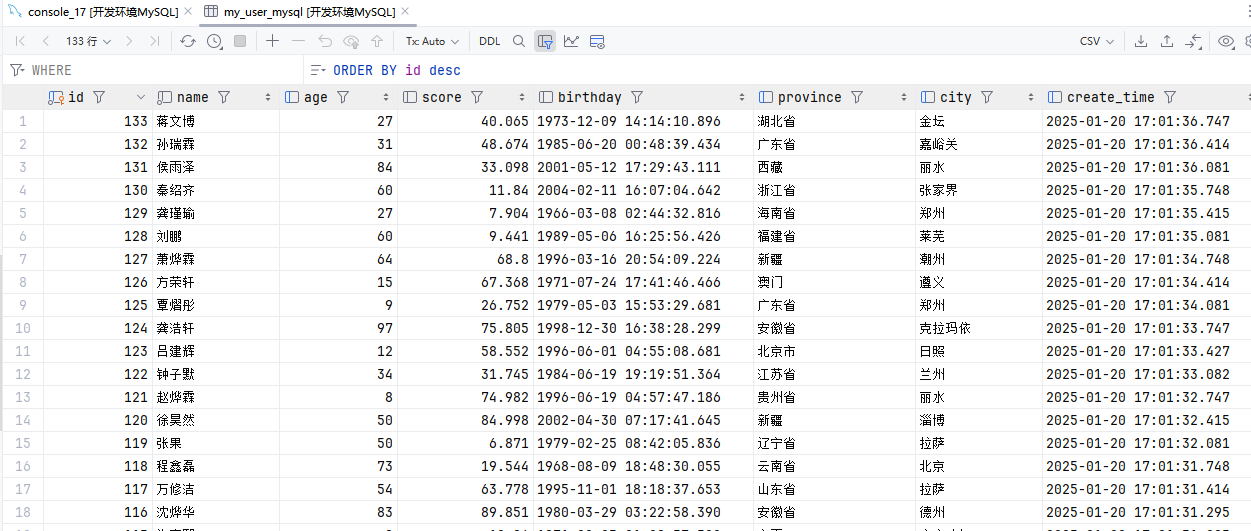
PostgreSQL
JDBC 连接器允许使用 JDBC 驱动向任意类型的关系型数据库读取或者写入数据。本文档描述了针对关系型数据库如何通过建立 JDBC 连接器来执行 SQL 查询。
如果在 DDL 中定义了主键,JDBC sink 将以 upsert 模式与外部系统交换 UPDATE/DELETE 消息;否则,它将以 append 模式与外部系统交换消息且不支持消费 UPDATE/DELETE 消息。
参考:官方文档
创建表
DROP TABLE IF EXISTS my_user_postgresql;
CREATE TABLE IF NOT EXISTS my_user_postgresql (
  id BIGSERIAL PRIMARY KEY,
  name VARCHAR(255) NOT NULL,
  age INT,
  score DOUBLE PRECISION,
  birthday TIMESTAMP(3),
  province VARCHAR(255),
  city VARCHAR(255),
  create_time TIMESTAMP(3) DEFAULT CURRENT_TIMESTAMP(3)
);
COMMENT ON COLUMN my_user_postgresql.id IS '自增ID';
COMMENT ON COLUMN my_user_postgresql.name IS '用户姓名';
COMMENT ON COLUMN my_user_postgresql.age IS '用户年龄';
COMMENT ON COLUMN my_user_postgresql.score IS '分数';
COMMENT ON COLUMN my_user_postgresql.birthday IS '用户生日';
COMMENT ON COLUMN my_user_postgresql.province IS '用户所在省份';
COMMENT ON COLUMN my_user_postgresql.city IS '用户所在城市';
COMMENT ON COLUMN my_user_postgresql.create_time IS '创建时间';
CREATE INDEX idx_name ON my_user_postgresql(name);
CREATE INDEX idx_province ON my_user_postgresql(province);
CREATE INDEX idx_create_time ON my_user_postgresql(create_time);编辑FlinkSQL
package local.ateng.java.SQL.SourceAndSink;

import local.ateng.java.SQL.entity.UserInfoEntity;
import local.ateng.java.SQL.function.MyGeneratorFunction;
import org.apache.flink.api.common.eventtime.WatermarkStrategy;
import org.apache.flink.api.common.typeinfo.TypeInformation;
import org.apache.flink.api.connector.source.util.ratelimit.RateLimiterStrategy;
import org.apache.flink.connector.datagen.source.DataGeneratorSource;
import org.apache.flink.streaming.api.CheckpointingMode;
import org.apache.flink.streaming.api.datastream.DataStreamSource;
import org.apache.flink.streaming.api.environment.StreamExecutionEnvironment;
import org.apache.flink.table.api.DataTypes;
import org.apache.flink.table.api.Schema;
import org.apache.flink.table.api.Table;
import org.apache.flink.table.api.TableResult;
import org.apache.flink.table.api.bridge.java.StreamTableEnvironment;

/**
 * 通过DataGeneratorSource生成数据
 * 使用tableEnv.createTemporaryView创建视图表供后续使用
 * 将数据写入PostgreSQL
 *
 * @author 孔余
 * @email 2385569970@qq.com
 * @since 2025-01-20
 */
public class PostgreSQL {
    public static void main(String[] args) throws Exception {
        // 创建流式执行环境
        StreamExecutionEnvironment env = StreamExecutionEnvironment.getExecutionEnvironment();
        // 启用检查点,设置检查点间隔为 10 秒钟,检查点模式为 精准一次
        env.enableCheckpointing(10 * 1000, CheckpointingMode.EXACTLY_ONCE);
        // 设置并行度为 1
        env.setParallelism(1);
        // 创建流式表环境
        StreamTableEnvironment tableEnv = StreamTableEnvironment.create(env);

        // 创建数据生成器源,生成器函数为 MyGeneratorFunction,生成 Long.MAX_VALUE 条数据,速率限制为 3 条/秒
        DataGeneratorSource<UserInfoEntity> source = new DataGeneratorSource<>(
                new MyGeneratorFunction(),
                Long.MAX_VALUE,
                RateLimiterStrategy.perSecond(3),
                TypeInformation.of(UserInfoEntity.class)
        );
        // 将数据生成器源添加到流中
        DataStreamSource<UserInfoEntity> stream =
                env.fromSource(source,
                        WatermarkStrategy.noWatermarks(),
                        "Generator Source");

        // 将 DataStream 注册为动态表
        tableEnv.createTemporaryView("my_user", stream,
                Schema.newBuilder()
                        .column("id", DataTypes.BIGINT())
                        .column("name", DataTypes.STRING())
                        .column("age", DataTypes.INT())
                        .column("score", DataTypes.DOUBLE())
                        .column("birthday", DataTypes.TIMESTAMP(3))
                        .column("province", DataTypes.STRING())
                        .column("city", DataTypes.STRING())
                        .column("createTime", DataTypes.TIMESTAMP(3))
                        .build());

        // 创建表
        // 这里id和create_time字段都是数据库自动生成,所以这里不需要这两个字段
        String createSql = "CREATE TABLE my_user_postgresql(\n" +
                "  name STRING,\n" +
                "  age INT,\n" +
                "  score DOUBLE,\n" +
                "  birthday TIMESTAMP(3),\n" +
                "  province STRING,\n" +
                "  city STRING\n" +
                ") WITH (\n" +
                "    'connector'='jdbc',\n" +
                "    'url' = 'jdbc:postgresql://192.168.1.10:32297/kongyu_flink?currentSchema=public&stringtype=unspecified',\n" +
                "    'username' = 'postgres',\n" +
                "    'password' = 'Lingo@local_postgresql_5432',\n" +
                "    'connection.max-retry-timeout' = '60s',\n" +
                "    'table-name' = 'my_user_postgresql',\n" +
                "    'sink.buffer-flush.max-rows' = '500',\n" +
                "    'sink.buffer-flush.interval' = '5s',\n" +
                "    'sink.max-retries' = '3',\n" +
                "    'sink.parallelism' = '1'\n" +
                ");\n";
        tableEnv.executeSql(createSql);

        // 写入数据到目标表
        String insertSql = "INSERT INTO my_user_postgresql (name, age, score, birthday, province, city)\n" +
                "SELECT name, age, score, birthday, province, city\n" +
                "FROM my_user;\n";
        tableEnv.executeSql(insertSql);

        // 查询数据
        //tableEnv.sqlQuery("select * from my_user_postgresql").execute().print(); //批查询
        String querySql= "select * from my_user";
        Table result = tableEnv.sqlQuery(querySql);

        // 执行操作
        TableResult tableResult = result.execute();

        // 打印结果
        tableResult.print();

        // 执行任务
        env.execute("PostgreSQL使用示例");

    }
}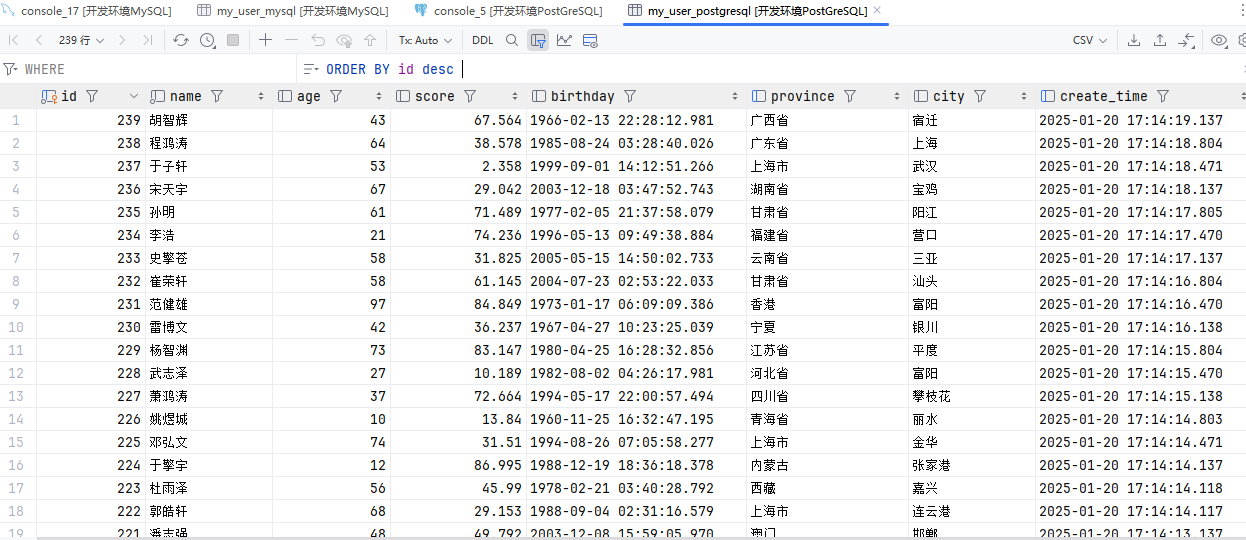
Doris
JDBC 连接器允许使用 JDBC 驱动向任意类型的关系型数据库读取或者写入数据。本文档描述了针对关系型数据库如何通过建立 JDBC 连接器来执行 SQL 查询。
如果在 DDL 中定义了主键,JDBC sink 将以 upsert 模式与外部系统交换 UPDATE/DELETE 消息;否则,它将以 append 模式与外部系统交换消息且不支持消费 UPDATE/DELETE 消息。
参考:官方文档
创建表
drop table if exists my_user_doris;
create table if not exists my_user_doris
(
    id          bigint      not null auto_increment comment '主键',
    create_time datetime(3) not null default current_timestamp(3) comment '数据创建时间',
    name        varchar(20) not null comment '姓名',
    age         int comment '年龄',
    score       double comment '分数',
    birthday    date comment '生日',
    province    varchar(50) comment '所在省份',
    city        varchar(50) comment '所在城市'
)
UNIQUE KEY(id)
COMMENT "用户表"
DISTRIBUTED BY HASH(id) BUCKETS AUTO
PROPERTIES (
    "replication_allocation" = "tag.location.default: 1"
);
show create table my_user_doris;编辑FlinkSQL
package local.ateng.java.SQL.SourceAndSink;

import local.ateng.java.SQL.entity.UserInfoEntity;
import local.ateng.java.SQL.function.MyGeneratorFunction;
import org.apache.flink.api.common.eventtime.WatermarkStrategy;
import org.apache.flink.api.common.typeinfo.TypeInformation;
import org.apache.flink.api.connector.source.util.ratelimit.RateLimiterStrategy;
import org.apache.flink.connector.datagen.source.DataGeneratorSource;
import org.apache.flink.streaming.api.CheckpointingMode;
import org.apache.flink.streaming.api.datastream.DataStreamSource;
import org.apache.flink.streaming.api.environment.StreamExecutionEnvironment;
import org.apache.flink.table.api.DataTypes;
import org.apache.flink.table.api.Schema;
import org.apache.flink.table.api.Table;
import org.apache.flink.table.api.TableResult;
import org.apache.flink.table.api.bridge.java.StreamTableEnvironment;

/**
 * 通过DataGeneratorSource生成数据
 * 使用tableEnv.createTemporaryView创建视图表供后续使用
 * 将数据写入Doris
 *
 * @author 孔余
 * @email 2385569970@qq.com
 * @since 2025-01-20
 */
public class Doris {
    public static void main(String[] args) throws Exception {
        // 创建流式执行环境
        StreamExecutionEnvironment env = StreamExecutionEnvironment.getExecutionEnvironment();
        // 启用检查点,设置检查点间隔为 10 秒钟,检查点模式为 精准一次
        env.enableCheckpointing(10 * 1000, CheckpointingMode.EXACTLY_ONCE);
        // 设置并行度为 1
        env.setParallelism(1);
        // 创建流式表环境
        StreamTableEnvironment tableEnv = StreamTableEnvironment.create(env);

        // 创建数据生成器源,生成器函数为 MyGeneratorFunction,生成 Long.MAX_VALUE 条数据,速率限制为 3 条/秒
        DataGeneratorSource<UserInfoEntity> source = new DataGeneratorSource<>(
                new MyGeneratorFunction(),
                Long.MAX_VALUE,
                RateLimiterStrategy.perSecond(3),
                TypeInformation.of(UserInfoEntity.class)
        );
        // 将数据生成器源添加到流中
        DataStreamSource<UserInfoEntity> stream =
                env.fromSource(source,
                        WatermarkStrategy.noWatermarks(),
                        "Generator Source");

        // 将 DataStream 注册为动态表
        tableEnv.createTemporaryView("my_user", stream,
                Schema.newBuilder()
                        .column("id", DataTypes.BIGINT())
                        .column("name", DataTypes.STRING())
                        .column("age", DataTypes.INT())
                        .column("score", DataTypes.DOUBLE())
                        .column("birthday", DataTypes.TIMESTAMP(3))
                        .column("province", DataTypes.STRING())
                        .column("city", DataTypes.STRING())
                        .column("createTime", DataTypes.TIMESTAMP(3))
                        .build());

        // 创建表
        // 这里id和create_time字段都是数据库自动生成,所以这里不需要这两个字段
        String createSql = "CREATE TABLE my_user_doris(\n" +
                "  name STRING,\n" +
                "  age INT,\n" +
                "  score DOUBLE,\n" +
                "  birthday TIMESTAMP(3),\n" +
                "  province STRING,\n" +
                "  city STRING\n" +
                ")\n" +
                "WITH (\n" +
                "  'connector' = 'doris',\n" +
                "  'fenodes' = '192.168.1.12:9040', -- FE_IP:HTTP_PORT\n" +
                "  'table.identifier' = 'kongyu_flink.my_user_doris',\n" +
                "  'username' = 'admin',\n" +
                "  'password' = 'Admin@123',\n" +
                "  'sink.label-prefix' = 'doris_label'\n" +
                ");\n";
        tableEnv.executeSql(createSql);

        // 写入数据到目标表
        String insertSql = "INSERT INTO my_user_doris (name, age, score, birthday, province, city)\n" +
                "SELECT name, age, score, birthday, province, city\n" +
                "FROM my_user;\n";
        tableEnv.executeSql(insertSql);

        // 查询数据
        //tableEnv.sqlQuery("select * from my_user_doris").execute().print(); //批查询
        String querySql= "select * from my_user";
        Table result = tableEnv.sqlQuery(querySql);

        // 执行操作
        TableResult tableResult = result.execute();

        // 打印结果
        tableResult.print();

        // 执行任务
        env.execute("Doris使用示例");

    }
}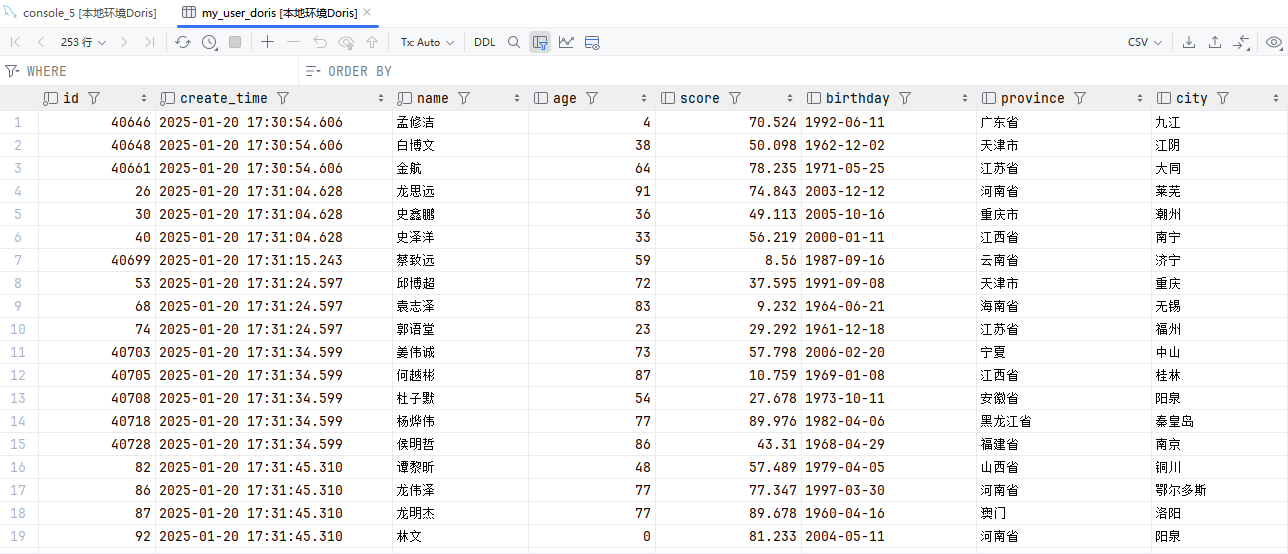
MongoDB
MongoDB 连接器提供了从 MongoDB 中读取和写入数据的能力。 本文档介绍如何设置 MongoDB 连接器以对 MongoDB 运行 SQL 查询。
连接器可以在 upsert 模式下运行,使用在 DDL 上定义的主键与外部系统交换 UPDATE/DELETE 消息。
如果 DDL 上没有定义主键,则连接器只能以 append 模式与外部系统交换 INSERT 消息且不支持消费 UPDATE/DELETE 消息。
参考:官方文档
package local.ateng.java.SQL.SourceAndSink;

import local.ateng.java.SQL.entity.UserInfoEntity;
import local.ateng.java.SQL.function.MyGeneratorFunction;
import org.apache.flink.api.common.eventtime.WatermarkStrategy;
import org.apache.flink.api.common.typeinfo.TypeInformation;
import org.apache.flink.api.connector.source.util.ratelimit.RateLimiterStrategy;
import org.apache.flink.connector.datagen.source.DataGeneratorSource;
import org.apache.flink.streaming.api.CheckpointingMode;
import org.apache.flink.streaming.api.datastream.DataStreamSource;
import org.apache.flink.streaming.api.environment.StreamExecutionEnvironment;
import org.apache.flink.table.api.DataTypes;
import org.apache.flink.table.api.Schema;
import org.apache.flink.table.api.Table;
import org.apache.flink.table.api.TableResult;
import org.apache.flink.table.api.bridge.java.StreamTableEnvironment;

/**
 * 通过DataGeneratorSource生成数据
 * 使用tableEnv.createTemporaryView创建视图表供后续使用
 * 将数据写入MongoDB
 *
 * @author 孔余
 * @email 2385569970@qq.com
 * @since 2025-01-20
 */
public class MongoDB {
    public static void main(String[] args) throws Exception {
        // 创建流式执行环境
        StreamExecutionEnvironment env = StreamExecutionEnvironment.getExecutionEnvironment();
        // 启用检查点,设置检查点间隔为 10 秒钟,检查点模式为 精准一次
        env.enableCheckpointing(10 * 1000, CheckpointingMode.EXACTLY_ONCE);
        // 设置并行度为 1
        env.setParallelism(1);
        // 创建流式表环境
        StreamTableEnvironment tableEnv = StreamTableEnvironment.create(env);

        // 创建数据生成器源,生成器函数为 MyGeneratorFunction,生成 Long.MAX_VALUE 条数据,速率限制为 3 条/秒
        DataGeneratorSource<UserInfoEntity> source = new DataGeneratorSource<>(
                new MyGeneratorFunction(),
                Long.MAX_VALUE,
                RateLimiterStrategy.perSecond(3),
                TypeInformation.of(UserInfoEntity.class)
        );
        // 将数据生成器源添加到流中
        DataStreamSource<UserInfoEntity> stream =
                env.fromSource(source,
                        WatermarkStrategy.noWatermarks(),
                        "Generator Source");

        // 将 DataStream 注册为动态表
        tableEnv.createTemporaryView("my_user", stream,
                Schema.newBuilder()
                        .column("id", DataTypes.BIGINT())
                        .column("name", DataTypes.STRING())
                        .column("age", DataTypes.INT())
                        .column("score", DataTypes.DOUBLE())
                        .column("birthday", DataTypes.TIMESTAMP(3))
                        .column("province", DataTypes.STRING())
                        .column("city", DataTypes.STRING())
                        .column("createTime", DataTypes.TIMESTAMP(3))
                        .build());

        // 创建表
        String createSql = "CREATE TABLE my_user_mongo(\n" +
                "  id BIGINT NOT NULL,\n" +
                "  name STRING,\n" +
                "  age INT,\n" +
                "  score DOUBLE,\n" +
                "  birthday TIMESTAMP(3),\n" +
                "  province STRING,\n" +
                "  city STRING,\n" +
                "  create_time TIMESTAMP(3)\n" +
                ")\n" +
                "WITH (\n" +
                "   'connector' = 'mongodb',\n" +
                "   'uri' = 'mongodb://root:Admin%40123@192.168.1.10:33627',\n" +
                "   'database' = 'kongyu_flink',\n" +
                "   'collection' = 'my_user_mongo'\n" +
                ");\n";
        tableEnv.executeSql(createSql);

        // 写入数据到目标表
        String insertSql = "INSERT INTO my_user_mongo (id, name, age, score, birthday, province, city, create_time)\n" +
                "SELECT id, name, age, score, birthday, province, city, createTime\n" +
                "FROM my_user;\n";
        tableEnv.executeSql(insertSql);

        // 查询数据
        //tableEnv.sqlQuery("select * from my_user_mongo").execute().print(); //批查询
        String querySql= "select * from my_user";
        Table result = tableEnv.sqlQuery(querySql);

        // 执行操作
        TableResult tableResult = result.execute();

        // 打印结果
        tableResult.print();

        // 执行任务
        env.execute("MongoDB使用示例");

    }
}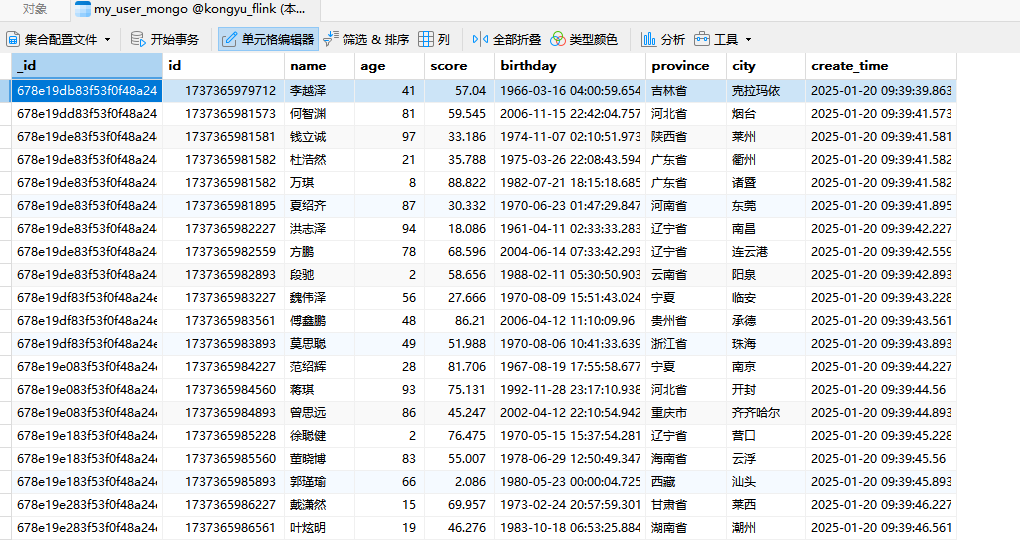
OpenSearch
注意以下事项:
支持 OpenSearch1.x ,1.3.19 版本验证通过
支持 ElasticSearch7.x ,7.17.26 版本验证通过
不支持 OpenSearch2.x
不支持 ElasticSearch8.x
参考:官方文档
package local.ateng.java.SQL.SourceAndSink;

import local.ateng.java.SQL.entity.UserInfoEntity;
import local.ateng.java.SQL.function.MyGeneratorFunction;
import org.apache.flink.api.common.eventtime.WatermarkStrategy;
import org.apache.flink.api.common.typeinfo.TypeInformation;
import org.apache.flink.api.connector.source.util.ratelimit.RateLimiterStrategy;
import org.apache.flink.connector.datagen.source.DataGeneratorSource;
import org.apache.flink.streaming.api.CheckpointingMode;
import org.apache.flink.streaming.api.datastream.DataStreamSource;
import org.apache.flink.streaming.api.environment.StreamExecutionEnvironment;
import org.apache.flink.table.api.DataTypes;
import org.apache.flink.table.api.Schema;
import org.apache.flink.table.api.Table;
import org.apache.flink.table.api.TableResult;
import org.apache.flink.table.api.bridge.java.StreamTableEnvironment;

/**
 * 通过DataGeneratorSource生成数据
 * 使用tableEnv.createTemporaryView创建视图表供后续使用
 * 将数据写入OpenSearch
 *
 * @author 孔余
 * @email 2385569970@qq.com
 * @since 2025-01-20
 */
public class OpenSearch {
    public static void main(String[] args) throws Exception {
        // 创建流式执行环境
        StreamExecutionEnvironment env = StreamExecutionEnvironment.getExecutionEnvironment();
        // 启用检查点,设置检查点间隔为 10 秒钟,检查点模式为 精准一次
        env.enableCheckpointing(10 * 1000, CheckpointingMode.EXACTLY_ONCE);
        // 设置并行度为 1
        env.setParallelism(1);
        // 创建流式表环境
        StreamTableEnvironment tableEnv = StreamTableEnvironment.create(env);

        // 创建数据生成器源,生成器函数为 MyGeneratorFunction,生成 Long.MAX_VALUE 条数据,速率限制为 3 条/秒
        DataGeneratorSource<UserInfoEntity> source = new DataGeneratorSource<>(
                new MyGeneratorFunction(),
                Long.MAX_VALUE,
                RateLimiterStrategy.perSecond(3),
                TypeInformation.of(UserInfoEntity.class)
        );
        // 将数据生成器源添加到流中
        DataStreamSource<UserInfoEntity> stream =
                env.fromSource(source,
                        WatermarkStrategy.noWatermarks(),
                        "Generator Source");

        // 将 DataStream 注册为动态表
        tableEnv.createTemporaryView("my_user", stream,
                Schema.newBuilder()
                        .column("id", DataTypes.BIGINT())
                        .column("name", DataTypes.STRING())
                        .column("age", DataTypes.INT())
                        .column("score", DataTypes.DOUBLE())
                        .column("birthday", DataTypes.TIMESTAMP(3))
                        .column("province", DataTypes.STRING())
                        .column("city", DataTypes.STRING())
                        .column("createTime", DataTypes.TIMESTAMP(3))
                        .build());

        // 创建表
        // 如果是HTTPS使用以下参数: WITH ( 'connector' = 'opensearch', 'hosts' = 'https://192.168.1.10:44771', 'index' = 'my_user_es_{create_time|yyyy-MM-dd}', 'username' = 'admin', 'password' = 'Admin@123', 'allow-insecure' = 'true' );
        String createSql = "CREATE TABLE my_user_os(\n" +
                "  id BIGINT NOT NULL,\n" +
                "  name STRING,\n" +
                "  age INT,\n" +
                "  score DOUBLE,\n" +
                "  birthday TIMESTAMP(3),\n" +
                "  province STRING,\n" +
                "  city STRING,\n" +
                "  create_time TIMESTAMP(3)\n" +
                ")\n" +
                "WITH (\n" +
                "    'connector' = 'opensearch',\n" +
                "    'hosts' = 'http://192.168.1.10:15155',\n" +
                "    'index' = 'my_user_os_{create_time|yyyyMMdd}'\n" +
                ");\n";
        tableEnv.executeSql(createSql);

        // 写入数据到目标表
        String insertSql = "INSERT INTO my_user_os (id, name, age, score, birthday, province, city, create_time)\n" +
                "SELECT id, name, age, score, birthday, province, city, createTime\n" +
                "FROM my_user;\n";
        tableEnv.executeSql(insertSql);

        // 查询数据
        //tableEnv.sqlQuery("select * from my_user_os").execute().print(); //不支持查询
        String querySql= "select * from my_user";
        Table result = tableEnv.sqlQuery(querySql);

        // 执行操作
        TableResult tableResult = result.execute();

        // 打印结果
        tableResult.print();

        // 执行任务
        env.execute("OpenSearch使用示例");

    }
}查看索引
创建索引,可以选择手动创建索引,Flink自动创建的索引可能其设置不满足相关需求
curl -X PUT "http://localhost:9200/my_user_os_20250120" -H 'Content-Type: application/json' -d '{
  "settings": {
    "mapping.total_fields.limit": "1000000",
    "max_result_window": "1000000",
    "number_of_shards": 1,
    "number_of_replicas": 0
  }
}'查看所有索引
curl http://localhost:9200/_cat/indices?v查看索引的统计信息
curl "http://localhost:9200/my_user_os_20250120/_stats/docs?pretty"查看索引映射(mappings)和设置
curl http://localhost:9200/my_user_os_20250120/_mapping?pretty
curl http://localhost:9200/my_user_os_20250120/_settings?pretty查看数据
curl -X GET "http://localhost:9200/my_user_os_20250120/_search?pretty" -H 'Content-Type: application/json' -d'
{
  "query": {
    "match_all": {}
  },
  "size": 10
}'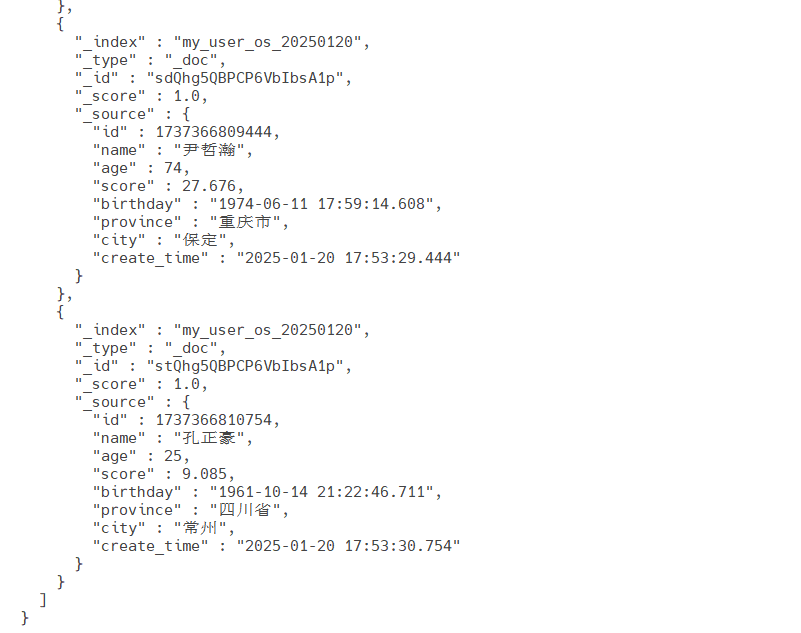
删除索引
curl -X DELETE "http://localhost:9200/my_user_os_20250120"滚动窗口
TUMBLE 函数通过时间属性字段为每行数据分配一个窗口。 在流计算模式,时间属性字段必须被指定为 事件或处理时间属性。 在批计算模式,窗口表函数的时间属性字段必须是 TIMESTAMP 或 TIMESTAMP_LTZ 的类型。 TUMBLE 的返回值包括原始表的所有列和附加的三个用于指定窗口的列,分别是:“window_start”,“window_end”,“window_time”。函数运行后,原有的时间属性 “timecol” 将转换为一个常规的 timestamp 列。
TUMBLE 函数有三个必传参数,一个可选参数:
TUMBLE(TABLE data, DESCRIPTOR(timecol), size [, offset ])data:拥有时间属性列的表。timecol:列描述符,决定数据的哪个时间属性列应该映射到窗口。size:窗口的大小(时长)。offset:窗口的偏移量 [非必填]。
参考文档:
处理时间WindowAll
关键SQL
SELECT
  window_start,
  window_end,
  window_time,
  avg(score) as avg_score,
  max(age) as age_max,
  count(id) as id_count
FROM TABLE(
  TUMBLE(
    TABLE my_user_kafka,
    DESCRIPTOR(procTime),
    INTERVAL '1' MINUTE
  )
)
GROUP BY window_start, window_end, window_time;代码如下
package local.ateng.java.SQL.window.tumbling;

import local.ateng.java.SQL.entity.UserInfoEntity;
import local.ateng.java.SQL.function.MyGeneratorFunction;
import org.apache.flink.api.common.eventtime.WatermarkStrategy;
import org.apache.flink.api.common.typeinfo.TypeInformation;
import org.apache.flink.api.connector.source.util.ratelimit.RateLimiterStrategy;
import org.apache.flink.connector.datagen.source.DataGeneratorSource;
import org.apache.flink.streaming.api.CheckpointingMode;
import org.apache.flink.streaming.api.datastream.DataStreamSource;
import org.apache.flink.streaming.api.environment.StreamExecutionEnvironment;
import org.apache.flink.table.api.DataTypes;
import org.apache.flink.table.api.Schema;
import org.apache.flink.table.api.Table;
import org.apache.flink.table.api.TableResult;
import org.apache.flink.table.api.bridge.java.StreamTableEnvironment;

/**
 * FlinkSQL基于处理时间的滚动窗口使用示例
 * @author 孔余
 * @email 2385569970@qq.com
 * @since 2025-01-20
 */
public class ProcessingTimeWindowAll {
    public static void main(String[] args) throws Exception {
        // 创建流式执行环境
        StreamExecutionEnvironment env = StreamExecutionEnvironment.getExecutionEnvironment();
        // 启用检查点,设置检查点间隔为 5 秒,检查点模式为 精准一次
        env.enableCheckpointing(5 * 1000, CheckpointingMode.EXACTLY_ONCE);
        // 设置并行度为 3
        env.setParallelism(3);
        // 创建流式表环境
        StreamTableEnvironment tableEnv = StreamTableEnvironment.create(env);

        // 创建表
        String createSql = "CREATE TABLE my_user_kafka( \n" +
                "  my_event_time TIMESTAMP(3) METADATA FROM 'timestamp' VIRTUAL,\n" +
                "  my_partition BIGINT METADATA FROM 'partition' VIRTUAL,\n" +
                "  my_offset BIGINT METADATA FROM 'offset' VIRTUAL,\n" +
                "  id BIGINT NOT NULL,\n" +
                "  name STRING,\n" +
                "  age INT,\n" +
                "  score DOUBLE,\n" +
                "  birthday TIMESTAMP(3),\n" +
                "  province STRING,\n" +
                "  city STRING,\n" +
                "  createTime TIMESTAMP(3),\n" +
                "  procTime AS PROCTIME() \n" +
                ")\n" +
                "WITH (\n" +
                "  'connector' = 'kafka',\n" +
                "  'properties.bootstrap.servers' = '192.168.1.10:9094',\n" +
                "  'properties.group.id' = 'ateng_sql',\n" +
                "  -- 'earliest-offset', 'latest-offset', 'group-offsets', 'timestamp' and 'specific-offsets'\n" +
                "  'scan.startup.mode' = 'latest-offset',\n" +
                "  'topic' = 'ateng_flink_json',\n" +
                "  'format' = 'json'\n" +
                ");";
        tableEnv.executeSql(createSql);

        // 查询数据
        // 1分钟滚动窗口
        String querySql = "SELECT\n" +
                "  window_start,\n" +
                "  window_end,\n" +
                "  window_time,\n" +
                "  avg(score) as avg_score,\n" +
                "  max(age) as age_max,\n" +
                "  count(id) as id_count\n" +
                "FROM TABLE(\n" +
                "  TUMBLE(\n" +
                "    TABLE my_user_kafka,\n" +
                "    DESCRIPTOR(procTime),\n" +
                "    INTERVAL '1' MINUTE\n" +
                "  )\n" +
                ")\n" +
                "GROUP BY window_start, window_end, window_time;";
        Table result = tableEnv.sqlQuery(querySql);

        // 执行操作
        TableResult tableResult = result.execute();

        // 打印结果
        tableResult.print();

        // 执行任务
        env.execute("FlinkSQL基于处理时间的滚动窗口使用示例");

    }
}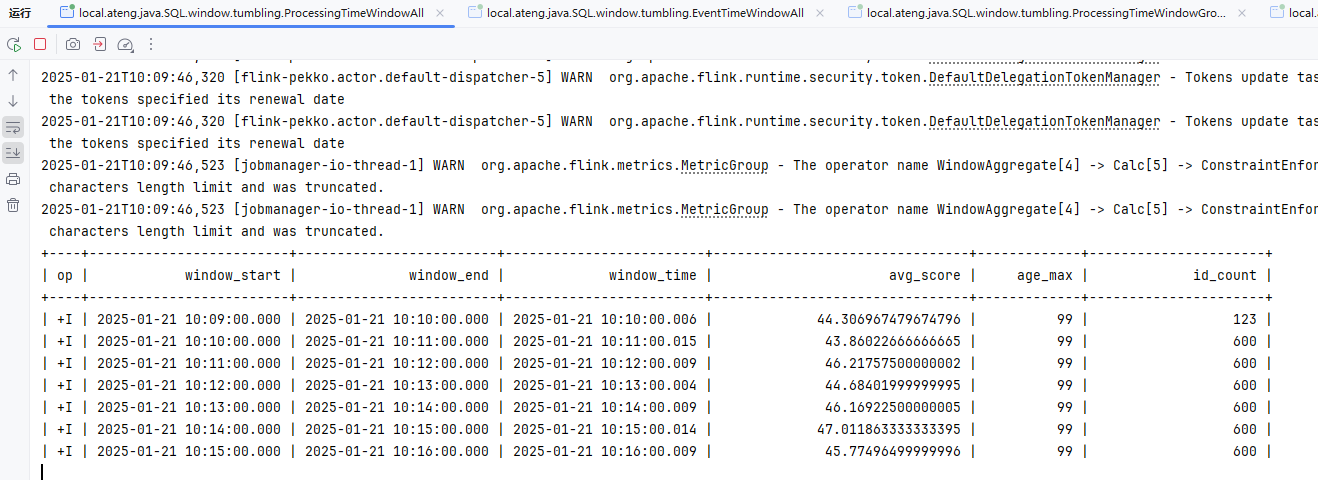
事件时间WindowsAll
关键SQL
SELECT
  window_start,
  window_end,
  window_time,
  avg(score) as avg_score,
  max(age) as age_max,
  count(id) as id_count
FROM TABLE(
  TUMBLE(
    TABLE my_user_kafka,
    DESCRIPTOR(createTime),
    INTERVAL '1' MINUTE
  )
)
GROUP BY window_start, window_end, window_time;代码如下
package local.ateng.java.SQL.window.tumbling;

import org.apache.flink.streaming.api.CheckpointingMode;
import org.apache.flink.streaming.api.environment.StreamExecutionEnvironment;
import org.apache.flink.table.api.Table;
import org.apache.flink.table.api.TableResult;
import org.apache.flink.table.api.bridge.java.StreamTableEnvironment;

/**
 * FlinkSQL基于事件时间的滚动窗口使用示例
 * @author 孔余
 * @email 2385569970@qq.com
 * @since 2025-01-20
 */
public class EventTimeWindowAll {
    public static void main(String[] args) throws Exception {
        // 创建流式执行环境
        StreamExecutionEnvironment env = StreamExecutionEnvironment.getExecutionEnvironment();
        // 启用检查点,设置检查点间隔为 5 秒,检查点模式为 精准一次
        env.enableCheckpointing(5 * 1000, CheckpointingMode.EXACTLY_ONCE);
        // 设置并行度为 3
        env.setParallelism(3);
        // 创建流式表环境
        StreamTableEnvironment tableEnv = StreamTableEnvironment.create(env);

        // 创建表
        String createSql = "CREATE TABLE my_user_kafka( \n" +
                "  my_event_time TIMESTAMP(3) METADATA FROM 'timestamp' VIRTUAL,\n" +
                "  my_partition BIGINT METADATA FROM 'partition' VIRTUAL,\n" +
                "  my_offset BIGINT METADATA FROM 'offset' VIRTUAL,\n" +
                "  id BIGINT NOT NULL,\n" +
                "  name STRING,\n" +
                "  age INT,\n" +
                "  score DOUBLE,\n" +
                "  birthday TIMESTAMP(3),\n" +
                "  province STRING,\n" +
                "  city STRING,\n" +
                "  createTime TIMESTAMP(3),\n" +
                "  -- 配置 watermark,允许最大 5 秒延迟\n" +
                "  WATERMARK FOR createTime AS createTime - INTERVAL '5' SECOND\n" +
                ")\n" +
                "WITH (\n" +
                "  'connector' = 'kafka',\n" +
                "  'properties.bootstrap.servers' = '192.168.1.10:9094',\n" +
                "  'properties.group.id' = 'ateng_sql',\n" +
                "  -- 'earliest-offset', 'latest-offset', 'group-offsets', 'timestamp' and 'specific-offsets'\n" +
                "  'scan.startup.mode' = 'latest-offset',\n" +
                "  'topic' = 'ateng_flink_json',\n" +
                "  'format' = 'json'\n" +
                ");";
        tableEnv.executeSql(createSql);

        // 查询数据
        // 1分钟滚动窗口
        String querySql = "SELECT\n" +
                "  window_start,\n" +
                "  window_end,\n" +
                "  window_time,\n" +
                "  avg(score) as avg_score,\n" +
                "  max(age) as age_max,\n" +
                "  count(id) as id_count\n" +
                "FROM TABLE(\n" +
                "  TUMBLE(\n" +
                "    TABLE my_user_kafka,\n" +
                "    DESCRIPTOR(createTime),\n" +
                "    INTERVAL '1' MINUTE\n" +
                "  )\n" +
                ")\n" +
                "GROUP BY window_start, window_end, window_time;";
        Table result = tableEnv.sqlQuery(querySql);

        // 执行操作
        TableResult tableResult = result.execute();

        // 打印结果
        tableResult.print();

        // 执行任务
        env.execute("FlinkSQL基于事件时间的滚动窗口使用示例");

    }
}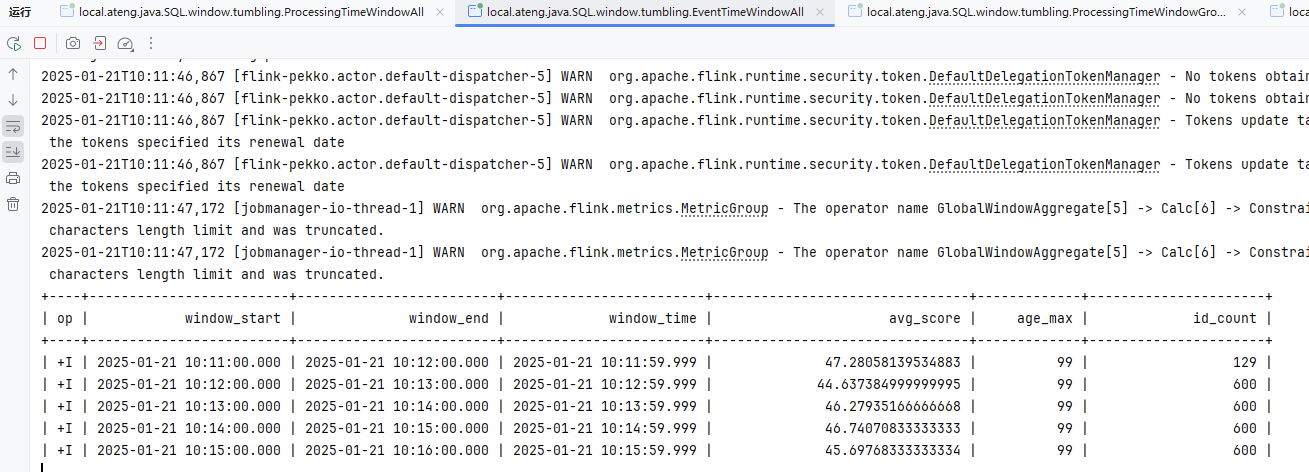
处理时间WindowGroupBy
关键SQL
SELECT
  window_start,
  window_end,
  window_time,
  province,
  avg(score) as avg_score,
  max(age) as age_max,
  count(id) as id_count
FROM TABLE(
  TUMBLE(
    TABLE my_user_kafka,
    DESCRIPTOR(procTime),
    INTERVAL '1' MINUTE
  )
)
GROUP BY window_start, window_end, window_time, province;代码如下
package local.ateng.java.SQL.window.tumbling;

import org.apache.flink.streaming.api.CheckpointingMode;
import org.apache.flink.streaming.api.environment.StreamExecutionEnvironment;
import org.apache.flink.table.api.Table;
import org.apache.flink.table.api.TableResult;
import org.apache.flink.table.api.bridge.java.StreamTableEnvironment;

/**
 * FlinkSQL基于处理时间的滚动窗口使用示例
 * @author 孔余
 * @email 2385569970@qq.com
 * @since 2025-01-20
 */
public class ProcessingTimeWindowGroupBy {
    public static void main(String[] args) throws Exception {
        // 创建流式执行环境
        StreamExecutionEnvironment env = StreamExecutionEnvironment.getExecutionEnvironment();
        // 启用检查点,设置检查点间隔为 5 秒,检查点模式为 精准一次
        env.enableCheckpointing(5 * 1000, CheckpointingMode.EXACTLY_ONCE);
        // 设置并行度为 3
        env.setParallelism(3);
        // 创建流式表环境
        StreamTableEnvironment tableEnv = StreamTableEnvironment.create(env);

        // 创建表
        String createSql = "CREATE TABLE my_user_kafka( \n" +
                "  my_event_time TIMESTAMP(3) METADATA FROM 'timestamp' VIRTUAL,\n" +
                "  my_partition BIGINT METADATA FROM 'partition' VIRTUAL,\n" +
                "  my_offset BIGINT METADATA FROM 'offset' VIRTUAL,\n" +
                "  id BIGINT NOT NULL,\n" +
                "  name STRING,\n" +
                "  age INT,\n" +
                "  score DOUBLE,\n" +
                "  birthday TIMESTAMP(3),\n" +
                "  province STRING,\n" +
                "  city STRING,\n" +
                "  createTime TIMESTAMP(3),\n" +
                "  procTime AS PROCTIME() \n" +
                ")\n" +
                "WITH (\n" +
                "  'connector' = 'kafka',\n" +
                "  'properties.bootstrap.servers' = '192.168.1.10:9094',\n" +
                "  'properties.group.id' = 'ateng_sql',\n" +
                "  -- 'earliest-offset', 'latest-offset', 'group-offsets', 'timestamp' and 'specific-offsets'\n" +
                "  'scan.startup.mode' = 'latest-offset',\n" +
                "  'topic' = 'ateng_flink_json',\n" +
                "  'format' = 'json'\n" +
                ");";
        tableEnv.executeSql(createSql);

        // 查询数据
        // 1分钟滚动窗口
        String querySql = "SELECT\n" +
                "  window_start,\n" +
                "  window_end,\n" +
                "  window_time,\n" +
                "  province,\n" +
                "  avg(score) as avg_score,\n" +
                "  max(age) as age_max,\n" +
                "  count(id) as id_count\n" +
                "FROM TABLE(\n" +
                "  TUMBLE(\n" +
                "    TABLE my_user_kafka,\n" +
                "    DESCRIPTOR(procTime),\n" +
                "    INTERVAL '1' MINUTE\n" +
                "  )\n" +
                ")\n" +
                "GROUP BY window_start, window_end, window_time, province;";
        Table result = tableEnv.sqlQuery(querySql);

        // 执行操作
        TableResult tableResult = result.execute();

        // 打印结果
        tableResult.print();

        // 执行任务
        env.execute("FlinkSQL基于处理时间的滚动窗口使用示例");

    }
}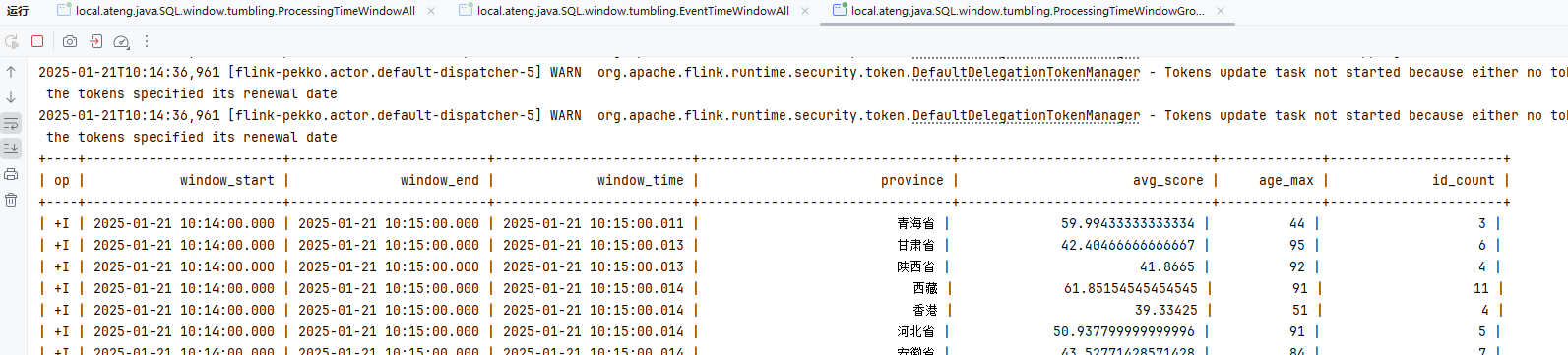
事件时间WindowGroupBy
关键SQL
SELECT
  window_start,
  window_end,
  window_time,
  province,
  avg(score) as avg_score,
  max(age) as age_max,
  count(id) as id_count
FROM TABLE(
  TUMBLE(
    TABLE my_user_kafka,
    DESCRIPTOR(createTime),
    INTERVAL '1' MINUTE
  )
)
GROUP BY window_start, window_end, window_time, province;代码如下
package local.ateng.java.SQL.window.tumbling;

import org.apache.flink.streaming.api.CheckpointingMode;
import org.apache.flink.streaming.api.environment.StreamExecutionEnvironment;
import org.apache.flink.table.api.Table;
import org.apache.flink.table.api.TableResult;
import org.apache.flink.table.api.bridge.java.StreamTableEnvironment;

/**
 * FlinkSQL基于事件时间的滚动窗口使用示例
 *
 * @author 孔余
 * @email 2385569970@qq.com
 * @since 2025-01-20
 */
public class EventTimeWindowGroupBy {
    public static void main(String[] args) throws Exception {
        // 创建流式执行环境
        StreamExecutionEnvironment env = StreamExecutionEnvironment.getExecutionEnvironment();
        // 启用检查点,设置检查点间隔为 5 秒,检查点模式为 精准一次
        env.enableCheckpointing(5 * 1000, CheckpointingMode.EXACTLY_ONCE);
        // 设置并行度为 3
        env.setParallelism(3);
        // 创建流式表环境
        StreamTableEnvironment tableEnv = StreamTableEnvironment.create(env);

        // 创建表
        String createSql = "CREATE TABLE my_user_kafka( \n" +
                "  my_event_time TIMESTAMP(3) METADATA FROM 'timestamp' VIRTUAL,\n" +
                "  my_partition BIGINT METADATA FROM 'partition' VIRTUAL,\n" +
                "  my_offset BIGINT METADATA FROM 'offset' VIRTUAL,\n" +
                "  id BIGINT NOT NULL,\n" +
                "  name STRING,\n" +
                "  age INT,\n" +
                "  score DOUBLE,\n" +
                "  birthday TIMESTAMP(3),\n" +
                "  province STRING,\n" +
                "  city STRING,\n" +
                "  createTime TIMESTAMP(3),\n" +
                "  -- 配置 watermark,允许最大 5 秒延迟\n" +
                "  WATERMARK FOR createTime AS createTime - INTERVAL '5' SECOND\n" +
                ")\n" +
                "WITH (\n" +
                "  'connector' = 'kafka',\n" +
                "  'properties.bootstrap.servers' = '192.168.1.10:9094',\n" +
                "  'properties.group.id' = 'ateng_sql',\n" +
                "  -- 'earliest-offset', 'latest-offset', 'group-offsets', 'timestamp' and 'specific-offsets'\n" +
                "  'scan.startup.mode' = 'latest-offset',\n" +
                "  'topic' = 'ateng_flink_json',\n" +
                "  'format' = 'json'\n" +
                ");";
        tableEnv.executeSql(createSql);

        // 查询数据
        // 1分钟滚动窗口
        String querySql = "SELECT\n" +
                "  window_start,\n" +
                "  window_end,\n" +
                "  window_time,\n" +
                "  province,\n" +
                "  avg(score) as avg_score,\n" +
                "  max(age) as age_max,\n" +
                "  count(id) as id_count\n" +
                "FROM TABLE(\n" +
                "  TUMBLE(\n" +
                "    TABLE my_user_kafka,\n" +
                "    DESCRIPTOR(createTime),\n" +
                "    INTERVAL '1' MINUTE\n" +
                "  )\n" +
                ")\n" +
                "GROUP BY window_start, window_end, window_time, province;";
        Table result = tableEnv.sqlQuery(querySql);

        // 执行操作
        TableResult tableResult = result.execute();

        // 打印结果
        tableResult.print();

        // 执行任务
        env.execute("FlinkSQL基于事件时间的滚动窗口使用示例");

    }
}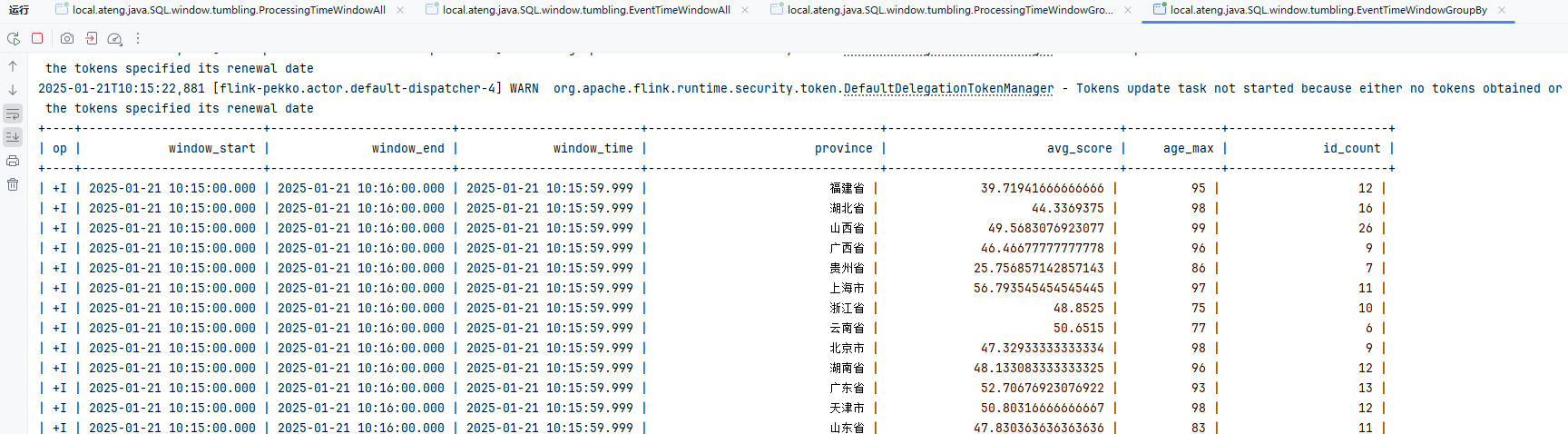
窗口偏移Offset
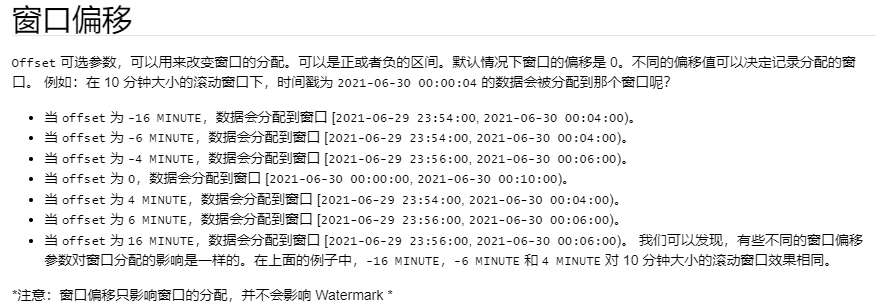
参考:官方文档
关键SQL
SELECT
  window_start,
  window_end,
  window_time,
  avg(score) as avg_score,
  max(age) as age_max,
  count(id) as id_count
FROM TABLE(
  TUMBLE(
    TABLE my_user_kafka,
    DESCRIPTOR(procTime),
    INTERVAL '2' MINUTE,
    INTERVAL '1' MINUTE
  )
)
GROUP BY window_start, window_end, window_time;代码如下
package local.ateng.java.SQL.window.tumbling;

import org.apache.flink.streaming.api.CheckpointingMode;
import org.apache.flink.streaming.api.environment.StreamExecutionEnvironment;
import org.apache.flink.table.api.Table;
import org.apache.flink.table.api.TableResult;
import org.apache.flink.table.api.bridge.java.StreamTableEnvironment;

/**
 * FlinkSQL基于处理时间的滚动窗口使用示例
 * @author 孔余
 * @email 2385569970@qq.com
 * @since 2025-01-20
 */
public class ProcessingTimeWindowAllOffset {
    public static void main(String[] args) throws Exception {
        // 创建流式执行环境
        StreamExecutionEnvironment env = StreamExecutionEnvironment.getExecutionEnvironment();
        // 启用检查点,设置检查点间隔为 5 秒,检查点模式为 精准一次
        env.enableCheckpointing(5 * 1000, CheckpointingMode.EXACTLY_ONCE);
        // 设置并行度为 3
        env.setParallelism(3);
        // 创建流式表环境
        StreamTableEnvironment tableEnv = StreamTableEnvironment.create(env);

        // 创建表
        String createSql = "CREATE TABLE my_user_kafka( \n" +
                "  my_event_time TIMESTAMP(3) METADATA FROM 'timestamp' VIRTUAL,\n" +
                "  my_partition BIGINT METADATA FROM 'partition' VIRTUAL,\n" +
                "  my_offset BIGINT METADATA FROM 'offset' VIRTUAL,\n" +
                "  id BIGINT NOT NULL,\n" +
                "  name STRING,\n" +
                "  age INT,\n" +
                "  score DOUBLE,\n" +
                "  birthday TIMESTAMP(3),\n" +
                "  province STRING,\n" +
                "  city STRING,\n" +
                "  createTime TIMESTAMP(3),\n" +
                "  procTime AS PROCTIME() \n" +
                ")\n" +
                "WITH (\n" +
                "  'connector' = 'kafka',\n" +
                "  'properties.bootstrap.servers' = '192.168.1.10:9094',\n" +
                "  'properties.group.id' = 'ateng_sql',\n" +
                "  -- 'earliest-offset', 'latest-offset', 'group-offsets', 'timestamp' and 'specific-offsets'\n" +
                "  'scan.startup.mode' = 'latest-offset',\n" +
                "  'topic' = 'ateng_flink_json',\n" +
                "  'format' = 'json'\n" +
                ");";
        tableEnv.executeSql(createSql);

        // 查询数据
        // 1分钟滚动窗口
        String querySql = "SELECT\n" +
                "  window_start,\n" +
                "  window_end,\n" +
                "  window_time,\n" +
                "  avg(score) as avg_score,\n" +
                "  max(age) as age_max,\n" +
                "  count(id) as id_count\n" +
                "FROM TABLE(\n" +
                "  TUMBLE(\n" +
                "    TABLE my_user_kafka,\n" +
                "    DESCRIPTOR(procTime),\n" +
                "    INTERVAL '2' MINUTE,\n" +
                "    INTERVAL '1' MINUTE\n" +
                "  )\n" +
                ")\n" +
                "GROUP BY window_start, window_end, window_time;";
        Table result = tableEnv.sqlQuery(querySql);

        // 执行操作
        TableResult tableResult = result.execute();

        // 打印结果
        tableResult.print();

        // 执行任务
        env.execute("FlinkSQL基于处理时间的滚动窗口使用示例");

    }
}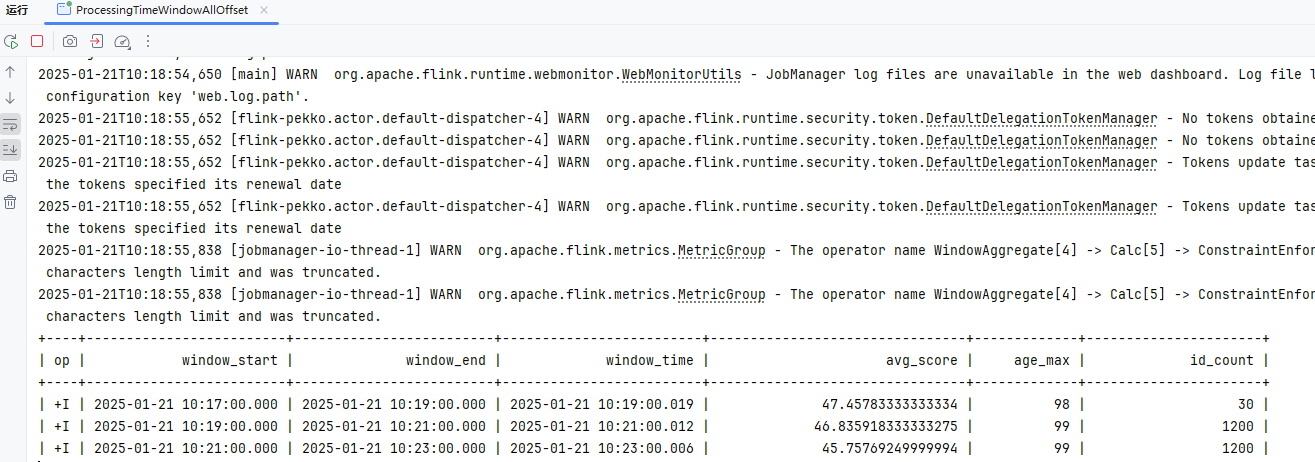
滑动窗口
HOP 函数通过时间属性字段为每一行数据分配了一个窗口。 在流计算模式,这个时间属性字段必须被指定为 事件或处理时间属性。 在批计算模式,这个窗口表函数的时间属性字段必须是 TIMESTAMP 或 TIMESTAMP_LTZ 的类型。 HOP 的返回值包括原始表的所有列和附加的三个用于指定窗口的列,分别是:“window_start”,“window_end”,“window_time”。函数运行后,原有的时间属性 “timecol” 将转换为一个常规的 timestamp 列。
HOP 有四个必填参数和一个可选参数:
HOP(TABLE data, DESCRIPTOR(timecol), slide, size [, offset ])data:拥有时间属性列的表。timecol:列描述符,决定数据的哪个时间属性列应该映射到窗口。slide:窗口的滑动步长。size:窗口的大小(时长)。offset:窗口的偏移量 [非必填]。
参考文档:
处理时间WindowAll
关键SQL
SELECT
  window_start,
  window_end,
  window_time,
  avg(score) as avg_score,
  max(age) as age_max,
  count(id) as id_count
FROM TABLE(
  HOP(
    TABLE my_user_kafka,
    DESCRIPTOR(procTime),
    INTERVAL '1' MINUTE,
    INTERVAL '2' MINUTE
  )
)
GROUP BY window_start, window_end, window_time;代码如下
package local.ateng.java.SQL.window.sliding;

import org.apache.flink.streaming.api.CheckpointingMode;
import org.apache.flink.streaming.api.environment.StreamExecutionEnvironment;
import org.apache.flink.table.api.Table;
import org.apache.flink.table.api.TableResult;
import org.apache.flink.table.api.bridge.java.StreamTableEnvironment;

/**
 * FlinkSQL基于处理时间的滑动窗口使用示例
 * @author 孔余
 * @email 2385569970@qq.com
 * @since 2025-01-20
 */
public class ProcessingTimeWindowAll {
    public static void main(String[] args) throws Exception {
        // 创建流式执行环境
        StreamExecutionEnvironment env = StreamExecutionEnvironment.getExecutionEnvironment();
        // 启用检查点,设置检查点间隔为 5 秒,检查点模式为 精准一次
        env.enableCheckpointing(5 * 1000, CheckpointingMode.EXACTLY_ONCE);
        // 设置并行度为 3
        env.setParallelism(3);
        // 创建流式表环境
        StreamTableEnvironment tableEnv = StreamTableEnvironment.create(env);

        // 创建表
        String createSql = "CREATE TABLE my_user_kafka( \n" +
                "  my_event_time TIMESTAMP(3) METADATA FROM 'timestamp' VIRTUAL,\n" +
                "  my_partition BIGINT METADATA FROM 'partition' VIRTUAL,\n" +
                "  my_offset BIGINT METADATA FROM 'offset' VIRTUAL,\n" +
                "  id BIGINT NOT NULL,\n" +
                "  name STRING,\n" +
                "  age INT,\n" +
                "  score DOUBLE,\n" +
                "  birthday TIMESTAMP(3),\n" +
                "  province STRING,\n" +
                "  city STRING,\n" +
                "  createTime TIMESTAMP(3),\n" +
                "  procTime AS PROCTIME() \n" +
                ")\n" +
                "WITH (\n" +
                "  'connector' = 'kafka',\n" +
                "  'properties.bootstrap.servers' = '192.168.1.10:9094',\n" +
                "  'properties.group.id' = 'ateng_sql',\n" +
                "  -- 'earliest-offset', 'latest-offset', 'group-offsets', 'timestamp' and 'specific-offsets'\n" +
                "  'scan.startup.mode' = 'latest-offset',\n" +
                "  'topic' = 'ateng_flink_json',\n" +
                "  'format' = 'json'\n" +
                ");";
        tableEnv.executeSql(createSql);

        // 查询数据
        // 滑动窗口:2分钟窗口数据,1分钟刷新一次数据(整个数据区间就是前2分钟)
        String querySql = "SELECT\n" +
                "  window_start,\n" +
                "  window_end,\n" +
                "  window_time,\n" +
                "  avg(score) as avg_score,\n" +
                "  max(age) as age_max,\n" +
                "  count(id) as id_count\n" +
                "FROM TABLE(\n" +
                "  HOP(\n" +
                "    TABLE my_user_kafka,\n" +
                "    DESCRIPTOR(procTime),\n" +
                "    INTERVAL '1' MINUTE,\n" +
                "    INTERVAL '2' MINUTE\n" +
                "  )\n" +
                ")\n" +
                "GROUP BY window_start, window_end, window_time;";
        Table result = tableEnv.sqlQuery(querySql);

        // 执行操作
        TableResult tableResult = result.execute();

        // 打印结果
        tableResult.print();

        // 执行任务
        env.execute("FlinkSQL基于处理时间的滑动窗口使用示例");

    }
}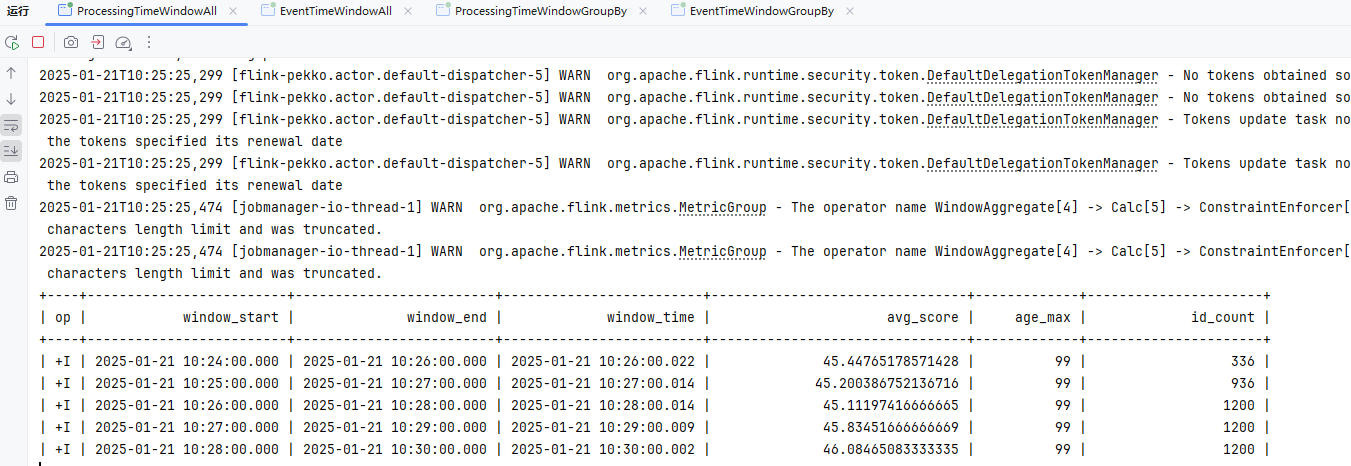
事件时间WindowsAll
关键SQL
SELECT
  window_start,
  window_end,
  window_time,
  avg(score) as avg_score,
  max(age) as age_max,
  count(id) as id_count
FROM TABLE(
  HOP(
    TABLE my_user_kafka,
    DESCRIPTOR(createTime),
    INTERVAL '1' MINUTE,
    INTERVAL '2' MINUTE
  )
)
GROUP BY window_start, window_end, window_time;代码如下
package local.ateng.java.SQL.window.sliding;

import org.apache.flink.streaming.api.CheckpointingMode;
import org.apache.flink.streaming.api.environment.StreamExecutionEnvironment;
import org.apache.flink.table.api.Table;
import org.apache.flink.table.api.TableResult;
import org.apache.flink.table.api.bridge.java.StreamTableEnvironment;

/**
 * FlinkSQL基于事件时间的滑动窗口使用示例
 * @author 孔余
 * @email 2385569970@qq.com
 * @since 2025-01-20
 */
public class EventTimeWindowAll {
    public static void main(String[] args) throws Exception {
        // 创建流式执行环境
        StreamExecutionEnvironment env = StreamExecutionEnvironment.getExecutionEnvironment();
        // 启用检查点,设置检查点间隔为 5 秒,检查点模式为 精准一次
        env.enableCheckpointing(5 * 1000, CheckpointingMode.EXACTLY_ONCE);
        // 设置并行度为 3
        env.setParallelism(3);
        // 创建流式表环境
        StreamTableEnvironment tableEnv = StreamTableEnvironment.create(env);

        // 创建表
        String createSql = "CREATE TABLE my_user_kafka( \n" +
                "  my_event_time TIMESTAMP(3) METADATA FROM 'timestamp' VIRTUAL,\n" +
                "  my_partition BIGINT METADATA FROM 'partition' VIRTUAL,\n" +
                "  my_offset BIGINT METADATA FROM 'offset' VIRTUAL,\n" +
                "  id BIGINT NOT NULL,\n" +
                "  name STRING,\n" +
                "  age INT,\n" +
                "  score DOUBLE,\n" +
                "  birthday TIMESTAMP(3),\n" +
                "  province STRING,\n" +
                "  city STRING,\n" +
                "  createTime TIMESTAMP(3),\n" +
                "  -- 配置 watermark,允许最大 5 秒延迟\n" +
                "  WATERMARK FOR createTime AS createTime - INTERVAL '5' SECOND\n" +
                ")\n" +
                "WITH (\n" +
                "  'connector' = 'kafka',\n" +
                "  'properties.bootstrap.servers' = '192.168.1.10:9094',\n" +
                "  'properties.group.id' = 'ateng_sql',\n" +
                "  -- 'earliest-offset', 'latest-offset', 'group-offsets', 'timestamp' and 'specific-offsets'\n" +
                "  'scan.startup.mode' = 'latest-offset',\n" +
                "  'topic' = 'ateng_flink_json',\n" +
                "  'format' = 'json'\n" +
                ");";
        tableEnv.executeSql(createSql);

        // 查询数据
        // 滑动窗口:2分钟窗口数据,1分钟刷新一次数据(整个数据区间就是前2分钟)
        String querySql = "SELECT\n" +
                "  window_start,\n" +
                "  window_end,\n" +
                "  window_time,\n" +
                "  avg(score) as avg_score,\n" +
                "  max(age) as age_max,\n" +
                "  count(id) as id_count\n" +
                "FROM TABLE(\n" +
                "  HOP(\n" +
                "    TABLE my_user_kafka,\n" +
                "    DESCRIPTOR(createTime),\n" +
                "    INTERVAL '1' MINUTE,\n" +
                "    INTERVAL '2' MINUTE\n" +
                "  )\n" +
                ")\n" +
                "GROUP BY window_start, window_end, window_time;";
        Table result = tableEnv.sqlQuery(querySql);

        // 执行操作
        TableResult tableResult = result.execute();

        // 打印结果
        tableResult.print();

        // 执行任务
        env.execute("FlinkSQL基于事件时间的滑动窗口使用示例");

    }
}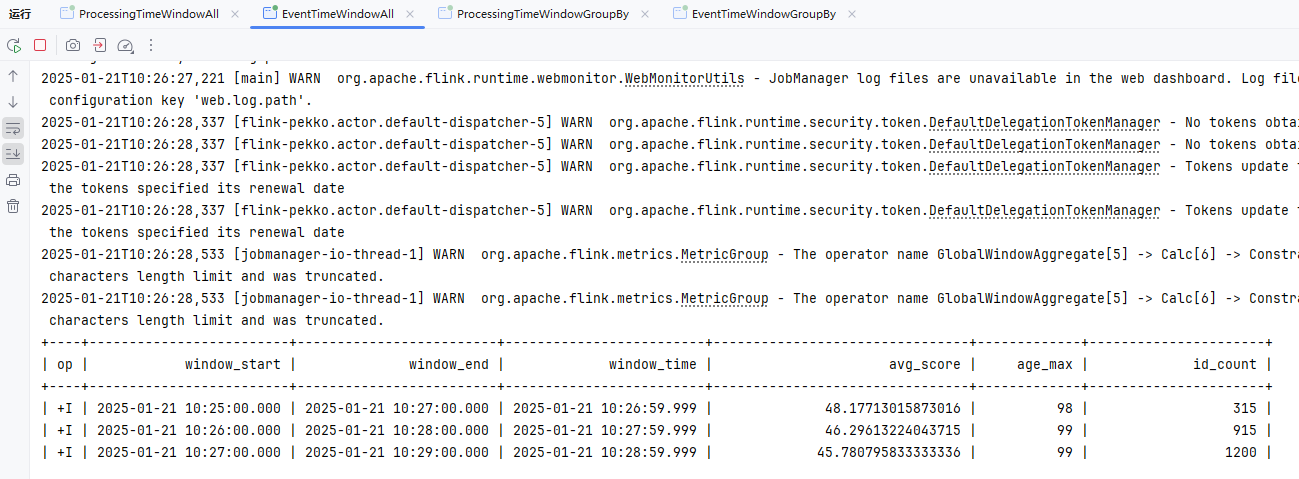
处理时间WindowGroupBy
关键SQL
SELECT
  window_start,
  window_end,
  window_time,
  province,
  avg(score) as avg_score,
  max(age) as age_max,
  count(id) as id_count
FROM TABLE(
  HOP(
    TABLE my_user_kafka,
    DESCRIPTOR(procTime),
    INTERVAL '1' MINUTE,
    INTERVAL '2' MINUTE
  )
)
GROUP BY window_start, window_end, window_time, province;代码如下
package local.ateng.java.SQL.window.sliding;

import org.apache.flink.streaming.api.CheckpointingMode;
import org.apache.flink.streaming.api.environment.StreamExecutionEnvironment;
import org.apache.flink.table.api.Table;
import org.apache.flink.table.api.TableResult;
import org.apache.flink.table.api.bridge.java.StreamTableEnvironment;

/**
 * FlinkSQL基于处理时间的滑动窗口使用示例
 * @author 孔余
 * @email 2385569970@qq.com
 * @since 2025-01-20
 */
public class ProcessingTimeWindowGroupBy {
    public static void main(String[] args) throws Exception {
        // 创建流式执行环境
        StreamExecutionEnvironment env = StreamExecutionEnvironment.getExecutionEnvironment();
        // 启用检查点,设置检查点间隔为 5 秒,检查点模式为 精准一次
        env.enableCheckpointing(5 * 1000, CheckpointingMode.EXACTLY_ONCE);
        // 设置并行度为 3
        env.setParallelism(3);
        // 创建流式表环境
        StreamTableEnvironment tableEnv = StreamTableEnvironment.create(env);

        // 创建表
        String createSql = "CREATE TABLE my_user_kafka( \n" +
                "  my_event_time TIMESTAMP(3) METADATA FROM 'timestamp' VIRTUAL,\n" +
                "  my_partition BIGINT METADATA FROM 'partition' VIRTUAL,\n" +
                "  my_offset BIGINT METADATA FROM 'offset' VIRTUAL,\n" +
                "  id BIGINT NOT NULL,\n" +
                "  name STRING,\n" +
                "  age INT,\n" +
                "  score DOUBLE,\n" +
                "  birthday TIMESTAMP(3),\n" +
                "  province STRING,\n" +
                "  city STRING,\n" +
                "  createTime TIMESTAMP(3),\n" +
                "  procTime AS PROCTIME() \n" +
                ")\n" +
                "WITH (\n" +
                "  'connector' = 'kafka',\n" +
                "  'properties.bootstrap.servers' = '192.168.1.10:9094',\n" +
                "  'properties.group.id' = 'ateng_sql',\n" +
                "  -- 'earliest-offset', 'latest-offset', 'group-offsets', 'timestamp' and 'specific-offsets'\n" +
                "  'scan.startup.mode' = 'latest-offset',\n" +
                "  'topic' = 'ateng_flink_json',\n" +
                "  'format' = 'json'\n" +
                ");";
        tableEnv.executeSql(createSql);

        // 查询数据
        // 滑动窗口:2分钟窗口数据,1分钟刷新一次数据(整个数据区间就是前2分钟)
        String querySql = "SELECT\n" +
                "  window_start,\n" +
                "  window_end,\n" +
                "  window_time,\n" +
                "  province,\n" +
                "  avg(score) as avg_score,\n" +
                "  max(age) as age_max,\n" +
                "  count(id) as id_count\n" +
                "FROM TABLE(\n" +
                "  HOP(\n" +
                "    TABLE my_user_kafka,\n" +
                "    DESCRIPTOR(procTime),\n" +
                "    INTERVAL '1' MINUTE,\n" +
                "    INTERVAL '2' MINUTE\n" +
                "  )\n" +
                ")\n" +
                "GROUP BY window_start, window_end, window_time, province;";
        Table result = tableEnv.sqlQuery(querySql);

        // 执行操作
        TableResult tableResult = result.execute();

        // 打印结果
        tableResult.print();

        // 执行任务
        env.execute("FlinkSQL基于处理时间的滑动窗口使用示例");

    }
}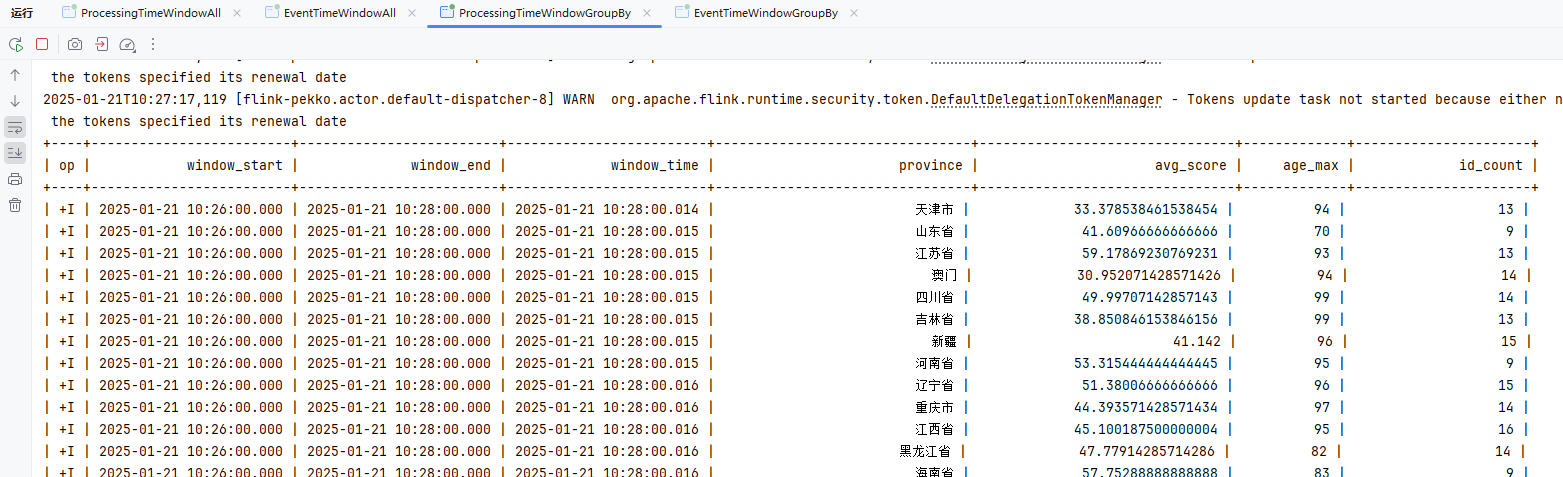
事件时间WindowGroupBy
关键SQL
SELECT
  window_start,
  window_end,
  window_time,
  province,
  avg(score) as avg_score,
  max(age) as age_max,
  count(id) as id_count
FROM TABLE(
  HOP(
    TABLE my_user_kafka,
    DESCRIPTOR(createTime),
    INTERVAL '1' MINUTE,
    INTERVAL '2' MINUTE
  )
)
GROUP BY window_start, window_end, window_time, province;代码如下
package local.ateng.java.SQL.window.sliding;

import org.apache.flink.streaming.api.CheckpointingMode;
import org.apache.flink.streaming.api.environment.StreamExecutionEnvironment;
import org.apache.flink.table.api.Table;
import org.apache.flink.table.api.TableResult;
import org.apache.flink.table.api.bridge.java.StreamTableEnvironment;

/**
 * FlinkSQL基于事件时间的滑动窗口使用示例
 *
 * @author 孔余
 * @email 2385569970@qq.com
 * @since 2025-01-20
 */
public class EventTimeWindowGroupBy {
    public static void main(String[] args) throws Exception {
        // 创建流式执行环境
        StreamExecutionEnvironment env = StreamExecutionEnvironment.getExecutionEnvironment();
        // 启用检查点,设置检查点间隔为 5 秒,检查点模式为 精准一次
        env.enableCheckpointing(5 * 1000, CheckpointingMode.EXACTLY_ONCE);
        // 设置并行度为 3
        env.setParallelism(3);
        // 创建流式表环境
        StreamTableEnvironment tableEnv = StreamTableEnvironment.create(env);

        // 创建表
        String createSql = "CREATE TABLE my_user_kafka( \n" +
                "  my_event_time TIMESTAMP(3) METADATA FROM 'timestamp' VIRTUAL,\n" +
                "  my_partition BIGINT METADATA FROM 'partition' VIRTUAL,\n" +
                "  my_offset BIGINT METADATA FROM 'offset' VIRTUAL,\n" +
                "  id BIGINT NOT NULL,\n" +
                "  name STRING,\n" +
                "  age INT,\n" +
                "  score DOUBLE,\n" +
                "  birthday TIMESTAMP(3),\n" +
                "  province STRING,\n" +
                "  city STRING,\n" +
                "  createTime TIMESTAMP(3),\n" +
                "  -- 配置 watermark,允许最大 5 秒延迟\n" +
                "  WATERMARK FOR createTime AS createTime - INTERVAL '5' SECOND\n" +
                ")\n" +
                "WITH (\n" +
                "  'connector' = 'kafka',\n" +
                "  'properties.bootstrap.servers' = '192.168.1.10:9094',\n" +
                "  'properties.group.id' = 'ateng_sql',\n" +
                "  -- 'earliest-offset', 'latest-offset', 'group-offsets', 'timestamp' and 'specific-offsets'\n" +
                "  'scan.startup.mode' = 'latest-offset',\n" +
                "  'topic' = 'ateng_flink_json',\n" +
                "  'format' = 'json'\n" +
                ");";
        tableEnv.executeSql(createSql);

        // 查询数据
        // 滑动窗口:2分钟窗口数据,1分钟刷新一次数据(整个数据区间就是前2分钟)
        String querySql = "SELECT\n" +
                "  window_start,\n" +
                "  window_end,\n" +
                "  window_time,\n" +
                "  province,\n" +
                "  avg(score) as avg_score,\n" +
                "  max(age) as age_max,\n" +
                "  count(id) as id_count\n" +
                "FROM TABLE(\n" +
                "  HOP(\n" +
                "    TABLE my_user_kafka,\n" +
                "    DESCRIPTOR(createTime),\n" +
                "    INTERVAL '1' MINUTE,\n" +
                "    INTERVAL '2' MINUTE\n" +
                "  )\n" +
                ")\n" +
                "GROUP BY window_start, window_end, window_time, province;";
        Table result = tableEnv.sqlQuery(querySql);

        // 执行操作
        TableResult tableResult = result.execute();

        // 打印结果
        tableResult.print();

        // 执行任务
        env.execute("FlinkSQL基于事件时间的滑动窗口使用示例");

    }
}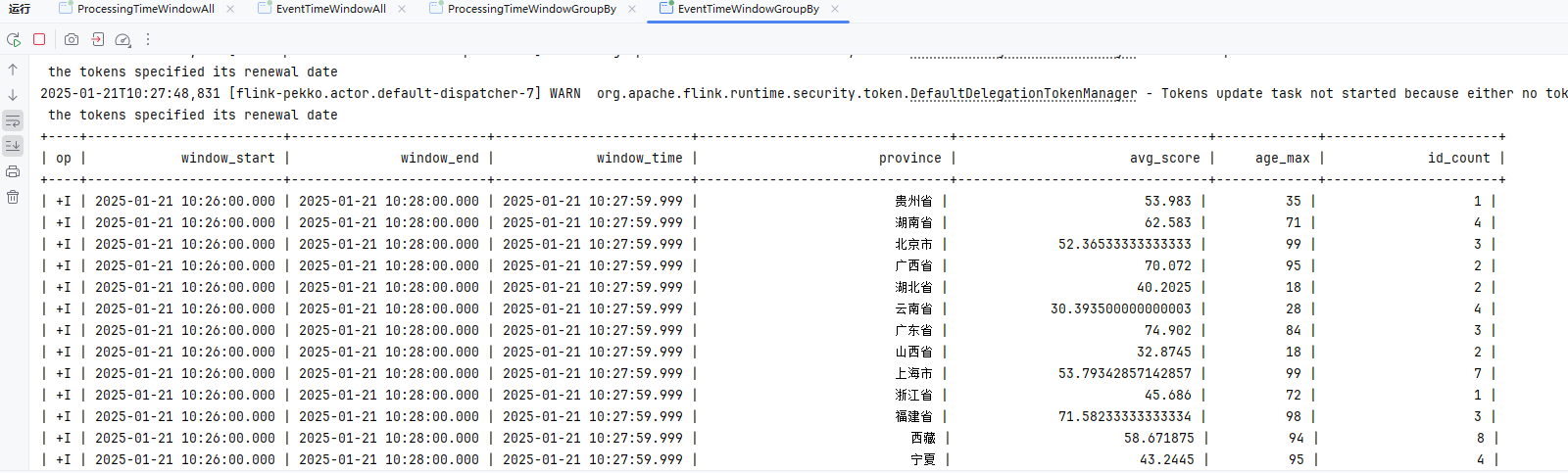
会话窗口
SESSION 函数通过时间属性字段为每一行数据分配了一个窗口。 在流计算模式,这个时间属性字段必须被指定为 事件或处理时间属性。 SESSION 的返回值包括原始表的所有列和附加的三个用于指定窗口的列,分别是:“window_start”,“window_end”,“window_time”。函数运行后,原有的时间属性 “timecol” 将转换为一个常规的 timestamp 列。
SESSION 有三个必填参数和一个可选参数:
SESSION(TABLE data [PARTITION BY(keycols, ...)], DESCRIPTOR(timecol), gap)data:拥有时间属性列的表。keycols:列描述符,决定会话窗口应该使用哪些列来分区数据。timecol:列描述符,决定数据的哪个时间属性列应该映射到窗口。gap:两个事件被认为属于同一个会话窗口的最大时间间隔。
参考文档:
处理时间WindowAll
关键SQL
SELECT
  window_start,
  window_end,
  window_time,
  avg(score) as avg_score,
  max(age) as age_max,
  count(id) as id_count
FROM TABLE(
  SESSION(
    TABLE my_user_kafka,
    DESCRIPTOR(procTime),
    INTERVAL '2' MINUTE
  )
)
GROUP BY window_start, window_end, window_time;代码如下
package local.ateng.java.SQL.window.session;

import org.apache.flink.streaming.api.CheckpointingMode;
import org.apache.flink.streaming.api.environment.StreamExecutionEnvironment;
import org.apache.flink.table.api.Table;
import org.apache.flink.table.api.TableResult;
import org.apache.flink.table.api.bridge.java.StreamTableEnvironment;

/**
 * FlinkSQL基于处理时间的会话窗口使用示例
 * @author 孔余
 * @email 2385569970@qq.com
 * @since 2025-01-20
 */
public class ProcessingTimeWindowAll {
    public static void main(String[] args) throws Exception {
        // 创建流式执行环境
        StreamExecutionEnvironment env = StreamExecutionEnvironment.getExecutionEnvironment();
        // 启用检查点,设置检查点间隔为 5 秒,检查点模式为 精准一次
        env.enableCheckpointing(5 * 1000, CheckpointingMode.EXACTLY_ONCE);
        // 设置并行度为 3
        env.setParallelism(3);
        // 创建流式表环境
        StreamTableEnvironment tableEnv = StreamTableEnvironment.create(env);

        // 创建表
        String createSql = "CREATE TABLE my_user_kafka( \n" +
                "  my_event_time TIMESTAMP(3) METADATA FROM 'timestamp' VIRTUAL,\n" +
                "  my_partition BIGINT METADATA FROM 'partition' VIRTUAL,\n" +
                "  my_offset BIGINT METADATA FROM 'offset' VIRTUAL,\n" +
                "  id BIGINT NOT NULL,\n" +
                "  name STRING,\n" +
                "  age INT,\n" +
                "  score DOUBLE,\n" +
                "  birthday TIMESTAMP(3),\n" +
                "  province STRING,\n" +
                "  city STRING,\n" +
                "  createTime TIMESTAMP(3),\n" +
                "  procTime AS PROCTIME() \n" +
                ")\n" +
                "WITH (\n" +
                "  'connector' = 'kafka',\n" +
                "  'properties.bootstrap.servers' = '192.168.1.10:9094',\n" +
                "  'properties.group.id' = 'ateng_sql',\n" +
                "  -- 'earliest-offset', 'latest-offset', 'group-offsets', 'timestamp' and 'specific-offsets'\n" +
                "  'scan.startup.mode' = 'latest-offset',\n" +
                "  'topic' = 'ateng_flink_json',\n" +
                "  'format' = 'json'\n" +
                ");";
        tableEnv.executeSql(createSql);

        // 查询数据
        // 会话窗口:2分钟窗口数据
        // 表示会话窗口的间隔为 2 分钟。也就是说,窗口会根据事件之间的时间间隔划分。如果两个事件之间的时间差超过了 2 分钟,那么当前的会话窗口就结束,接下来的事件会形成新的窗口。
        String querySql = "SELECT\n" +
                "  window_start,\n" +
                "  window_end,\n" +
                "  window_time,\n" +
                "  avg(score) as avg_score,\n" +
                "  max(age) as age_max,\n" +
                "  count(id) as id_count\n" +
                "FROM TABLE(\n" +
                "  SESSION(\n" +
                "    TABLE my_user_kafka,\n" +
                "    DESCRIPTOR(procTime),\n" +
                "    INTERVAL '2' MINUTE\n" +
                "  )\n" +
                ")\n" +
                "GROUP BY window_start, window_end, window_time;";
        Table result = tableEnv.sqlQuery(querySql);

        // 执行操作
        TableResult tableResult = result.execute();

        // 打印结果
        tableResult.print();

        // 执行任务
        env.execute("FlinkSQL基于处理时间的会话窗口使用示例");

    }
}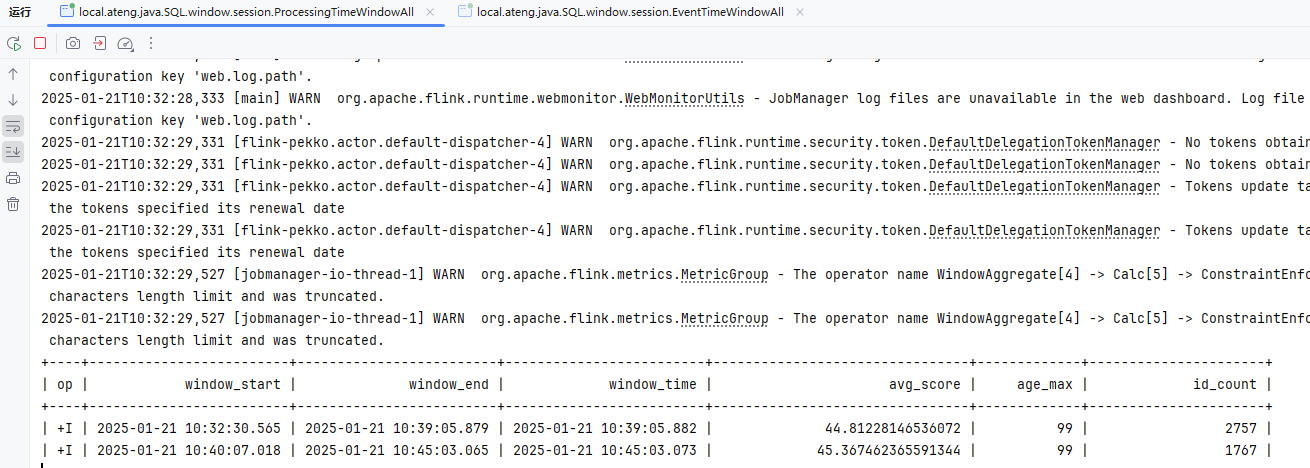
事件时间WindowsAll
关键SQL
SELECT
  window_start,
  window_end,
  window_time,
  avg(score) as avg_score,
  max(age) as age_max,
  count(id) as id_count
FROM TABLE(
  SESSION(
    TABLE my_user_kafka,
    DESCRIPTOR(createTime),
    INTERVAL '2' MINUTE
  )
)
GROUP BY window_start, window_end, window_time;代码如下
package local.ateng.java.SQL.window.session;

import org.apache.flink.streaming.api.CheckpointingMode;
import org.apache.flink.streaming.api.environment.StreamExecutionEnvironment;
import org.apache.flink.table.api.Table;
import org.apache.flink.table.api.TableResult;
import org.apache.flink.table.api.bridge.java.StreamTableEnvironment;

/**
 * FlinkSQL基于事件时间的会话窗口使用示例
 * @author 孔余
 * @email 2385569970@qq.com
 * @since 2025-01-20
 */
public class EventTimeWindowAll {
    public static void main(String[] args) throws Exception {
        // 创建流式执行环境
        StreamExecutionEnvironment env = StreamExecutionEnvironment.getExecutionEnvironment();
        // 启用检查点,设置检查点间隔为 5 秒,检查点模式为 精准一次
        env.enableCheckpointing(5 * 1000, CheckpointingMode.EXACTLY_ONCE);
        // 设置并行度为 3
        env.setParallelism(3);
        // 创建流式表环境
        StreamTableEnvironment tableEnv = StreamTableEnvironment.create(env);

        // 创建表
        String createSql = "CREATE TABLE my_user_kafka( \n" +
                "  my_event_time TIMESTAMP(3) METADATA FROM 'timestamp' VIRTUAL,\n" +
                "  my_partition BIGINT METADATA FROM 'partition' VIRTUAL,\n" +
                "  my_offset BIGINT METADATA FROM 'offset' VIRTUAL,\n" +
                "  id BIGINT NOT NULL,\n" +
                "  name STRING,\n" +
                "  age INT,\n" +
                "  score DOUBLE,\n" +
                "  birthday TIMESTAMP(3),\n" +
                "  province STRING,\n" +
                "  city STRING,\n" +
                "  createTime TIMESTAMP(3),\n" +
                "  -- 配置 watermark,允许最大 5 秒延迟\n" +
                "  WATERMARK FOR createTime AS createTime - INTERVAL '5' SECOND\n" +
                ")\n" +
                "WITH (\n" +
                "  'connector' = 'kafka',\n" +
                "  'properties.bootstrap.servers' = '192.168.1.10:9094',\n" +
                "  'properties.group.id' = 'ateng_sql',\n" +
                "  -- 'earliest-offset', 'latest-offset', 'group-offsets', 'timestamp' and 'specific-offsets'\n" +
                "  'scan.startup.mode' = 'latest-offset',\n" +
                "  'topic' = 'ateng_flink_json',\n" +
                "  'format' = 'json'\n" +
                ");";
        tableEnv.executeSql(createSql);

        // 查询数据
        // 会话窗口:2分钟窗口数据
        // 表示会话窗口的间隔为 2 分钟。也就是说,窗口会根据事件之间的时间间隔划分。如果两个事件之间的时间差超过了 2 分钟,那么当前的会话窗口就结束,接下来的事件会形成新的窗口。
        String querySql = "SELECT\n" +
                "  window_start,\n" +
                "  window_end,\n" +
                "  window_time,\n" +
                "  avg(score) as avg_score,\n" +
                "  max(age) as age_max,\n" +
                "  count(id) as id_count\n" +
                "FROM TABLE(\n" +
                "  SESSION(\n" +
                "    TABLE my_user_kafka,\n" +
                "    DESCRIPTOR(createTime),\n" +
                "    INTERVAL '2' MINUTE\n" +
                "  )\n" +
                ")\n" +
                "GROUP BY window_start, window_end, window_time;";
        Table result = tableEnv.sqlQuery(querySql);

        // 执行操作
        TableResult tableResult = result.execute();

        // 打印结果
        tableResult.print();

        // 执行任务
        env.execute("FlinkSQL基于事件时间的会话窗口使用示例");

    }
}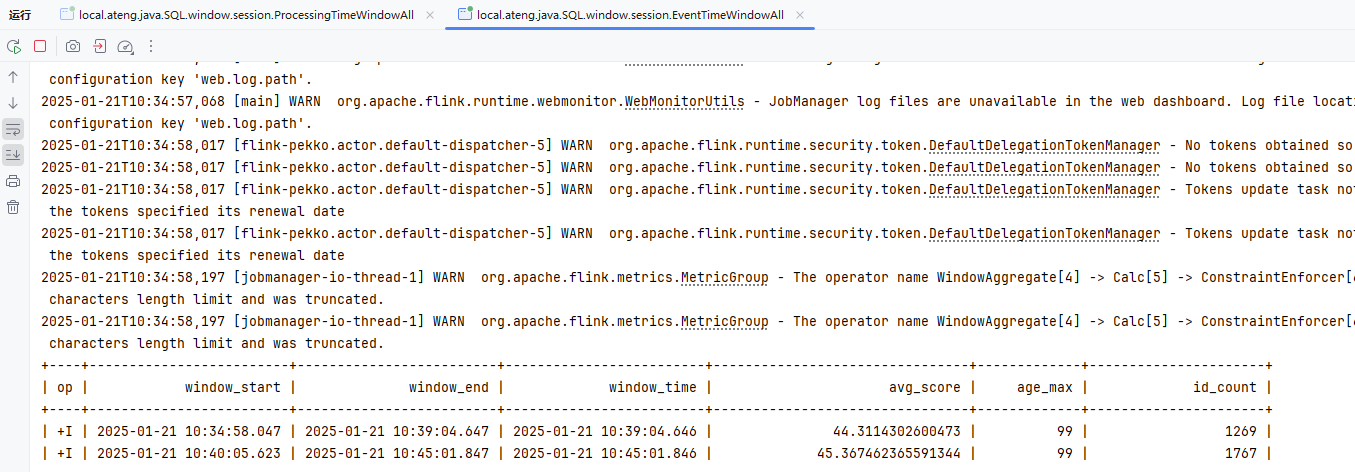
处理时间WindowGroupBy
关键SQL
SELECT
  window_start,
  window_end,
  window_time,
  province,
  avg(score) as avg_score,
  max(age) as age_max,
  count(id) as id_count
FROM TABLE(
  SESSION(
    TABLE my_user_kafka,
    DESCRIPTOR(procTime),
    INTERVAL '2' MINUTE
  )
)
GROUP BY window_start, window_end, window_time, province;代码如下
package local.ateng.java.SQL.window.session;

import org.apache.flink.streaming.api.CheckpointingMode;
import org.apache.flink.streaming.api.environment.StreamExecutionEnvironment;
import org.apache.flink.table.api.Table;
import org.apache.flink.table.api.TableResult;
import org.apache.flink.table.api.bridge.java.StreamTableEnvironment;

/**
 * FlinkSQL基于处理时间的会话窗口使用示例
 * @author 孔余
 * @email 2385569970@qq.com
 * @since 2025-01-20
 */
public class ProcessingTimeWindowGroupBy {
    public static void main(String[] args) throws Exception {
        // 创建流式执行环境
        StreamExecutionEnvironment env = StreamExecutionEnvironment.getExecutionEnvironment();
        // 启用检查点,设置检查点间隔为 5 秒,检查点模式为 精准一次
        env.enableCheckpointing(5 * 1000, CheckpointingMode.EXACTLY_ONCE);
        // 设置并行度为 3
        env.setParallelism(3);
        // 创建流式表环境
        StreamTableEnvironment tableEnv = StreamTableEnvironment.create(env);

        // 创建表
        String createSql = "CREATE TABLE my_user_kafka( \n" +
                "  my_event_time TIMESTAMP(3) METADATA FROM 'timestamp' VIRTUAL,\n" +
                "  my_partition BIGINT METADATA FROM 'partition' VIRTUAL,\n" +
                "  my_offset BIGINT METADATA FROM 'offset' VIRTUAL,\n" +
                "  id BIGINT NOT NULL,\n" +
                "  name STRING,\n" +
                "  age INT,\n" +
                "  score DOUBLE,\n" +
                "  birthday TIMESTAMP(3),\n" +
                "  province STRING,\n" +
                "  city STRING,\n" +
                "  createTime TIMESTAMP(3),\n" +
                "  procTime AS PROCTIME() \n" +
                ")\n" +
                "WITH (\n" +
                "  'connector' = 'kafka',\n" +
                "  'properties.bootstrap.servers' = '192.168.1.10:9094',\n" +
                "  'properties.group.id' = 'ateng_sql',\n" +
                "  -- 'earliest-offset', 'latest-offset', 'group-offsets', 'timestamp' and 'specific-offsets'\n" +
                "  'scan.startup.mode' = 'latest-offset',\n" +
                "  'topic' = 'ateng_flink_json',\n" +
                "  'format' = 'json'\n" +
                ");";
        tableEnv.executeSql(createSql);

        // 查询数据
        // 会话窗口:2分钟窗口数据
        // 表示会话窗口的间隔为 2 分钟。也就是说,窗口会根据事件之间的时间间隔划分。如果两个事件之间的时间差超过了 2 分钟,那么当前的会话窗口就结束,接下来的事件会形成新的窗口。
        String querySql = "SELECT\n" +
                "  window_start,\n" +
                "  window_end,\n" +
                "  window_time,\n" +
                "  province,\n" +
                "  avg(score) as avg_score,\n" +
                "  max(age) as age_max,\n" +
                "  count(id) as id_count\n" +
                "FROM TABLE(\n" +
                "  SESSION(\n" +
                "    TABLE my_user_kafka,\n" +
                "    DESCRIPTOR(procTime),\n" +
                "    INTERVAL '2' MINUTE\n" +
                "  )\n" +
                ")\n" +
                "GROUP BY window_start, window_end, window_time, province;";
        Table result = tableEnv.sqlQuery(querySql);

        // 执行操作
        TableResult tableResult = result.execute();

        // 打印结果
        tableResult.print();

        // 执行任务
        env.execute("FlinkSQL基于处理时间的会话窗口使用示例");

    }
}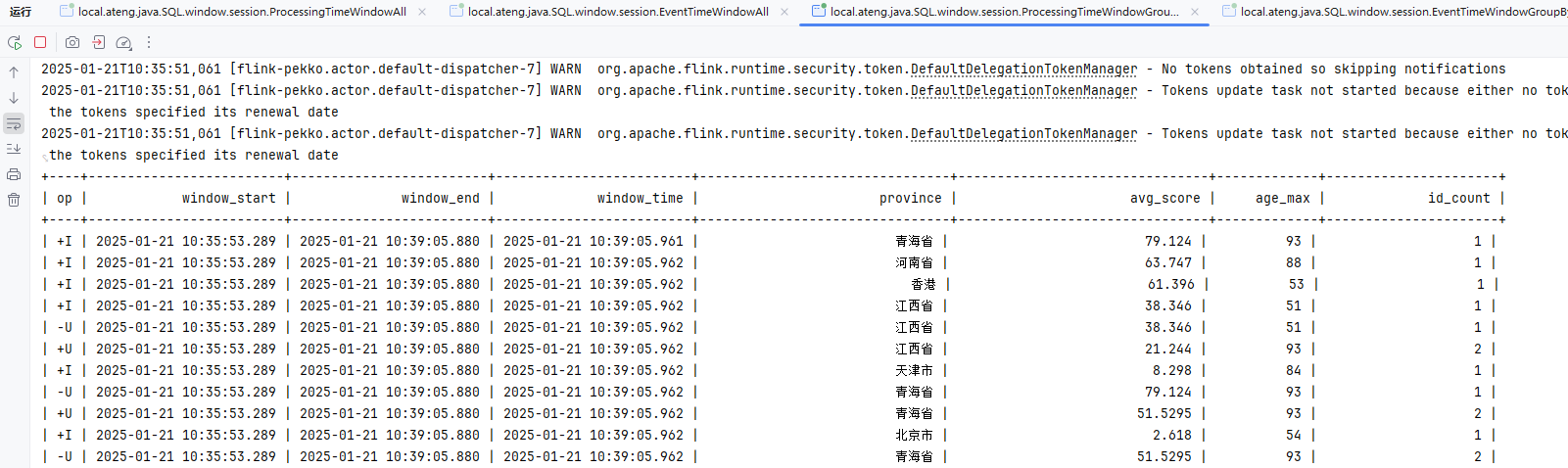
事件时间WindowGroupBy
关键SQL
SELECT
  window_start,
  window_end,
  window_time,
  province,
  avg(score) as avg_score,
  max(age) as age_max,
  count(id) as id_count
FROM TABLE(
  SESSION(
    TABLE my_user_kafka,
    DESCRIPTOR(createTime),
    INTERVAL '2' MINUTE
  )
)
GROUP BY window_start, window_end, window_time, province;代码如下
package local.ateng.java.SQL.window.session;

import org.apache.flink.streaming.api.CheckpointingMode;
import org.apache.flink.streaming.api.environment.StreamExecutionEnvironment;
import org.apache.flink.table.api.Table;
import org.apache.flink.table.api.TableResult;
import org.apache.flink.table.api.bridge.java.StreamTableEnvironment;

/**
 * FlinkSQL基于事件时间的会话窗口使用示例
 *
 * @author 孔余
 * @email 2385569970@qq.com
 * @since 2025-01-20
 */
public class EventTimeWindowGroupBy {
    public static void main(String[] args) throws Exception {
        // 创建流式执行环境
        StreamExecutionEnvironment env = StreamExecutionEnvironment.getExecutionEnvironment();
        // 启用检查点,设置检查点间隔为 5 秒,检查点模式为 精准一次
        env.enableCheckpointing(5 * 1000, CheckpointingMode.EXACTLY_ONCE);
        // 设置并行度为 3
        env.setParallelism(3);
        // 创建流式表环境
        StreamTableEnvironment tableEnv = StreamTableEnvironment.create(env);

        // 创建表
        String createSql = "CREATE TABLE my_user_kafka( \n" +
                "  my_event_time TIMESTAMP(3) METADATA FROM 'timestamp' VIRTUAL,\n" +
                "  my_partition BIGINT METADATA FROM 'partition' VIRTUAL,\n" +
                "  my_offset BIGINT METADATA FROM 'offset' VIRTUAL,\n" +
                "  id BIGINT NOT NULL,\n" +
                "  name STRING,\n" +
                "  age INT,\n" +
                "  score DOUBLE,\n" +
                "  birthday TIMESTAMP(3),\n" +
                "  province STRING,\n" +
                "  city STRING,\n" +
                "  createTime TIMESTAMP(3),\n" +
                "  -- 配置 watermark,允许最大 5 秒延迟\n" +
                "  WATERMARK FOR createTime AS createTime - INTERVAL '5' SECOND\n" +
                ")\n" +
                "WITH (\n" +
                "  'connector' = 'kafka',\n" +
                "  'properties.bootstrap.servers' = '192.168.1.10:9094',\n" +
                "  'properties.group.id' = 'ateng_sql',\n" +
                "  -- 'earliest-offset', 'latest-offset', 'group-offsets', 'timestamp' and 'specific-offsets'\n" +
                "  'scan.startup.mode' = 'latest-offset',\n" +
                "  'topic' = 'ateng_flink_json',\n" +
                "  'format' = 'json'\n" +
                ");";
        tableEnv.executeSql(createSql);

        // 查询数据
        // 会话窗口:2分钟窗口数据
        // 表示会话窗口的间隔为 2 分钟。也就是说,窗口会根据事件之间的时间间隔划分。如果两个事件之间的时间差超过了 2 分钟,那么当前的会话窗口就结束,接下来的事件会形成新的窗口。
        String querySql = "SELECT\n" +
                "  window_start,\n" +
                "  window_end,\n" +
                "  window_time,\n" +
                "  province,\n" +
                "  avg(score) as avg_score,\n" +
                "  max(age) as age_max,\n" +
                "  count(id) as id_count\n" +
                "FROM TABLE(\n" +
                "  SESSION(\n" +
                "    TABLE my_user_kafka,\n" +
                "    DESCRIPTOR(createTime),\n" +
                "    INTERVAL '2' MINUTE\n" +
                "  )\n" +
                ")\n" +
                "GROUP BY window_start, window_end, window_time, province;";
        Table result = tableEnv.sqlQuery(querySql);

        // 执行操作
        TableResult tableResult = result.execute();

        // 打印结果
        tableResult.print();

        // 执行任务
        env.execute("FlinkSQL基于事件时间的会话窗口使用示例");

    }
}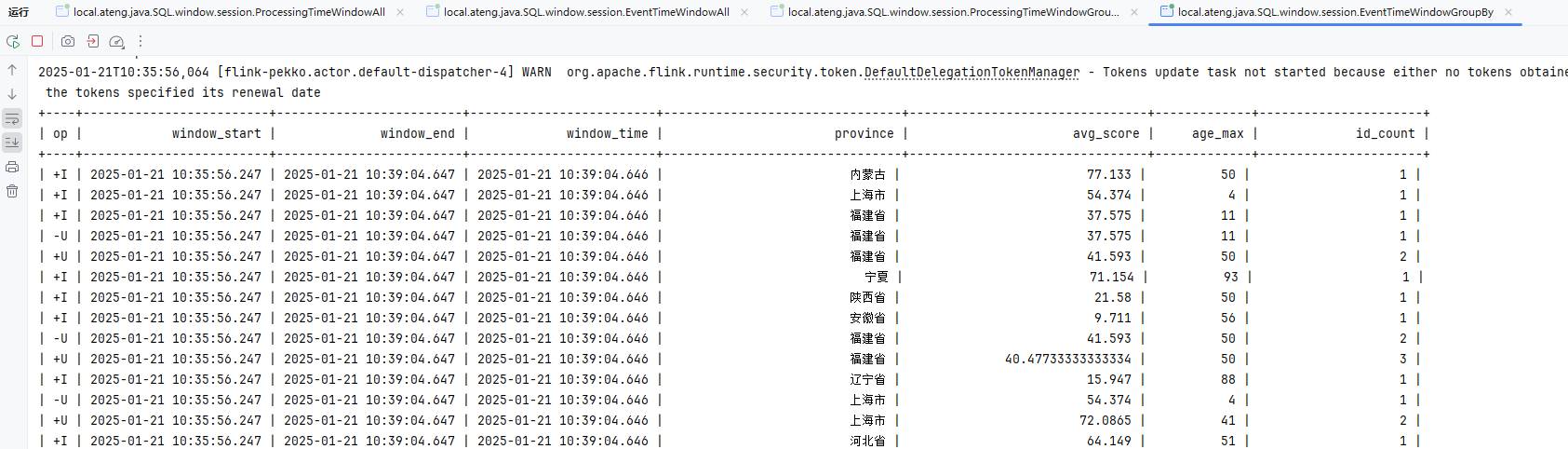
累计窗口
CUMULATE 函数通过时间属性字段为每一行数据分配了一个窗口。 在流计算模式,这个时间属性字段必须被指定为 事件或处理时间属性。 在批计算模式,这个窗口表函数的时间属性字段必须是 TIMESTAMP 或 TIMESTAMP_LTZ 的类型。 CUMULATE 的返回值包括原始表的所有列和附加的三个用于指定窗口的列,分别是:“window_start”,“window_end”,“window_time”。函数运行后,原有的时间属性 “timecol” 将转换为一个常规的 timestamp 列。
CUMULATE 有四个必填参数和一个可选参数:
CUMULATE(TABLE data, DESCRIPTOR(timecol), step, size)data:拥有时间属性列的表。timecol:列描述符,决定数据的哪个时间属性列应该映射到窗口。step:指定连续的累积窗口之间增加的窗口大小。size:指定累积窗口的最大宽度的窗口时间。size必须是step的整数倍。offset:窗口的偏移量 [非必填]。
参考文档:
处理时间WindowAll
关键SQL
SELECT
  window_start,
  window_end,
  window_time,
  avg(score) as avg_score,
  max(age) as age_max,
  count(id) as id_count
FROM TABLE(
  CUMULATE(
    TABLE my_user_kafka,
    DESCRIPTOR(procTime),
    INTERVAL '2' MINUTE,
    INTERVAL '10' MINUTE
  )
)
GROUP BY window_start, window_end, window_time;代码如下
package local.ateng.java.SQL.window.cumulate;

import org.apache.flink.streaming.api.CheckpointingMode;
import org.apache.flink.streaming.api.environment.StreamExecutionEnvironment;
import org.apache.flink.table.api.Table;
import org.apache.flink.table.api.TableResult;
import org.apache.flink.table.api.bridge.java.StreamTableEnvironment;

/**
 * FlinkSQL基于处理时间的累计窗口使用示例
 * @author 孔余
 * @email 2385569970@qq.com
 * @since 2025-01-20
 */
public class ProcessingTimeWindowAll {
    public static void main(String[] args) throws Exception {
        // 创建流式执行环境
        StreamExecutionEnvironment env = StreamExecutionEnvironment.getExecutionEnvironment();
        // 启用检查点,设置检查点间隔为 5 秒,检查点模式为 精准一次
        env.enableCheckpointing(5 * 1000, CheckpointingMode.EXACTLY_ONCE);
        // 设置并行度为 3
        env.setParallelism(3);
        // 创建流式表环境
        StreamTableEnvironment tableEnv = StreamTableEnvironment.create(env);

        // 创建表
        String createSql = "CREATE TABLE my_user_kafka( \n" +
                "  my_event_time TIMESTAMP(3) METADATA FROM 'timestamp' VIRTUAL,\n" +
                "  my_partition BIGINT METADATA FROM 'partition' VIRTUAL,\n" +
                "  my_offset BIGINT METADATA FROM 'offset' VIRTUAL,\n" +
                "  id BIGINT NOT NULL,\n" +
                "  name STRING,\n" +
                "  age INT,\n" +
                "  score DOUBLE,\n" +
                "  birthday TIMESTAMP(3),\n" +
                "  province STRING,\n" +
                "  city STRING,\n" +
                "  createTime TIMESTAMP(3),\n" +
                "  procTime AS PROCTIME() \n" +
                ")\n" +
                "WITH (\n" +
                "  'connector' = 'kafka',\n" +
                "  'properties.bootstrap.servers' = '192.168.1.10:9094',\n" +
                "  'properties.group.id' = 'ateng_sql',\n" +
                "  -- 'earliest-offset', 'latest-offset', 'group-offsets', 'timestamp' and 'specific-offsets'\n" +
                "  'scan.startup.mode' = 'latest-offset',\n" +
                "  'topic' = 'ateng_flink_json',\n" +
                "  'format' = 'json'\n" +
                ");";
        tableEnv.executeSql(createSql);

        // 查询数据
        // 累计窗口:每2分钟累计计算一次,最大累计10分钟
        // 可以输出的窗口:[00:00, 00:02),[00:00, 00:04),[00:00, 00:06),[00:00, 00:08),[00:00, 00:10),[00:10, 00:12)...
        String querySql = "SELECT\n" +
                "  window_start,\n" +
                "  window_end,\n" +
                "  window_time,\n" +
                "  avg(score) as avg_score,\n" +
                "  max(age) as age_max,\n" +
                "  count(id) as id_count\n" +
                "FROM TABLE(\n" +
                "  CUMULATE(\n" +
                "    TABLE my_user_kafka,\n" +
                "    DESCRIPTOR(procTime),\n" +
                "    INTERVAL '2' MINUTE,\n" +
                "    INTERVAL '10' MINUTE\n" +
                "  )\n" +
                ")\n" +
                "GROUP BY window_start, window_end, window_time;";
        Table result = tableEnv.sqlQuery(querySql);

        // 执行操作
        TableResult tableResult = result.execute();

        // 打印结果
        tableResult.print();

        // 执行任务
        env.execute("FlinkSQL基于处理时间的累计窗口使用示例");

    }
}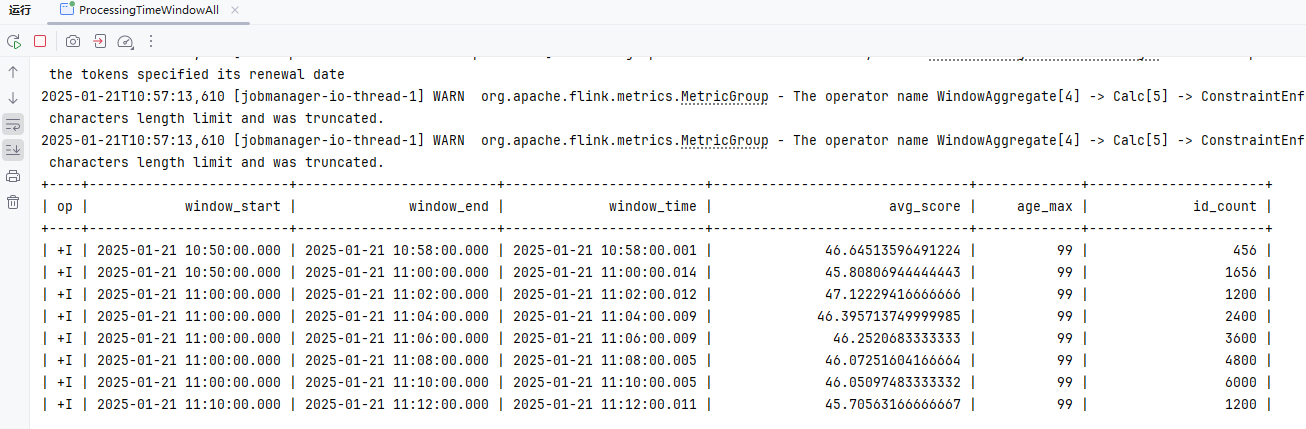
事件时间WindowsAll
关键SQL
SELECT
  window_start,
  window_end,
  window_time,
  avg(score) as avg_score,
  max(age) as age_max,
  count(id) as id_count
FROM TABLE(
  CUMULATE(
    TABLE my_user_kafka,
    DESCRIPTOR(createTime),
    INTERVAL '2' MINUTE,
    INTERVAL '10' MINUTE
  )
)
GROUP BY window_start, window_end, window_time;代码如下
package local.ateng.java.SQL.window.cumulate;

import org.apache.flink.streaming.api.CheckpointingMode;
import org.apache.flink.streaming.api.environment.StreamExecutionEnvironment;
import org.apache.flink.table.api.Table;
import org.apache.flink.table.api.TableResult;
import org.apache.flink.table.api.bridge.java.StreamTableEnvironment;

/**
 * FlinkSQL基于事件时间的累计窗口使用示例
 * @author 孔余
 * @email 2385569970@qq.com
 * @since 2025-01-20
 */
public class EventTimeWindowAll {
    public static void main(String[] args) throws Exception {
        // 创建流式执行环境
        StreamExecutionEnvironment env = StreamExecutionEnvironment.getExecutionEnvironment();
        // 启用检查点,设置检查点间隔为 5 秒,检查点模式为 精准一次
        env.enableCheckpointing(5 * 1000, CheckpointingMode.EXACTLY_ONCE);
        // 设置并行度为 3
        env.setParallelism(3);
        // 创建流式表环境
        StreamTableEnvironment tableEnv = StreamTableEnvironment.create(env);

        // 创建表
        String createSql = "CREATE TABLE my_user_kafka( \n" +
                "  my_event_time TIMESTAMP(3) METADATA FROM 'timestamp' VIRTUAL,\n" +
                "  my_partition BIGINT METADATA FROM 'partition' VIRTUAL,\n" +
                "  my_offset BIGINT METADATA FROM 'offset' VIRTUAL,\n" +
                "  id BIGINT NOT NULL,\n" +
                "  name STRING,\n" +
                "  age INT,\n" +
                "  score DOUBLE,\n" +
                "  birthday TIMESTAMP(3),\n" +
                "  province STRING,\n" +
                "  city STRING,\n" +
                "  createTime TIMESTAMP(3),\n" +
                "  -- 配置 watermark,允许最大 5 秒延迟\n" +
                "  WATERMARK FOR createTime AS createTime - INTERVAL '5' SECOND\n" +
                ")\n" +
                "WITH (\n" +
                "  'connector' = 'kafka',\n" +
                "  'properties.bootstrap.servers' = '192.168.1.10:9094',\n" +
                "  'properties.group.id' = 'ateng_sql',\n" +
                "  -- 'earliest-offset', 'latest-offset', 'group-offsets', 'timestamp' and 'specific-offsets'\n" +
                "  'scan.startup.mode' = 'latest-offset',\n" +
                "  'topic' = 'ateng_flink_json',\n" +
                "  'format' = 'json'\n" +
                ");";
        tableEnv.executeSql(createSql);

        // 查询数据
        // 累计窗口:每2分钟累计计算一次,最大累计10分钟
        // 可以输出的窗口:[00:00, 00:02),[00:00, 00:04),[00:00, 00:06),[00:00, 00:08),[00:00, 00:10),[00:10, 00:12)...
        String querySql = "SELECT\n" +
                "  window_start,\n" +
                "  window_end,\n" +
                "  window_time,\n" +
                "  avg(score) as avg_score,\n" +
                "  max(age) as age_max,\n" +
                "  count(id) as id_count\n" +
                "FROM TABLE(\n" +
                "  CUMULATE(\n" +
                "    TABLE my_user_kafka,\n" +
                "    DESCRIPTOR(createTime),\n" +
                "    INTERVAL '2' MINUTE,\n" +
                "    INTERVAL '10' MINUTE\n" +
                "  )\n" +
                ")\n" +
                "GROUP BY window_start, window_end, window_time;";
        Table result = tableEnv.sqlQuery(querySql);

        // 执行操作
        TableResult tableResult = result.execute();

        // 打印结果
        tableResult.print();

        // 执行任务
        env.execute("FlinkSQL基于事件时间的累计窗口使用示例");

    }
}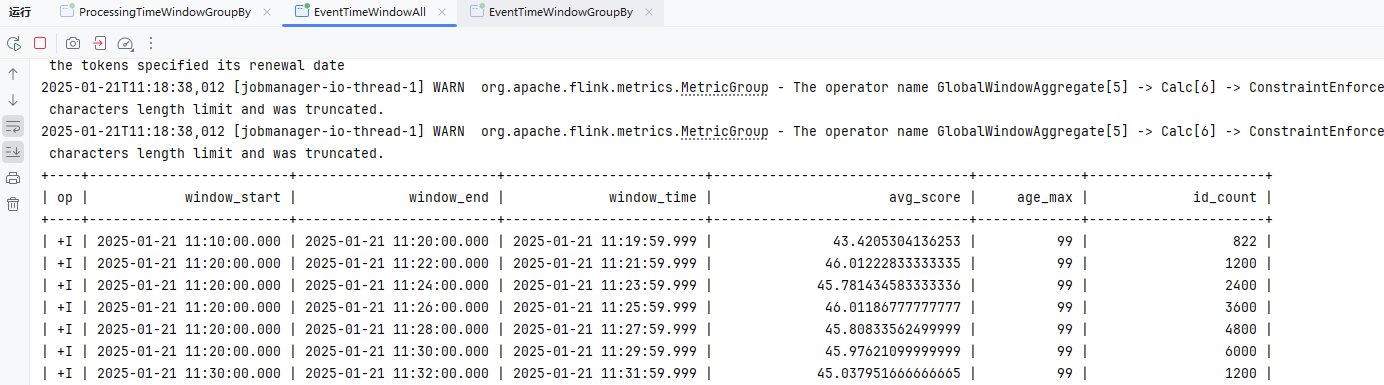
处理时间WindowGroupBy
关键SQL
SELECT
  window_start,
  window_end,
  window_time,
  province,
  avg(score) as avg_score,
  max(age) as age_max,
  count(id) as id_count
FROM TABLE(
  CUMULATE(
    TABLE my_user_kafka,
    DESCRIPTOR(procTime),
    INTERVAL '2' MINUTE,
    INTERVAL '10' MINUTE
  )
)
GROUP BY window_start, window_end, window_time, province;代码如下
package local.ateng.java.SQL.window.cumulate;

import org.apache.flink.streaming.api.CheckpointingMode;
import org.apache.flink.streaming.api.environment.StreamExecutionEnvironment;
import org.apache.flink.table.api.Table;
import org.apache.flink.table.api.TableResult;
import org.apache.flink.table.api.bridge.java.StreamTableEnvironment;

/**
 * FlinkSQL基于处理时间的累计窗口使用示例
 * @author 孔余
 * @email 2385569970@qq.com
 * @since 2025-01-20
 */
public class ProcessingTimeWindowGroupBy {
    public static void main(String[] args) throws Exception {
        // 创建流式执行环境
        StreamExecutionEnvironment env = StreamExecutionEnvironment.getExecutionEnvironment();
        // 启用检查点,设置检查点间隔为 5 秒,检查点模式为 精准一次
        env.enableCheckpointing(5 * 1000, CheckpointingMode.EXACTLY_ONCE);
        // 设置并行度为 3
        env.setParallelism(3);
        // 创建流式表环境
        StreamTableEnvironment tableEnv = StreamTableEnvironment.create(env);

        // 创建表
        String createSql = "CREATE TABLE my_user_kafka( \n" +
                "  my_event_time TIMESTAMP(3) METADATA FROM 'timestamp' VIRTUAL,\n" +
                "  my_partition BIGINT METADATA FROM 'partition' VIRTUAL,\n" +
                "  my_offset BIGINT METADATA FROM 'offset' VIRTUAL,\n" +
                "  id BIGINT NOT NULL,\n" +
                "  name STRING,\n" +
                "  age INT,\n" +
                "  score DOUBLE,\n" +
                "  birthday TIMESTAMP(3),\n" +
                "  province STRING,\n" +
                "  city STRING,\n" +
                "  createTime TIMESTAMP(3),\n" +
                "  procTime AS PROCTIME() \n" +
                ")\n" +
                "WITH (\n" +
                "  'connector' = 'kafka',\n" +
                "  'properties.bootstrap.servers' = '192.168.1.10:9094',\n" +
                "  'properties.group.id' = 'ateng_sql',\n" +
                "  -- 'earliest-offset', 'latest-offset', 'group-offsets', 'timestamp' and 'specific-offsets'\n" +
                "  'scan.startup.mode' = 'latest-offset',\n" +
                "  'topic' = 'ateng_flink_json',\n" +
                "  'format' = 'json'\n" +
                ");";
        tableEnv.executeSql(createSql);

        // 查询数据
        // 累计窗口:每2分钟累计计算一次,最大累计10分钟
        // 可以输出的窗口:[00:00, 00:02),[00:00, 00:04),[00:00, 00:06),[00:00, 00:08),[00:00, 00:10),[00:10, 00:12)...
        String querySql = "SELECT\n" +
                "  window_start,\n" +
                "  window_end,\n" +
                "  window_time,\n" +
                "  province,\n" +
                "  avg(score) as avg_score,\n" +
                "  max(age) as age_max,\n" +
                "  count(id) as id_count\n" +
                "FROM TABLE(\n" +
                "  CUMULATE(\n" +
                "    TABLE my_user_kafka,\n" +
                "    DESCRIPTOR(procTime),\n" +
                "    INTERVAL '2' MINUTE,\n" +
                "    INTERVAL '10' MINUTE\n" +
                "  )\n" +
                ")\n" +
                "GROUP BY window_start, window_end, window_time, province;";
        Table result = tableEnv.sqlQuery(querySql);

        // 执行操作
        TableResult tableResult = result.execute();

        // 打印结果
        tableResult.print();

        // 执行任务
        env.execute("FlinkSQL基于处理时间的累计窗口使用示例");

    }
}事件时间WindowGroupBy
关键SQL
SELECT
  window_start,
  window_end,
  window_time,
  province,
  avg(score) as avg_score,
  max(age) as age_max,
  count(id) as id_count
FROM TABLE(
  CUMULATE(
    TABLE my_user_kafka,
    DESCRIPTOR(createTime),
    INTERVAL '2' MINUTE,
    INTERVAL '10' MINUTE
  )
)
GROUP BY window_start, window_end, window_time, province;代码如下
package local.ateng.java.SQL.window.cumulate;

import org.apache.flink.streaming.api.CheckpointingMode;
import org.apache.flink.streaming.api.environment.StreamExecutionEnvironment;
import org.apache.flink.table.api.Table;
import org.apache.flink.table.api.TableResult;
import org.apache.flink.table.api.bridge.java.StreamTableEnvironment;

/**
 * FlinkSQL基于事件时间的累计窗口使用示例
 * @author 孔余
 * @email 2385569970@qq.com
 * @since 2025-01-20
 */
public class EventTimeWindowGroupBy {
    public static void main(String[] args) throws Exception {
        // 创建流式执行环境
        StreamExecutionEnvironment env = StreamExecutionEnvironment.getExecutionEnvironment();
        // 启用检查点,设置检查点间隔为 5 秒,检查点模式为 精准一次
        env.enableCheckpointing(5 * 1000, CheckpointingMode.EXACTLY_ONCE);
        // 设置并行度为 3
        env.setParallelism(3);
        // 创建流式表环境
        StreamTableEnvironment tableEnv = StreamTableEnvironment.create(env);

        // 创建表
        String createSql = "CREATE TABLE my_user_kafka( \n" +
                "  my_event_time TIMESTAMP(3) METADATA FROM 'timestamp' VIRTUAL,\n" +
                "  my_partition BIGINT METADATA FROM 'partition' VIRTUAL,\n" +
                "  my_offset BIGINT METADATA FROM 'offset' VIRTUAL,\n" +
                "  id BIGINT NOT NULL,\n" +
                "  name STRING,\n" +
                "  age INT,\n" +
                "  score DOUBLE,\n" +
                "  birthday TIMESTAMP(3),\n" +
                "  province STRING,\n" +
                "  city STRING,\n" +
                "  createTime TIMESTAMP(3),\n" +
                "  -- 配置 watermark,允许最大 5 秒延迟\n" +
                "  WATERMARK FOR createTime AS createTime - INTERVAL '5' SECOND\n" +
                ")\n" +
                "WITH (\n" +
                "  'connector' = 'kafka',\n" +
                "  'properties.bootstrap.servers' = '192.168.1.10:9094',\n" +
                "  'properties.group.id' = 'ateng_sql',\n" +
                "  -- 'earliest-offset', 'latest-offset', 'group-offsets', 'timestamp' and 'specific-offsets'\n" +
                "  'scan.startup.mode' = 'latest-offset',\n" +
                "  'topic' = 'ateng_flink_json',\n" +
                "  'format' = 'json'\n" +
                ");";
        tableEnv.executeSql(createSql);

        // 查询数据
        // 累计窗口:每2分钟累计计算一次,最大累计10分钟
        // 可以输出的窗口:[00:00, 00:02),[00:00, 00:04),[00:00, 00:06),[00:00, 00:08),[00:00, 00:10),[00:10, 00:12)...
        String querySql = "SELECT\n" +
                "  window_start,\n" +
                "  window_end,\n" +
                "  window_time,\n" +
                "  province,\n" +
                "  avg(score) as avg_score,\n" +
                "  max(age) as age_max,\n" +
                "  count(id) as id_count\n" +
                "FROM TABLE(\n" +
                "  CUMULATE(\n" +
                "    TABLE my_user_kafka,\n" +
                "    DESCRIPTOR(createTime),\n" +
                "    INTERVAL '2' MINUTE,\n" +
                "    INTERVAL '10' MINUTE\n" +
                "  )\n" +
                ")\n" +
                "GROUP BY window_start, window_end, window_time, province;";
        Table result = tableEnv.sqlQuery(querySql);

        // 执行操作
        TableResult tableResult = result.execute();

        // 打印结果
        tableResult.print();

        // 执行任务
        env.execute("FlinkSQL基于事件时间的累计窗口使用示例");

    }
}Over聚合窗口
OVER 聚合通过排序后的范围数据为每行输入计算出聚合值。和 GROUP BY 聚合不同, OVER 聚合不会把结果通过分组减少到一行,它会为每行输入增加一个聚合值。
OVER 窗口的语法
SELECT
  agg_func(agg_col) OVER (
    [PARTITION BY col1[, col2, ...]]
    ORDER BY time_col
    range_definition),
  ...
FROM ...参考:官方文档
Over聚合(行间隔)
ROWS 间隔基于计数。它定义了聚合操作包含的精确行数。下面的 ROWS 间隔定义了当前行 + 之前的 100 行(也就是101行)都会被聚合。
关键SQL
SELECT
  avg(score) OVER w as avg_score,
  max(age) OVER w as age_max,
  count(id) OVER w as id_count
FROM my_user_kafka
WINDOW w AS (
  ORDER BY procTime
ROWS BETWEEN 100 PRECEDING AND CURRENT ROW)代码如下
package local.ateng.java.SQL.window.over;

import org.apache.flink.streaming.api.environment.StreamExecutionEnvironment;
import org.apache.flink.table.api.Table;
import org.apache.flink.table.api.TableResult;
import org.apache.flink.table.api.bridge.java.StreamTableEnvironment;

/**
 * Over聚合(行间隔)
 *
 * @author 孔余
 * @email 2385569970@qq.com
 * @since 2025-01-21
 */
public class OverRows {
    public static void main(String[] args) throws Exception {
        // 创建流式执行环境
        StreamExecutionEnvironment env = StreamExecutionEnvironment.getExecutionEnvironment();
        // 启用检查点,设置检查点间隔为 5 秒,检查点模式为 精准一次
        //env.enableCheckpointing(5 * 1000, CheckpointingMode.EXACTLY_ONCE);
        // 设置并行度为 3
        env.setParallelism(3);
        // 创建流式表环境
        StreamTableEnvironment tableEnv = StreamTableEnvironment.create(env);

        // 创建表
        String createSql = "CREATE TABLE my_user_kafka( \n" +
                "  my_event_time TIMESTAMP(3) METADATA FROM 'timestamp' VIRTUAL,\n" +
                "  my_partition BIGINT METADATA FROM 'partition' VIRTUAL,\n" +
                "  my_offset BIGINT METADATA FROM 'offset' VIRTUAL,\n" +
                "  id BIGINT NOT NULL,\n" +
                "  name STRING,\n" +
                "  age INT,\n" +
                "  score DOUBLE,\n" +
                "  birthday TIMESTAMP(3),\n" +
                "  province STRING,\n" +
                "  city STRING,\n" +
                "  createTime TIMESTAMP(3),\n" +
                "  procTime AS PROCTIME() \n" +
                ")\n" +
                "WITH (\n" +
                "  'connector' = 'kafka',\n" +
                "  'properties.bootstrap.servers' = '192.168.1.10:9094',\n" +
                "  'properties.group.id' = 'ateng_sql',\n" +
                "  -- 'earliest-offset', 'latest-offset', 'group-offsets', 'timestamp' and 'specific-offsets'\n" +
                "  'scan.startup.mode' = 'latest-offset',\n" +
                "  'topic' = 'ateng_flink_json',\n" +
                "  'format' = 'json'\n" +
                ");";
        tableEnv.executeSql(createSql);

        // 查询数据
        // Over聚合(行间隔)
        // ROWS 间隔基于计数。它定义了聚合操作包含的精确行数。下面的 ROWS 间隔定义了当前行 + 之前的 100 行(也就是101行)都会被聚合。
        String querySql = "SELECT\n" +
                "  avg(score) OVER w as avg_score,\n" +
                "  max(age) OVER w as age_max,\n" +
                "  count(id) OVER w as id_count\n" +
                "FROM my_user_kafka\n" +
                "WINDOW w AS (\n" +
                "  ORDER BY procTime\n" +
                "  ROWS BETWEEN 100 PRECEDING AND CURRENT ROW)";
        Table result = tableEnv.sqlQuery(querySql);

        // 执行操作
        TableResult tableResult = result.execute();

        // 打印结果
        tableResult.print();

        // 执行任务
        env.execute("Over聚合(行间隔)");

    }
}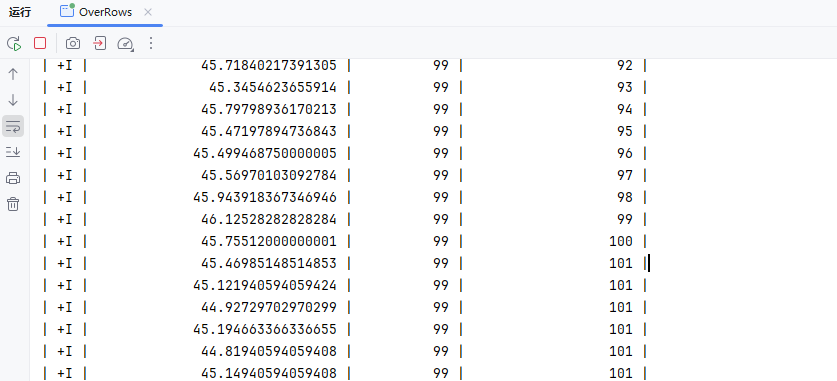
Over聚合(时间范围间隔)
RANGE 间隔是定义在排序列值上的,在 Flink 里,排序列总是一个时间属性。下面的 RANG 间隔定义了聚合会在比当前行的时间属性小 2 分钟的所有行上进行。
关键SQL
SELECT
  avg(score) OVER w as avg_score,
  max(age) OVER w as age_max,
  count(id) OVER w as id_count
FROM my_user_kafka
WINDOW w AS (
  ORDER BY procTime
RANGE BETWEEN INTERVAL '2' MINUTE PRECEDING AND CURRENT ROW)代码如下
package local.ateng.java.SQL.window.over;

import org.apache.flink.streaming.api.environment.StreamExecutionEnvironment;
import org.apache.flink.table.api.Table;
import org.apache.flink.table.api.TableResult;
import org.apache.flink.table.api.bridge.java.StreamTableEnvironment;

/**
 * Over聚合(时间范围间隔)
 *
 * @author 孔余
 * @email 2385569970@qq.com
 * @since 2025-01-21
 */
public class OverRange {
    public static void main(String[] args) throws Exception {
        // 创建流式执行环境
        StreamExecutionEnvironment env = StreamExecutionEnvironment.getExecutionEnvironment();
        // 启用检查点,设置检查点间隔为 5 秒,检查点模式为 精准一次
        //env.enableCheckpointing(5 * 1000, CheckpointingMode.EXACTLY_ONCE);
        // 设置并行度为 3
        env.setParallelism(3);
        // 创建流式表环境
        StreamTableEnvironment tableEnv = StreamTableEnvironment.create(env);

        // 创建表
        String createSql = "CREATE TABLE my_user_kafka( \n" +
                "  my_event_time TIMESTAMP(3) METADATA FROM 'timestamp' VIRTUAL,\n" +
                "  my_partition BIGINT METADATA FROM 'partition' VIRTUAL,\n" +
                "  my_offset BIGINT METADATA FROM 'offset' VIRTUAL,\n" +
                "  id BIGINT NOT NULL,\n" +
                "  name STRING,\n" +
                "  age INT,\n" +
                "  score DOUBLE,\n" +
                "  birthday TIMESTAMP(3),\n" +
                "  province STRING,\n" +
                "  city STRING,\n" +
                "  createTime TIMESTAMP(3),\n" +
                "  procTime AS PROCTIME() \n" +
                ")\n" +
                "WITH (\n" +
                "  'connector' = 'kafka',\n" +
                "  'properties.bootstrap.servers' = '192.168.1.10:9094',\n" +
                "  'properties.group.id' = 'ateng_sql',\n" +
                "  -- 'earliest-offset', 'latest-offset', 'group-offsets', 'timestamp' and 'specific-offsets'\n" +
                "  'scan.startup.mode' = 'latest-offset',\n" +
                "  'topic' = 'ateng_flink_json',\n" +
                "  'format' = 'json'\n" +
                ");";
        tableEnv.executeSql(createSql);

        // 查询数据
        // Over聚合(时间范围间隔)
        // RANGE 间隔是定义在排序列值上的,在 Flink 里,排序列总是一个时间属性。下面的 RANG 间隔定义了聚合会在比当前行的时间属性小 2 分钟的所有行上进行。
        String querySql = "SELECT\n" +
                "  avg(score) OVER w as avg_score,\n" +
                "  max(age) OVER w as age_max,\n" +
                "  count(id) OVER w as id_count\n" +
                "FROM my_user_kafka\n" +
                "WINDOW w AS (\n" +
                "  ORDER BY procTime\n" +
                "  RANGE BETWEEN INTERVAL '2' MINUTE PRECEDING AND CURRENT ROW)";
        Table result = tableEnv.sqlQuery(querySql);

        // 执行操作
        TableResult tableResult = result.execute();

        // 打印结果
        tableResult.print();

        // 执行任务
        env.execute("Over聚合(时间范围间隔)");

    }
}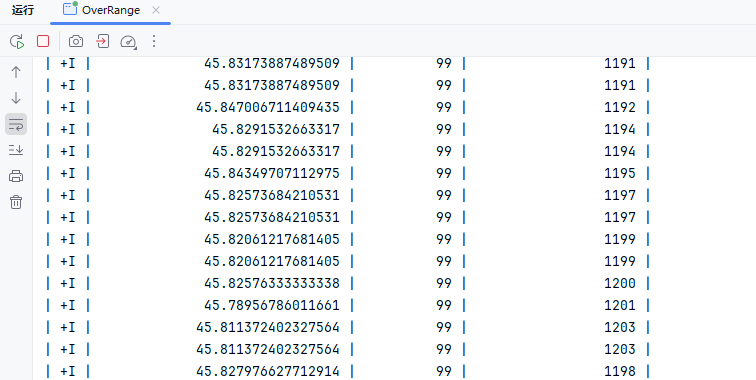
Over分区聚合(行间隔)
ROWS 间隔基于计数。它定义了聚合操作包含的精确行数。下面的 ROWS 间隔定义了当前行 + 之前的 100 行(也就是101行)都会被聚合。
PARTITION BY 子句代表着每行数据只在其所属的数据分区进行聚合。
关键SQL
SELECT
  province,
  avg(score) OVER w as avg_score,
  max(age) OVER w as age_max,
  count(id) OVER w as id_count
FROM my_user_kafka
WINDOW w AS (
  PARTITION BY province
  ORDER BY procTime
ROWS BETWEEN 100 PRECEDING AND CURRENT ROW)代码如下
package local.ateng.java.SQL.window.over;

import org.apache.flink.streaming.api.environment.StreamExecutionEnvironment;
import org.apache.flink.table.api.Table;
import org.apache.flink.table.api.TableResult;
import org.apache.flink.table.api.bridge.java.StreamTableEnvironment;

/**
 * Over分区聚合(行间隔)
 *
 * @author 孔余
 * @email 2385569970@qq.com
 * @since 2025-01-21
 */
public class OverPartRows {
    public static void main(String[] args) throws Exception {
        // 创建流式执行环境
        StreamExecutionEnvironment env = StreamExecutionEnvironment.getExecutionEnvironment();
        // 启用检查点,设置检查点间隔为 5 秒,检查点模式为 精准一次
        //env.enableCheckpointing(5 * 1000, CheckpointingMode.EXACTLY_ONCE);
        // 设置并行度为 3
        env.setParallelism(3);
        // 创建流式表环境
        StreamTableEnvironment tableEnv = StreamTableEnvironment.create(env);

        // 创建表
        String createSql = "CREATE TABLE my_user_kafka( \n" +
                "  my_event_time TIMESTAMP(3) METADATA FROM 'timestamp' VIRTUAL,\n" +
                "  my_partition BIGINT METADATA FROM 'partition' VIRTUAL,\n" +
                "  my_offset BIGINT METADATA FROM 'offset' VIRTUAL,\n" +
                "  id BIGINT NOT NULL,\n" +
                "  name STRING,\n" +
                "  age INT,\n" +
                "  score DOUBLE,\n" +
                "  birthday TIMESTAMP(3),\n" +
                "  province STRING,\n" +
                "  city STRING,\n" +
                "  createTime TIMESTAMP(3),\n" +
                "  procTime AS PROCTIME() \n" +
                ")\n" +
                "WITH (\n" +
                "  'connector' = 'kafka',\n" +
                "  'properties.bootstrap.servers' = '192.168.1.10:9094',\n" +
                "  'properties.group.id' = 'ateng_sql',\n" +
                "  -- 'earliest-offset', 'latest-offset', 'group-offsets', 'timestamp' and 'specific-offsets'\n" +
                "  'scan.startup.mode' = 'latest-offset',\n" +
                "  'topic' = 'ateng_flink_json',\n" +
                "  'format' = 'json'\n" +
                ");";
        tableEnv.executeSql(createSql);

        // 查询数据
        // Over分区聚合(行间隔)
        // ROWS 间隔基于计数。它定义了聚合操作包含的精确行数。下面的 ROWS 间隔定义了当前行 + 之前的 100 行(也就是101行)都会被聚合。
        String querySql = "SELECT\n" +
                "  province,\n" +
                "  avg(score) OVER w as avg_score,\n" +
                "  max(age) OVER w as age_max,\n" +
                "  count(id) OVER w as id_count\n" +
                "FROM my_user_kafka\n" +
                "WINDOW w AS (\n" +
                "  PARTITION BY province\n" +
                "  ORDER BY procTime\n" +
                "  ROWS BETWEEN 100 PRECEDING AND CURRENT ROW)";
        Table result = tableEnv.sqlQuery(querySql);

        // 执行操作
        TableResult tableResult = result.execute();

        // 打印结果
        tableResult.print();

        // 执行任务
        env.execute("Over分区聚合(行间隔)");

    }
}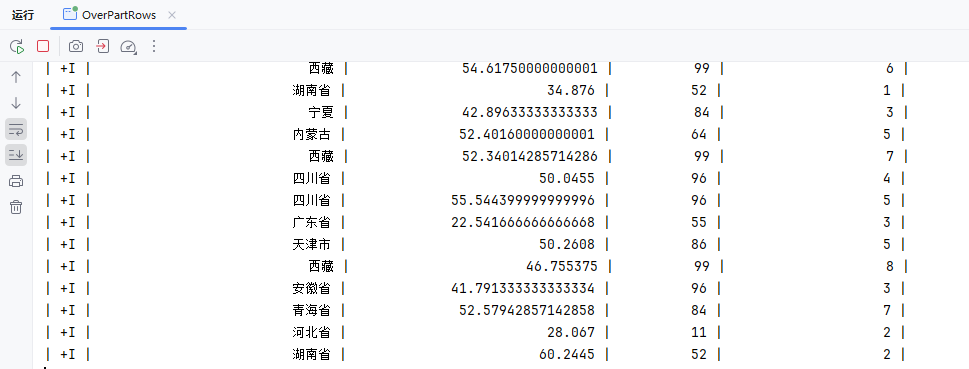
Over分区聚合(时间范围间隔)
RANGE 间隔是定义在排序列值上的,在 Flink 里,排序列总是一个时间属性。下面的 RANG 间隔定义了聚合会在比当前行的时间属性小 2 分钟的所有行上进行。
PARTITION BY 子句代表着每行数据只在其所属的数据分区进行聚合。
关键SQL
SELECT
  province,
  avg(score) OVER w as avg_score,
  max(age) OVER w as age_max,
  count(id) OVER w as id_count
FROM my_user_kafka
WINDOW w AS (
  PARTITION BY province
  ORDER BY procTime
RANGE BETWEEN INTERVAL '2' MINUTE PRECEDING AND CURRENT ROW)代码如下
package local.ateng.java.SQL.window.over;

import org.apache.flink.streaming.api.environment.StreamExecutionEnvironment;
import org.apache.flink.table.api.Table;
import org.apache.flink.table.api.TableResult;
import org.apache.flink.table.api.bridge.java.StreamTableEnvironment;

/**
 * Over分区聚合(时间范围间隔)
 *
 * @author 孔余
 * @email 2385569970@qq.com
 * @since 2025-01-21
 */
public class OverPartRange {
    public static void main(String[] args) throws Exception {
        // 创建流式执行环境
        StreamExecutionEnvironment env = StreamExecutionEnvironment.getExecutionEnvironment();
        // 启用检查点,设置检查点间隔为 5 秒,检查点模式为 精准一次
        //env.enableCheckpointing(5 * 1000, CheckpointingMode.EXACTLY_ONCE);
        // 设置并行度为 3
        env.setParallelism(3);
        // 创建流式表环境
        StreamTableEnvironment tableEnv = StreamTableEnvironment.create(env);

        // 创建表
        String createSql = "CREATE TABLE my_user_kafka( \n" +
                "  my_event_time TIMESTAMP(3) METADATA FROM 'timestamp' VIRTUAL,\n" +
                "  my_partition BIGINT METADATA FROM 'partition' VIRTUAL,\n" +
                "  my_offset BIGINT METADATA FROM 'offset' VIRTUAL,\n" +
                "  id BIGINT NOT NULL,\n" +
                "  name STRING,\n" +
                "  age INT,\n" +
                "  score DOUBLE,\n" +
                "  birthday TIMESTAMP(3),\n" +
                "  province STRING,\n" +
                "  city STRING,\n" +
                "  createTime TIMESTAMP(3),\n" +
                "  procTime AS PROCTIME() \n" +
                ")\n" +
                "WITH (\n" +
                "  'connector' = 'kafka',\n" +
                "  'properties.bootstrap.servers' = '192.168.1.10:9094',\n" +
                "  'properties.group.id' = 'ateng_sql',\n" +
                "  -- 'earliest-offset', 'latest-offset', 'group-offsets', 'timestamp' and 'specific-offsets'\n" +
                "  'scan.startup.mode' = 'latest-offset',\n" +
                "  'topic' = 'ateng_flink_json',\n" +
                "  'format' = 'json'\n" +
                ");";
        tableEnv.executeSql(createSql);

        // 查询数据
        // Over分区聚合(时间范围间隔)
        // RANGE 间隔是定义在排序列值上的,在 Flink 里,排序列总是一个时间属性。下面的 RANG 间隔定义了聚合会在比当前行的时间属性小 2 分钟的所有行上进行。
        String querySql = "SELECT\n" +
                "  province,\n" +
                "  avg(score) OVER w as avg_score,\n" +
                "  max(age) OVER w as age_max,\n" +
                "  count(id) OVER w as id_count\n" +
                "FROM my_user_kafka\n" +
                "WINDOW w AS (\n" +
                "  PARTITION BY province\n" +
                "  ORDER BY procTime\n" +
                "  RANGE BETWEEN INTERVAL '2' MINUTE PRECEDING AND CURRENT ROW)";
        Table result = tableEnv.sqlQuery(querySql);

        // 执行操作
        TableResult tableResult = result.execute();

        // 打印结果
        tableResult.print();

        // 执行任务
        env.execute("Over分区聚合(时间范围间隔)");

    }
}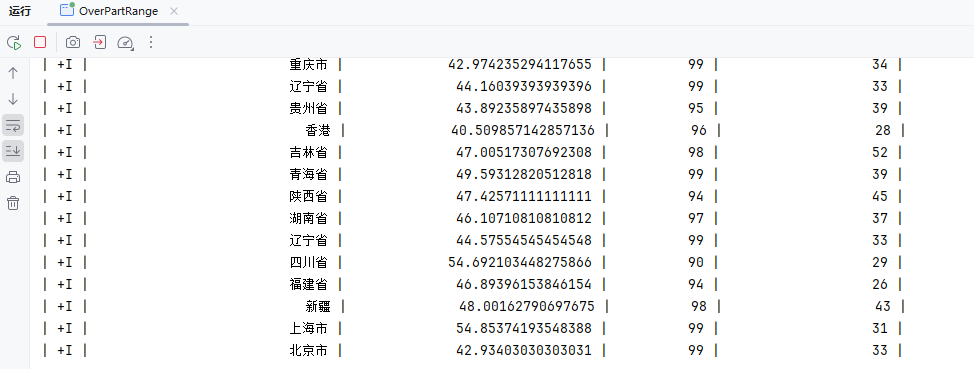
Catalog
Catalog 提供了元数据信息,例如数据库、表、分区、视图以及数据库或其他外部系统中存储的函数和信息。
数据处理最关键的方面之一是管理元数据。 元数据可以是临时的,例如临时表、或者通过 TableEnvironment 注册的 UDF。 元数据也可以是持久化的,例如 Hive Metastore 中的元数据。Catalog 提供了一个统一的API,用于管理元数据,并使其可以从 Table API 和 SQL 查询语句中来访问。
参考:官方文档
Hive
参考:官方文档
注意配置hadoop环境,参考写入HDFS的章节
添加依赖
<properties>
    <hive.version>3.1.3</hive.version>
</properties>
<dependencies>
    <!-- Hive Catalog -->
    <dependency>
        <groupId>org.apache.flink</groupId>
        <artifactId>flink-connector-hive_2.12</artifactId>
        <version>${flink.version}</version>
        <scope>provided</scope>
    </dependency>
    <dependency>
        <groupId>org.apache.hive</groupId>
        <artifactId>hive-exec</artifactId>
        <version>${hive.version}</version>
        <scope>provided</scope>
    </dependency>
</dependencies>创建Catalog的SQL
具体配置参考:连接到Hive
-- 创建Catalog
CREATE CATALOG hive_catalog WITH (
    'type' = 'hive',
    'default-database' = 'my_database',
    'hive-conf-dir' = 'hdfs://server01:8020/hive/conf'
);
-- 切换Catalog
USE CATALOG hive_catalog;
-- 创建数据库上传Hive的配置到HDFS中
或者将
hive-site.xml配置文件放在resources目录下,org.apache.hadoop.hive.conf.HiveConf会自动发现Hive的配置文件
hadoop fs -put /usr/local/software/hive/conf /hive在hive中创建表
$ beeline -u jdbc:hive2://server01:10000 -n admin
CREATE TABLE my_database.my_user_hive_flink (
  id BIGINT,
  name STRING,
  age INT,
  score DOUBLE,
  birthday TIMESTAMP,
  province STRING,
  city STRING,
  create_time TIMESTAMP
)
PARTITIONED BY (t_date STRING, t_hour STRING)
STORED AS PARQUET
TBLPROPERTIES (
  'sink.partition-commit.policy.kind'='metastore,success-file'
);编辑代码,查看表
package local.ateng.java.SQL.catalog;

import org.apache.flink.streaming.api.CheckpointingMode;
import org.apache.flink.streaming.api.environment.StreamExecutionEnvironment;
import org.apache.flink.table.api.bridge.java.StreamTableEnvironment;

/**
 * 创建HiveCatalog
 * https://nightlies.apache.org/flink/flink-docs-release-1.19/zh/docs/connectors/table/hive/overview/
 *
 * @author 孔余
 * @email 2385569970@qq.com
 * @since 2025-01-25
 */
public class Hive {
    public static void main(String[] args) throws Exception {
        // 创建流式执行环境
        StreamExecutionEnvironment env = StreamExecutionEnvironment.getExecutionEnvironment();
        // 启用检查点,设置检查点间隔为 120 秒,检查点模式为 精准一次
        env.enableCheckpointing(120 * 1000, CheckpointingMode.EXACTLY_ONCE);
        // 设置并行度为 3
        env.setParallelism(3);
        // 创建流式表环境
        StreamTableEnvironment tableEnv = StreamTableEnvironment.create(env);
        // 设置 JobName
        tableEnv.getConfig().set("pipeline.name", "创建HiveCatalog");

        // 创建HiveCatalog
        tableEnv.executeSql("CREATE CATALOG hive_catalog WITH (\n" +
                "    'type' = 'hive',\n" +
                "    'default-database' = 'my_database',\n" +
                "    'hive-conf-dir' = 'hdfs://server01:8020/hive/conf'\n" +
                ");");
        tableEnv.executeSql("USE CATALOG hive_catalog;");

        // 执行SQL操作
        tableEnv.executeSql("SHOW TABLES").print();
    }
}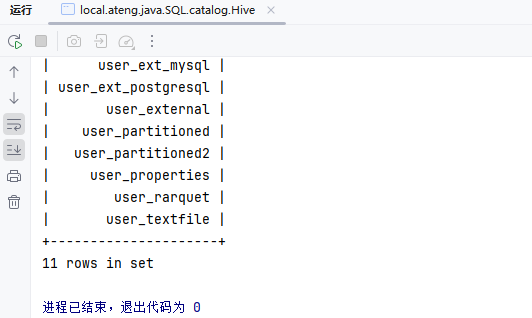
写入数据到Hive的SQL
insert into hive_catalog.my_database.my_user_hive_flink
select
  id,
  name,
  age,
  score,
  birthday,
  province,
  city,
  createTime,
  DATE_FORMAT(createTime, 'yyyy-MM-dd') AS t_date,
  DATE_FORMAT(createTime, 'HH') AS t_hour
from
default_catalog.default_database.my_user;编辑代码,写入模拟数据
package local.ateng.java.SQL.catalog;

import local.ateng.java.SQL.entity.UserInfoEntity;
import local.ateng.java.SQL.function.MyGeneratorFunction;
import org.apache.flink.api.common.eventtime.WatermarkStrategy;
import org.apache.flink.api.common.typeinfo.TypeInformation;
import org.apache.flink.api.connector.source.util.ratelimit.RateLimiterStrategy;
import org.apache.flink.connector.datagen.source.DataGeneratorSource;
import org.apache.flink.streaming.api.CheckpointingMode;
import org.apache.flink.streaming.api.datastream.DataStreamSource;
import org.apache.flink.streaming.api.environment.StreamExecutionEnvironment;
import org.apache.flink.table.api.DataTypes;
import org.apache.flink.table.api.Schema;
import org.apache.flink.table.api.Table;
import org.apache.flink.table.api.bridge.java.StreamTableEnvironment;

/**
 * 创建HiveCatalog并写入模拟数据
 * https://nightlies.apache.org/flink/flink-docs-release-1.19/zh/docs/connectors/table/hive/overview/
 *
 * @author 孔余
 * @email 2385569970@qq.com
 * @since 2025-01-25
 */
public class HiveSink {
    public static void main(String[] args) throws Exception {
        // 创建流式执行环境
        StreamExecutionEnvironment env = StreamExecutionEnvironment.getExecutionEnvironment();
        // 启用检查点,设置检查点间隔为 120 秒,检查点模式为 精准一次
        env.enableCheckpointing(120 * 1000, CheckpointingMode.EXACTLY_ONCE);
        // 设置并行度为 3
        env.setParallelism(3);
        // 创建流式表环境
        StreamTableEnvironment tableEnv = StreamTableEnvironment.create(env);
        // 设置 JobName
        tableEnv.getConfig().set("pipeline.name", "创建HiveCatalog并写入模拟数据");

        // 创建HiveCatalog
        tableEnv.executeSql("CREATE CATALOG hive_catalog WITH (\n" +
                "    'type' = 'hive',\n" +
                "    'default-database' = 'my_database',\n" +
                "    'hive-conf-dir' = 'hdfs://server01:8020/hive/conf'\n" +
                ");");
        tableEnv.executeSql("USE CATALOG hive_catalog;");

        // 查询表
        tableEnv.executeSql("SHOW TABLES").print();

        // 创建数据生成器源,生成器函数为 MyGeneratorFunction,生成 Long.MAX_VALUE 条数据,速率限制为 3 条/秒
        DataGeneratorSource<UserInfoEntity> source = new DataGeneratorSource<>(
                new MyGeneratorFunction(),
                Long.MAX_VALUE,
                RateLimiterStrategy.perSecond(100),
                TypeInformation.of(UserInfoEntity.class)
        );
        // 将数据生成器源添加到流中
        DataStreamSource<UserInfoEntity> stream =
                env.fromSource(source,
                        WatermarkStrategy.noWatermarks(),
                        "Generator Source");

        // 将 DataStream 注册为动态表
        tableEnv.createTemporaryView("default_catalog.default_database.my_user", stream,
                Schema.newBuilder()
                        .column("id", DataTypes.BIGINT())
                        .column("name", DataTypes.STRING())
                        .column("age", DataTypes.INT())
                        .column("score", DataTypes.DOUBLE())
                        .column("birthday", DataTypes.TIMESTAMP(3))
                        .column("province", DataTypes.STRING())
                        .column("city", DataTypes.STRING())
                        .column("createTime", DataTypes.TIMESTAMP(3))
                        .build());

        // 写入数据到Hive中
        String querySql = "insert into hive_catalog.my_database.my_user_hive_flink\n" +
                "select\n" +
                "  id,\n" +
                "  name,\n" +
                "  age,\n" +
                "  score,\n" +
                "  birthday,\n" +
                "  province,\n" +
                "  city,\n" +
                "  createTime,\n" +
                "  DATE_FORMAT(createTime, 'yyyy-MM-dd') AS t_date,\n" +
                "  DATE_FORMAT(createTime, 'HH') AS t_hour\n" +
                "from\n" +
                "default_catalog.default_database.my_user;";
        tableEnv.executeSql(querySql);

        // 查询数据
        tableEnv.sqlQuery("select * from default_catalog.default_database.my_user").execute().print();

    }
}在Hive中查看数据
select * from my_user_hive_flink limit 10;
select count(*) from my_user_hive_flink;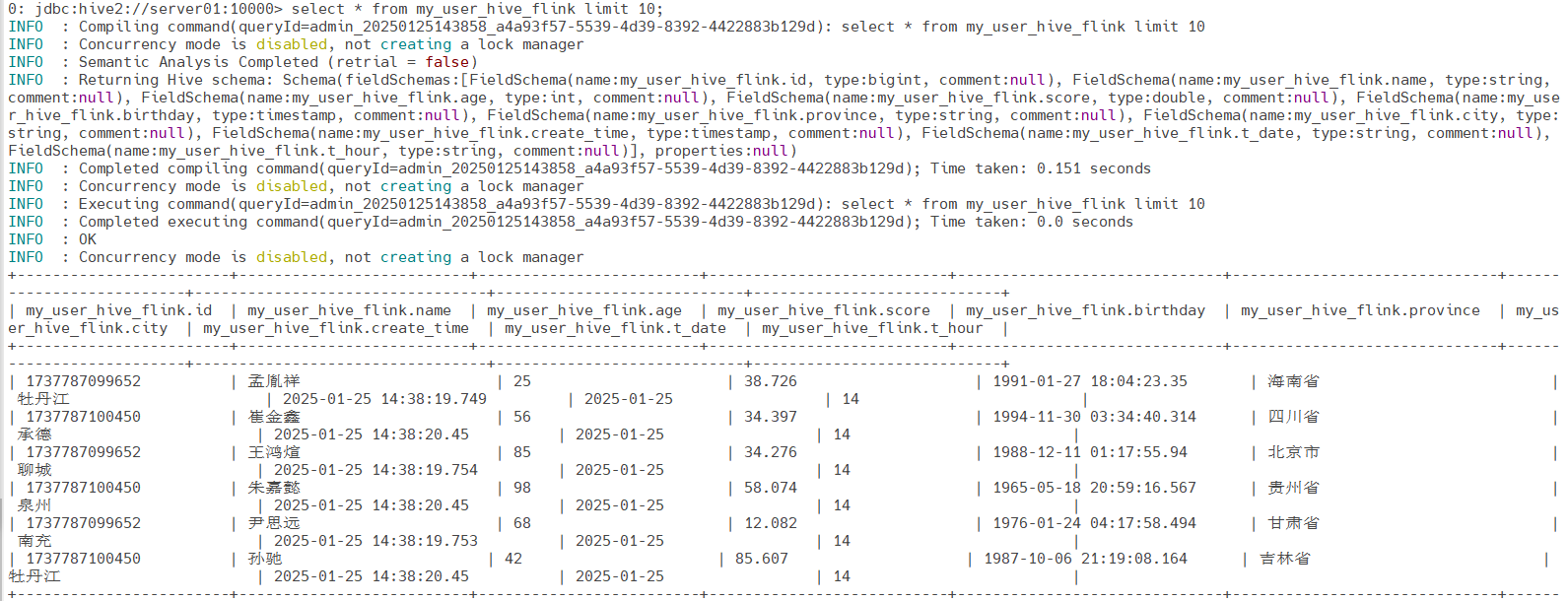
JDBC(MySQL)
参考:官方文档
注意配置MySQL依赖,参考写入MySQL的章节
MySQL创建表
DROP TABLE IF EXISTS `my_user_flink_catalog`;
CREATE TABLE IF NOT EXISTS `my_user_flink_catalog` (
  `id` bigint NOT NULL AUTO_INCREMENT COMMENT '自增ID' primary key,
  `name` varchar(255) NOT NULL COMMENT '用户姓名',
  `age` int COMMENT '用户年龄',
  `score` double COMMENT '分数',
  `birthday` datetime(3) COMMENT '用户生日',
  `province` varchar(255) COMMENT '用户所在省份',
  `city` varchar(255) COMMENT '用户所在城市',
  `create_time` datetime(3) DEFAULT CURRENT_TIMESTAMP(3) COMMENT '创建时间',
  KEY `idx_name` (`name`),
  KEY `idx_province_city` (`province`, `city`),
  KEY `idx_create_time` (`create_time`)
) COMMENT='用户表';创建Catalog SQL
CREATE CATALOG mysql_catalog WITH (
    'type' = 'jdbc',
    'base-url' = 'jdbc:mysql://192.168.1.10:35725',
    'username' = 'root',
    'password' = 'Admin@123',
    'default-database' = 'kongyu_flink'
);写入数据SQL
insert into my_user_flink_catalog
select
  id,
  name,
  age,
  score,
  birthday,
  province,
  city,
  createTime
from
default_catalog.default_database.my_user;编辑代码
package local.ateng.java.SQL.catalog;

import local.ateng.java.SQL.entity.UserInfoEntity;
import local.ateng.java.SQL.function.MyGeneratorFunction;
import org.apache.flink.api.common.eventtime.WatermarkStrategy;
import org.apache.flink.api.common.typeinfo.TypeInformation;
import org.apache.flink.api.connector.source.util.ratelimit.RateLimiterStrategy;
import org.apache.flink.connector.datagen.source.DataGeneratorSource;
import org.apache.flink.streaming.api.CheckpointingMode;
import org.apache.flink.streaming.api.datastream.DataStreamSource;
import org.apache.flink.streaming.api.environment.StreamExecutionEnvironment;
import org.apache.flink.table.api.DataTypes;
import org.apache.flink.table.api.Schema;
import org.apache.flink.table.api.bridge.java.StreamTableEnvironment;

/**
 * 创建JDBC(MySQL)Catalog并写入模拟数据
 * https://nightlies.apache.org/flink/flink-docs-release-1.19/zh/docs/connectors/table/hive/overview/
 *
 * @author 孔余
 * @email 2385569970@qq.com
 * @since 2025-01-25
 */
public class MySQL {
    public static void main(String[] args) throws Exception {
        // 创建流式执行环境
        StreamExecutionEnvironment env = StreamExecutionEnvironment.getExecutionEnvironment();
        // 启用检查点,设置检查点间隔为 120 秒,检查点模式为 精准一次
        env.enableCheckpointing(120 * 1000, CheckpointingMode.EXACTLY_ONCE);
        // 设置并行度为 3
        env.setParallelism(3);
        // 创建流式表环境
        StreamTableEnvironment tableEnv = StreamTableEnvironment.create(env);
        // 设置 JobName
        tableEnv.getConfig().set("pipeline.name", "创建JDBC(MySQL)Catalog并写入模拟数据");

        // 创建JDBC(MySQL)Catalog
        tableEnv.executeSql("CREATE CATALOG mysql_catalog WITH (\n" +
                "    'type' = 'jdbc',\n" +
                "    'base-url' = 'jdbc:mysql://192.168.1.10:35725',\n" +
                "    'username' = 'root',\n" +
                "    'password' = 'Admin@123',\n" +
                "    'default-database' = 'kongyu_flink'\n" +
                ");");
        tableEnv.executeSql("USE CATALOG mysql_catalog;");

        // 查询表
        tableEnv.executeSql("SHOW TABLES").print();

        // 创建数据生成器源,生成器函数为 MyGeneratorFunction,生成 Long.MAX_VALUE 条数据,速率限制为 10 条/秒
        DataGeneratorSource<UserInfoEntity> source = new DataGeneratorSource<>(
                new MyGeneratorFunction(),
                Long.MAX_VALUE,
                RateLimiterStrategy.perSecond(10),
                TypeInformation.of(UserInfoEntity.class)
        );
        // 将数据生成器源添加到流中
        DataStreamSource<UserInfoEntity> stream =
                env.fromSource(source,
                        WatermarkStrategy.noWatermarks(),
                        "Generator Source");

        // 将 DataStream 注册为动态表
        tableEnv.createTemporaryView("default_catalog.default_database.my_user", stream,
                Schema.newBuilder()
                        .column("id", DataTypes.BIGINT())
                        .column("name", DataTypes.STRING())
                        .column("age", DataTypes.INT())
                        .column("score", DataTypes.DOUBLE())
                        .column("birthday", DataTypes.TIMESTAMP(3))
                        .column("province", DataTypes.STRING())
                        .column("city", DataTypes.STRING())
                        .column("createTime", DataTypes.TIMESTAMP(3))
                        .build());

        // 写入数据到JDBC(MySQL)中
        String querySql = "insert into my_user_flink_catalog\n" +
                "select\n" +
                "  id,\n" +
                "  name,\n" +
                "  age,\n" +
                "  score,\n" +
                "  birthday,\n" +
                "  province,\n" +
                "  city,\n" +
                "  createTime\n" +
                "from\n" +
                "default_catalog.default_database.my_user;";
        tableEnv.executeSql(querySql);

        // 查询数据
        tableEnv.sqlQuery("select * from default_catalog.default_database.my_user").execute().print();

    }
}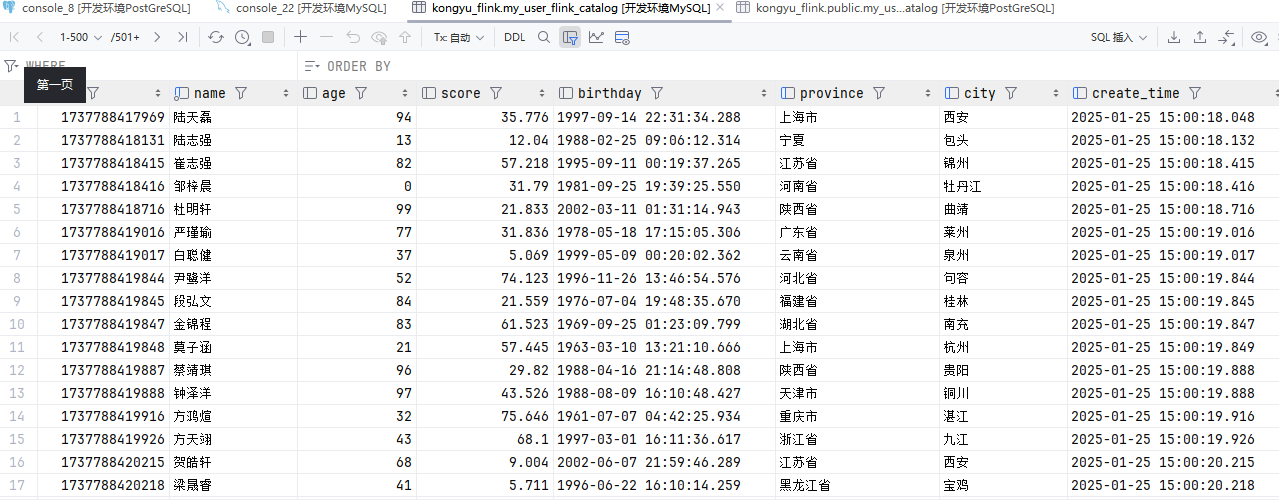
JDBC(PostgreSQL)
参考:官方文档
注意配置PostgreSQL依赖,参考写入PostgreSQL的章节
PostgreSQL创建表
-- 创建表
CREATE TABLE my_user_flink_catalog (
  id BIGSERIAL PRIMARY KEY,
  name VARCHAR(255) DEFAULT NULL,
  age INT DEFAULT NULL,
  score DOUBLE PRECISION DEFAULT NULL,
  birthday TIMESTAMP(3) DEFAULT NULL,
  province VARCHAR(255) DEFAULT NULL,
  city VARCHAR(255) DEFAULT NULL,
  create_time TIMESTAMP(3) DEFAULT CURRENT_TIMESTAMP(3)
);
-- 表级注释
COMMENT ON TABLE my_user_postgresql IS '用户表';
-- 列级注释
COMMENT ON COLUMN my_user_postgresql.id IS '自增ID';
COMMENT ON COLUMN my_user_postgresql.name IS '用户姓名';
COMMENT ON COLUMN my_user_postgresql.age IS '用户年龄';
COMMENT ON COLUMN my_user_postgresql.score IS '分数';
COMMENT ON COLUMN my_user_postgresql.birthday IS '用户生日';
COMMENT ON COLUMN my_user_postgresql.province IS '用户所在省份';
COMMENT ON COLUMN my_user_postgresql.city IS '用户所在城市';
COMMENT ON COLUMN my_user_postgresql.create_time IS '创建时间';创建Catalog SQL
CREATE CATALOG postgresql_catalog WITH (
    'type' = 'jdbc',
    'base-url' = 'jdbc:postgresql://192.168.1.10:32297',
    'username' = 'postgres',
    'password' = 'Lingo@local_postgresql_5432',
    'default-database' = 'kongyu_flink'
);写入数据SQL
insert into `public.my_user_flink_catalog`
select
  id,
  name,
  age,
  score,
  birthday,
  province,
  city,
  createTime
from
default_catalog.default_database.my_user;编辑代码
package local.ateng.java.SQL.catalog;

import local.ateng.java.SQL.entity.UserInfoEntity;
import local.ateng.java.SQL.function.MyGeneratorFunction;
import org.apache.flink.api.common.eventtime.WatermarkStrategy;
import org.apache.flink.api.common.typeinfo.TypeInformation;
import org.apache.flink.api.connector.source.util.ratelimit.RateLimiterStrategy;
import org.apache.flink.connector.datagen.source.DataGeneratorSource;
import org.apache.flink.streaming.api.CheckpointingMode;
import org.apache.flink.streaming.api.datastream.DataStreamSource;
import org.apache.flink.streaming.api.environment.StreamExecutionEnvironment;
import org.apache.flink.table.api.DataTypes;
import org.apache.flink.table.api.Schema;
import org.apache.flink.table.api.bridge.java.StreamTableEnvironment;

/**
 * 创建JDBC(PostgreSQL)Catalog并写入模拟数据
 * https://nightlies.apache.org/flink/flink-docs-release-1.19/zh/docs/connectors/table/hive/overview/
 *
 * @author 孔余
 * @email 2385569970@qq.com
 * @since 2025-01-25
 */
public class PostgreSQL {
    public static void main(String[] args) throws Exception {
        // 创建流式执行环境
        StreamExecutionEnvironment env = StreamExecutionEnvironment.getExecutionEnvironment();
        // 启用检查点,设置检查点间隔为 120 秒,检查点模式为 精准一次
        env.enableCheckpointing(120 * 1000, CheckpointingMode.EXACTLY_ONCE);
        // 设置并行度为 3
        env.setParallelism(3);
        // 创建流式表环境
        StreamTableEnvironment tableEnv = StreamTableEnvironment.create(env);
        // 设置 JobName
        tableEnv.getConfig().set("pipeline.name", "创建JDBC(PostgreSQL)Catalog并写入模拟数据");

        // 创建JDBC(PostgreSQL)Catalog
        tableEnv.executeSql("CREATE CATALOG postgresql_catalog WITH (\n" +
                "    'type' = 'jdbc',\n" +
                "    'base-url' = 'jdbc:postgresql://192.168.1.10:32297',\n" +
                "    'username' = 'postgres',\n" +
                "    'password' = 'Lingo@local_postgresql_5432',\n" +
                "    'default-database' = 'kongyu_flink'\n" +
                ");");
        tableEnv.executeSql("USE CATALOG postgresql_catalog;");

        // 查询表
        // 实际的TableName前面有一个Schema,默认是public.table
        tableEnv.executeSql("SHOW TABLES").print();

        // 创建数据生成器源,生成器函数为 MyGeneratorFunction,生成 Long.MAX_VALUE 条数据,速率限制为 10 条/秒
        DataGeneratorSource<UserInfoEntity> source = new DataGeneratorSource<>(
                new MyGeneratorFunction(),
                Long.MAX_VALUE,
                RateLimiterStrategy.perSecond(10),
                TypeInformation.of(UserInfoEntity.class)
        );
        // 将数据生成器源添加到流中
        DataStreamSource<UserInfoEntity> stream =
                env.fromSource(source,
                        WatermarkStrategy.noWatermarks(),
                        "Generator Source");

        // 将 DataStream 注册为动态表
        tableEnv.createTemporaryView("default_catalog.default_database.my_user", stream,
                Schema.newBuilder()
                        .column("id", DataTypes.BIGINT())
                        .column("name", DataTypes.STRING())
                        .column("age", DataTypes.INT())
                        .column("score", DataTypes.DOUBLE())
                        .column("birthday", DataTypes.TIMESTAMP(3))
                        .column("province", DataTypes.STRING())
                        .column("city", DataTypes.STRING())
                        .column("createTime", DataTypes.TIMESTAMP(3))
                        .build());

        // 写入数据到JDBC(PostgreSQL)中
        String querySql = "insert into `public.my_user_flink_catalog`\n" +
                "select\n" +
                "  id,\n" +
                "  name,\n" +
                "  age,\n" +
                "  score,\n" +
                "  birthday,\n" +
                "  province,\n" +
                "  city,\n" +
                "  createTime\n" +
                "from\n" +
                "default_catalog.default_database.my_user;";
        tableEnv.executeSql(querySql);

        // 查询数据
        tableEnv.sqlQuery("select * from default_catalog.default_database.my_user").execute().print();

    }
}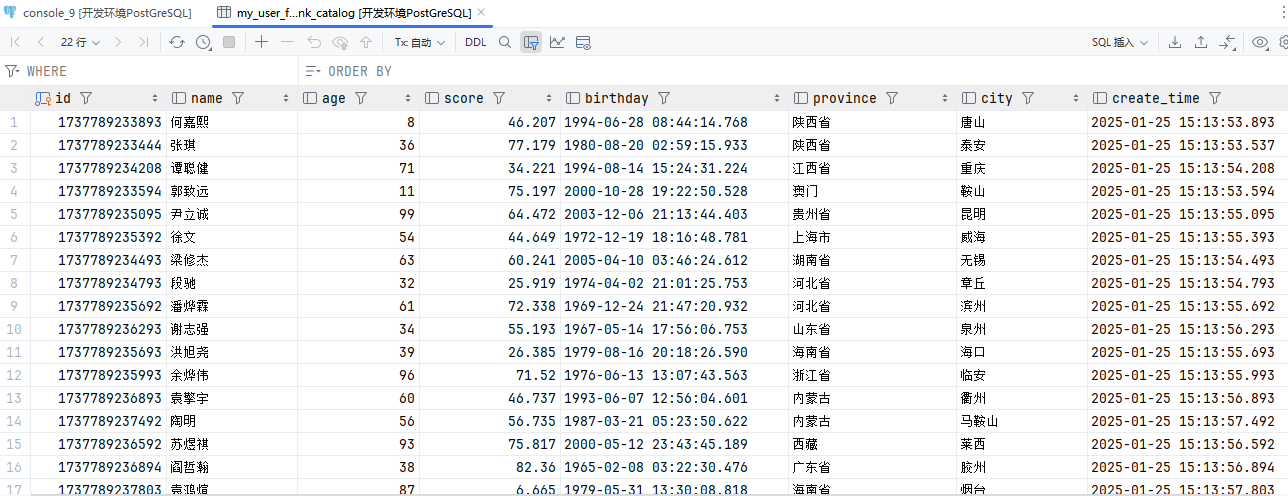
Iceberg
参考:使用Iceberg文档
添加依赖
<!--Flink 集成 Iceberg-->
<dependency>
    <groupId>org.apache.iceberg</groupId>
    <artifactId>iceberg-flink-runtime-1.19</artifactId>
    <version>1.6.1</version>
    <scope>provided</scope>
</dependency>
<dependency>
    <groupId>org.apache.iceberg</groupId>
    <artifactId>iceberg-aws-bundle</artifactId>
    <version>1.6.1</version>
    <scope>provided</scope>
</dependency>配置MinIO环境变量
AWS_ACCESS_KEY_ID=admin
AWS_SECRET_ACCESS_KEY=Lingo@local_minio_9000
AWS_REGION=us-east-1创建Catalog SQL
CREATE CATALOG iceberg_catalog
WITH (
    'type'='iceberg',
    'catalog-impl'='org.apache.iceberg.jdbc.JdbcCatalog',
    'io-impl'='org.apache.iceberg.aws.s3.S3FileIO',
    'uri'='jdbc:postgresql://192.168.1.10:32297/iceberg?user=postgres&password=Lingo@local_postgresql_5432',
    'warehouse'='s3://iceberg-bucket/warehouse',
    's3.endpoint'='http://192.168.1.13:9000'
);创建表
CREATE DATABASE flink;
USE flink;
CREATE TABLE IF NOT EXISTS flink.my_user (
  id BIGINT NOT NULL,
  name STRING,
  age INT,
  score DOUBLE,
  birthday TIMESTAMP(3),
  province STRING,
  city STRING,
  create_time TIMESTAMP_LTZ(3)
) WITH (
  'write.format.default' = 'parquet'
);写入数据SQL
insert into my_user
select
  id,
  name,
  age,
  score,
  birthday,
  province,
  city,
  createTime
from
default_catalog.default_database.my_user;编辑代码
package local.ateng.java.SQL.catalog;

import local.ateng.java.SQL.entity.UserInfoEntity;
import local.ateng.java.SQL.function.MyGeneratorFunction;
import org.apache.flink.api.common.eventtime.WatermarkStrategy;
import org.apache.flink.api.common.typeinfo.TypeInformation;
import org.apache.flink.api.connector.source.util.ratelimit.RateLimiterStrategy;
import org.apache.flink.connector.datagen.source.DataGeneratorSource;
import org.apache.flink.streaming.api.CheckpointingMode;
import org.apache.flink.streaming.api.datastream.DataStreamSource;
import org.apache.flink.streaming.api.environment.StreamExecutionEnvironment;
import org.apache.flink.table.api.DataTypes;
import org.apache.flink.table.api.Schema;
import org.apache.flink.table.api.bridge.java.StreamTableEnvironment;

/**
 * 创建IcebergCatalog并写入模拟数据
 *
 * @author 孔余
 * @email 2385569970@qq.com
 * @since 2025-01-25
 */
public class Iceberg {
    public static void main(String[] args) throws Exception {
        // 创建流式执行环境
        StreamExecutionEnvironment env = StreamExecutionEnvironment.getExecutionEnvironment();
        // 启用检查点,设置检查点间隔为 120 秒,检查点模式为 精准一次
        env.enableCheckpointing(120 * 1000, CheckpointingMode.EXACTLY_ONCE);
        // 设置并行度为 3
        env.setParallelism(3);
        // 创建流式表环境
        StreamTableEnvironment tableEnv = StreamTableEnvironment.create(env);
        // 设置 JobName
        tableEnv.getConfig().set("pipeline.name", "创建IcebergCatalog并写入模拟数据");

        // 创建IcebergCatalog
        tableEnv.executeSql("CREATE CATALOG iceberg_catalog\n" +
                "WITH (\n" +
                "    'type'='iceberg',\n" +
                "    'catalog-impl'='org.apache.iceberg.jdbc.JdbcCatalog',\n" +
                "    'io-impl'='org.apache.iceberg.aws.s3.S3FileIO',\n" +
                "    'uri'='jdbc:postgresql://192.168.1.10:32297/iceberg?user=postgres&password=Lingo@local_postgresql_5432',\n" +
                "    'warehouse'='s3://iceberg-bucket/warehouse',\n" +
                "    's3.endpoint'='http://192.168.1.13:9000'\n" +
                ");");
        tableEnv.executeSql("USE CATALOG iceberg_catalog;");

        // 创建数据库和表
        tableEnv.executeSql("CREATE DATABASE IF NOT EXISTS flink;");
        tableEnv.executeSql("USE flink;");
        tableEnv.executeSql("CREATE TABLE IF NOT EXISTS flink.my_user (\n" +
                "  id BIGINT NOT NULL,\n" +
                "  name STRING,\n" +
                "  age INT,\n" +
                "  score DOUBLE,\n" +
                "  birthday TIMESTAMP(3),\n" +
                "  province STRING,\n" +
                "  city STRING,\n" +
                "  create_time TIMESTAMP_LTZ(3)\n" +
                ") WITH (\n" +
                "  'write.format.default' = 'parquet'\n" +
                ");");

        // 查询表
        tableEnv.executeSql("SHOW TABLES").print();

        // 创建数据生成器源,生成器函数为 MyGeneratorFunction,生成 Long.MAX_VALUE 条数据,速率限制为 1000 条/秒
        DataGeneratorSource<UserInfoEntity> source = new DataGeneratorSource<>(
                new MyGeneratorFunction(),
                Long.MAX_VALUE,
                RateLimiterStrategy.perSecond(1000),
                TypeInformation.of(UserInfoEntity.class)
        );
        // 将数据生成器源添加到流中
        DataStreamSource<UserInfoEntity> stream =
                env.fromSource(source,
                        WatermarkStrategy.noWatermarks(),
                        "Generator Source");

        // 将 DataStream 注册为动态表
        tableEnv.createTemporaryView("default_catalog.default_database.my_user", stream,
                Schema.newBuilder()
                        .column("id", DataTypes.BIGINT())
                        .column("name", DataTypes.STRING())
                        .column("age", DataTypes.INT())
                        .column("score", DataTypes.DOUBLE())
                        .column("birthday", DataTypes.TIMESTAMP(3))
                        .column("province", DataTypes.STRING())
                        .column("city", DataTypes.STRING())
                        .column("createTime", DataTypes.TIMESTAMP(3))
                        .build());

        // 写入数据到Iceberg表中
        String querySql = "insert into my_user\n" +
                "select\n" +
                "  id,\n" +
                "  name,\n" +
                "  age,\n" +
                "  score,\n" +
                "  birthday,\n" +
                "  province,\n" +
                "  city,\n" +
                "  createTime\n" +
                "from\n" +
                "default_catalog.default_database.my_user;";
        tableEnv.executeSql(querySql);

        // 查询数据
        tableEnv.sqlQuery("select * from default_catalog.default_database.my_user").execute().print();

    }
}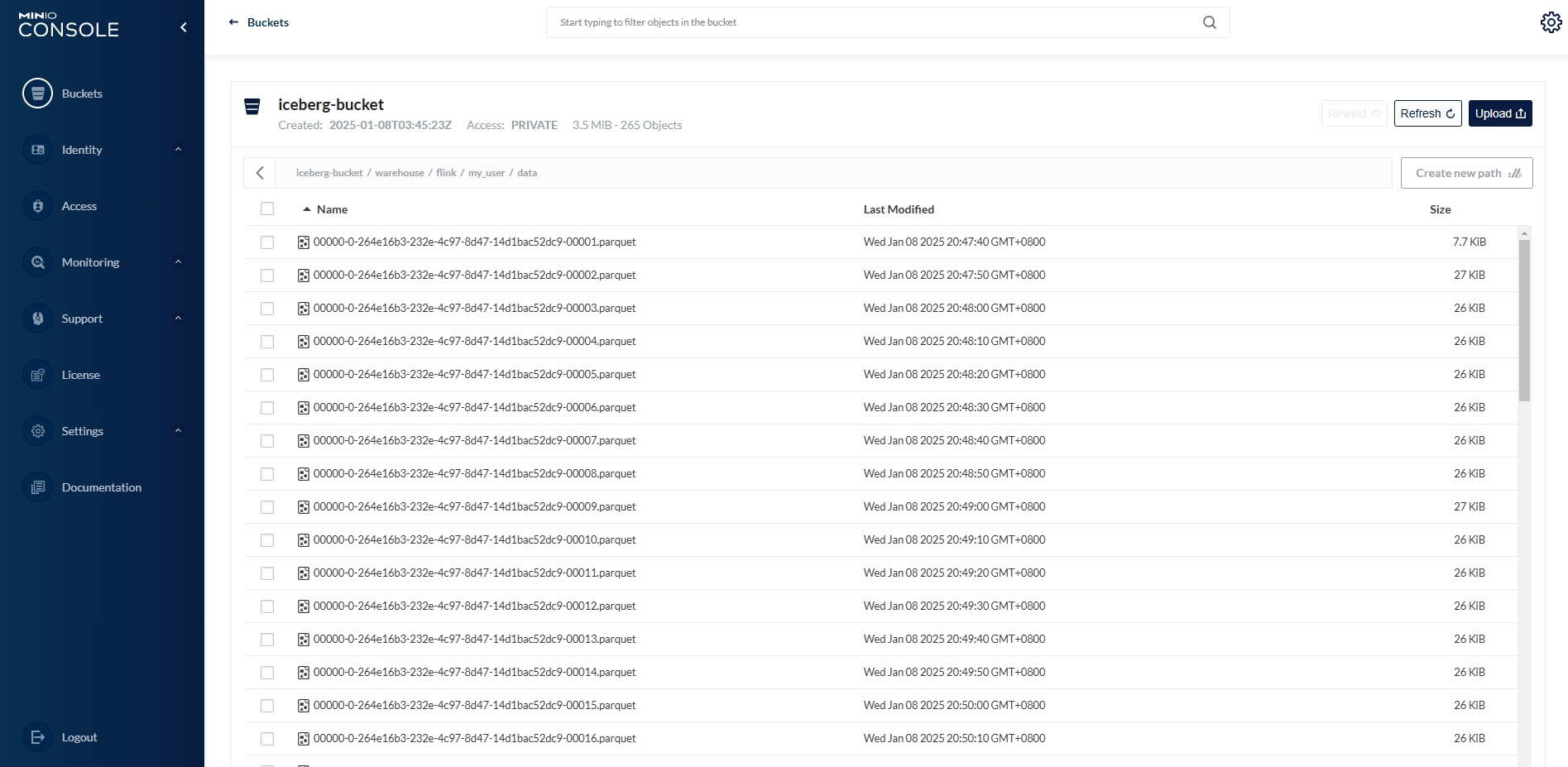
Flink CDC
Flink CDC是实时数据和批量数据的分布式数据集成工具。Flink CDC通过YAML描述数据的移动和转换,带来了数据集成的简单和优雅。
参考:官方文档
建议还是使用官网的Pipeline Connectors
MySQL
DataStream
package local.ateng.java.cdc;

import org.apache.flink.api.common.eventtime.WatermarkStrategy;
import org.apache.flink.cdc.connectors.mysql.source.MySqlSource;
import org.apache.flink.cdc.connectors.mysql.table.StartupOptions;
import org.apache.flink.cdc.debezium.JsonDebeziumDeserializationSchema;
import org.apache.flink.streaming.api.CheckpointingMode;
import org.apache.flink.streaming.api.datastream.DataStreamSource;
import org.apache.flink.streaming.api.environment.StreamExecutionEnvironment;

/**
 * MySQL CDC 连接器 #
 * MySQL CDC 连接器允许从 MySQL 数据库读取快照数据和增量数据。本文描述了如何设置 MySQL CDC 连接器来对 MySQL 数据库运行 SQL 查询。
 * https://nightlies.apache.org/flink/flink-cdc-docs-release-3.2/zh/docs/connectors/flink-sources/mysql-cdc/#datastream-source
 *
 * @author 孔余
 * @email 2385569970@qq.com
 * @since 2025-01-21
 */
public class DataStreamMySQLCDC {

    public static void main(String[] args) throws Exception {
        // 获取执行环境
        StreamExecutionEnvironment env = StreamExecutionEnvironment.getExecutionEnvironment();
        // 启用检查点,设置检查点间隔为 5 秒,检查点模式为 精准一次
        env.enableCheckpointing(5 * 1000, CheckpointingMode.EXACTLY_ONCE);
        // 设置并行度为 3
        env.setParallelism(3);

        // 创建 MySQL 数据源
        MySqlSource<String> mySqlSource = MySqlSource.<String>builder()
                .hostname("192.168.1.10")
                .port(35725)
                .scanNewlyAddedTableEnabled(true) // 启用扫描新添加的表功能
                .databaseList("kongyu_flink") // 设置捕获的数据库, 如果需要同步整个数据库,请将 tableList 设置为 ".*".
                .tableList("kongyu_flink.my_user_mysql") // 设置捕获的表
                .username("root")
                .password("Admin@123")
                .startupOptions(StartupOptions.latest()) // 从最晚位点启动
                .deserializer(new JsonDebeziumDeserializationSchema()) // 将 SourceRecord 转换为 JSON 字符串
                .build();

        // 从 source 中读取数据
        DataStreamSource<String> dataStream = env.fromSource(mySqlSource, WatermarkStrategy.noWatermarks(), "MySQL Source");

        // 打印计算结果
        dataStream.print("output");

        // 执行流处理作业
        env.execute("Flink CDC MySQL 使用示例");

    }

}SQL
package local.ateng.java.cdc;

import org.apache.flink.streaming.api.environment.StreamExecutionEnvironment;
import org.apache.flink.table.api.Table;
import org.apache.flink.table.api.TableResult;
import org.apache.flink.table.api.bridge.java.StreamTableEnvironment;

/**
 * MySQL CDC 连接器 #
 * MySQL CDC 连接器允许从 MySQL 数据库读取快照数据和增量数据。本文描述了如何设置 MySQL CDC 连接器来对 MySQL 数据库运行 SQL 查询。
 * https://nightlies.apache.org/flink/flink-cdc-docs-release-3.2/zh/docs/connectors/flink-sources/mysql-cdc/#datastream-source
 *
 * @author 孔余
 * @email 2385569970@qq.com
 * @since 2025-01-21
 */
public class SQLMySQL {
    public static void main(String[] args) throws Exception {
        // 创建流式执行环境
        StreamExecutionEnvironment env = StreamExecutionEnvironment.getExecutionEnvironment();
        // 设置并行度为 3
        env.setParallelism(3);
        // 创建流式表环境
        StreamTableEnvironment tableEnv = StreamTableEnvironment.create(env);

        // 创建表
        String createSql = "CREATE TABLE my_user (\n" +
                "    db_name STRING METADATA FROM 'database_name' VIRTUAL,\n" +
                "    table_name STRING METADATA  FROM 'table_name' VIRTUAL,\n" +
                "    operation_ts TIMESTAMP_LTZ(3) METADATA FROM 'op_ts' VIRTUAL,\n" +
                "    id BIGINT,\n" +
                "    name STRING,\n" +
                "    age INT,\n" +
                "    score DOUBLE,\n" +
                "    birthday TIMESTAMP(3),\n" +
                "    province STRING,\n" +
                "    city STRING,\n" +
                "    create_time TIMESTAMP(3),\n" +
                "    PRIMARY KEY(id) NOT ENFORCED\n" +
                ") WITH (\n" +
                "    'connector' = 'mysql-cdc',\n" +
                "    'scan.startup.mode' = 'latest-offset', -- 从最晚位点启动\n" +
                "    'hostname' = '192.168.1.10',\n" +
                "    'port' = '35725',\n" +
                "    'username' = 'root',\n" +
                "    'password' = 'Admin@123',\n" +
                "    'database-name' = 'kongyu_flink',\n" +
                "    'table-name' = 'my_user_mysql'\n" +
                ");";
        tableEnv.executeSql(createSql);

        // 查询数据
        String querySql = "select * from my_user";
        Table result = tableEnv.sqlQuery(querySql);

        // 执行操作
        TableResult tableResult = result.execute();

        // 打印结果
        tableResult.print();

        // 执行任务
        env.execute("Flink CDC MySQL 使用示例");

    }

}