
Vue3 二维码
用于生成带有徽标和样式的 QR 码的 JavaScript 库。
基础配置
安装依赖
pnpm add qrcode-vue3@1.7.1最简示例
vue
<template>
  <div>
    <!-- 最简单的二维码 -->
    <QRCodeVue3 :value="qrText" />

    <!-- 可配置属性示例 -->
    <QRCodeVue3
        :width="200"
        :height="200"
        :value="qrText"
    />
  </div>
</template>

<script lang="ts" setup>
import { ref } from 'vue'
import QRCodeVue3 from 'qrcode-vue3'

const qrText = ref<string>('https://vuejs.org/')
</script>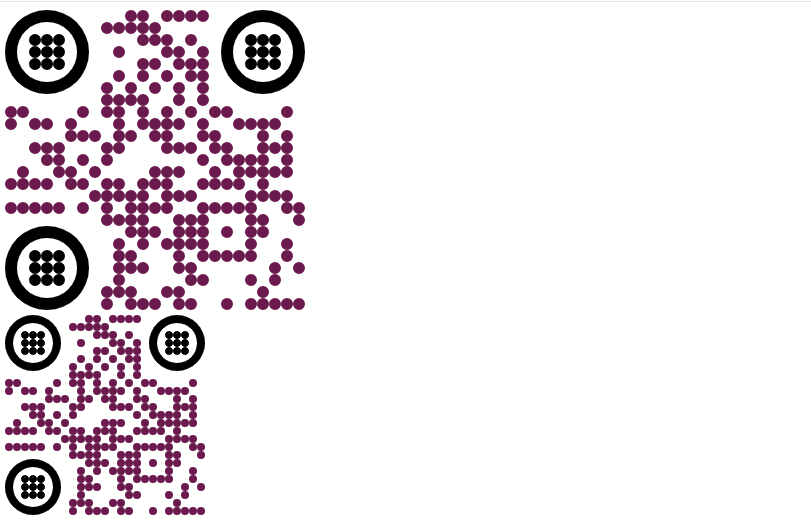
专业示例
vue
<template>
  <div class="container">
    <h1>qrcode-vue3 专业示例库</h1>

    <div class="demo-grid">
      <div class="card">
        <div class="tag">最推荐:品牌定制</div>
        <QRCodeVue3
            :width="260"
            :height="260"
            value="https://vuejs.org/"
            :image="vueLogo"
            :qrOptions="{
            typeNumber: 0,
            mode: 'Byte',
            errorCorrectionLevel: 'H'
          }"
            :imageOptions="{
            hideBackgroundDots: true,
            imageSize: 0.4,
            margin: 8,
            crossOrigin: 'anonymous'
          }"
            :dotsOptions="{
            type: 'extra-rounded',
            color: '#41b883',
            gradient: {
              type: 'linear',
              rotation: 45,
              colorStops: [
                { offset: 0, color: '#41b883' },
                { offset: 1, color: '#35495e' }
              ]
            }
          }"
            :backgroundOptions="{ color: '#ffffff' }"
            :download="true"
            downloadButton="button-style"
            :downloadOptions="{ name: 'v3-qr-brand', extension: 'png' }"
        />
        <p class="desc">带 Logo、渐变色及高容错率(H)</p>
      </div>

      <div class="card">
        <div class="tag">科技感</div>
        <QRCodeVue3
            :width="260"
            :height="260"
            value="https://github.com/di-stella/qrcode-vue3"
            :dotsOptions="{
            type: 'dots',
            color: '#6366f1'
          }"
            :cornersSquareOptions="{
            type: 'extra-rounded',
            color: '#4f46e5'
          }"
            :cornersDotOptions="{
            type: 'dot',
            color: '#312e81'
          }"
        />
        <p class="desc">定制码眼形状,适合互联网产品</p>
      </div>

      <div class="card">
        <div class="tag">极简</div>
        <QRCodeVue3
            :width="260"
            :height="260"
            value="Simplistic Design"
            :dotsOptions="{
            type: 'classy',
            color: '#1e293b'
          }"
            :qrOptions="{
            errorCorrectionLevel: 'M'
          }"
            :download="false"
        />
        <p class="desc">Classy 样式,适合商务名片</p>
      </div>
    </div>
  </div>
</template>

<script setup lang="ts">
import QRCodeVue3 from 'qrcode-vue3'

/**
 * 注意:如果外部 Logo 依然报跨域错误,
 * 请将图片下载到本地 src/assets 并使用:
 * import myLogo from '@/assets/logo.png'
 */
const vueLogo = "https://avatars.githubusercontent.com/u/6128107?s=200&v=4"
</script>

<style scoped>
.container {
  font-family: -apple-system, BlinkMacSystemFont, "Segoe UI", Roboto, sans-serif;
  padding: 40px 20px;
  max-width: 1100px;
  margin: 0 auto;
  text-align: center;
  background-color: #f8fafc;
  min-height: 100vh;
}

.demo-grid {
  display: flex;
  flex-wrap: wrap;
  gap: 30px;
  justify-content: center;
  margin-top: 40px;
}

.card {
  background: #ffffff;
  padding: 30px;
  border-radius: 20px;
  box-shadow: 0 10px 25px -5px rgba(0, 0, 0, 0.1);
  width: 320px;
  display: flex;
  flex-direction: column;
  align-items: center;
  position: relative;
}

.tag {
  position: absolute;
  top: 12px;
  left: 12px;
  background: #f1f5f9;
  padding: 4px 12px;
  border-radius: 20px;
  font-size: 12px;
  color: #64748b;
  font-weight: 600;
}

.desc {
  margin-top: 20px;
  font-size: 14px;
  color: #94a3b8;
}

/* 针对下载按钮的深度选择器优化 */
:deep(.button-style) {
  margin-top: 20px;
  padding: 10px 30px;
  background: linear-gradient(135deg, #41b883 0%, #35495e 100%);
  color: white;
  border: none;
  border-radius: 8px;
  cursor: pointer;
  font-weight: bold;
  transition: opacity 0.2s;
}

:deep(.button-style:hover) {
  opacity: 0.9;
}
</style>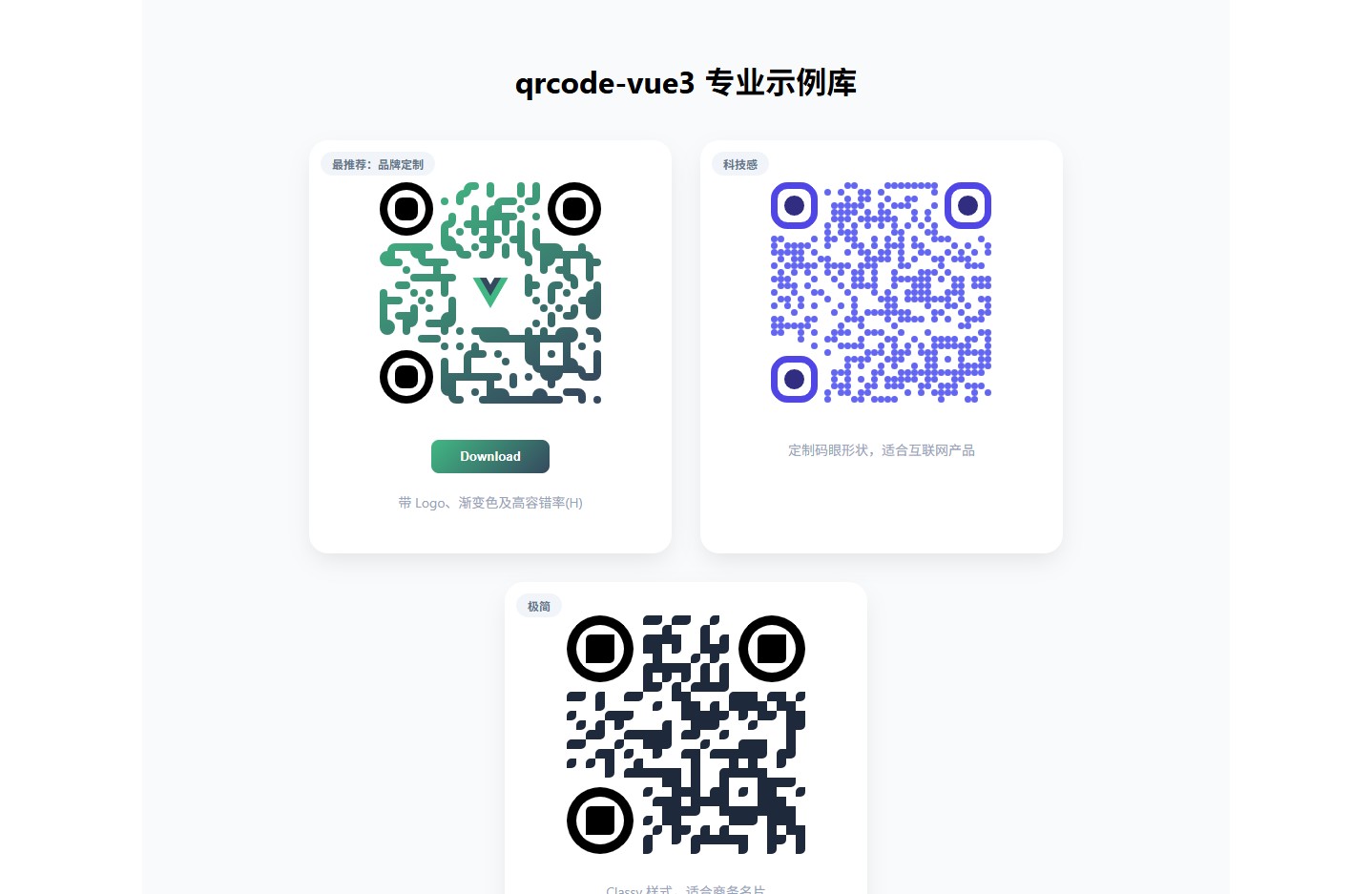
自动连接 Wi-Fi 示例
扫码后,Android 和 iOS 会自动弹出“加入网络”的提示。 格式模板:WIFI:S:<SSID>;T:<WPA|WEP>;P:<PASSWORD>;;
代码段
vue
<template>
  <div class="qr-item">
    <h3>Wi-Fi 快捷连接</h3>
    <QRCodeVue3
      :width="200"
      :height="200"
      value="WIFI:S:Office_Guest;T:WPA;P:password123;;"
      :dotsOptions="{ type: 'rounded', color: '#0ea5e9' }"
    />
    <p>账号:Office_Guest</p>
  </div>
</template>

<script setup lang="ts">
import QRCodeVue3 from 'qrcode-vue3'
</script>电子名片 (vCard) 示例
扫码后,手机会识别为联系人,并询问是否“添加到通讯录”。 格式模板:BEGIN:VCARD...END:VCARD
代码段
<template>
  <div class="qr-item">
    <h3>商务电子名片</h3>
    <QRCodeVue3
      :width="200"
      :height="200"
      value="BEGIN:VCARD
VERSION:3.0
FN:张三 (Gemini)
TEL;CELL:13800138000
EMAIL:service@example.com
ORG:科技无限公司
END:VCARD"
      :dotsOptions="{ type: 'classy', color: '#334155' }"
      :qrOptions="{ errorCorrectionLevel: 'M' }"
    />
    <p>扫码保存联系方式</p>
  </div>
</template>

<script setup lang="ts">
import QRCodeVue3 from 'qrcode-vue3'
</script>地理位置 (Geo) 示例
扫码后,手机通常会询问是否在地图应用(高德/百度/Google Maps)中打开该坐标。 格式模板:geo:<lat>,<lon>
vue
<template>
  <div class="qr-item">
    <h3>地理位置标记</h3>
    <QRCodeVue3
      :width="200"
      :height="200"
      value="geo:31.2304,121.4737"
      :dotsOptions="{ type: 'dots', color: '#f43f5e' }"
      :cornersSquareOptions="{ type: 'extra-rounded', color: '#be123c' }"
    />
    <p>坐标:上海人民广场</p>
  </div>
</template>

<script setup lang="ts">
import QRCodeVue3 from 'qrcode-vue3'
</script>